cloud security posture management
216 TopicsMicrosoft Defender for Cloud Customer Newsletter
*This will be the last monthly MDC newsletter. To keep up with the latest, please visit: What's new in MDC What's new in Defender for Cloud? Multiple container security features are now Generally Available: Container-level misconfiguration recommendations for Kubernetes, Upgrade AKS version recommendations, VA for runtime-discovered container images on EKS and GKE, Kubernetes notes VA for EKS and GKE, scanning support for Docker hardened container images. For more information, see this page here. Database-level recommendations for SQL VA now GA The SQL vulnerability assessment recommendations created as part of the transition from grouped to individual recommendations are now generally available. Each SQL vulnerability assessment rule is surfaced as its own recommendation, reported directly on the affected SQL database resource. For more details, please refer to this documentation . Blogs of the month In July, our team published the following blog posts we would like to share: 1. Built to Protect: The Architecture Behind Codename MDASH Customer journey Discover how other organizations successfully use Microsoft Defender for Cloud to protect their cloud workloads. This month we are featuring NTT Data. NTT Data, a top global IT services provider, leverages Azure, OpenAI and Microsoft Defender to launch their AI agents, adopting secure by design principles, to help enhance, competitiveness organization change and data usage. Defender for AI, and Defender CSPM, as part of the Defender family, address the emerging risks and threats like prompt injection and data poisoning that come with generative AI. Join our community! We offer several customer connection programs within our private communities. By signing up, you can help us shape our products through activities such as reviewing product roadmaps, participating in co-design, previewing features, and staying up-to-date with announcements. Sign up at aka.ms/JoinCCP. We greatly value your input on the types of content that enhance your understanding of our security products. Your insights are crucial in guiding the development of our future public content. We aim to deliver material that not only educates but also resonates with your daily security challenges. Whether it’s through in-depth live webinars, real-world case studies, comprehensive best practice guides through blogs, or the latest product updates, we want to ensure our content meets your needs. Please submit your feedback on which of these formats do you find most beneficial and are there any specific topics you’re interested in https://aka.ms/PublicContentFeedback. Note: If you want to stay current with Defender for Cloud and receive updates in your inbox, please consider subscribing to our monthly newsletter: https://aka.ms/MDCNewsSubscribeMicrosoft Defender for Cloud Customer Newsletter
What's new in Defender for Cloud? Microsoft Defender for Open-Source Relational Databases is now generally available for Amazon Web Services Relational Database Service (AWS RDS) instances. Receive database threat protection and sensitive data discovery insights for supported open-source relational databases, including Aurora PostgreSQL, Aurora MySQL, PostgreSQL, MySQL, and MariaDB on AWS RDS. For more information, see our public documentation. Expanded multicloud security coverage now GA Microsoft Defender for Cloud's expanded multicloud security coverage is now generally available. This release significantly broadens posture assessment for AWS and GCP environments, adding support for about 90 new resource types and over 200 new security recommendations across data, identity and access, networking, compute, and container categories. For more details, please refer to this documentation. Check out other updates from last month here! Check out monthly news for the rest of the MTP suite here! Blogs of the month In June, our team published the following blog posts we would like to share: Now Generally Available: Microsoft Defender for open source relational databases on AWS RDS Start Secure, Stay Secure: How Microsoft is Closing the Gap from Code to Runtime The end of patching era for containers: Microsoft Defender for Cloud expands hardened image support Closing the loop on container security: From code to runtime in the AI era Microsoft Defender for Cloud expands multicloud coverage across AWS and Google Cloud Defender for Cloud in the field Watch the latest Defender for Cloud in the Field YouTube episode here: Stay Secure: AI-powered Faster fixes Visit our YouTube page GitHub Community Check out Defender for Cloud GitHub lab module 25. It walks through the integration between Defender for Cloud and XDR to provide a comprehensive CDR solution. Module 25 - MDC and Defender portal integration Visit our GitHub page Customer journey Discover how other organizations successfully use Microsoft Defender for Cloud to protect their cloud workloads. This month we are featuring Hassan Allam Holding. Hassan Allam Holding is an Egyptian private-sector company with operations spanning engineering, construction, and infrastructure investment and was facing operational complexity. To overcome, they leveraged an end-to-end Microsoft Security ecosystem with Defender XDR, which integrates with Defender for Cloud and other products to centralize detection and signals across endpoint, identity, email and cloud workloads. As a result, alert noise reduce by up to 90%, and Hassan Allam Holding is able to respond faster with far less complexity. Join our community! We offer several customer connection programs within our private communities. By signing up, you can help us shape our products through activities such as reviewing product roadmaps, participating in co-design, previewing features, and staying up-to-date with announcements. Sign up at aka.ms/JoinCCP. We greatly value your input on the types of content that enhance your understanding of our security products. Your insights are crucial in guiding the development of our future public content. We aim to deliver material that not only educates but also resonates with your daily security challenges. Whether it’s through in-depth live webinars, real-world case studies, comprehensive best practice guides through blogs, or the latest product updates, we want to ensure our content meets your needs. Please submit your feedback on which of these formats do you find most beneficial and are there any specific topics you’re interested in https://aka.ms/PublicContentFeedback. Note: If you want to stay current with Defender for Cloud and receive updates in your inbox, please consider subscribing to our monthly newsletter: https://aka.ms/MDCNewsSubscribe494Views2likes0Comments
Now generally available: Serverless posture coverage in Microsoft Defender CSPM
Serverless workloads are a foundation of modern application development, powering everything from low-code and no-code solutions to AI applications and agentic workflows. Development teams use functions, app services, containers, APIs, and event-driven infrastructure to move quickly, scale on demand, and reduce operational overhead. As AI applications and autonomous workflows increasingly rely on distributed services, background tasks, retrieval pipelines, and event-driven components, serverless architectures have become a natural fit. At the same time, they introduce new visibility and posture management challenges. While cloud providers manage the underlying infrastructure, organizations remain responsible for securing their applications, including code, container images, dependencies, configurations, identities, permissions, and access paths. Today, we're announcing the general availability of Serverless Container posture in Microsoft Defender Cloud Security Posture Management (Defender CSPM). Building on the recent general availability of Serverless Compute posture in Defender CSPM, these capabilities extend agentless posture coverage across supported serverless containers, applications, and functions in Azure and AWS. With this expanded serverless posture coverage, security teams can: Discover serverless workloads as first-class assets in a unified cloud inventory Assess workload-specific vulnerabilities, insecure dependencies, and risky configurations Surface exposure, identity, permission, and configuration context that helps prioritize contextual attack paths to broader applications Prioritize risk using security graph context and attack path analysis Act on severity-ranked recommendations in Defender for Cloud Serverless posture coverage across containers, apps, and functions Defender CSPM extends posture management across supported serverless workloads in Azure and AWS. Category Covered workloads Serverless applications and functions Azure Functions, Azure Web Apps, AWS Lambda Serverless containers Azure Container Apps, Azure Container Instances, AWS ECS on Fargate These resources are automatically discovered and surfaced in Defender cloud inventory, helping security teams maintain visibility across dynamic, event-driven application environments. Across supported serverless workloads, multiple layers of posture assessment are provided: Inventory: Serverless compute and container workloads are automatically discovered and mapped with key properties, helping teams understand what is running across their environment. Misconfiguration assessment: identify risky settings such as internet exposure, missing HTTPS, and other configuration issues that can increase exposure. Vulnerability management: Vulnerabilities are detected across supported serverless workloads and tracked over time, helping teams understand where exposed workloads may also contain known CVEs. Attack path analysis: Serverless resources are connected into the Security Graph, so teams can understand how a compromised function or container could reach sensitive assets. Actionable recommendations: Findings are surfaced as resource-level recommendations, making it easier to assign ownership, remediate, and track progress. Secure Score impact: Serverless findings contribute to the broader Secure Score, so risk reduction is reflected in the organization’s overall posture. These findings are incorporated into Security Graph and attack path analysis, helping security teams understand risk in context and prioritize remediation based on how serverless workloads connect to other resources across the cloud environment. In practice Exposed function with access to sensitive data: A serverless function may look like a simple HTTP endpoint, but if it is internet-facing, running with broad identity permissions, and connected to sensitive storage, it can become part of a real attack path. Defender CSPM helps connect these signals across exposure, vulnerabilities, identity, and data access so teams can prioritize the workload based on actual risk, not just isolated findings. Serverless container running a vulnerable image: A serverless container running on Azure Container Apps, Azure Container Instances, or Amazon ECS on AWS Fargate may be fully managed at the infrastructure layer, but the customer still owns the image, application code, identity, configuration, and exposure. If that workload is internet-facing, built from an image with a critical CVE, and connected to Key Vault, storage, or other sensitive services, Defender CSPM helps teams discover it, assess the risk, and prioritize remediation in context. One consistent Defender experience Defender CSPM now natively includes serverless posture coverage. Discovered functions, web apps, and serverless containers appear in the unified cloud inventory, are evaluated through security recommendations, integrate into attack path analysis, and are queryable through Cloud Security Explorer. This consistency matters because serverless workloads rarely operate in isolation. A function might call an API, read from a queue, authenticate with a managed identity, and write to storage. A serverless container might expose an endpoint, pull an image from a registry, process events, and connect to secrets or databases. Defender CSPM helps security teams evaluate these workloads with surrounding context, including exposure, vulnerabilities, identity permissions, configuration risk, and relationships to other resources. That context helps teams move from isolated findings to prioritized remediation. Built for modern and AI-ready applications As organizations build AI-powered applications, agentic workflows, and distributed cloud services, serverless infrastructure continues to play a growing role in delivering scalability and operational efficiency. Defender CSPM helps security teams gain visibility into supported serverless containers, applications, and functions, assess vulnerabilities and misconfigurations, and prioritize remediation using Security Graph context and attack path analysis. By bringing serverless workloads into inventory, recommendations, Cloud Security Explorer, and attack path analysis experiences, Defender CSPM helps organizations better understand and reduce risk across their cloud environments. Explore the documentation for serverless protection and posture for serverless container workloads, and discover the latest innovations in Microsoft Defender for Cloud in the release notes.597Views0likes0CommentsMicrosoft Defender for Cloud expands multicloud coverage across AWS and Google Cloud
Organizations are building and running applications across multiple cloud platforms and hybrid environments to move faster, improve resilience, and choose the services that best fit each workload. But that flexibility also changes how teams need to manage exposure. A risk may start with an internet-facing resource, an over-permissive identity, a misconfigured managed service, a vulnerable container image, or a serverless workload with access to sensitive data. When those signals are spread across multiple cloud providers and tools, it becomes harder to understand how exposure is created and which actions will reduce risk fastest. Today, Microsoft is expanding multicloud coverage in Microsoft Defender for Cloud with general availability of approximately 90 new AWS and Google Cloud resource types and more than 200 recommendations. Building on recent enhancements in CIEM, identity security, containers, and serverless workloads, this expansion helps customers evaluate more of their cloud estate through a unified security experience. With broader coverage across cloud-native applications, data platforms, identity services, networking components, and managed services, security teams can move beyond isolated findings and gain more context across resources, configurations, identities, exposure signals, and prioritization. What’s new: broader AWS and Google Cloud coverage Security teams cannot reduce exposure they cannot see. The expanded coverage brings more AWS and Google Cloud resources into the Defender for Cloud experience, helping customers assess a wider set of modern cloud services through a unified security lens, reducing blind spots where teams increasingly build and operate: serverless applications, containers and build systems, identity and entitlement controls, data and analytics services, AI and ML, networking, messaging, storage, and other managed cloud services. App, platform, and serverless services, including Cloud Run and EventBridge, to help teams identify exposure in cloud-native applications and event-driven workloads. Containers, registries, and build systems, including Artifact Registry and CodePipeline, to connect software supply chain posture with workload risk. Identity, data, and managed services, including Cognito and BigQuery, to help teams understand how access, data, and platform configurations can increase exposure. Multicloud compliance and data protection controls, improving visibility into encryption, logging, backup, auditability, and resilience scenarios. This broader view helps customers understand their real exposure surface and act on recommendations tied to the scenarios that matter most. Find the full list of recommendations here. See exposure in context Exposure is rarely created by a single finding. Consider a security team managing applications across AWS and Google Cloud. A publicly accessible BigQuery dataset, a cloud-native application running in Cloud Run, and an over-permissioned identity may each generate separate findings. Viewed independently, these issues can appear as routine posture alerts; together, they reveal a higher-risk exposure scenario that could lead to unauthorized access to sensitive data. More AWS and Google Cloud resources can now be assessed in the same security experience, helping teams move beyond isolated findings and toward a clearer understanding of potential exposure and remediation priority. Why this matters For most security teams, the bigger challenge isn't generating more findings, it's prioritizing the ones that matter most. By bringing more AWS and Google Cloud resources into inventory, evaluating them with recommendations, and correlating them with identity context, exposure signals, regulatory compliance results, Secure Score insights, and business criticality, Defender for Cloud helps teams focus on the exposures most likely to impact their organization, without adding another fragmented tool to the stack. As coverage expands, teams can answer practical questions across a broader part of their environment: Which AWS and Google Cloud services are now visible in my cloud inventory? Which newly evaluated resources have recommendations that should be reviewed? Which findings are tied to exposed, high-value, or security-sensitive resources? Where should my team prioritize remediation based on exposure, not just finding volume? Building on recent multicloud investments This release builds on a series of multicloud investments in Defender for Cloud over the past several months that bring deeper, more consistent protection across multicloud environments. CIEM and identity: Identity is one of the most common entry points for cloud exposure. Defender for Cloud evaluates overprovisioned identities, risky permissions, weak authentication, and privilege-escalation paths. Modernized CIEM logic now assesses identity risk based on actual entitlement usage rather than sign-in activity, using a 90-day lookback. Customers benefit from improved accuracy using log ingestion from AWS CloudTrail and Google Cloud Logging, and drive actionable recommendations. Learn more about permissions management. Containers and serverless: In containers and serverless, Microsoft expanded multicloud posture coverage across serverless compute, serverless containers, and modern Kubernetes environments. This expansion brings more cloud-native workloads into a unified code-to-runtime security model with vulnerability assessment, misconfiguration analysis, container-level recommendations, and a richer exposure context. Last month we introduced general availability of serverless compute posture coverage for AWS Lambda, Azure Functions, and Azure Web Apps, and the public preview of serverless container posture coverage for Azure Container Apps, Azure Container Instances, and Amazon ECS on AWS Fargate. Learn more about the latest in container security, and find documentation about serverless protection and serverless containers posture protection. Together, these investments give security teams a more complete view of exposure across Azure, AWS, and Google Cloud. Built into the Microsoft Security experience The expanded AWS and Google Cloud coverage strengthens the foundation for multicloud exposure management in Defender for Cloud. Customers can use the same experience they already rely on to understand inventory, posture, serverless and container risk, CIEM and identity context, compliance, Secure Score, and risk prioritization across more of their cloud estate. Because exposure is shaped by relationships across resources, identities, entitlements, workloads, configurations, controls, and reachable services, a more complete multicloud view helps security teams understand risk and act with greater confidence. For customers standardizing on Microsoft Security, this means broader multicloud exposure management in one place – without adding another fragmented tool to the stack. Get started Customers can begin reviewing the expanded coverage by exploring Cloud Inventory, filtering by cloud provider and resource category, reviewing newly introduced recommendations, and monitoring Secure Score changes as broader assessment becomes available. We recommend that security teams: Use Cloud Inventory to understand which additional AWS and Google Cloud resource types are now represented in Defender for Cloud. Review new recommendations across key workload, identity, compliance, data protection, and networking. Reassess top exposure scenarios across clouds, including serverless, containers, identity, data, and managed services. Prioritize remediation based on exposure, criticality, and business context, not only recommendation volume. Learn more With expanded AWS and Google Cloud coverage, Microsoft Defender for Cloud helps security teams improve multicloud visibility, assess more resources, and prioritize exposure across their cloud estate. To learn more, visit the Microsoft Defender for Cloud documentation, review the latest release notes, and follow the Microsoft Defender for Cloud Tech Community blog for updates on cloud security and posture management.
Exempt - Azure CSPM Recommendation" (Terraform exemption
The reason you're not finding a standalone policyAssignmentId/policyDefinitionId for this specific recommendation is that it isn't a standalone assignment — it's one control inside the built-in CSPM initiative (the "ASC Default" / Microsoft Cloud Security Benchmark assignment). That initiative does have an assignment ID; you just need to target the specific control within it, not look for a separate one. In azurerm_resource_policy_exemption (or the subscription/resource-group variants), the relevant fields are: policy_assignment_id → the ID of the initiative assignment (ASC Default / MCSB), not a per-recommendation assignment policy_definition_reference_ids → an array scoping the exemption to just this one control instead of the whole initiative resource "azurerm_resource_policy_exemption" "function_app_network_exemption" { name = "exempt-function-network-restriction" resource_id = azurerm_linux_function_app.example.id policy_assignment_id = data.azurerm_subscription_policy_assignment.asc_default.id policy_definition_reference_ids = [ "<reference-id-for-the-specific-control>" ] exemption_category = "Waiver" # or "Mitigated" if an equivalent control exists expires_on = "2026-12-31T00:00:00Z" } To find the policy_definition_reference_id for this specific control: in the Azure Portal, go to Policy → Definitions, search for "Restricted network access should be configured on Internet exposed Function app" to get its definition ID, then open the initiative definition (ASC Default) and find the matching entry in its policyDefinitions[].policyDefinitionReferenceId array — that string is what goes in the array above. Two things worth deciding upfront before automating this: Waiver vs Mitigated — if you've genuinely restricted access another way (e.g., Private Endpoint), use Mitigated so it's distinguishable from accepted risk in reporting. Consider whether the exemption belongs at the resource scope (just this Function App) vs resource group/subscription — narrower is safer, but if you have a pattern of similar apps, a tagged-based resourceSelectors block can scale this without per-resource blocks.108Views0likes0CommentsClosing the loop on container security: From code to runtime in the AI era
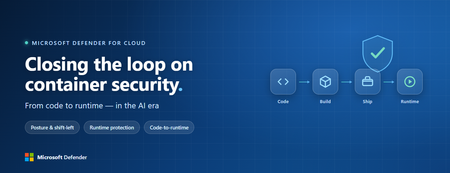
Containers are the backbone of modern cloud-native apps — and increasingly, the infrastructure powering AI, from AI assistants to a new wave of intelligent agents. They also blur the line between build, deploy, and runtime: a single code change can become a running workload in minutes. A misconfiguration committed in the morning can be deployed in minutes and exploited before noon. At that speed, container security can no longer be a point-in-time check, it has to work as one continuous loop. The numbers back this up. For the first time, 31% of breaches now begin with an attacker exploiting a software vulnerability — overtaking stolen credentials as the most common way in — and 15% of attack techniques are now accelerated by generative AI, with adversaries using it to find gaps and write malware faster at every stage. Source: Verizon 2026 Data Breach Investigations Report (incidents Nov 2024–Oct 2025). Over the last few quarters, Microsoft Defender for Cloud has been evolving to offer you this continuous security, end to end. Explore container security’s new capabilities across posture, shift-left, runtime, multicloud coverage, and operations. Collectively they form a more comprehensive approach to container security — one that offers security right during developing a code to a running pod across Azure, AWS, and GCP. There is a second reason why container security matters more in 2026: containers are increasingly where AI runs. Many AI workloads — from model-serving APIs to retrieval systems and intelligent agents — now live as pods on AKS, EKS, and GKE (the managed Kubernetes services from Azure, AWS, and Google), often connected to some of an organization’s most sensitive models and data. As those crown jewels move into the cluster, the same posture, code‑to‑runtime, and runtime protections described in this post extend to AI workloads. The contest is increasingly AI against AI: attackers use it to find and reach the cluster faster, while defenders use it to push back — surfacing the risks that matter most and turning runtime findings into AI‑assisted code fixes. One platform, code to runtime A container finding is not treated as an isolated issue; it is connected to the identity it runs under, the registry and code repository it came from, and the cluster where it is running - all unified under one Microsoft Defender platform. Container posture and shift-left security are now redesigned for least vulnerabilities in production Conventional container security posture offered challenges to scale: a single grouped recommendation could stack thousands of findings under one bucket, making ownership, exemptions, and risk scoring too coarse to act on. That experience is now evolved. We have rebuilt the experience so that each finding is its own recommendation — per software, per image, per container. If two CVEs in the same image belong to two different teams, they can now be triaged, exempted, and reported separately. The grouped recommendations are deprecated and will be removed on July 30, 2026, We suggest updating any automation, export rules, and ServiceNow integrations to target the new per-finding recommendations before that date. That per-finding precision becomes even more powerful once you connect each finding to its source code and to the runtime resources it impacts. Defender for Cloud — part of Microsoft Defender suite — connects this code-to-runtime chain end-to-end. For example, an image built through Azure DevOps or GitHub, pushed to ACR, ECR, Google Artifact Registry, Docker Hub, or JFrog, and pulled by AKS, EKS, or GKE is one continuous evidence chain — traceable from a running container back to the pull request (PR) and line of code that introduced the risk. With GitHub Advanced Security integrated (GA), secrets, code, and dependency findings join the same attack story. The developer-first Defender for Cloud CLI runs the same scanner locally or in any CI/CD pipeline, with consistent exit codes for gating. In this diagram, you can see how we have embedded container security at every stage of the software development lifecycle (SDLC), not just the endpoints. At Code, GitHub Advanced Security and the Defender for Cloud CLI catch secrets, vulnerable dependencies, and insecure code before commit. At Build, the same scanner runs as a CI/CD gate — in GitHub Actions, Azure DevOps, Jenkins, or Bitbucket — failing the pipeline on critical findings. At Ship, registry scanning and Gated Deployment block risky or misconfigured images at the cluster door. And at Runtime, the sensor enforces anti-malware and binary-drift policy on the live workload. No stage is left as a blind spot, and a finding can be traced forward to the running pod or backward to the developer who introduced it. Visibility without enforcement only creates backlog. Gated Deployment — a Kubernetes admission controller — uses the same vulnerability signal, you trust, to block risky images at the cluster level. It supports phased rollout (audit, then deny), targets rules by cluster, namespace, pod, image, or label, and runs across AKS (including AKS Automatic), EKS, and GKE. A newer extension gates on Kubernetes misconfigurations too. Posture practitioners also get KSPM at container granularity — Kubernetes security posture management, available through both Defender for Containers and Defender CSPM — and, on Azure, a new actionable recommendation, Upgrade Azure Kubernetes Service Version (preview), that helps you remediate vulnerabilities in AKS-managed system pods. Coverage that matches containers’ evolution Historically, many container security programs concentrated on managed Kubernetes clusters in AKS, EKS, and GKE. The 2026 reality is broader: a growing share of production runs on serverless container platforms that abstract the cluster away, many sensitive workloads sit behind private, network-isolated clusters, and platform teams increasingly standardize on hardened or distroless base images. The surfaces that were blind spots are now part of the same posture graph as everything else. Serverless compute posture is now generally available across AWS Lambda, Azure Functions, and Web Apps, while Serverless containers posture (preview) takes the same idea to Azure Container Apps, ACI, and AWS Fargate. Together, they bring more of today’s cloud-native production footprint into the same posture graph. Coverage also improves where platform teams are standardizing on locked-down environments. The long-standing gap around private EKS and GKE clusters is closed, bringing some of the hardest-to-reach environments into the same security model. Scanning now works on hardened images from Docker Hardened or Minimus, and runtime protection supports BottleRocket on EKS — with the full feature set also available in Azure Government, which matters for teams running regulated workloads. Runtime threat protection that prevents, not just detects Posture closes the door on attackers; runtime threat protection guards the room if they still succeed. The key shift is that the Defender for Containers sensor now adds prevention on top of detection. The goal is simple: stop malicious code before it runs. Anti-malware detection and prevention (GA) scans container workloads and Kubernetes nodes and, based on the policies you define, blocks malicious execution instead of only alerting. Those alerts then flow into Microsoft Defender XDR’s unified incident model. The second is binary drift detection and prevention (preview). Containers are meant to be immutable. When a process starts from a binary that was not part of the original image, that is drift — and one of the highest-signal indicators of compromise in cloud-native workloads. Defender detects drifts and, with policy enabled, can now also block the drifted process before it executes. Anti-malware and Drift policies can be scoped by cloud, cluster, namespace, image, or label, with allow-lists for legitimate cases. Anti-malware policies can alert, block, or ignore — scoped to clusters, namespaces, pods, labels, or images. Rounding out runtime protection, DNS-based threat detection (GA) catches command-and-control beaconing, DGA traffic, and exfiltration over DNS. A unified approach to container security Step back, and the bigger picture is simple. The same platform that secured your VMs and identities now extends across AKS, EKS, GKE, private clusters, serverless containers, and serverless compute. The same Code-to-Runtime chain that once tied Infrastructure as Code (IaC) findings to running infrastructure now connects Dockerfile commits — through CI/CD and any major registry — to the running pod. Admission control turns posture findings into prevention at deploy time, and runtime protection actively blocks. That is a continuous container security loop living inside Microsoft Defender — not a checklist bolted onto Kubernetes. And it rebalances the fight: as attackers use AI to find and exploit gaps faster, the durable answer is security teams using AI of their own — protecting and triaging at machine speed. If you’ve already enabled container security with Microsoft, the clearest next step is to strengthen the core lifecycle stages first: Code + build: connect GitHub Advanced Security and integrate the Defender for Cloud CLI into your pipelines so findings are caught early and CI/CD gates can fail builds before an image is pushed. Ship: stand up Gated Deployment in audit mode on a non-production cluster, tune it, then flip to deny; extend it to Kubernetes misconfigurations. Run: enable the Defender for Containers sensor, extend it to private EKS and GKE clusters, then tune anti-malware and binary-drift rules in Block mode — starting with your crown-jewel namespaces. Extend protection: turn on serverless compute posture for Lambda, Functions, and Web Apps, and enable serverless container posture for Container Apps, ACI, or Fargate.1.2KViews3likes2CommentsMicrosoft Defender for Cloud Customer Newsletter
What's new in Defender for Cloud? Defender for Cloud is now integrated into the Defender portal to bring together cloud security posture management and threat protection in a single experience. Read more about it here. Cloud security reporting in the Defender portal is now in public preview Customers can now create, customize, and share security insights across the organization through Defender portal’s integrated cloud security reporting capabilities. With these reporting capabilities, customers can view built-in reports like CNAPP Executive Summary, create custom reports, export to PDF and more. For more details, please refer to this documentation. Check out other updates from last month here! Check out monthly news for the rest of the MTP suite here! Blog(s) of the month In May, our team published the following blog posts we would like to share: Better together with Azure WAF + Defender for Storage + Defender for Azure SQL Databases Public preview: Expanded coverage and unified management for SQL VA Express Configuration | Microsoft Community Hub Defender for Cloud in the field Check out the two short videos on Defender Portal integration and Start Secure Stay Secure with Defender for Cloud Microsoft Defender for Cloud deeply integrates with Microsoft Defender Start secure and stay secure with Microsoft Defender for Cloud Visit our YouTube page GitHub Community Check out this PS script and CLI to help you enable Defender for API at scale: Onboard to Defender for API at scale Visit our GitHub page Customer journey Discover how other organizations successfully use Microsoft Defender for Cloud to protect their cloud workloads. This month we are featuring Loyens & Loeff, a law and tax firm, that operates in a high complex environment, sought to modernize the digital workplace with Microsoft 365 Copilot, Defender for Cloud and Purview. Join our community! We offer several customer connection programs within our private communities. By signing up, you can help us shape our products through activities such as reviewing product roadmaps, participating in co-design, previewing features, and staying up-to-date with announcements. Sign up at aka.ms/JoinCCP. We greatly value your input on the types of content that enhance your understanding of our security products. Your insights are crucial in guiding the development of our future public content. We aim to deliver material that not only educates but also resonates with your daily security challenges. Whether it’s through in-depth live webinars, real-world case studies, comprehensive best practice guides through blogs, or the latest product updates, we want to ensure our content meets your needs. Please submit your feedback on which of these formats do you find most beneficial and are there any specific topics you’re interested in https://aka.ms/PublicContentFeedback. Note: If you want to stay current with Defender for Cloud and receive updates in your inbox, please consider subscribing to our monthly newsletter: https://aka.ms/MDCNewsSubscribe
The end of patching era for containers: Microsoft Defender for Cloud expands hardened image support
Why hardened images are becoming the new baseline for container image security Container security is evolving beyond vulnerability scanning alone. Across the ecosystem - spanning container platforms, registries, and software supply chain tooling - customers are increasingly adopting hardened container images - images that are minimal by design, transparent in composition, and continuously maintained to reduce inherited risk at the base layer. This shift is happening against a backdrop of increasingly fast-moving attacks. AI-assisted techniques - such as those demonstrated by Mythos-class tooling - continue to compress the time between vulnerability discovery and exploitation. In this environment, reducing exposure to exploitable vulnerabilities and attack surfaces in container images before deployment is becoming just as critical as detecting vulnerabilities after the fact. Traditional container images are optimized for flexibility and reuse, not for security - meaning they are not designed to minimize included components, reduce attack surface, or limit inherited vulnerabilities by default. As a result, many base images include large package sets and transitive dependencies that significantly increase attack surface and vulnerability noise. Hardened images take a different approach: Minimal by construction, including only what’s required to run the workload Reduced attack surface, limiting exploitable components Strong transparency, with SBOMs and provenance metadata Continuous maintenance, so vulnerabilities are addressed through rebuilding rather than downstream patching For customers, this represents a shift from reactive CVE triage to preventative risk reduction at the image layer. In practice, this changes how container image risk is managed - from prioritizing and patching vulnerabilities in place to replacing images with updated, rebuilt versions, making remediation more predictable and easier to scale across environments. As hardened images become more widely adopted, organizations still need to continuously assess these images for vulnerabilities and compliance, since minimal or frequently rebuilt images can still introduce new risks over time or differ from expected configurations - making continuous image scanning and monitoring essential. Microsoft Defender for Cloud’s approach: support choice, centralize visibility Today, Microsoft Defender for Cloud already supports vulnerability assessment for hardened image providers such as Chainguard, alongside traditional Linux distributions. We recently expanded this coverage further with additional hardened image types, giving customers more flexibility to adopt secure-by-default images while continuing to scan these images and manage findings in a centralized Microsoft Defender for Cloud experience. Microsoft Defender for Cloud does not prescribe a single hardened image solution. Instead, it focuses on enabling customer choice while providing consistent, centralized vulnerability assessment and posture management. This capability builds on the container vulnerability assessment foundation powered by Microsoft Defender for Endpoint and Microsoft Defender Vulnerability Management (MDVM), bringing together high-fidelity vulnerability insights across the container lifecycle with support for modern, hardened image models. From now on, Microsoft Defender for Cloud’s vulnerability assessment supports hardened image ecosystems including: Chainguard images, rebuilt from source and designed to minimize inherited vulnerabilities Minimus images, which are minimal and continuously rebuilt to ship with zero known CVEs at publish time Docker Hardened Images (DHI), secure, minimal, production-ready base images maintained by Docker (recently added) Photon OS-based images and other minimal operating system distributions Across all of these, Microsoft Defender for Cloud’s experience remains consistent: Images are scanned through the existing container vulnerability assessment pipeline Findings surface in the same Azure and Defender portals Policy evaluation, alerting, and compliance reporting stay centralized Security teams do not need to onboard new scanners, manage separate dashboards, or maintain parallel remediation workflows. Hardened image adoption fits directly into existing Microsoft Defender for Cloud posture management. What this means for customers As hardened image adoption accelerates, Microsoft Defender for Cloud enables customers to adopt secure‑by‑default foundations without fragmenting their security posture. The benefits are tangible: Reduced vulnerability noise from inherited base‑image packages Earlier risk reduction at the image layer Consistent vulnerability assessment across hardened image providers Centralized security posture, compliance, and reporting Whether customers choose Chainguard, Minimus, Docker Hardened Images, Photon OS–based images, or a combination, Microsoft Defender for Cloud provides a single control plane for understanding and managing container image risk - without forcing a change in operational model. How this works across hardened image providers Microsoft Defender for Cloud supports multiple hardened image providers, enabling organizations to adopt secure‑by‑default container images while maintaining a consistent approach to vulnerability assessment and posture management. While each provider takes a different approach to minimizing risk at the image layer, Microsoft Defender for Cloud ensures that all images are scanned through the same vulnerability assessment pipeline, with findings surfaced centrally for security teams to monitor, prioritize, and remediate. Examples: Minimus Minimal, continuously rebuilt container images designed to ship with zero known CVEs at publish time. Microsoft Defender for Cloud enables native scanning of Minimus images stored in Azure Container Registry, allowing security teams to assess vulnerabilities and maintain centralized visibility without introducing new workflows. Docker Hardened Images (DHI) Production‑ready, minimal base images designed as drop‑in replacements for standard container images. By supporting DHI, Microsoft Defender for Cloud allows customers to adopt these hardened images while continuing to rely on the same vulnerability scanning, governance, and reporting capabilities. Looking ahead Hardened images are no longer niche - they are becoming a foundational element of modern container security. As attacker automation and AI‑assisted attack techniques continue to shorten response windows, reducing exposure at build and image layers becomes increasingly important. Microsoft Defender for Cloud will continue expanding support for hardened and minimal image ecosystems, ensuring customers can evolve their image strategies without sacrificing visibility, control, or operational simplicity. Security should start with what you build on - not with what you fix later. Learn more: Scanning support for Docker Hardened container imagesBetter together with Azure WAF + Microsoft Defender for Storage + Defender for Azure SQL Databases
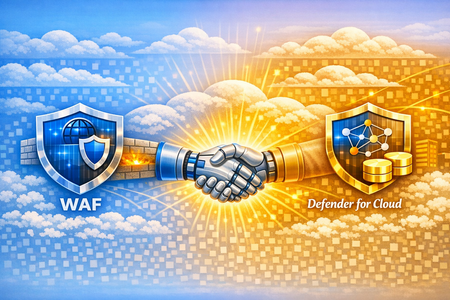
Authored by: Fernanda_Vela , saikishor, Yura_Lee Reviewed by: YuriDiogenes, Mohit_Kumar, Amir_Dahan, eitanbremler , Kitt_Weatherman Introduction Often, customers ask why additional workload protection is needed when a web application firewall is already in place. Azure Web Application Firewall (WAF) serves as a critical control at the application edge, inspecting inbound HTTP/S traffic and blocking common web-based exploits before they reach backend services. However, modern attack paths are no longer limited to the web entry point. Attackers increasingly target components that bypass HTTP/S inspection altogether such as direct access to storage and SQL through SDKs, native integration tools, private endpoints, or compromised identities and third-party integrations. This is where Microsoft Defender for Cloud complements WAF. While WAF focuses on securing the application boundary, Defender for Cloud extends protection into the resource layer by providing Cloud-Native Application Protection Platform (CNAPP) capabilities, including security posture management and workload protection. Using resource-native signals, it helps identify misconfigurations and detect suspicious control-plane and data-plane activity that would otherwise remain invisible to perimeter controls. The Azure Networking Security blog post “Zero Trust with Azure Firewall, Azure DDoS Protection, and Azure WAF: A practical approach” highlights WAF’s role in inspecting inbound HTTP/S traffic, detecting malicious request patterns (such as OWASP Top 10 vulnerabilities), and reducing direct exposure of backend endpoints by enforcing a controlled application entry point. Building on that foundation, this blog focuses on a “better together” approach that combines WAF with Microsoft Defender for Cloud protecting storage and database. Through practical scenarios and posture insights, we will underline how these controls together: Reduces attack surface at the application entry point Continuously improves security posture through configuration and exposure analysis Detects and responds to threats targeting storage accounts and SQL databases beyond the web perimeter By the end of this post, you will understand how Defender for Cloud’s Storage and SQL protections extend the visibility provided by WAF, enabling protection not only at the edge, but also across the underlying data services. Together, these controls form a cohesive model that addresses both external attack vectors and internal or indirect access paths. Note: This is not a deep configuration guide for rule tuning, nor a replacement for official product documentation. It is intended to help architects and security teams align responsibilities and understand how these services reinforce each other. Architecture: The architecture below shows the traffic flow and where each service fits in the lab used in this blog to simulate the attacks. Azure Application Gateway with WAF is the internet-facing entry point, inspecting inbound HTTP/S traffic before it reaches the backend. Behind it, Azure Firewall provides both network- and application-layer inspection for inbound and outbound flows. In the backend subnet, multiple VMs host the workload. For our demonstration, we focus on a single host running: OWASP Juice Shop (port 3000), An upload API that writes to Azure Storage (port 8080) An API that connects to Azure SQL Database (port 5000). This setup allows us to simulate realistic attack paths originating both from the internet and from within the network. Figure 1: Architecture that shows resources with Application Gateway with WAF, Azure Firewall Premium and inbound traffic Note: The patterns in this blog apply to both Azure WAF platforms: Application Gateway WAF and Azure Front Door WAF. The lab uses Application Gateway WAF for the demonstration. Now, let’s head to the next section where we dive deep into these services to understand their capabilities with some attacks, alerts and insights. Azure Web Application Firewall at the Edge As we may have understood by now, Azure WAF is the first layer of protection, inspecting external web traffic for malicious patterns. Each incoming request is evaluated against its rulesets to either allow, block or log this traffic by using its managed and custom rulesets. Now, what are these rulesets? Azure WAF uses managed rule sets like the Default Rule Set (DRS) (version 2.2 as of this writing), which incorporate OWASP Top 10 protections and Microsoft threat intelligence to block common attacks (SQL injection, XSS, remote file inclusion, etc.) in real time. Additional managed sets include a Bot Protection rule set (to guard against malicious bots scraping content) and HTTP DDoS rule set (to detect Layer 7 DDoS patterns). Beyond the built-ins, you can define custom WAF rules for application-specific needs—blocking or allowing traffic based on attributes like geolocation, IP ranges, or specific URL paths. Now let’s talk about an example scenario. In our lab, Azure WAF is protecting multiple backend services on different paths and ports. When an external attacker tries to exploit the Juice Shop app with a crafted XSSattack, Azure WAF immediately detects the malicious pattern and blocks the request at the gateway as seen below. Figure 2: An XSS attack on the juiceshop website, immediately results in a 403 Forbidden as WAF catches this attack in the application layer. However, WAF’s inspection is inherently limited to traffic it can see, primarily, the HTTP/S flows it fronts. Let’s say our attacker changes tactics: instead of trying to force malicious code through the web interface, they obtain a stolen storage key or credentials through phishing and attempt to access the Azure Storage account directly via APIs. This request never goes through WAF, so WAF cannot assess or block it. In such a case, Microsoft Defender for Storage’s threat detection monitors for such suspicious activity, for example by raising an alert about the unusual direct access or flagging a malware file uploaded to a blob container. Likewise, if our attacker exploited a weakness in application code to run malicious SQL commands on the database (whether through potentially harmful application or a suspicious service account), Defender for SQL monitors for and alerts anomalous query patterns or suspicious logins. This illustrates why WAF and Defender for Cloud are complementary: WAF stops web attacks at the door, while Defender for Cloud watches for threats that get inside or come through alternate doors. Figure 3: Single-host lab architecture with Azure Application Gateway (WAF) and resource‑level protection Figure 3 illustrates the key distinction: WAF inspects and protects the application entry point, while Defender for Cloud provides visibility into the resources themselves. Together, they cover both the path into the application and the behavior within the environment—forming a complete protection model across layers. Because not all access to storage and databases may flow through the application gateway, you also need resource-level posture and threat detection to see and stop activity that never appears in WAF logs. Cloud Security Posture Management with Defender for Cloud With the edge covered, the next challenge is reducing risk that originates from misconfiguration and resource exposure. Most successful attacks originate from exposed services and misconfigurations rather than direct application-layer exploits. Microsoft Defender for Cloud’s storage and database protection provide security posture insights that help identify and prioritize these security gaps at the resource level. Defender for Cloud has visibility insights that capture the resources’ misconfigurations on the control and data plane via the Recommendations view in the Azure portal, as shown in the example below: Figure 4: Juice Shop’s storage account and SQL server recommendations Figure 4 is a list of recommendations organized by risk level for this particular environment. The security team should harden the “defendertestsai” storage asset by preventing shared access keys, and the “juiceshop” SQL database by provisioning an Entra administrator. Each recommendation will also provide guidance to remediate these findings. The “Data & AI Dashboard” in Defender for Cloud, with Defender CSPM, will also provide security posture insight into storage, database and AI resources by surfacing their risks, alerts and sensitive data discovery all in one dashboard. Figure 5: Juice Shop’s Sensitive data discovery and Data threat detection dashboard in Defender for Cloud’s “Data&AI section”. Under Data closer look, in Figure 5, you can see in this example, starting from the left, sensitive information found in scanned resources, level alerts for databases and storage resources based on severity, templatized queries from the Cloud Security Explorer, and a graph displaying all internet exposed data resources below. These powerful insights on data resources all come from Defender for Cloud, designed to help customers harden their environment by priority through visibility across their entire data ecosystem based on risk level. Figure 6: Juice Shop’s attack path “Internet exposed Azure VM with high severity vulnerabilities allows lateral movement to Critical Storage used by Azure AI Foundry”. Attack paths are potential avenues in which an attacker can infiltrate and compromise data. In Figure 6 above, we see insight into not only the storage account itself, but the context around it: an internet exposed storage account is connected to other assets like a virtual machine and a managed identity that has permissions to manipulate data. These Defender for Cloud security posture insights complement WAF and complete the defense-in-depth security approach: harden the data services so that even if an attacker reaches them the blast radius is smaller, and the likelihood of compromise is reduced. Defender for Cloud’s advanced threat protection Even in well-secured environments, attackers often interact directly with storage accounts or databases through identities, APIs, or trusted internal paths. Reducing exposure is critical but not sufficient. Detection is required once an attacker begins interacting with data Defender for Cloud’s advanced threat protection for Storage and SQL surfaces resource-level security alerts such as suspicious access patterns, anomalous queries, and malware detections—often with richer context than perimeter telemetry alone. Let’s use a malware alert for a storage account in the Defender portal as an example: Figure 7: Juice Shop’s storage account security alert “Malicious blob uploaded to storage account”. Malware scanning is a common requirement for teams that process user uploads or must meet security benchmarks. In this lab, Juice Shop allows users to upload files (for example, feedback attachments), and the upload API writes those files to Azure Blob Storage. Azure WAF inspects the HTTP request that delivers the upload headers, parameters, payload patterns and blocks web-layer attacks like XSS or SQLi. Scanning blob contents after they land is a different job, performed at the resource layer by Defender for Storage. With Defender for Storage malware scanning enabled, each uploaded blob is scanned; if the verdict is malware, Defender for Cloud raises an alert such as “Malicious blob uploaded to storage account” as shown in figure 7. Then, with Defender for Storage’s automated malware remediation, the malicious blog is set to soft-delete for quarantine and further analysis. SQL databases are high-value targets for data access, privilege escalation, and exploitation of vulnerable applications. Database protection in Defender for Cloud has the visibility to provide customers with control plane and data plane level insight to alert on suspicious activity such as anomalous logons, unusual client applications, and injection-like query patterns. For example, here’s a potential SQL injection alert for a database in the Defender portal: Figure 8: Juice Shop’s database security alert on a potential SQL injection. These alerts typically include investigation context such as the client application, client principal name, and the statement or pattern in question, along with severity to help you prioritize, as shown in Figure 8. From there, analysts can use recommended response actions (for example, to contain risky access paths or harden the database) to reduce the chance of repeat activity. In practice, Defender for Cloud threat detection gives SOC teams prioritized, resource-specific alerts with the context needed to investigate quickly and take action at the storage and database layers. Conclusion Azure Application Gateway with WAF is a necessary control to reduce application-layer risk at the edge. But defense in depth requires the assumption that some threats will reach or target data services directly. By layering Microsoft Defender for Storage and Microsoft Defender for SQL on top of Azure WAF, you add continuous posture insights to reduce preventable exposure, plus threat protection that detects suspicious activity at the resource layer. Operated together, these services provide stronger prevention, better detection coverage, and clearer response paths than single control alone.Microsoft Defender for Cloud Customer Newsletter
What's new in Defender for Cloud? Kubernetes gated deployment is now generally available for AKS automatic clusters. Use help to deploy the Defender for Containers sensor to use this feature. More information can be found here. Grouped recommendations are converted into individual ones to list each finding separately. While grouped recommendations are still available, new individual recommendations are now marked as preview and are not yet part of the Secure Score. This new format will allow for better prioritization, actionable context and better governance and tracking. For more details, please refer to this documentation. Check out other updates from last month here! Check out monthly news for the rest of the MTP suite here! Blogs of the month In March, our team published the following blog posts we would like to share: Defending Container Runtime from Malware with Defender for Containers Modern Database Protection: From Visibility to Threat Detection with Defender for Cloud New innovations in Microsoft Defender to strengthen multi-cloud, containers, and AI model security Defending the AI Era: New Microsoft Capabilities to Protect AI Defender for Cloud in the field Revisit the malware automated remediation announcement since this feature is now in GA! Automated remediation for malware in storage Visit our YouTube page GitHub Community Check out the new Module 28 in the MDC Lab: Defending Container Runtime from Malware with Microsoft Defender for Containers Defending Container Runtime from Malware Visit our GitHub page Customer journey Discover how other organizations successfully use Microsoft Defender for Cloud to protect their cloud workloads. This month we are featuring ManpowerGroup, a global workforce solutions leader, deployed Microsoft 365 E5, and Microsoft Security to modernize and future-proof their cyber security platform. ManpowerGroup leverages Entra ID, Defender for Endpoint, Defender for Identity, Defender for O365, Defender for Cloud, Microsoft Security Copilot and Purview to transform itself as an AI Frontier Firm. Join our community! We offer several customer connection programs within our private communities. By signing up, you can help us shape our products through activities such as reviewing product roadmaps, participating in co-design, previewing features, and staying up-to-date with announcements. Sign up at aka.ms/JoinCCP. We greatly value your input on the types of content that enhance your understanding of our security products. Your insights are crucial in guiding the development of our future public content. We aim to deliver material that not only educates but also resonates with your daily security challenges. Whether it’s through in-depth live webinars, real-world case studies, comprehensive best practice guides through blogs, or the latest product updates, we want to ensure our content meets your needs. Please submit your feedback on which of these formats do you find most beneficial and are there any specific topics you’re interested in https://aka.ms/PublicContentFeedback. Note: If you want to stay current with Defender for Cloud and receive updates in your inbox, please consider subscribing to our monthly newsletter: https://aka.ms/MDCNewsSubscribe