classic outlook
5 Topics
Classic Outlook Keeps "Not Responding" and freezing
Hi there, I tried to scour for something similar, but I couldn't find anything and/or it didn't work - so here I am - hopefully someone can help. Okay the facts - I use Classic Outlook (CO moving forward) and I run 5 email address in it - 3 are a domain for my company that I run and 2 are POP emails brought in from AOL. I run Windows 11. This is happening to 3 or my 5 work stations, all three are the ones on Windows 11. This started slow a few weeks ago, thought it was just low memory so went through and cleaned up old emails. I am not seeing these issues when using the 2 pop emails - just my company domain ones. Can open CO, taking some extended time but it is getting there. As soon as I try to send an email, reply to an email, change a signature within a new email - it either takes 5-10 minutes to load if we do not click again and just let it sit and think. The second I try and click something or try and scroll while waiting - it goes into 'Not Responding'. Some times it will load after 1 minute and sometimes it just get stuck. I have updated my CO, I tried the advanced 'online repair' through my system, I have tried disabling all my add-ons, I tried deleting my email account from CO and re-loading/logging in, I have checked my graphics card (something on google said to check it for updates), I have ran command prompts to check for internal Windows errors and I have come up short on everything.8.6KViews3likes21Comments
Classic outlook - Teams add-in not loading
We recently had a partner experience an issue that is causing the teams add-in feature to not load properly in classic outlook when creating a new meeting. For some background info, we are using a Virtual environment within remote desktop running windows 11. Our servers are provided by AWS. The issue only began as recently as December, as far as we can ascertain with the customers information. I have noticed this issue occurs with numerous partners but is inconsistent, as some load and others do not. I followed troubleshooting steps such as an uninstall/reinstall, verifying the load behavior in the registry was set to 3, and tried to re-register the related teams.addinLoader.dll. A colleague did implement a script to the environment task scheduler that will run every time outlook is launched to re-install that add-in as a break fix, but this still requires closing outlook and reloading it to work. I was curious if anyone else had encountered this within remote desktop with classic outlook, and if they had any success in fixing it. The easiest thing, obviously, is moving over to new outlook since teams' integration is native, but we have some that prefer classic. Though, with it being retired in 2029 it may be worth starting the move away while in a remote environment.1.3KViews0likes2Comments
Add-in issues with Version 2606 (Build 20131.20090) of Classic?
Hey there, Any other developers out there seeing an increase in failures retrieving the email body using OfficeJS SDK with this latest version of Classic Outlook? We're seeing the 100% failure to retrieve the body after the first retrieval succeeds. Any users seeing their add-ins quit working with this change? Everything seems to be fine on Version 2605. For developers; anyone have better places to open threads or contact Outlook support? Thanks! Jeremy699Views0likes2Comments
Is a COM add-in the only way to add an add-in to a Gmail/IMAP account in classic Outlook?
I have an Outlook web add-in (Office.js, MailApp) that works fine on Exchange Online mailboxes. But on a Gmail account added to classic Outlook for Windows via IMAP, the add-in never activates, as I understand it, web add-ins need an Exchange backend to activate against, which an IMAP account doesn't have. Is that correct? And if so, is a traditional COM add-in (VSTO) the only supported way to surface an add-in on these IMAP/POP mailboxes in classic Outlook, or is there a web-add-in path I'm missing?106Views0likes1CommentFavorites option missing - Classic Outlook
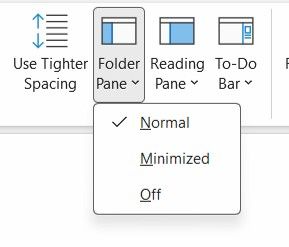
I have a user using Classic Outlook on 365 version 2601 (previously 2512 also not working). The Favorites section is missing in the folder view. When clicking the View - Layout - Folder Pane menu, the option for Favorites is missing. Does anyone have any ideas on how to restore this option?162Views0likes1Comment