calendar
2 Topics
Issues with syncing calendar from outlook calendar in taskbar
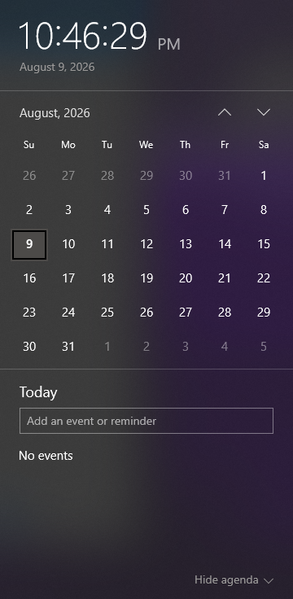
I am wondering how I can sync a specific calendar from outlook to be the one that the events get pulled from to appear in the taskbar calendar that is displayed when clicking the date/time tool. Currently the calendar that appears when I click the date and time section is blank, and trying to make a new event from that popup does not save anything. When go into the outlook calendar app, I can see the multiple email accounts and their respective calendar, but yet no events from these calendars show up when looking at the calendar popup from the taskbar. When trying to make an event in this calendar popup, it even gives me the option to save the event to one of my outlook accounts (the gmail account I have integrated), but does not successfully save any event anywhere. I am wondering what is required to be able to see the events from my outlook calendar in this popup, and to be able to quickly and conveniently make events from this taskbar popup and have them save to my actual outlook calendar. Including a screenshot of the calendar in taskbar that I am requesting help with incase of any confusion.269Views0likes3Comments
Windows 10 Email & App accounts settings
Hi all, We use Outlook in our organization and we want to deny the ability to add accounts to the windows 10 mail, contact and calendar apps. I tried turning off the apps from policy, and it didn't work. I need this because the mail app is changing the default settings in the computer and when clicking on a link for sending an email it opens the app instead of outlook. Thanks, Rahamim.1.4KViews0likes1Comment