biz apps
44 TopicsFY24 High Volume Advanced Acceleration Program
REGISTER HERE Accelerating, scaling and optimizing a high volume motion: 8 week implementation program ($2400 USD) Join us for the upcoming FY24 High Volume Acceleration One to Few personalized program, provided by Microsoft and presented in partnership with Neural Impact. Over 200 partners have implemented the acceleration best practices they learned in this High Volume Program to gain greater success over the past three years. Hear an overview of the program here: During this 8 week program you will attend 6 live remote sessions and gain strategies to achieve the following: Position and differentiate your cloud offerings more effectively Win more deals and drive margins with a vertical go to market strategy Shift from a one-time project services revenue model to a true SaaS business model driving more recurring revenue Understand pricing psychology and cloud buyer behavior Bring new packaged repeatable offers and solutions to market that accelerate your sales cycle and shorten time to value for customers Generate more leads and convert more opportunities to closed deals Leverage video to automate your sales cycle and lower your cost of customer acquisition Increase your ability to scale beyond your current delivery constraints Double your new Business Application and Power Apps SMB and SMC customers in FY24 Increase your capability to drive a successful P2P co-sell strategy Your nominal participation fee of $2,400 USD per partner company (coop eligible) includes unlimited participants per partner, access to helpful implementation support resources and personalized feedback and coaching. Microsoft has made this program content available to Microsoft partners in partnership with Neural Impact. Invite your sales, marketing, delivery and management team to attend these sessions. The more people on your team that participate, the more momentum your team will gain to drive change and new levels of acceleration success. Still need more info? Click here to learn more about the High Volume Program. Meet Neural Impact https://neuralimpact.wistia.com/medias/t4ktrtzwek How do you secure your seat? Step 1. Register to participate in an upcoming High Volume Program. Step 2. Pay for the program to secure your spot. Kicking off Jan 16, 23, 30 - Feb 13, 20, 27, 2024 - 7:00 am - 8:15 am PST Kicking off Feb 14, 21, 28 - Mar 6, 13, 20, 2024 - 7:00 am - 8:15 am PST2.8KViews0likes0CommentsFY24 Business Applications Partner Incentives Overview
REGISTER HERE! Join us to learn about the priorities and strategy for the Business Application solution area. We’ll discuss how you can integrate partner incentives into your business strategy to grow your business and deliver excellent customer value. Content is focused to partners interested in earning incentives when delivering Business Applications solutions to customers. Topics include: Trends shaping partner opportunity in Business Applications How Microsoft’s partner incentives portfolio is aligned to our solution priorities in FY24 Changes coming to partner incentives in FY24 Earning opportunities available in Microsoft Commerce Incentives Enrollment and partner resources Pre-Read/Resource Links Partner Investments and Incentives - Home (sharepoint.com) Thank you, Microsoft Business Operations - Partner Community Team * Upon registration, you will receive an automated email from EventBuilder <noreply@globalpbocomm.eventbuilder.com> (please check your spam folder), where you can download the Outlook calendar reminder/Save the Date alert.2.5KViews0likes0Comments
Service Principals in Microsoft Power Platform
Shared Passwords Are a Ticking Time Bomb Let’s be blunt: if your Power Platform automation runs on a shared service account password that three people know, you are one resignation away from every flow going dark, one password reset, one MFA change… That is all it takes. The fix? A service principal, a non‑human application identity in Microsoft Entra ID that authenticates with certificates, never logs in interactively, and keeps running no matter who leaves. In Power Platform, it shows up as an Application User in Dataverse and can own flows, manage Power BI datasets, run Dataverse operations, and power your CI/CD pipelines. Unlike a traditional shared service account (which carries the risk of password expiration, MFA prompts breaking automation, and credentials being overshared), a service principal authenticates using certificates or client secrets, has no mailbox, no interactive login, and cannot be accidentally used by a person. For organizations running Power Automate flows, calling APIs, running Power Platform Pipelines or managing environments programmatically, service principals offer a fundamentally more secure, auditable, and manageable identity. They enable least-privilege access, integrate cleanly with Conditional Access policies, and eliminate the single point of failure that comes with tying critical automation to an individual employee's account. This lack of tether to an individual account means workloads do not need to be reassigned once someone leaves your organization. Put more simply, if your Power Platform workloads are still running under a named user or a shared "svc_powerautomate@company.com" account, it's time to reconsider. Microsoft Advisory: “Best practice is to use service principals as the preferred identity model for Power Automate wherever supported, because shared user‑based service accounts introduce security, audit, and operational risks.” In this blog, we will highlight opportunities to strengthen your security posture across the Power Platform with Service Principals alongside ideas for when a Service Principal may not be applicable for your scenario. Getting Started: Setting up a service principal is straightforward. Everything is documented on Microsoft Learn: 🔗Register an app in Entra ID — Microsoft Learn 🔗Manage application users — Microsoft Learn 🔗Service principal owned flows — Microsoft Learn There are also many good blogs about step-by-step setup of the service principal, assigning permissions and assigning to an application user we won't be covering the setup here. Let's go into detail how you can utilize a Service Principal to secure your Power Platform workloads. Where Service Principals Shine in the Power Platform ⚡ Power Automate In Power Automate, service principals establish durable ownership and authentication for enterprise automation. Flows run under a non‑human application identity, eliminating dependency on individual users and preventing failures caused by password rotation, MFA enforcement, or user departure. Flow Ownership: Assign the service principal as the primary owner to ensure flows continue running regardless of personnel changes. Service Principal‑owned flows require either a Process license (~$150/flow/month, stackable up to 10 for 2.5M actions/day) or pay‑as‑you‑go billing via Azure. Authentication: Service principals authenticate using client credentials, removing the standard 90‑day connection expiry. Only the client secret or certificate has an expiration, which can be configured (up to 24 months). For production workloads, store secrets in Azure Key Vault with rotation alerts. Dataverse Connector: Dataverse is the only standard connector with native service principal sign‑in. Selecting Connect with Service Principal ensures all Dataverse actions execute under the application identity with full audit attribution. Non‑Service Principal Connectors: Connectors such as SharePoint, Outlook, and Teams require delegated user context by design. Where app‑only execution is required, the HTTP connector can be used to call Microsoft Graph with application permissions, introducing a premium dependency. ✓ Service Principal‑Friendly ✓ Microsoft Dataverse (native SP sign‑in) ✓ Custom connectors (app‑only OAuth) ✓ HTTP via Graph API (app permissions) ⚠ Requires User Context ⚠ SharePoint (standard connector) ⚠ Outlook / Office 365 ⚠ Teams (many actions) ⚠ Planner, OneDrive 🔗Support for service principal owned flows - Power Automate | Microsoft Learn 🔗 Manage connections to Dataverse — Microsoft Learn 📱 Power Apps and Dataverse Your Service Principal’s Application User executes Dataverse operations from flows triggered by model‑driven apps. Audit logs clearly separate automated changes from human activity. Assign custom security roles scoped to exact tables (skip System Admin), use separate Service Principalss per solution area, and know that canvas apps can trigger Service Principal‑backed flows behind the scenes. 🔗Create a Dataverse application user — Microsoft Learn 📊 Power BI This is where Service Principals quietly save organizations from one of the most common Power BI failures: dataset refresh breaking because the owner left. Take over semantic model ownership via the REST API and refreshes never fail from expired tokens again. Workspace access: add Service Principal as Member or Admin Semantic model ownership takeover via REST API Automated refresh from PowerShell, Logic Apps, Azure Data Factory, or custom apps XMLA endpoint access for model deployment and DAX queries (Premium/Fabric) App Owns Data embedding for external users without Power BI licenses Requirement: Tenant admin enables “Service principals can use Fabric APIs”. Service Principal added to workspace. API refresh needs Premium, Premium Per User, or Fabric capacity. 🔗Automate Premium tasks with Service Principals — Microsoft Learn 🔗Enhanced refresh REST API — Microsoft Learn 🛠️ Application Lifecycle Management (ALM) with Pipelines Power Platform Pipelines are a built-in option for application lifecycle management native to the Power Platform. Pipelines bring ALM automation and continuous integration and continuous delivery (CI/CD) functionality into a native service that's designed to be usable by all members of your low-code team, regardless of technical capability. To learn how to set up pipelines in Power Platform, Microsoft has some fantastic documentation as well as a learning path on Learn.microsoft to guide you through the process. We can utilize Service Principals in Pipelines as well. By default, a pipeline deploys as the requesting maker, meaning the maker needs elevated permissions to deploy to the target environment. Delegated deployments with Service Principals allow deployment without the maker needing elevated permissions in the downstream environment. The pipeline can run as a service principal (or pipeline stage owner), allowing makers to deploy without needing elevated permissions in target environments like production. Approvals may be required for security reasons, and can be automated or manual depending on your security requirements. 🔗PAC CLI: createserviceprincipal - Microsoft Learn 🛡️ Alternatives for Secure Workloads While service principals offer an avenue to securing most workload scenarios on the Power Platform, they cannot cover all workload scenarios. In these cases, there are alternative approaches. Azure Logic Apps support system-assigned and user-assigned managed identities, allowing workflows to authenticate directly to Azure resources without storing or managing any login credentials. This can offer an option when your workload can live outside Power Automate. Some teams opt to retain shared service accounts. This is not best practice, but when undertaken, there are steps to harden these accounts. Dedicated Entra Conditional Access policies to enforce MFA, restricting sign in locations and devices can provide additional protection. For password rotation, Azure Key Vault centralizes credential storage and enables automatic secret rotation, reducing the risk of stale or exposed passwords. Each of these approaches can be layered or combined with service principals depending on your organization's risk tolerance, licensing constraints, and connector support limitations. 🔗Governing Entra service accounts — Microsoft Learn All Your Options at a Glance Not sure which approach fits? Here is every option compared — from the gold standard to the fallback you hope to leave behind: Option MS Rec? Key Benefit Main Tradeoff Security SP + Process License Yes Gold standard. Certificate auth, clean audit. ~$150/flow/mo. Solutions required. Highest SP + Flow Groups Yes (GA May ’26) 1 license across up to 25 flows. Shared 250K/day action pool. Highest SP + Pay-as-you-go Yes Available today. No upfront cost. Variable cost. Azure sub needed. Highest Hybrid: SP + SA Pragmatic SP owns; SA for delegated connectors. SA still exists for connections. Med‑High Hardened SA Only No Simplest and no migration needed. Interactive login risk. MS discourages. Low Logic Apps + MI Yes (diff product) Zero credentials. Consumption billing. Full platform migration required. Highest ⚠ All costs are approximate and vary by enterprise agreement. Verify with your Microsoft representative. Microsoft‑validated: The dedicated service account fallback is a supported approach, not a workaround. Any alternative to service principals would need to be designed and accepted at the customer’s own risk. Summary Service principals replace shared, user‑based accounts with a non‑human application identity that is secure, auditable, and resilient. Eliminating password risk, improving governance, and ensuring Power Platform workloads continue running independent of employee lifecycle events across the entire platform. The result is higher security, operational stability, and governance consistency. The Bottom Line Service principals are not optional polish. They are how Microsoft expects you to run enterprise automation in 2026. One Entra ID app registration. Four products. Zero shared passwords. ✓ Blocking interactive admin logins is correct. No supported scenario requires it. ✓ Hybrid model when needed. Service Principals where supported, hardened service accounts where not. Both documented by Microsoft. ✓ Start with pay‑as‑you‑go. Pilot a batch. Measure costs. Then commit. No upfront purchase needed. Authors: Sheldon Dsouza + Marc Lotorto | Contributors: Rasha Al-Silmi, Ahmed Shaalan, Josh Flicker All guidance aligned with Microsoft Learn and validated by Microsoft Advisory, April 20262.3KViews1like2CommentsDrive demand for your offers with solution area campaigns in a box
Take your marketing campaigns further with campaigns in a box (CiaBs), collections of partner-ready, high-quality marketing assets designed to deepen customer engagement, simplify your marketing efforts, and grow revenue. Microsoft offers both new and refreshed campaigns for the following solution areas: Data & AI (Azure), Modern Work, Business Applications, Digital & App Innovation (Azure), Infrastructure (Azure), and Security. Check out the latest CiaBs below and get started today by visiting the Partner Marketing Center, where you’ll find resources such as step-by-step execution guides, customizable nurture tactics, and assets including presentations, e-books, infographics, and more. AI transformation Generate interest in AI adoption among your customers. As AI technology grabs headlines and captures imaginations, use this campaign to illustrate your audience’s unique opportunity to harness the power of AI to deliver value faster. Learn more about the campaign: AI Transformation (formerly Era of AI): Show audiences how to take advantage of the potential of AI to drive business value and showcase the usefulness of Microsoft AI solutions delivered and tailored by your organization. Data & AI (Azure) Our Data & AI campaigns demonstrate how your customers can win customers with AI-enabled differentiation. Show how they can transform their businesses with generative AI, a unified data estate, and solutions like Microsoft Fabric, Microsoft Power BI, and Azure Databricks. Campaigns include: Unify your intelligent data - Banking: Help your banking customers understand how you can help them break down data silos, meet compliance demands, and deliver on rising customer expectations. Innovate with the Azure AI platform: Help your customers understand the potential of generative AI solutions to differentiate themselves in the market—and inspire them to build GenAI solutions with the Azure AI platform. Unify your intelligent data and analytics platform - ENT: Show enterprise audiences how unifying data and analytics on an open foundation can help streamline data transformation and business intelligence. Unify your intelligent data and analytics platform - SMB: Create awareness and urgency for SMBs to adopt Microsoft Fabric as the AI-powered, unified data platform that will suit their analytics needs. Modern Work Our Modern Work campaigns help current and potential customers understand how they can effectively transform their businesses with AI capabilities. Campaigns include: Connect and empower your frontline workers: Empower your customers' frontline workers with smart, AI-enhanced workflows with solutions based on Microsoft Teams and Microsoft 365 Copilot. Use this campaign to show your customers how they can make their frontline workers feel more connected, leading to improved productivity and efficiency. Microsoft 365 Copilot SMB: Increase your audience's understanding of the larger potential of Microsoft 365 Copilot and how AI capabilities can accelerate growth and transform operations. Smart workplace with Teams: Use this campaign to show your customers how to use AI to unlock smarter communication and collaboration with Microsoft Teams and Microsoft 365 Copilot. This campaign demonstrates to customers how you can help them seamlessly integrate meetings, calls, chat, and collaboration to break down silos, gain deeper insights, and focus on the work that matters. Cloud endpoints: Help customers bring virtualized applications to the cloud by providing secure AI-powered productivity and development on any device with Microsoft Intune Suite and Windows in the cloud solutions. Business Applications Nurture interest with audiences ready to modernize and transform their business operations with these BizApps go-to-market resources. Campaigns include: AI-powered customer service: Highlight how AI-powered solutions like Microsoft Dynamics 365 are transforming customer service with more personalized experiences, smarter teamwork, and improved efficiency. Migrate and modernize your ERP with Microsoft Dynamics 365: Position yourself as the right partner to modernize or replace your customers' legacy on-premises ERP systems with a Copilot-powered ERP. Business Central for SMB: Offer customers Microsoft Dynamics 365, a comprehensive business management solution that connects finance, sales, service, and operations teams with a single application to boost productivity and improve decision-making. AI-powered CRM: Help your customers enhance their customer experiences and close more deals with Microsoft 365 Dynamics Sales by making data AI-ready, which empowers them to create effective marketing content with Microsoft 365 Copilot and pass qualified leads on to sales teams. Use this campaign to show audiences how Copilot and AI can supercharge their CRM to increase productivity and efficiency, ultimately leading to better customer outcomes. Modernize at scale with AI and Microsoft Power Platform: This campaign is designed to introduce the business values unlocked with Microsoft Power Platform, show how low-code solutions can accelerate development and drive productivity, and position your company as a valuable asset in the deployment of these solutions. Digital & App Innovation (Azure) Position yourself as the strategic AI partner of choice and empower your customers to grow their businesses by helping them gain agility and build new AI applications faster with intelligent experiences. Campaigns include: Build and modernize AI apps: Help customers building new AI-infused applications and modernizing their application estate take advantage of the Azure AI application platform. Accelerate developer productivity: Help customers reimagine the developer experience with the world’s most-adopted AI-powered platform. Use this campaign to show customers how you can use Microsoft and GitHub tools to help streamline workflows, collaborate better, and deliver intelligent apps faster. Infrastructure (Azure) Help customers tap into the cloud to expand capabilities and boost their return on investment by transforming their digital operations. Campaigns include: Modernize VDI to Azure Virtual Desktop - SMB: Show SMB customers how they can meet the challenges of virtual work with Azure Virtual Desktop and gain flexibility, reliability, and cost-effectiveness. Migrate VMware workloads to Azure: Help customers capitalize on the partnership between VMware and Microsoft so they can migrate VMware workloads to Azure in an efficient and cost-effective manner. Migrate and secure Windows Server and SQL Server and Linux - ENT: Showcase the high return on investment (ROI) of using an adaptive cloud purpose-built for AI workloads, and help customers understand the value of migrating to Azure at their own pace. Modernize SAP on the Microsoft Cloud: Reach SAP customers before the 2027 end-of-support deadline for SAP S/4HANA to show them the importance of having a plan to migrate to the cloud. This campaign also underscores the value of moving to Microsoft Azure in the era of AI. Migrate and secure Windows Server and SQL Server and Linux estate - SMB: Use this campaign to increase understanding of the value gained by migrating from an on-premises environment to a hybrid or cloud environment. Show small and medium-sized businesses that they can grow their business, save money, improve security, and more when they move their workload from Windows Server, SQL Server, and Linux to Microsoft Azure. Security Demonstrate the power of modern security solutions and help customers understand the importance of robust cybersecurity in today’s landscape. Campaigns include: Defend against cybersecurity threats: Increase your audience's understanding of the powerful, AI-driven Microsoft unified security platform, which integrates Microsoft Sentinel, Microsoft Defender XDR, Security Exposure Management, Security Copilot, and Microsoft Threat Intelligence. Data security: Show customers how Microsoft Purview can help fortify data security in a world facing increasing cybersecurity threats. Modernize security operations: Use this campaign to sell Microsoft Sentinel, an industry-leading cloud-native SIEM that can help your customers stay protected and scale their security operations.1.7KViews2likes0Comments
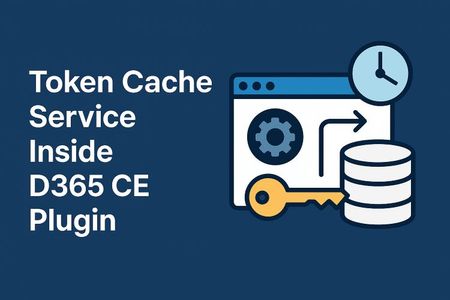
Token Cache Service Inside D365 CE Plugin Base
Introduction This document explores a performance optimization technique for Dynamics 365 plugins by implementing centralized token caching using static variables in a plugin base class. Since plugin instances are recreated for every request, holding variables in memory is not feasible. However, static variables—such as a ConcurrentDictionary—defined in a base class can persist across executions, enabling efficient reuse of authentication tokens. This approach avoids tens or even hundreds of thousands of daily calls to identity management endpoints, which can overload those services. Additionally, plugin execution time can increase by 500 milliseconds to one second per request if authentication is performed repeatedly. **Token caching is neither a universal requirement nor a general best practice; its value depends on whether small latency reductions meaningfully compound at scale and materially reduce repeated authentication traffic against the identity provider—conditions that most implementations do not experience**. 🔐 TokenService Implementation for Plugin Token Caching To optimize authentication performance in Dynamics 365 plugins, a custom TokenService is implemented and injected into the plugin base architecture. This service enables centralized token caching using a **static, read-only **ConcurrentDictionary, which persists across plugin executions. 🧱 Design Overview The TokenService exposes two methods: GetAccessToken(Guid key) – retrieves a cached token if it's still valid. SetAccessToken(Guid key, string token, DateTime expiry) – stores a new token with its expiry. The core of the service is a static dictionary: private static readonly ConcurrentDictionary<Guid, CachedAccessToken> TokenCache = new(); This dictionary is shared across plugin executions because it's defined in the base class. This is crucial since plugin instances are recreated per request and cannot hold instance-level state. 🧩 Integration into LocalPluginContext The TokenService is injected into the well-known LocalPluginContext alongside other services like IOrganizationService, ITracingService, and IPluginExecutionContext. This makes the token service available to all child plugins via the context object. public ITokenService TokenService { get; } public LocalPluginContext(IServiceProvider serviceProvider) { // Existing service setup... TokenService = new TokenService(TracingService); } 🔁 Token Retrieval Logic GetAccessToken checks if a token exists and whether it’s about to expire: public string GetAccessToken(Guid key) { if (TokenCache.TryGetValue(key, out var cachedToken)) { var timeRemaining = (cachedToken.Expiry - DateTime.UtcNow).TotalMinutes; if (timeRemaining > 2) { _tracingService.Trace($"Using cached token. Expires in {timeRemaining} minutes."); return cachedToken.Token; } } return null; } If the token is expired or missing, it returns null. It does not fetch a new token itself. 🔄 Token Refresh Responsibility The responsibility to fetch a new token lies with the child plugin, because: It has access to secure configuration values (e.g., client ID, secret, tenant). It knows the context of the external service being called. Once the child plugin fetches a new token, it calls: TokenService.SetAccessToken(key, token, expiry); This updates the shared cache for future executions. 🧱 Classic Plugin Base Pattern (Preserved) public abstract class PluginBase : IPlugin { protected internal class LocalPluginContext { public IOrganizationService OrganizationService { get; } public ITracingService TracingService { get; } public IPluginExecutionContext PluginExecutionContext { get; } public LocalPluginContext(IServiceProvider serviceProvider) { PluginExecutionContext = (IPluginExecutionContext)serviceProvider.GetService(typeof(IPluginExecutionContext)); TracingService = (ITracingService)serviceProvider.GetService(typeof(ITracingService)); OrganizationService = ((IOrganizationServiceFactory)serviceProvider.GetService(typeof(IOrganizationServiceFactory))) .CreateOrganizationService(PluginExecutionContext.UserId); } } public void Execute(IServiceProvider serviceProvider) { try { var localContext = new LocalPluginContext(serviceProvider); localContext.TracingService.Trace("Plugin execution started."); ExecutePlugin(localContext); localContext.TracingService.Trace("Plugin execution completed."); } catch (Exception ex) { var tracingService = (ITracingService)serviceProvider.GetService(typeof(ITracingService)); tracingService.Trace($"Unhandled exception: {ex}"); throw new InvalidPluginExecutionException("An error occurred in the plugin.", ex); } } protected abstract void ExecutePlugin(LocalPluginContext localContext); } 🧩 TokenService Implementation public interface ITokenService { string GetAccessToken(Guid key); void SetAccessToken(Guid key, string token, DateTime expiry); } public sealed class TokenService : ITokenService { private readonly ITracingService _tracingService; private static readonly ConcurrentDictionary<Guid, CachedAccessToken> TokenCache = new(); public TokenService(ITracingService tracingService) { _tracingService = tracingService; } public string GetAccessToken(Guid key) { if (TokenCache.TryGetValue(key, out var cachedToken)) { var timeRemaining = (cachedToken.Expiry - DateTime.UtcNow).TotalMinutes; if (timeRemaining > 2) { _tracingService.Trace($"Using cached token. Expires in {timeRemaining} minutes."); return cachedToken.Token; } } return null; } public void SetAccessToken(Guid key, string token, DateTime expiry) { TokenCache[key] = new CachedAccessToken(token, expiry); _tracingService.Trace($"Token stored for key {key} with expiry at {expiry}."); } private class CachedAccessToken { public string Token { get; } public DateTime Expiry { get; } public CachedAccessToken(string token, DateTime expiry) { Token = token; Expiry = expiry; } } } 🧩 Add TokenService to LocalPluginContext public ITokenService TokenService { get; } public LocalPluginContext(IServiceProvider serviceProvider) { // ... existing setup ... TokenService = new TokenService(TracingService); } 🧪 Full Child Plugin Example with Secure Config and Token Usage public class ExternalApiPlugin : PluginBase { private readonly SecureSettings _settings; public ExternalApiPlugin(string unsecureConfig, string secureConfig) { // Parse secure config into settings object _settings = JsonConvert.DeserializeObject<SecureSettings>(secureConfig); } protected override void ExecutePlugin(LocalPluginContext localContext) { localContext.TracingService.Trace("ExternalApiPlugin execution started."); // Get token string token = AccessTokenGenerator(_settings, localContext); // Use token to call external API CallExternalService(token, localContext.TracingService); localContext.TracingService.Trace("ExternalApiPlugin execution completed."); } private string AccessTokenGenerator(SecureSettings settings, LocalPluginContext localContext) { var token = localContext.TokenService.GetAccessToken(settings.TokenKeyGuid); if (!string.IsNullOrEmpty(token)) { var payload = DecodeJwtPayload(token); var expiryUnix = long.Parse(payload["exp"]); var expiryDate = DateTimeOffset.FromUnixTimeSeconds(expiryUnix).UtcDateTime; if ((expiryDate - DateTime.UtcNow).TotalMinutes > 2) { return token; } } // Fetch new token var newToken = FetchTokenFromOAuth(settings); var newPayload = DecodeJwtPayload(newToken); var newExpiry = DateTimeOffset.FromUnixTimeSeconds(long.Parse(newPayload["exp"])).UtcDateTime; localContext.TokenService.SetAccessToken(settings.TokenKeyGuid, newToken, newExpiry); return newToken; } private Dictionary<string, string> DecodeJwtPayload(string jwt) { var parts = jwt.Split('.'); var payload = parts[1].PadRight(parts[1].Length + (4 - parts[1].Length % 4) % 4, '='); var bytes = Convert.FromBase64String(payload); var json = Encoding.UTF8.GetString(bytes); return JsonConvert.DeserializeObject<Dictionary<string, string>>(json); } private string FetchTokenFromOAuth(SecureSettings settings) { // Simulated token fetch logic return "eyJhbGciOi..."; // JWT token } private void CallExternalService(string token, ITracingService tracingService) { tracingService.Trace("Calling external service with token..."); // Simulated API call } } 🧩 Wrapping It All Together By combining these patterns into the base class–child class structure, we get a plugin framework that is: ✅ Familiar and extensible ⚡️ Optimized for performance with token caching 🗣️ Final Thoughts These patterns weren’t invented in a vacuum—they were shaped by real customer needs and constraints. Whether you're modernizing legacy plugins or building new ones, I hope these ideas help you deliver more robust, scalable, and supportable solutions.1.5KViews0likes4CommentsQ3 - Catalyst Partner Training Open for Registration
Registration opens 1/18. Catalyst - eligibility, training and partner activities Eligibility From October 1 2023, it is no longer required that partners must obtain a minimum of 3 Catalyst accredited resources to execute the below Catalyst Partner Activities. Partners can execute any FY24 Business Applications Partner Activities as long as they meet the partner eligibility requirements. Catalyst accreditation remains important for co-sell as Microsoft sellers will gravitate toward partners with Catalyst accreditations, AppSource tagging of Apps and Services, Solutions Partner for Business Applications designation partners, and partners with Specializations. Catalyst partner training Become Catalyst accredited by taking the on-demand Microsoft Catalyst Training Course. The Catalyst Partner Training is available to all Business Applications partners as well as any partner with an MPN ID. Please find the FY24 training dates below Session 1: 8/28/23 – 10/27/23 (registration opens 8/24) Session 2: 11/6/23 – 1/12/24 (registration opens 11/2) Session 3: 1/22/24 – 3/22/24 (registration opens 1/18) Session 4: 4/1/24 – 5/31/24 (registration opens 3/28) Catalyst Partner Activities Partners have the flexibility to choose from a set of the below Catalyst activities and can deliver each activity category once per customer opportunity. You can request funding for and learn more about the Catalyst Partner Activities here. Envisioning Workshop - Catalyst engagement to identify opportunities for digital transformation and expand deal size. Business Value Assessment - Catalyst engagement to establish a business case by connecting desired business outcomes to product opportunities. Solution Assessment - Catalyst engagement to tailor a solution roadmap for how the customer organization will achieve digital transformation goals. Community Subscribe to the below community to stay up to date with all things Catalyst for Partners. Microsoft Business Applications Partner Community (find Catalyst posts here) Catalyst Community Calls Microsoft Catalyst 3rd Party Tools Overview Calls: September 6-7 September 6, 8am-9am PST: Recording | Deck Seer 365 Short&Tall Klaxoon September 7, 8am-930am PST: Recording | Deck Shark Finesse LUMA Institute Mavim 2Win! On Demand FY23 Catalyst Community Calls May 17 Community Call Recording Deck February 21 Community Call Recording Deck November 17 Community Call Recording Deck September 14 Community Call Recording Deck FY22 Catalyst Community Calls June 1 Community Call Recording Deck April 20 Community Call Recording Deck February 23 Community Call Deck December 15 Community Call Deck October 20 Community Call Deck1.4KViews0likes0CommentsExperience the new era of AI-powered business
Learn about the newest features across Dynamics 365 and Microsoft Power Platform at the tenth Microsoft Business Applications Launch Event. Join us for an in-depth look at industry-leading, AI-powered capabilities that help your employees be more productive, deepen customer relationships, and drive meaningful future growth. Microsoft leaders and engineers will share insights and demonstrate how 2023 release wave 2 updates and advancements will help you: Improve insights, save time, and enhance creativity across your organization with AI. Empower your employees to focus on revenue-generating work and avoid repetitive tasks using automation. Connect people, data, and processes across your organization with modern collaboration tools. Innovate without limits using the latest in low-code development and next-generation AI. Plus, get your questions answered during the event in our live Q&A chat. Register here1.3KViews0likes0Comments