biz apps
44 Topics
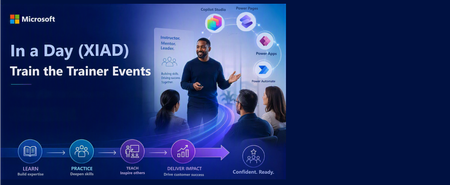
In a Day (XIAD) Partner Events Program - Train the Trainer Events (AgIAD, AIAD, AuIAD, PPIAD)
We invite you to attend an upcoming Train the Trainer session for Microsoft Partners to learn more about the In a Day (XIAD) Partner Events Program and how to lead workshops that empower customers to use and adopt Microsoft products. Our Train the Trainer events are designed to provide you with the knowledge and tools necessary to deliver successful Microsoft In a Day (XIAD) sessions. *Please note, participation is restricted to individuals representing a Microsoft Partner organization. You must register using your corporate email address that is associated with your Partner ID. Personal emails will not be approved. ✨ Why Attend? Expert Guidance: Learn from experienced trainers and get your questions answered. Comprehensive Resources: Access all the content and support you need to succeed. 📅 Upcoming Events: Agent in a Day Discover the basics of building agents with Microsoft Copilot Studio, including generative AI orchestration and integrating external data sources. Full day session (8 hours): Thursday, June 25 | 09:00–17:00 GMT+2 (Central European Summer Time) Trainer ready session (1.5 hours): Tuesday, June 30 | 09:00–10:30 GMT-5 (Central Daylight Time) Recordings available on-demand. Inquire at xiadevents@microsoft.com App in a Day Explore the fundamentals of building apps with Microsoft Power Apps, including creating custom business applications without writing code. Full day session (8 hours): Tuesday, June 23 | 09:00–17:00 GMT+2 (Central European Summer Time) Trainer ready session (1.5 hours): Tuesday, June 30 | 11:00–12:30 GMT-5 (Central Daylight Time) Recordings available on-demand. Inquire at xiadevents@microsoft.com Automation in a Day Explore automation solutions with Power Automate, including creating workflows and automating business processes. Trainer ready session (1.5 hours): Tuesday, June 30 | 14:00–15:30 GMT-5 (Central Daylight Time) Recordings available on-demand. Inquire at xiadevents@microsoft.com Power Pages in a Day Get hands-on building simple, secure business websites with Microsoft Power Pages. More sessions coming soon! Recordings available on-demand. Inquire at xiadevents@microsoft.com 👉 Register for all upcoming sessions at https://aka.ms/xiadTTT/pp Partner with us! Are you a Microsoft Partner interested in the opportunity to join the program and deliver In a Day (XIAD) events? 🔍 Learn more about the program and review partner eligibility criteria: https://aka.ms/xiadpartneropportunity. 📧 Contact the XIAD Program team: xiadevents@microsoft.com 🚀 Get started today: https://aka.ms/XIADGetStarted 📤 Submit requests to deliver events: https://aka.ms/xIAD/PartnerEvents741Views3likes2Comments
Power Platform tenant inventory — a community showcase of the API-first management surface
Source: github.com/SweetsNSavories/VerseOps · MIT. Figure 1 — VerseOps loaded against a live tenant. Per-row capacity (DB / File / Log / FinOps DB / FinOps File GB) is computed from the BAP $expand=properties.capacity call; per-env asset counts are joined client-side from the Inventory API result set. Tenant identifiers redacted; everything else is real. Figure 2 — One environment row expanded. The row-details template fans out the inventory: Solutions / Apps / Flows / Agents (joined from the Inventory API and per-env Dataverse Web API calls), Power Pages sites (mspp_website table on the env's Dataverse), and the env's systemusers (with their assigned licenses joined from Microsoft Graph). All asset counts (9 / 3 / 53 / 241) are real. Figure 3 — Total Assets drawer (click the Total Assets KPI tile). The whole panel is fed by a single tenant-wide Inventory API query; the per-type counts are computed client-side from assetType. The "most recent" name surfaces the freshest asset of each kind so an admin can sanity-check that the tenant feed is current. Figure 4 — Licenses Consumed drawer (click the Licensed Users KPI tile). The list is the union of every assigned servicePlan from /users?$select=assignedLicenses rolled up to the SKU level using the tenant's subscribedSkus catalog from Microsoft Graph. SKU codes are public; the only tenant-specific data is the per-SKU seat count on the right. Why this exists The recurring questions at the start of every governance cycle are well known: "How many environments do we actually have? Who owns the apps in them? How much Dataverse capacity is sitting in places no one remembers creating? Which makers left the company three months ago and still own production flows?" The official answers — Power Platform admin center (PPAC), the Power Platform inventory page, and the Usage page — already exist and are the right starting point for daily work; they cover the common cases comprehensively. There are still moments, however, when an administrator needs: A single offline snapshot they can search, sort, filter, and ship to a stakeholder without exposing the live admin center. A diff between this morning and last Friday — what changed? Joined views that the portal doesn't ship out of the box: per-env capacity × per-env asset count × per-env user count, all in one sortable grid. The raw JSON behind every row, one click away, when something doesn't match what the portal shows. A starting point — code they can fork, instrument, and turn into the governance tool they actually wanted. VerseOps targets that long tail. The UI surface is roughly five files; every outbound call is enumerated in docs/network-endpoints.md. The codebase is deliberately small, read-only by design, and positioned as a foundation that adopting teams are expected to fork, instrument, and extend. How it complements the official "Inventory" and "Usage" pages Microsoft's Power Platform inventory gives administrators a unified view of agents, apps, and flows tenant-wide, refreshed within ~15 minutes. The Usage page tracks engagement and adoption. Both ship in the admin center today and should be every admin's first stop. VerseOps is positioned as a complement, not a replacement: Need PPAC Inventory / Usage VerseOps Daily inventory browsing in a portal ✅ Recommended n/a Filter / sort / search on any column ✅ ✅ Resource-detail drill-in (owner, env, dates) ✅ ✅ Export to Excel ✅ ✅ (CSV / cache copy) Capacity (DB / File / Log / FinOps GB) joined per env on the same row as asset count Partial ✅ One-click "show me the raw Dataverse / PPAC JSON" inspector ❌ ✅ Local SQLite cache for offline browsing on a plane / in an air-gapped review ❌ ✅ Diff between today's snapshot and yesterday's ❌ ✅ (cache-based, on roadmap) Source you can fork n/a ✅ MIT, single solution Telemetry sent to Microsoft / vendor per Microsoft's data policy None — zero outbound calls beyond Microsoft's own APIs If you only ever need 1–4 above, stay in the admin center; it's faster and always up to date. VerseOps shows up when you need 5–11. Architecture in one diagram Key architectural properties: Single process, no server-side footprint. Every call runs in the signed-in user's security context. There is no daemon, no sync job, no message bus. The operating system schedules the network calls; the user triggers a refresh. Two distinct cloud planes. Management-plane calls (api.powerplatform.com, api.bap.microsoft.com, graph.microsoft.com) are kept separate from data-plane calls ({org}.crm.dynamics.com per environment), with audience switching handled centrally by the auth layer. The local SQLite database is the only state. Removing %LOCALAPPDATA%\VerseOps\ returns the application to a blank slate. No other persistence exists. What's actually feasible with the Power Platform API today Microsoft has been very public about its shift from a UX-first to an API-first development model for Power Platform programmability: new capabilities ship in the API first, then propagate to SDKs, CLI, PowerShell cmdlets, and connectors. The Programmability and extensibility overview lays out the full toolchain — REST API, .NET SDK (Microsoft.PowerPlatform.Management), Python SDK, Power Platform CLI, PowerShell cmdlets, and the Power Platform for Admins V2 connector. VerseOps is a deliberately small showcase of what the .NET SDK + Inventory API combination unlocks once you put a UI on it: Capability API used SDK / endpoint List every environment in the tenant with name / region / SKU / version / security group / default-flag Power Platform API (PPAC) Microsoft.PowerPlatform.Management SDK Per-tenant capacity (DB / File / Log / FinOps DB / FinOps File GB) Power Platform API (PPAC) SDK Licensing.Tenant.GetCurrentCapacityAllocations() Per-environment capacity in one tenant-wide call BAP capacity (legacy GA) GET /providers/Microsoft.BusinessAppPlatform/scopes/admin/environments?api-version=2020-10-01&$expand=properties.capacity Every canvas app, model-driven app, code app, cloud flow, agent flow, and Copilot Studio agent in the tenant in one POST Inventory API (preview) POST https://api.powerplatform.com/resourcequery/resources/query?api-version=2024-10-01 (KQL-style query against PowerPlatformResources) DLP policies + connector classification (Business / Non-Business / Blocked) BAP Governance v2 GET /providers/PowerPlatform.Governance/v2/policies?api-version=2018-01-01 Per-env solutions / Power Pages sites / system users / roles / app + flow status Dataverse Web API v9.2 GET {org}/api/data/v9.2/solutions, appmodules, workflows, canvasapps, systemusers, mspp_websites User license SKU resolution + security-group display names Microsoft Graph GET /v1.0/subscribedSkus, /users, /groups, /directoryObjects/getByIds The headline shape of this: one tenant-wide POST replaces what used to be N×6 per-environment GETs. For a tenant with 700 environments, that's the difference between ~4,000 round-trips per refresh and ~10. The same Microsoft.PowerPlatform.Management SDK that powers the new admin-center surfaces is the same one your tooling uses — there's no longer a "fast official one and a slow community one". A note on the BAP API deprecation path Several BAP routes the community has relied on for years are now in a clear consolidation track rather than a deprecation one — but the destination is the same. From the official Versioning and support page: "The 2020-10-01 Generally available version of Power Platform API is specific to environment management and is also commonly referred to as Business Application Platform (BAP) API. The functionality of this set of endpoints are made available in the newer versions of Power Platform API along with many additional features after version 2022-03-01-preview." In practice, what this means for tools like VerseOps: BAP route VerseOps uses today Status (May 2026) Modern equivalent on api.powerplatform.com /scopes/admin/environments?$expand=properties.capacity GA (api-version=2020-10-01); functionally superseded but still recommended for tenant-wide capacity Will move to a Licensing namespace endpoint as parity completes; track Programmability what's new PowerPlatform.Governance/v2/policies (DLP) Stable Watch the new Connectivity / Governance namespace endpoints (e.g. List Connectors, shipped July 2025) Microsoft.BusinessAppPlatform provider routes All being mirrored under api.powerplatform.com namespaces (Licensing, EnvironmentManagement, AppManagement, Authorization, Governance, Connectivity) Use the SDK — Microsoft maintains the mapping for you Microsoft's official guidance is unambiguous: use the Power Platform API surface (api.powerplatform.com) and one of the official SDKs (.NET, Python, CLI, PowerShell, Power Platform for Admins V2 connector) for any new automation. BAP routes won't disappear without a deprecation cycle, but new features ship to api.powerplatform.com first and may never come back to BAP. VerseOps reflects this exactly: every new feature added since April 2026 went to api.powerplatform.com, the BAP capacity client is isolated to a single ~150-line file (BapCapacityClient.cs) so it can be swapped out the moment the per-env capacity surface lands on the new API, and the token-acquisition layer (AuthService.cs) supports both audiences side by side until that day comes. Who this helps The MIT license permits unrestricted internal adaptation; adopting teams are encouraged to fork, re-brand, and re-sign the binary with their own enterprise code-signing certificate as part of internal distribution. Typical adopters include: Power Platform administrators running quarterly governance reviews who need a single defensible snapshot of current tenant state. Center-of-Excellence (CoE) leads who previously relied on the CoE Starter Kit and are moving to the in-product Inventory + Usage pages, but still require a code-level surface to extend. FinOps and capacity owners identifying the ~5% of environments that consume 80% of Dataverse storage, with FinOps DB / FinOps File / Log GB visible on the same row as the environment name. Mission-critical and regulated workloads (financial services, healthcare, public sector) where a desktop tool that authenticates as the human administrator, emits zero telemetry, and stores all state locally is materially easier to risk-accept than a SaaS dashboard. Security and penetration-test teams who require a reproducible, auditable, signed Windows binary and a clear inventory of what it touches. The SBOM, SECURITY.md, SIGNING.md, and CodeQL workflow are committed to the repository. Engineering teams learning the Power Platform API who want a non-trivial, well-commented .NET sample that exercises every major namespace. Where this could go next The same API surface that powers VerseOps today can support a substantially richer set of experiences. Candidate directions follow; community input on prioritization is welcome via the issue tracker. 1. An agentic governance assistant Wrap the local SQLite cache + the same auth pipeline behind a Microsoft 365 Copilot agent (or a Foundry agent), and let an admin ask things like: "Which environments grew the most this week and who owns the new flows?" "List every canvas app with a deprecated connector that's still 'On' in a production env." "Show me orphaned resources owned by users disabled in Entra in the last 30 days." The Power Platform API + Inventory API already returns everything you need to answer these in seconds. The agent surface is just a new face for the same data — and because the cache is local, the agent can run without ever sending tenant data to a third party. 2. Periodic snapshots → drift report A scheduled task that runs VerseOps.App --refresh --headless once a day, writes the SQLite snapshot to a versioned folder, and emails a delta. "Today vs yesterday: +12 canvas apps in the Default env, –3 envs decommissioned, capacity climbed 4.1 GB on org-prod-eu." 3. Multi-tenant fan-out for MSPs / consultancies Same EXE, multiple tenant profiles, side-by-side comparison view. The auth layer already supports --tenant <guid>; the cache schema is per-tenant-keyed. 4. Plug-ins for the Inventory API custom queries The Inventory API's POST /resourcequery/resources/query accepts arbitrary KQL-style projections. A plug-in directory of "common admin questions as queries" (orphaned apps, oldest unused flows, premium connector usage by env) could grow organically. 5. Sister tools in Python / TypeScript The Python SDK is GA; a Jupyter notebook that mirrors VerseOps' three core panels (env list + capacity + assets) would be ~200 lines and would land instantly with the data-science crowd. The repository is intended as a working base for these explorations: the foundational ~80% — authentication, caching, paging, retry, redaction, error capture, and theming — is already implemented and exercised against a live ~700-environment tenant. Proposals for any of the directions above can be filed on the issue tracker. What's in the repository Everything below is on main at github.com/SweetsNSavories/VerseOps, MIT-licensed: The single WPF EXE — VerseOps.App/ API clients, one per Microsoft service — VerseOps.App/Inventory/Services/ SQLite catalog schema — VerseOps.App/Inventory/Sql/schema.sql README.md — install, run, build SECURITY.md — disclosure policy + threat model SIGNING.md — three publish-with-signature paths (self-signed dev, Azure Trusted Signing, OV/EV) docs/network-endpoints.md — every outbound host + OAuth scope THIRD-PARTY-NOTICES.md + sbom.cdx.json — full dependency attribution + CycloneDX SBOM CI: build, vulnerability scan, CodeQL — .github/workflows/ Branch protection ruleset (PR required, force-push blocked) — .github/branch-protection.json Try it git clone https://github.com/SweetsNSavories/VerseOps.git cd VerseOps dotnet build VerseOps.sln -c Release .\VerseOps.App\bin\Release\net10.0-windows\VerseOps.App.exe Sign in with a tenant admin account (Power Platform Administrator or Dynamics 365 Administrator), click Refresh, and the first cold pull populates the local cache. Subsequent launches are instant from the cache; click Refresh again whenever you want a fresh snapshot. Closing thought The thesis behind this post is straightforward: an API-first Power Platform management surface puts a complete tenant inventory within reach in roughly 3,000 lines of C#. The official Inventory and Usage pages remain the right tool for daily-driver scenarios. The SDK and Inventory API together cover the long tail — the cases where an organization needs a specific join, requires offline operation, or needs the answer the same week. VerseOps is offered to the community as that starting point. Issues and pull requests are welcome on the public tracker; security disclosures should follow the process documented in SECURITY.md. — Praveen T · maintainer, VerseOps References Power Platform inventory — the in-product surface VerseOps complements Power Platform admin center Usage page Programmability and extensibility overview — official tooling map Versioning and support — the BAP-vs-PPAC story Programmability — What's new or changed — monthly release log Power Platform API REST reference (latest) Microsoft.PowerPlatform.Management on NuGet — the .NET SDK VerseOps consumes Power Platform for Admins V2 connector — the no-code path to the same API Tutorial: Create a daily capacity report — Microsoft's own end-to-end SDK example Power Platform URLs and IP address ranges — for network allow-lists355Views2likes0Comments
Conditional Access for Canvas Apps with Entra
In today's Power Platform landscape, administrators have a tough task securing the ever-increasing inventory of Canvas Apps across their tenant. Canvas apps often connect to sensitive data, run on a variety of devices, and serve diverse groups of users. That is why Conditional Access has become one of the most powerful tools in an admin’s toolkit, giving you fine grained control over how, where, and under what conditions users can access your apps. In this post, I will walk through what Conditional Access means for canvas apps, how it empowers admins to maintain strong security without adding friction for legitimate users, and example steps to apply your own conditional access policies to an app with PowerShell. What Conditional Access Brings to Canvas Apps Conditional Access brings granular, app-level security controls from Microsoft Entra ID directly into Power Apps. Instead of applying blanket restrictions across the entire tenant, you can enforce requirements—like MFA, compliant devices, or trusted networks—only on the apps that need them. This lets you match security to the sensitivity of each individual app. Key Benefits for Admins Tailored Protection for Sensitive Apps Not every app requires strict controls. Conditional Access allows you to tighten security only for apps that handle sensitive or regulated data, without over restricting everything else. Control Access by Device Type Admins can easily block or allow specific device categories—like preventing mobile access to a high-risk app or requiring managed devices for apps that contain confidential information. Alignment With Zero Trust Conditional Access enforces identity, device, and session checks in real time, supporting a Zero Trust approach without adding unnecessary friction for legitimate users. Environment-Specific Flexibility You can apply stricter policies in production and lighter ones in development or testing, helping teams build efficiently while keeping sensitive environments locked down. A Stronger Security Model Conditional Access does not replace existing apps or data permissions—it complements them. App-level security roles control what users can do inside an app, while Conditional Access governs whether they can get into the app at all. Together, they create a much more robust security posture. How to enable conditional access for a Canvas App example In this example, I will detail steps to set up conditional access for a Canvas App to ensure tenant guest users are not able to access the app. Step 1: Create an Authentication Context in Entra ID Go to the Microsoft Entra Admin Center. Navigate to Protection → Conditional Access → Authentication context. Click + New authentication context. Name it (e.g., BlockGuests_PowerAppX) Enable Publish to apps Save and note the Authentication Context ID Step 2: Create a Conditional Access Policy Go to Conditional Access → Policies → + New policy. Name the policy (e.g., Block Guests from Power App X). Assignments: Users or workload identities: Include: Guest or external users Target resources: Choose Authentication context Select the one you created earlier Access controls: Grant: Select Block access Enable the policy and click Create. Step 3: Assign the Authentication Context to the Power App Use PowerShell to bind the Authentication Context to the specific Power App: Open PowerShell as Administrator. Connect to Power Apps Add-PowerAppsAccount Run the command to attach the context to your canvas app Set-AdminPowerAppConditionalAccessAuthenticationContextIds -EnvironmentName "<your-environment-name>" ` -AppName "<your-app-id>" ` -AuthenticationContextIds "<your-auth-context-id>" This binding tells Power Apps: “When this app opens, trigger the Conditional Access policy tied to this context.” Step 4: Test the Policy Try accessing the app as a guest user. You should see access blocked based on the Conditional Access policy. Wrap Up A Stronger Security Model Conditional Access does not replace existing apps or data permissions—it complements them. App-level security roles control what users can do inside an app, while Conditional Access governs whether they can get into the app at all. Together, they create a much more robust security posture. Bottom Line Conditional Access gives admins the flexibility to apply the right security to the right app. Whether you are enforcing MFA, restricting device types, or securing production environments, it helps you protect sensitive data without slowing down the organization. Documentation for further reading: Manage Power Apps - Power Platform | Microsoft Learn Demo from Power CAT: Conditional Access Policies for Canvas Apps - Power CAT Live789Views2likes1CommentDrive demand for your offers with solution area campaigns in a box
Take your marketing campaigns further with campaigns in a box (CiaBs), collections of partner-ready, high-quality marketing assets designed to deepen customer engagement, simplify your marketing efforts, and grow revenue. Microsoft offers both new and refreshed campaigns for the following solution areas: Data & AI (Azure), Modern Work, Business Applications, Digital & App Innovation (Azure), Infrastructure (Azure), and Security. Check out the latest CiaBs below and get started today by visiting the Partner Marketing Center, where you’ll find resources such as step-by-step execution guides, customizable nurture tactics, and assets including presentations, e-books, infographics, and more. AI transformation Generate interest in AI adoption among your customers. As AI technology grabs headlines and captures imaginations, use this campaign to illustrate your audience’s unique opportunity to harness the power of AI to deliver value faster. Learn more about the campaign: AI Transformation (formerly Era of AI): Show audiences how to take advantage of the potential of AI to drive business value and showcase the usefulness of Microsoft AI solutions delivered and tailored by your organization. Data & AI (Azure) Our Data & AI campaigns demonstrate how your customers can win customers with AI-enabled differentiation. Show how they can transform their businesses with generative AI, a unified data estate, and solutions like Microsoft Fabric, Microsoft Power BI, and Azure Databricks. Campaigns include: Unify your intelligent data - Banking: Help your banking customers understand how you can help them break down data silos, meet compliance demands, and deliver on rising customer expectations. Innovate with the Azure AI platform: Help your customers understand the potential of generative AI solutions to differentiate themselves in the market—and inspire them to build GenAI solutions with the Azure AI platform. Unify your intelligent data and analytics platform - ENT: Show enterprise audiences how unifying data and analytics on an open foundation can help streamline data transformation and business intelligence. Unify your intelligent data and analytics platform - SMB: Create awareness and urgency for SMBs to adopt Microsoft Fabric as the AI-powered, unified data platform that will suit their analytics needs. Modern Work Our Modern Work campaigns help current and potential customers understand how they can effectively transform their businesses with AI capabilities. Campaigns include: Connect and empower your frontline workers: Empower your customers' frontline workers with smart, AI-enhanced workflows with solutions based on Microsoft Teams and Microsoft 365 Copilot. Use this campaign to show your customers how they can make their frontline workers feel more connected, leading to improved productivity and efficiency. Microsoft 365 Copilot SMB: Increase your audience's understanding of the larger potential of Microsoft 365 Copilot and how AI capabilities can accelerate growth and transform operations. Smart workplace with Teams: Use this campaign to show your customers how to use AI to unlock smarter communication and collaboration with Microsoft Teams and Microsoft 365 Copilot. This campaign demonstrates to customers how you can help them seamlessly integrate meetings, calls, chat, and collaboration to break down silos, gain deeper insights, and focus on the work that matters. Cloud endpoints: Help customers bring virtualized applications to the cloud by providing secure AI-powered productivity and development on any device with Microsoft Intune Suite and Windows in the cloud solutions. Business Applications Nurture interest with audiences ready to modernize and transform their business operations with these BizApps go-to-market resources. Campaigns include: AI-powered customer service: Highlight how AI-powered solutions like Microsoft Dynamics 365 are transforming customer service with more personalized experiences, smarter teamwork, and improved efficiency. Migrate and modernize your ERP with Microsoft Dynamics 365: Position yourself as the right partner to modernize or replace your customers' legacy on-premises ERP systems with a Copilot-powered ERP. Business Central for SMB: Offer customers Microsoft Dynamics 365, a comprehensive business management solution that connects finance, sales, service, and operations teams with a single application to boost productivity and improve decision-making. AI-powered CRM: Help your customers enhance their customer experiences and close more deals with Microsoft 365 Dynamics Sales by making data AI-ready, which empowers them to create effective marketing content with Microsoft 365 Copilot and pass qualified leads on to sales teams. Use this campaign to show audiences how Copilot and AI can supercharge their CRM to increase productivity and efficiency, ultimately leading to better customer outcomes. Modernize at scale with AI and Microsoft Power Platform: This campaign is designed to introduce the business values unlocked with Microsoft Power Platform, show how low-code solutions can accelerate development and drive productivity, and position your company as a valuable asset in the deployment of these solutions. Digital & App Innovation (Azure) Position yourself as the strategic AI partner of choice and empower your customers to grow their businesses by helping them gain agility and build new AI applications faster with intelligent experiences. Campaigns include: Build and modernize AI apps: Help customers building new AI-infused applications and modernizing their application estate take advantage of the Azure AI application platform. Accelerate developer productivity: Help customers reimagine the developer experience with the world’s most-adopted AI-powered platform. Use this campaign to show customers how you can use Microsoft and GitHub tools to help streamline workflows, collaborate better, and deliver intelligent apps faster. Infrastructure (Azure) Help customers tap into the cloud to expand capabilities and boost their return on investment by transforming their digital operations. Campaigns include: Modernize VDI to Azure Virtual Desktop - SMB: Show SMB customers how they can meet the challenges of virtual work with Azure Virtual Desktop and gain flexibility, reliability, and cost-effectiveness. Migrate VMware workloads to Azure: Help customers capitalize on the partnership between VMware and Microsoft so they can migrate VMware workloads to Azure in an efficient and cost-effective manner. Migrate and secure Windows Server and SQL Server and Linux - ENT: Showcase the high return on investment (ROI) of using an adaptive cloud purpose-built for AI workloads, and help customers understand the value of migrating to Azure at their own pace. Modernize SAP on the Microsoft Cloud: Reach SAP customers before the 2027 end-of-support deadline for SAP S/4HANA to show them the importance of having a plan to migrate to the cloud. This campaign also underscores the value of moving to Microsoft Azure in the era of AI. Migrate and secure Windows Server and SQL Server and Linux estate - SMB: Use this campaign to increase understanding of the value gained by migrating from an on-premises environment to a hybrid or cloud environment. Show small and medium-sized businesses that they can grow their business, save money, improve security, and more when they move their workload from Windows Server, SQL Server, and Linux to Microsoft Azure. Security Demonstrate the power of modern security solutions and help customers understand the importance of robust cybersecurity in today’s landscape. Campaigns include: Defend against cybersecurity threats: Increase your audience's understanding of the powerful, AI-driven Microsoft unified security platform, which integrates Microsoft Sentinel, Microsoft Defender XDR, Security Exposure Management, Security Copilot, and Microsoft Threat Intelligence. Data security: Show customers how Microsoft Purview can help fortify data security in a world facing increasing cybersecurity threats. Modernize security operations: Use this campaign to sell Microsoft Sentinel, an industry-leading cloud-native SIEM that can help your customers stay protected and scale their security operations.1.8KViews2likes0CommentsFY24 Business Applications Partner Incentives Overview - November!
When: November 07, 2023 4:00 PM (Europe/Dublin) Register here Join us to learn about the priorities and strategy for the Business Application solution area. We’ll discuss how you can integrate partner incentives into your business strategy to grow your business and deliver excellent customer value. Topics include: Trends shaping partner opportunity in Business Applications How Microsoft’s partner incentives portfolio is aligned to our solution priorities in FY24 Changes coming to partner incentives in FY24 Earning opportunities available in Microsoft Commerce Incentives Register here!279Views2likes0CommentsFY24 Business Applications Partner Incentives Overview
Summary Join us to learn about the priorities and strategy for the Business Application solution area. We’ll discuss how you can integrate partner incentives into your business strategy to grow your business and deliver excellent customer value. Content is focused to partners interested in earning incentives when delivering Business Applications solutions to customers. Topics include: Trends shaping partner opportunity in Business Applications How Microsoft’s partner incentives portfolio is aligned to our solution priorities in FY24 Changes coming to partner incentives in FY24 Earning opportunities available in Microsoft Commerce Incentives When: August 02, 2023 3:30 PM (Europe/Dublin) Duration: 60 minutes Click here to register805Views2likes0Comments
Service Principals in Microsoft Power Platform
Shared Passwords Are a Ticking Time Bomb Let’s be blunt: if your Power Platform automation runs on a shared service account password that three people know, you are one resignation away from every flow going dark, one password reset, one MFA change… That is all it takes. The fix? A service principal, a non‑human application identity in Microsoft Entra ID that authenticates with certificates, never logs in interactively, and keeps running no matter who leaves. In Power Platform, it shows up as an Application User in Dataverse and can own flows, manage Power BI datasets, run Dataverse operations, and power your CI/CD pipelines. Unlike a traditional shared service account (which carries the risk of password expiration, MFA prompts breaking automation, and credentials being overshared), a service principal authenticates using certificates or client secrets, has no mailbox, no interactive login, and cannot be accidentally used by a person. For organizations running Power Automate flows, calling APIs, running Power Platform Pipelines or managing environments programmatically, service principals offer a fundamentally more secure, auditable, and manageable identity. They enable least-privilege access, integrate cleanly with Conditional Access policies, and eliminate the single point of failure that comes with tying critical automation to an individual employee's account. This lack of tether to an individual account means workloads do not need to be reassigned once someone leaves your organization. Put more simply, if your Power Platform workloads are still running under a named user or a shared "svc_powerautomate@company.com" account, it's time to reconsider. Microsoft Advisory: “Best practice is to use service principals as the preferred identity model for Power Automate wherever supported, because shared user‑based service accounts introduce security, audit, and operational risks.” In this blog, we will highlight opportunities to strengthen your security posture across the Power Platform with Service Principals alongside ideas for when a Service Principal may not be applicable for your scenario. Getting Started: Setting up a service principal is straightforward. Everything is documented on Microsoft Learn: 🔗Register an app in Entra ID — Microsoft Learn 🔗Manage application users — Microsoft Learn 🔗Service principal owned flows — Microsoft Learn There are also many good blogs about step-by-step setup of the service principal, assigning permissions and assigning to an application user we won't be covering the setup here. Let's go into detail how you can utilize a Service Principal to secure your Power Platform workloads. Where Service Principals Shine in the Power Platform ⚡ Power Automate In Power Automate, service principals establish durable ownership and authentication for enterprise automation. Flows run under a non‑human application identity, eliminating dependency on individual users and preventing failures caused by password rotation, MFA enforcement, or user departure. Flow Ownership: Assign the service principal as the primary owner to ensure flows continue running regardless of personnel changes. Service Principal‑owned flows require either a Process license (~$150/flow/month, stackable up to 10 for 2.5M actions/day) or pay‑as‑you‑go billing via Azure. Authentication: Service principals authenticate using client credentials, removing the standard 90‑day connection expiry. Only the client secret or certificate has an expiration, which can be configured (up to 24 months). For production workloads, store secrets in Azure Key Vault with rotation alerts. Dataverse Connector: Dataverse is the only standard connector with native service principal sign‑in. Selecting Connect with Service Principal ensures all Dataverse actions execute under the application identity with full audit attribution. Non‑Service Principal Connectors: Connectors such as SharePoint, Outlook, and Teams require delegated user context by design. Where app‑only execution is required, the HTTP connector can be used to call Microsoft Graph with application permissions, introducing a premium dependency. ✓ Service Principal‑Friendly ✓ Microsoft Dataverse (native SP sign‑in) ✓ Custom connectors (app‑only OAuth) ✓ HTTP via Graph API (app permissions) ⚠ Requires User Context ⚠ SharePoint (standard connector) ⚠ Outlook / Office 365 ⚠ Teams (many actions) ⚠ Planner, OneDrive 🔗Support for service principal owned flows - Power Automate | Microsoft Learn 🔗 Manage connections to Dataverse — Microsoft Learn 📱 Power Apps and Dataverse Your Service Principal’s Application User executes Dataverse operations from flows triggered by model‑driven apps. Audit logs clearly separate automated changes from human activity. Assign custom security roles scoped to exact tables (skip System Admin), use separate Service Principalss per solution area, and know that canvas apps can trigger Service Principal‑backed flows behind the scenes. 🔗Create a Dataverse application user — Microsoft Learn 📊 Power BI This is where Service Principals quietly save organizations from one of the most common Power BI failures: dataset refresh breaking because the owner left. Take over semantic model ownership via the REST API and refreshes never fail from expired tokens again. Workspace access: add Service Principal as Member or Admin Semantic model ownership takeover via REST API Automated refresh from PowerShell, Logic Apps, Azure Data Factory, or custom apps XMLA endpoint access for model deployment and DAX queries (Premium/Fabric) App Owns Data embedding for external users without Power BI licenses Requirement: Tenant admin enables “Service principals can use Fabric APIs”. Service Principal added to workspace. API refresh needs Premium, Premium Per User, or Fabric capacity. 🔗Automate Premium tasks with Service Principals — Microsoft Learn 🔗Enhanced refresh REST API — Microsoft Learn 🛠️ Application Lifecycle Management (ALM) with Pipelines Power Platform Pipelines are a built-in option for application lifecycle management native to the Power Platform. Pipelines bring ALM automation and continuous integration and continuous delivery (CI/CD) functionality into a native service that's designed to be usable by all members of your low-code team, regardless of technical capability. To learn how to set up pipelines in Power Platform, Microsoft has some fantastic documentation as well as a learning path on Learn.microsoft to guide you through the process. We can utilize Service Principals in Pipelines as well. By default, a pipeline deploys as the requesting maker, meaning the maker needs elevated permissions to deploy to the target environment. Delegated deployments with Service Principals allow deployment without the maker needing elevated permissions in the downstream environment. The pipeline can run as a service principal (or pipeline stage owner), allowing makers to deploy without needing elevated permissions in target environments like production. Approvals may be required for security reasons, and can be automated or manual depending on your security requirements. 🔗PAC CLI: createserviceprincipal - Microsoft Learn 🛡️ Alternatives for Secure Workloads While service principals offer an avenue to securing most workload scenarios on the Power Platform, they cannot cover all workload scenarios. In these cases, there are alternative approaches. Azure Logic Apps support system-assigned and user-assigned managed identities, allowing workflows to authenticate directly to Azure resources without storing or managing any login credentials. This can offer an option when your workload can live outside Power Automate. Some teams opt to retain shared service accounts. This is not best practice, but when undertaken, there are steps to harden these accounts. Dedicated Entra Conditional Access policies to enforce MFA, restricting sign in locations and devices can provide additional protection. For password rotation, Azure Key Vault centralizes credential storage and enables automatic secret rotation, reducing the risk of stale or exposed passwords. Each of these approaches can be layered or combined with service principals depending on your organization's risk tolerance, licensing constraints, and connector support limitations. 🔗Governing Entra service accounts — Microsoft Learn All Your Options at a Glance Not sure which approach fits? Here is every option compared — from the gold standard to the fallback you hope to leave behind: Option MS Rec? Key Benefit Main Tradeoff Security SP + Process License Yes Gold standard. Certificate auth, clean audit. ~$150/flow/mo. Solutions required. Highest SP + Flow Groups Yes (GA May ’26) 1 license across up to 25 flows. Shared 250K/day action pool. Highest SP + Pay-as-you-go Yes Available today. No upfront cost. Variable cost. Azure sub needed. Highest Hybrid: SP + SA Pragmatic SP owns; SA for delegated connectors. SA still exists for connections. Med‑High Hardened SA Only No Simplest and no migration needed. Interactive login risk. MS discourages. Low Logic Apps + MI Yes (diff product) Zero credentials. Consumption billing. Full platform migration required. Highest ⚠ All costs are approximate and vary by enterprise agreement. Verify with your Microsoft representative. Microsoft‑validated: The dedicated service account fallback is a supported approach, not a workaround. Any alternative to service principals would need to be designed and accepted at the customer’s own risk. Summary Service principals replace shared, user‑based accounts with a non‑human application identity that is secure, auditable, and resilient. Eliminating password risk, improving governance, and ensuring Power Platform workloads continue running independent of employee lifecycle events across the entire platform. The result is higher security, operational stability, and governance consistency. The Bottom Line Service principals are not optional polish. They are how Microsoft expects you to run enterprise automation in 2026. One Entra ID app registration. Four products. Zero shared passwords. ✓ Blocking interactive admin logins is correct. No supported scenario requires it. ✓ Hybrid model when needed. Service Principals where supported, hardened service accounts where not. Both documented by Microsoft. ✓ Start with pay‑as‑you‑go. Pilot a batch. Measure costs. Then commit. No upfront purchase needed. Authors: Sheldon Dsouza + Marc Lotorto | Contributors: Rasha Al-Silmi, Ahmed Shaalan, Josh Flicker All guidance aligned with Microsoft Learn and validated by Microsoft Advisory, April 20262.3KViews1like2CommentsBreaking the Shackles of Legacy Portals: Power Pages as Enterprise SaaS
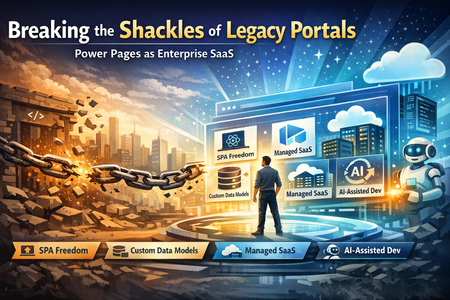
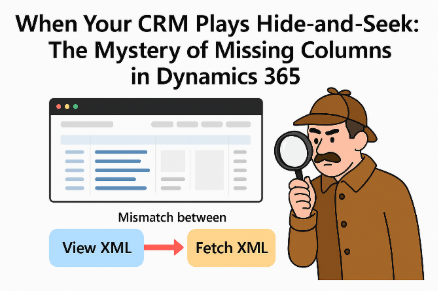
It's time to stop building "Portals" and start deploying Enterprise SaaS. For years, enterprise teams building web portals have been shackled by rigid Dynamics 365 schemas and heavy, template-driven UIs. Traditional Power Apps Portals required developers to follow the portal's own schema structure—page templates, web forms, lists, content snippets—and inherit data models dictated by D365 modules. That era is over. Power Pages has evolved into a secure, enterprise-grade, low-code SaaS platform for creating, hosting, and administering business websites—and as of early 2026, two milestone GA releases have removed the last remaining constraints. Here are six ways those shackles are broken: 🎨 1. UI Liberation with Single-Page Applications — Now GA Single-Page Application support in Power Pages reached General Availability on February 8, 2026, starting with site version 9.8.1.x and later. Developers can now build fully custom, client-side rendered web applications using React, Angular, or Vue and deploy them directly to Power Pages using the Power Platform CLI. This is not a workaround or a bolt-on—Microsoft describes this GA release as making the SPA experience "production ready". What this means in practice: the traditional portal constructs—ASP.NET and Liquid templates, web forms, lists—become optional implementation details, not architectural constraints. Your UI is completely custom and API-driven, calling Power Pages Web APIs for all data operations. The GA release also resolved issues where Power Pages platform styles could override custom CSS, and included updated guidance for authentication configuration and local development setup. Developers can run SPAs locally with full authentication and Web API access, enabling JavaScript hot reload and local debugging without deploying changes to the portal on every iteration. At this point, the traditional portal schema becomes an implementation option—not a constraint. (Ensure your Power Platform CLI is on the latest version for full capabilities.) 🗄️ 2. Data Model Autonomy — Your Entities, Your Rules Power Pages connects to Microsoft Dataverse, but you are no longer forced to borrow a Dynamics 365 schema. Teams can design their own data model from scratch—whether it has five tables or hundreds with complex relationships—tailored to the business domain. Those custom Dataverse tables serve the SPA directly via Web APIs, without needing to build model-driven or canvas apps. This is a fundamental departure. The platform uses the same shared business data stored in Dataverse that other Power Platform components can leverage, but your portal is no longer tethered to any pre-existing Dynamics module. You own your entity model entirely. The result: headless CMS flexibility backed by the security and reliability of Dataverse, without the overhead of a CRM schema you didn't ask for. ☁️ 3. Fully Managed Platform — No Infrastructure Burdens Goodbye, custom web hosting and plumbing. Power Pages is a fully managed SaaS platform—Microsoft handles provisioning, hosting, CDN, scaling, and availability. Authentication is built in, with full support for enterprise identity providers including Microsoft Entra ID and Microsoft Entra External ID, along with table permissions and web roles enforcement on every API call. Organizations can also allow anonymous access or configure private sites as needed. Even advanced backend needs are now covered natively. Server Logic in Power Pages reached General Availability on April 1, 2026, delivering native server-side JavaScript execution with the maturity, governance, and extensibility required for enterprise production workloads. Alongside GA, Microsoft announced two enhancements that reinforce enterprise readiness: Governance control to disable external calls — administrators can restrict outbound connectivity from the Server Logic layer to comply with internal policies and regulatory requirements. Support for unbound Dataverse custom actions — enabling deeper integration with existing business logic layers. The result? Teams focus only on business logic, integrations, and user experience. As Hope Bradford, Senior Director of IT at Kelly Staffing, stated: "Power Pages lets us build personalized client experiences without managing complex infrastructure while maintaining enterprise trust and security." Kelly Staffing's Helix UX portal, built on Power Pages, Dataverse, and Power Automate, now handles over 38,000 client interactions per day. 🛡️ 4. Enterprise-Grade Security and Telemetry Security and governance are first-class citizens on the platform. The 2025–2026 release wave introduced enterprise-grade controls for Power Pages including role-based access and authentication through Entra, Data Loss Prevention (DLP) rules for external data access, IP-based restrictions, maintenance mode options, and built-in diagnostics and monitoring dashboards. Across the broader Power Platform, Microsoft is investing in enterprise observability—the April 2026 update introduced alerting and data metrics in Power Platform Monitor (covering metrics such as app open success rate, time to interactive, data request success rate, and data request latency), enabling IT teams to define health thresholds, receive proactive notifications, and take guided action. This level of governance—audit, monitoring, diagnostics—traditionally required significant custom engineering. Now it is out of the box. 💲 5. Scalable, Usage-Based Licensing One of the most significant licensing shifts: Power Pages became its own product, decoupling from Power Apps licensing entirely. Both internal and external users now fall under the same licensing model, making Power Pages viable for internal use cases like HR services and request management—not just external portals. The model is usage-based (Monthly Active Users), purchased as capacity packs per site: Authenticated Users (Pre-paid): $200 per site/month for 100 users Anonymous Users (Pre-paid): $75 per site/month for 500 users Authenticated Users (Pay-As-You-Go): $4.00 per user/site/month, on-demand Anonymous Users (Pay-As-You-Go): $0.30 per user/site/month, on-demand Each authenticated-user subscription plan includes 2 GB database capacity and 16 GB file capacity. For applications serving tens of thousands of users, this capacity-based model is strategically superior to per-user or per-app seat licenses. Pay-as-you-go costs roughly twice as much as pre-paid capacity packs but suits seasonal or unpredictable usage patterns (e.g., tax season, annual HR enrollment). Tradeoff to consider: Pre-paid packs require upfront commitment and do not roll over month to month, so organizations with highly variable traffic must carefully model usage to avoid over- or under-provisioning. ⚠️ Pricing disclaimer: The figures above are illustrative examples sourced from publicly available Microsoft documentation. Actual costs may vary based on customer type (enterprise vs. corporate), volume commitments, negotiated agreements, and account structure. Final pricing is determined through Microsoft account teams and contracts. ⚡ 6. Rapid Modernization with AI-Assisted Development Power Pages now integrates directly with AI-assisted development workflows. Microsoft announced the public preview of the Power Pages plugin for GitHub Copilot CLI and Claude Code on February 24, 2026, providing an AI-assisted workflow for creating, deploying, and managing modern SPA sites on Power Pages. Developers can scaffold pages, configure data access, and wire up logic using natural language commands, dramatically reducing the time to modernize large enterprise applications. SPAs are deployed using Power Platform CLI commands, and the entire development loop is designed to be streamlined for professional developers. This means that even large, complex in-house enterprise applications—hundreds of tables, complex relationships, tens of thousands of users—can be remodeled on Power Pages far more efficiently than legacy approaches required. You migrate your own custom model into Dataverse, build your SPA, wire up integrations, and the platform handles everything else. The Bottom Line If you are still managing custom Azure websites, maintaining SQL servers, or stitching together bespoke PaaS stacks for internal business tools, you are carrying unnecessary operational weight. Power Pages is no longer just a D365 portal. It is a fully managed, enterprise-grade SaaS platform that gives you total UI freedom (SPA support: GA since February 2026), native server-side logic (GA since April 2026), your own data architecture without D365 schema dependencies, built-in security and governance, and a licensing model that scales to enterprise volumes. The industry is underestimating this shift. The shackles are off. Deploy, don't build.When Your CRM Plays Hide-and-Seek: The Mystery of Missing Columns in Dynamics 365
What Happened? Personal views across multiple organizations started showing empty columns, even though the data was there. For businesses that rely on these views for daily decisions, this isn’t a normal glitch—the end users can easily assume that “no data” in the view means no data in the record and make decisions based on an incomplete picture of customer information. The Detective Work Our investigation uncovered the culprit: a mismatch between two behind-the-scenes players—View XML and Fetch XML. Think of them as the blueprint and the builder. When they don’t talk to each other properly, your view looks fine but can’t fetch the data it needs. Why It Matters This isn’t just a tech hiccup—it’s a reminder of how small cracks in system design can ripple into big business headaches. It also highlights the need for smarter automation and better error detection in enterprise platforms. The Fix (and the Frustration) The good news? A manual fix was quickly identified over a year ago. The bad news? It was manual. And many impacted users didn’t even know that their views were bad. We needed a better solution and now, we have one. Starting in October 2025, Microsoft rolled out a behind the scenes fix option. Once it’s turned on, any time a user opens a corrupted view, that view will be automatically updated to display the correct data. If the user has permission to edit the view, the updates will be saved so that the view will be permanently fixed. But there’s still a catch. Microsoft doesn’t want to enable a process that makes data changes (in this case, the data is the view definition) without your company’s permission. If your organization is running into this issue, here’s a quick test to assure that the new Microsoft fix will work for you: Identify views that you know are not rendering properly and that you will be able to access If you create a copy of a view that is corrupted, the copy will also have the corruption, so you can create additional views to test In your browser URL bar, append the following to the end of your Dynamics URL: &flags=FCB.DataSetViewFixMissingFetchColumns=true This will enables a “feature flag” that fixes the views issue, but only for the user that added the flag to the URL and only until their session expires. Other users will not see the update. If your URL looks like this: https://org7909d641.crm.dynamics.com/main.aspx?appid=12345678-1234-1234-1234-123456789012 … make it look like this and hit enter https://org7909d641.crm.dynamics.com/main.aspx?appid=12345678-1234-1234-1234-123456789012&flags=FCB.DataSetViewFixMissingFetchColumns=true Wait for Dynamics to reload Test opening the corrupted views. You’ll see that they’re magically working as expected When you are satisfied that this is working for you as desired, open a case with Microsoft Support and request that your organization be enabled for the DataSetViewFixMissingFetchColumns FCB. This will enable the fix for all users across your Dynamics organization Takeaway: If your CRM starts acting like a magician hiding data, don’t panic. The data is still there—you just need to coax it back with the right fix. And now there’s an option to make sure that this issues goes away for good.577Views1like0Comments