azure
47 TopicsAzure Arc | On-prem + Multi-cloud Management
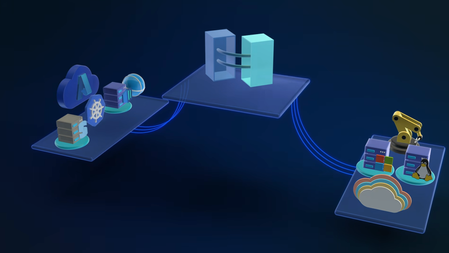
In this video, we explore how Azure Arc simplifies hybrid and multi-cloud operations by providing a single, consistent control plane for managing your entire infrastructure across Linux and Windows, on-prem, in Azure, or in any cloud. Once connected, you can patch Windows and Linux together with Azure Update Manager, enforce CIS benchmarks and Azure Security Baselines through Azure Policy, and pull consistent inventory, tags, and RBAC across your whole estate. Auto-recover unbootable Windows Server 2025 machines with Quick Machine Recovery, audit and configure WinRE using built-in Azure Policy. Run your virtual machines as Azure Virtual Desktop session hosts on Nutanix, VMware, Hyper-V, or using physical Windows hardware. Satya Vel, Azure Arc Principal Group PDM Manager, shares how to make Azure your operational standard for every workload, anywhere it runs. Learn more about Azure Arc at https://aka.ms/AzureArcServer, or join the community at https://aka.ms/ArcServerForumSignup Organize, filter, & manage inventory at scale. Centralize visibility into servers, VMs, and Kubernetes clusters across on‑prem, AWS, GCP, and Azure from a single control plane. Check out Azure Arc. Policy-as-code, everywhere your servers run. Azure Arc extends Azure Policy to on-prem, AWS, and GCP resources — pre-built CIS and security baselines included. Try it. AVD, off-Azure. Azure Virtual Desktop for hybrid environments turns any Azure Arc-enabled Windows VM or physical server into a session host. Get started. QUICK LINKS: 00:00 — Azure Arc in hybrid environments 00:46 — Transitioning to Azure Arc 02:35 — Unified management 03:43 — How to bring in servers and containers 04:48 — Inventory management 05:30 — Patching 06:48 — Auto-manage future updates 08:25 — One-time update 09:32 — Configuration in a hybrid environment 11:05 — Auditing Windows machines 11:34 — Microsoft Defender for Cloud 13:06 — Desktop virtualization 13:51 — Wrap up Link References For more information go to https://aka.ms/AzureArc Unfamiliar with Microsoft Mechanics? As Microsoft’s official video series for IT, you can watch and share valuable content and demos of current and upcoming tech from the people who build it at Microsoft. Subscribe to our YouTube: https://www.youtube.com/c/MicrosoftMechanicsSeries Talk with other IT Pros, join us on the Microsoft Tech Community: https://techcommunity.microsoft.com/t5/microsoft-mechanics-blog/bg-p/MicrosoftMechanicsBlog Watch or listen from anywhere, subscribe to our podcast: https://microsoftmechanics.libsyn.com/podcast Keep getting this insider knowledge, join us on social: Follow us on Twitter: https://twitter.com/MSFTMechanics Share knowledge on LinkedIn: https://www.linkedin.com/company/microsoft-mechanics/ Enjoy us on Instagram: https://www.instagram.com/msftmechanics/ Loosen up with us on TikTok: https://www.tiktok.com/@msftmechanics Video Transcript: - If you’re managing servers and containers today, you’re probably operating across on-prem multiple clouds and using different tools for each. Azure Arc changes that by providing a single way to manage servers, Kubernetes, and containers across Linux and Windows, on-prem, in any cloud, and at the edge. Since launching in 2019, Azure Arc has gained strong momentum, enabling consistent patching, configuration, compliance, and advanced resilience features like remote recovery even for machines that cannot boot and more. And to explore how Azure Arc works in real hybrid environments, I’m joined by our resident management expert, Satya Vel. Welcome. - Hi, Jeremy. It’s great to be on the show. It’s been a while. - Yeah, it has been a while. Thanks for joining us today. And why don’t we jump right into this? So if I’m coming from maybe a traditional server management background using things like Ansible, VMware vSphere, maybe System Center, what does it take then to transition to Azure Arc, and why would I do it and is it worth the effort? - That’s a fair question. Those are all proven powerful tools. That said, it’s challenging moving between multiple tools to manage what you have. What we are seeing today is more of a people and process change. Most enterprises are now hybrid by default, on-prem, multi-cloud, multiple operating systems managed by a central operations team. And what those teams want most is consistency. Azure extends its management capabilities to servers and Kubernetes clusters wherever they run using Azure Arc. That’s where the value of cloud native innovation shows up, beyond basic monitoring of servers and clusters, like the health and status of each resource. With Azure Arc, you can collect richer operational and security data and query it at a massive scale. All these are now actionable insights. You can use them to improve your security posture to close vulnerabilities faster. They’ll let you more easily fix compliance drift to realign resources with your policies and maintain day-to-day operations. This includes modern patching, all applied across your multi-cloud and hybrid estate. And finally, Azure Arc centralizes governance by bringing consistent tags for grouping along with unified identity and access management using RBAC for connected resources. That way everything is controlled the same way regardless of where it runs from a single control plane without duplication or drift. So to answer your earlier question, it is totally worth it, and Azure Arc is really the glue that brings it all together. - Okay, so why don’t we make this real for everyone watching? Can you show us the unified management experience and what that looks like with Azure Arc? - Sure thing, and that’s the best part. In fact here I’m managing my on-prem and multi-cloud environment using Azure services enabled by Azure Arc. Notice I have everything from a Windows server to Kubernetes clusters running on AWS, different Linux distros. There’s even a Windows client Desktop VM and more. All right here. And I can drill into any of these items to see its specs as well as what’s configured. I can take a look at whether it’s compliant with my configuration policies. For example, this test resource has a few non-compliant policies that I might want to take a look into. And the great thing is everything is in one spot. I don’t need to move between consoles to see everything. Once these resources are enrolled, everything is automated and rule-based. I can look for servers and workloads as they are provisioned or updated, and monitor them 24/7. Then based on the configuration status it finds, it can take actions and get items into a compliant state. - Okay, so we’re going to get to what the management experiences look like in a minute, but let’s go back a step. So what happens if I’ve got infrastructure and I want to bring that into Azure Arc? What does that experience look? - This process is super straightforward and simple. Let me show you. You can bring servers and containers running in any cloud on-premises and on any hypervisor under management with Azure Arc. To onboard resources to Azure Arc, we have a few different methods. The any environment option is the most flexible, where you can use scripts for Linux and Windows, or an installer. This is a lightweight agent that you can install on your Linux and Windows servers. You can use your preferred deployment method to run the scripts on your servers and clusters, like this one for Linux, which downloads the agent, installs it and connects it to Azure Arc. And if you have existing tools like Ansible Automation Controller, formerly known as Ansible Tower, we have published a playbook that makes it super simple to onboard your machines. And this playbook is published in the Ansible Galaxy, which is the official community hub. - Okay, so now we’ve got everything in. Now moving into the next thing that people manage a lot every day, inventory. So how does Azure Arc change that? - So I briefly showed the different locations and platforms that could run under Azure Arc. But there’s more to it. All my servers and clusters are in one view. It spans on-prem as I search for Azure Local, then I’ll filter for AWS as well as GCP services. And I can see Azure VMs plus my on-prem servers listed together with a consistent tagging and status information. I define everything based on their location and platforms in Azure, so it’s super easy to see where everything is running, and there’s less chance that any infrastructure falls through the cracks. - Beyond inventory management, something else that we do every day is patch management. So can Azure ARC handle patch management for servers and infrastructure outside of Azure? - Absolutely. This is an area where Azure Arc can help a lot. Today, patching often means different tools for different environments: WSUS or SCCM for Windows, scripts for Linux, or separate crowd portals. And with Azure Arc, this all happens consistently from one place. You can see Azure Update Manager, which I have opened here. Each server has an update status indicating if it’s got pending updates or not. Azure Update Manager continuously assesses the update compliance of your managed servers on a schedule. And you can manually trigger assessments by selecting resources and hitting check for updates. Now, you can see I have both Linux and Windows machines missing updates, and even though these are different OS types, I can update them together with just a few clicks if I want. But before I do that, notice this on-prem Windows Server 2016 machine that needs to be updated. Here, a benefit of managing your Windows and SQL Server infrastructure on Azure is that the service offers extended security updates so you can run them longer in support without disruption to business critical applications. Let’s get back to updating these machines. The nice thing is that you only have to set the right policy and logic one time to manage updates automatically in the future. To save a little time, I’ll select every machine. From here, I can schedule updates for these resources where first I’ll fill in the basics for my subscription and resource group. Then the instance details like the configuration name and the region. The maintenance scope using the guest option lets me target my resources. Then under schedule, I can select the start date as well as the time, how many hours and minutes I want the maintenance window to be, the frequency of repeats in hours, days, weeks, or months. Then in the resources tab, if I want to add more servers, I can group everything I want in the same maintenance schedule. Likewise, you’d use this grouping for staggered rollouts. Importantly, using dynamic scopes, I can also make sure that any new resources are targeted as they come online based on defined filters like the resource groups they’re in, the resource types, locations, operating systems or tags. In updates, I can target the type of updates I want, for example, only critical and security updates. Finally, I can add pre and post events to run before and after the update, like redirecting an app to an informational page saying that the resource is being serviced and when it’ll be back online. Of course, I can tag this as well. And then I just need to review and click create. - And the favorite thing I just saw there was the dynamic scoping that you can apply as a set it and forget it setting basically. So what happens though, if I’ve got an update that’s really critical that I need to push out immediately, can I do that? - Not a problem. You can do that as well. For that, you’ll select one or more resources and choose one time updates so that it gets applied immediately. I just need to confirm the machines, then choose the update type or any exclusions that I want to define. I’ll keep everything in scope here. Then in properties I can determine the reboot behavior I want and maximum maintenance window time in minutes. From there, I can review and install. That will push the update to my selected servers, whether they are in the cloud or on-premise, so it’s one place to get resources into update compliance. And in case you want to stagger updates over a longer period of time for large patch management jobs, you can orchestrate updates using groups. - So the main thing is here you control the timing, like only patching during off hours and approvals and you get to decide which updates to apply, so it’s super flexible. Now, software updates are one type of configuration management, but what other types of configurations can you manage here? - Configuration management in hybrid environments is complex. You traditionally use group policy, desired state configuration or scripts for Windows, and then separate tools like Ansible, remote scripting or manual commands of SSH for Linux. All this can be done centrally from Azure Arc. It extends Azure policy to any resource. And you can use Microsoft provided built-in policy baselines covering common security requirements. For example, the security baseline contains best practices and controls that we’ve defined for cloud services running on Linux and Windows. And above that, you can also see CIS Benchmark policy, which is an internationally recognized standard spanning OS platforms used to protect against cyber attacks. I’ll apply this baseline, then I’ll choose the Red Hat Enterprise Linux 9 Benchmark. And searching across 300 CIS Benchmark policies, I’ll look for passwords. And there are 24 policies defined. And then for Firewall, you can see four more. And these are just a few examples that are pre-configured. So once you assign these to your resources, Azure continuously monitors each machine for compliance. So you can use policy as code across your entire state with Azure policy controls that automatically stay current as standards like CIS evolve. We also recently added the ability to audit and enable WinRE through Azure Arc, improving recoverability even for machines that can’t boot. As you can see, there are a couple of new policies for auditing machines that do not have WinRE enabled and configuring WinRE on Windows machine. With quick machine recovery on Windows Server 2025, that also means for broader issues with known fixes, we’ll automatically recover machines that are not bootable. - And that’s really a great resiliency option. But what about security, compliance, and configurations and assessments? Can we do something there? - For that, you can use Microsoft Defender for Cloud. This lets you standardize security agents and settings across machines and containers wherever they run. In the Defender portal, you can see that the same way Azure Resources spanned Azure, AWS, GCP, and other environments, those same resources are visible here too. Defender continuously assesses connected resources for security posture. This includes what I showed before in the Security Baseline and CIS Benchmark. It detects threats in real time with associated security alerts and how they are trending. You get a complete breakdown by compute with your virtual machines and their associated risks. And the same is true for your connected containers running in Kubernetes. If I move over to cloud assets here you can see all the virtual machines, Kubernetes clusters that we saw in Azure Arc. And clicking into any of these, like this Ubuntu VM will show me all of its details. Scrolling down, I get a view of its risk factors. And below that, you’ll see that this one has 82 risk-based recommendations to improve its security. - And one of the big upsides of Microsoft Defender is that shared visibility, so everything logs to the same place. So if you think about assumed breach, it means that you won’t have any blind spots then as attackers are moving laterally through your environment. So that means security teams, they see what you see. So why don’t we move on though to desktop virtualization. What can Azure Arc do to help me there? - Sure, Azure Arc unlocks the ability to run Azure Virtual Desktop, or AVD, for short, outside of Azure so it can run on your own infrastructure, either via Azure Local or something new we recently announced: Azure Virtual Desktop for hybrid environments. This means any existing on-prem server can be configured as a AVD session host as long as it’s attached to Azure Arc. The management is in the VM layer using a management extension. It’s flexible, and Nutanix AHV, VMware vSphere, Hyper-V, or physical Windows Server can work. So with Azure Arc, you have full control over the entire infrastructure’s lifecycle from inventory, configuration management and policy enforcement all from one place. And the good news is that if you own Software Assurance, you can access services enabled by Azure Arc as part of your license for inventory, configuration, and update management. - That was a great tour and update of Azure Arc. So thanks for joining us today, Satya. And if you want to learn more about Azure Arc and try it out for yourself, just go to aka.ms/AzureArc for more information. Or as an admin search for Arc, A-R-C, in the Azure Portal to get started. And keep watching Microsoft Mechanics for the latest updates. We’ll see you again soon.491Views1like0CommentsIntroducing Azure AI Foundry — Everything you need for AI development
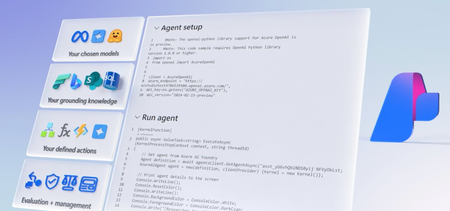
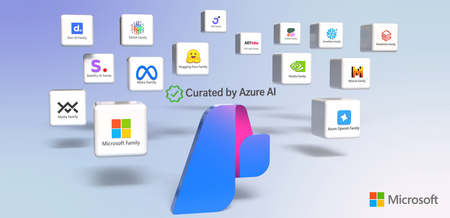
Create agentic solutions quickly and efficiently with Azure AI Foundry. Choose the right models, ground your agents with knowledge, and seamlessly integrate AI into your development workflow — from early experimentation to production. Test, optimize, and deploy with built-in evaluation and management tools. See how to leverage the Azure AI Foundry SDK to code and orchestrate intelligent agents, monitor performance with tracing and assessments, and streamline DevOps with production-ready management. Yina Arenas, from the Azure AI Foundry team, shares its extensive capabilities as a unified platform that supports you throughout the entire AI development lifecycle. Access models to power your agents. The model catalog in Azure AI Foundry gives you access to thousands of AI models, including top-tier LLMs & specialized models, with optimizations for cloud & edge deployment. Take a look. Develop your custom agents. Work seamlessly with Azure AI Foundry inside VS Code, GitHub, and Copilot Studio. See how to integrate AI into your dev workflow. Build AI-powered multi-agent workflows effortlessly. Automate tasks like research, writing, editing, and communication using one system. Get started with Azure AI Foundry. Watch our video here. QUICK LINKS: 00:00 — Create agentic solutions with Azure AI Foundry 00:20 — Model catalog in Azure AI Foundry 02:15 — Experiment in the Azure AI Foundry playground 03:10 — Create and customize agents 04:13 — Assess and improve agents 05:58 — Monitor and manage apps 06:50 — Create a multi-agentic app in code 09:26 — Create a Sender agent 10:39 — How to connect orchestration logic 11:25 — Watch agents work 12:26 — Wrap up Link References Get started with Azure AI Foundry at https://ai.azure.com Unfamiliar with Microsoft Mechanics? As Microsoft’s official video series for IT, you can watch and share valuable content and demos of current and upcoming tech from the people who build it at Microsoft. Subscribe to our YouTube: https://www.youtube.com/c/MicrosoftMechanicsSeries Talk with other IT Pros, join us on the Microsoft Tech Community: https://techcommunity.microsoft.com/t5/microsoft-mechanics-blog/bg-p/MicrosoftMechanicsBlog Watch or listen from anywhere, subscribe to our podcast: https://microsoftmechanics.libsyn.com/podcast Keep getting this insider knowledge, join us on social: Follow us on Twitter: https://twitter.com/MSFTMechanics Share knowledge on LinkedIn: https://www.linkedin.com/company/microsoft-mechanics/ Enjoy us on Instagram: https://www.instagram.com/msftmechanics/ Loosen up with us on TikTok: https://www.tiktok.com/@msftmechanics Video Transcript: -If you’re looking to create agentic solutions and want to move quickly and efficiently, Azure AI Foundry is the one place for discovering and accessing the right building blocks for your agents, with everything you need for AI development. Today, I’ll share the essentials for Azure AI Foundry, starting with a tour of its extensive capabilities as a unified platform that supports you throughout the entire AI development lifecycle; from initial concept with early experimentation, coding in your preferred ID, pre-production assessment, management in production, and beyond, followed by a real example of the steps for creating a multi-agent application using the new Azure AI Agents service in Azure AI Foundry, all integrated with your code. Starting with our tour, you can easily reach to Azure AI Foundry at ai.azure.com, and once you’ve created a project, panning down the left rail, you can quickly see the core experiences. -First, the model catalog helps you discover and access a growing collection of thousands of models to power your individual agents as you build your system, including premium large language models from OpenAI, Meta, DeepSeek, Cohere, and more, as well as small language models like Microsoft Phi. And of course, there are hundreds of open models like those from Hugging Face for you to try out. Models are also available by area of specialization. -For example, there are regional and focused models to support interactions with different spoken languages, like Mistral for European languages and Jais for Arabic. And separately, there are industry-specific models that you can choose from. The entire model catalog is hosted on Microsoft’s supercomputer infrastructure in Azure for optimized cost performance. Next, in terms of model deployment, you can choose to run models on hosted hardware with managed compute, and for those of our popular premium models, you can use our serverless API option. As you use Azure AI Foundry, you can of course also bring your own models to run on your Azure infrastructure. -Then, to help you choose the right model for your agent, you can easily experiment in our playground. For agents, you can add knowledge to ground your model. You can choose files to upload, use existing search index, or add web knowledge using Microsoft Bing. There are also options to add data from Microsoft Fabric as well as SharePoint to connect with data in Microsoft 365. You can also define actions for your agents to perform, like calling APIs, functions, or using Code interpreter to write and run Python code to automate processes. And back on the homepage, clicking into AI Services provide additional task-specific capabilities that you can use to augment your agents, like speech, translation, vision, and content safety. So right from the start on your application design, you can leverage Azure AI Foundry to evaluate AI models and services for your application. -Next, to create and customize agents, the new Azure AI Agents service helps you orchestrate AI agents without managing the underlying resources. Importantly, everything you do in Azure AI Foundry is integrated with your coding workspaces. In the code experience, you can take advantage of multiple templates as well as a cloud hosted pre-configured dev environment to get started. And importantly, integration with GitHub, your code in Visual Studio, and even Copilot Studio for your low-code apps where you can connect to Azure AI services and more. This means that your work in Azure AI Foundry carries on seamlessly into your code and agents, or you can do everything from your code. By using a single API and calling Azure AI Foundry capabilities as service endpoints when you create projects leveraging the Azure AI Foundry SDK. -For example, you can connect to different models using the new Azure AI model inference endpoint, which lets you easily compare models without changing your underlying code. And as you create your agent, you can easily assess and improve the experience. In fact, Azure AI Foundry offers a range of capabilities to help you as you continuously iterate for centralized observability, such as application tracing for debugging and performance checks, along with detailed views for execution flows integrated with your application insight resources. Additionally, automated evaluations help you continuously assess the quality of AI outputs based on key metrics, like relevance to look at how well the model meets expectations, groundedness to see how well the model refers to your grounding data, fluency for the language proficiency of the answers, and more. -From there, you will use this information to create reporting, set up alerts, and share dashboards with other stakeholders. You can also take advantage of built-in safety and security controls of text, image, and multimodal content that go beyond basic system prompt guardrails to automatically detect and optionally block unwanted inputs and outputs for content involving violence, hate, sexual, and self-harm topics. Azure AI Foundry services also can help you onboard more advanced techniques as you optimize the output of your AI applications. For example, built-in services like model fine-tuning lets you adapt model output with specific training data sets that you define, helping you improve model accuracy and effectiveness in real-world applications. Additionally, integrations with Semantic Kernel and AutoGen as well as LangChain let you orchestrate execution flows for multi-agent processes, making it easier to embed AI into new or existing workflows. -Then, as your apps move into production, we give you tools to monitor and manage resource utilization. Integration with Azure Monitor and Application Insights helps you quickly observe trends and get alerts for key generative AI metrics. And the Centralized Management Center helps simplify ongoing resource management and governance tasks, like managing quota, accessing permissions, and connected resources. -Additionally, built-in integration across Microsoft’s security and governance stack enables you to enforce organizational standards and compliance with Azure policy, manage identity base access data and services with Microsoft Entra, leverage your data security and compliance from Microsoft Purview, and protect your AI apps at scale with ongoing threat detection and security posture management using Microsoft Defender. -So, with our tour complete, next, let me show you how you can create a multi-agent application using Azure AI Foundry along with Semantic Kernel for orchestration. I’ll start by explaining the agentic app scenario, which should sound familiar if you’ve ever written a report. It’s a four-agent solution that can be initiated with any topic. There is a researcher agent that gathers information from the internet as my defined knowledge source. This process loops with the writer agent, which uses the information provided or requests more until it is satisfied. The writer agent then creates the report and loops with the editor agent, which can request additional edits until it is satisfied. And once it has approved the reported text, it shares the output with the sender agent, which emails the report using Outlook in Microsoft 365. These multi-agentic scenarios are similar in concept to microservices and other modular architectures. There are several benefits to breaking down a monolithic process, but now it’s got a new name. -So let’s build it. I’ll begin in Azure AI Foundry, and in the Agents page I can see the agents that I’ve already started building, like the writer and the editor agents. The researcher and the sender agents are missing because we’re going to build them right now. I’ll start with the research agent as a new agent. Next, the setup pane on the right gives me my agent configuration options. I’ll give it a name, Research agent, and then under Deployment I can choose the model I want this agent to use. I’ll pick gpt-4o. -Next, I’ll provide it with instructions for what it is supposed to do. Since it is the research agent, I’ll instruct it to use Bing search to find information. And because the research agent is part of this four-agent team, I’ll specify that it should not try to write the report, which is the job of the writer agent. It should just provide the data. Next, I’ll add a knowledge source. Again, we want Bing to ground the agent with public information from the web. Then I just need to select an Azure connection, and once I hit Connect, our agent is done. To try it out, I’ll use the playground. I’ll ask “What is dot net,” and it will generate a summarized result using knowledge from Bing search. And because it is the research agent and not the writer, you will see that its results are super concise but dense with knowledge about the topic. -Next, I could specify actions, but I don’t need to. This agent already has everything it needs. And so our research agent is ready to go, and I can move on to creating our sender agent, which by the way is going to need some defined actions. To create our email sender agent, I’m going to switch over to VS Code and use the SDK. I have this Python file open, and if you look at the very bottom of the screen, there is a create_agent command. And just like we saw in the Azure AI Foundry portal, I can point it to the model for its deployment, define its name, and add its instructions, as well as its tools. As the email sender agent, we’ll provide it with Outlook as a tool, and when I run this file, it will create an agent inside of Azure AI Foundry. -In fact, if I move back to our list of agents in the portal, we can see that our sender agent was just created. And so now with all of my four agents created, it’s time to wire them up using Semantic Kernel. Back in VS Code, I’ll open my program file where I’ve already started using Semantic Kernel to describe its broader process, and you will see all the logic for how each agent interacts with each other. As I explained in the graphic, each agent needs to satisfy the requirement for it’s task before moving to the next step in the process. -Now, you might be wondering how to connect the orchestration logic together with my four agents. Well, let me show you. Each agent has its own configuration file for our Semantic Kernel orchestration. I’ll connect the researcher agent config with the agent ID from Azure AI Foundry. So, if I go back to the Azure AI Foundry portal and select the researcher agent, I can just copy the agent ID and go back to add it to my code, and you would do this process for each of the agents. Now with everything connected and complete, let’s try it out. Back in my code, I’ll go ahead and run to see how well our agents work together. My program asks, “What would you like a report on?” Let’s make it python, but not the code, the snake. While these agents work, I can watch exactly what they’re doing and comment on them play by play. -First, we can see the researcher agent pulling some material from the web. The writer agent can then pick things up. But wait, the writer agent isn’t easily satisfied and needs some additional research on user sentiment. The researcher agent comes back with that detail, but the writer agent still has questions and needs more additional facts about the pet trade and other topics. The researcher agent, unfazed, comes back with that information. And once the writer is satisfied, it starts generating the report. When it’s finished, it sends the report to the editor agent, and it looks like the writer agent met all of the requirements, which is confirmed and approved by the editor agent, and the approval triggers the sender agent to send it out as an email. In fact, if I move over to Outlook, we can see the Report on Python Snakes just landed on my inbox, and that was just one example of how you can create agentic solutions to automate business processes. -Azure AI Foundry helps you create powerful agents quickly and efficiently by providing a unified platform with extensive capabilities throughout the entire AI development lifecycle. To get started, just head over to ai.azure.com. Subscribe to Microsoft Mechanics if you haven’t already, and thank you for watching.2.3KViews1like0CommentsNew AI integration for your SQL databases | RAG, Vector Search, Admin Automation
Check out new AI integrations for your Azure SQL databases. With Retrieval Augmented Generation, you can bridge structured data with generative AI, enhancing natural language queries across applications. 7.9KViews1like0Comments
More Performance + AI Integration | Azure Database for MySQL - Flexible Server
Bring your MySQL workloads to run on Azure. Azure Database for MySQL — Flexible Server offers a powerful, fully managed solution for MySQL workloads, providing unique platform-level optimizations that significantly enhance connection scaling and cost performance. 2.1KViews0likes0Comments