azure horizondb
19 TopicsIntroducing Durable Functions in PostgreSQL
By Abe Omorogbe, Senior PM | Pino De Candia, Principal Software Engineer | TJ Green, Principal Software Engineer Postgres will happily store your data, run your queries, and scale with you for years. But the moment you need to do more with that data, such as running multi-step transformation, scheduling nightly rollups, generating embeddings or waiting on an approval, you hit a wall. Postgres has no built-in way to run long-lived, fault-tolerant work. That's why we built pg_durable, a new open-source PostgreSQL extension that brings durable execution directly into the database. With pg_durable, Postgres doesn’t just store your data, it runs long-lived, fault-tolerant workflows on it, with built-in retries, parallelism, scheduling, and recovery. Instead of stitching together PL/pgSQL functions or building external orchestration systems, you can now define and run resilient workflows entirely in your database, backed by Postgres' durability and high availability. And on Azure HorizonDB, pg_durable also powers AI pipelines, enabling production-ready data and AI workflows, end-to-end, right inside the database. In this post, we'll cover: The hidden trap: blocking background work What pg_durable is and the DSL that drives it How this engine powers AI pipelines on HorizonDB Sample patterns worth exploring Getting started on HorizonDB, on your laptop, and in VS Code 🚀 Want to try it out? pg_durable ships in Azure HorizonDB, Microsoft's new PostgreSQL cloud service. The HorizonDB Preview is the fastest way to try pg_durable and AI pipelines together. Get started in HorizonDB → pg_durable visualization The hidden trap: blocking background work Most Postgres teams eventually reach a point where they need to run critical tasks on their data: transformations, nightly aggregations, database maintenance workflows, embedding jobs, or multi-step business processes. So, they do the natural thing and try to keep that work inside Postgres. They end up on a journey of increasing complexity and maintenance burden. First, just run the task as a function in your database You cram the whole workflow into one PL/pgSQL function: loop, transform, call APIs, write results, return. It looks simple until you have to run it in production. One connection stays tied up the whole time. Everything runs inside one big transaction, with long locks and no visibility into partial progress. If the connection drops or the database restarts, the whole run is gone. No per-step retries. No parallelism. No scheduling. No clean way to pause for human input. When it fails, you move it outside You push the workflow into an external service: a job queue, polling workers, state tables, step coordination, retry logic, crash-recovery sweeps, and cleanup jobs. What started as a few background tasks turns into a full distributed system. Before you’ve even touched the business logic, you’re building and operating infrastructure just to coordinate work that’s still fundamentally tied to your data. Both paths are workarounds for the same missing primitive: durable, asynchronous background work that lives where your data lives. That's the gap pg_durable fills. What pg_durable actually is pg_durable is a Postgres extension that consists of a DSL (Domain specific language) and the duroxide runtime hosted in a Postgres background worker. You describe a workflow as a small SQL expression, call df.start(...), and get an instance ID back immediately. The work runs off to the side in a background worker, so it never blocks your connection or transaction, and you can check progress later with df.status() and df.result(). The execution state lives in Postgres, which means it benefits from the database’s durability, HA, backups, and recovery. Additionally, the workflow definition does not have to live in the database: your application can send it to df.start(...) over a regular Postgres connection. 2: pg_durable orchestration of worker and schema Because execution is asynchronous, pg_durable automatically breaks a workflow into discrete steps. Each step runs in its own session and transaction, commits its progress, and hands off to the next instead of keeping one giant transaction open. Steps are checkpointed in Postgres and recovered by deterministic replay, so workflows survive crashes, restarts, and failovers and resume where they left off. If a step fails, only that step retries. The whole thing is expressed through a tiny DSL of composable operators: Operator Meaning ~> Sequential. run this, then that & Parallel. fan out, wait for all | Race. fan out, take the first to finish ?> / !> Conditional. if / else @> Loop. repeat durably, survive restarts |=> Capture a step's result into a variable (reuse with $) Advanced Functions df.if() Conditional branch df.loop() Repeat statements df.join() Execute in parallel, wait for all df.http() To call an allowlisted endpoint df.wait_for_schedule() For cron-style timing df.wait_for_signal() Pause for an external event Read more about all operators and functions in pg_durable Without pg_durable vs. with pg_durable The hand-rolled version of "run three aggregations in parallel, then refresh a dashboard with retries and crash recovery" usually means 300+ lines of queue tables, polling workers, state-machine rows, per-step retry logic, crash-recovery sweeps, and cleanup jobs. Plus, the runbook to operate it. The pg_durable version: SELECT df.start( 'SELECT count(*) FROM users' & 'SELECT count(*) FROM orders' & 'SELECT sum(amount) FROM orders' ~> 'REFRESH MATERIALIZED VIEW metrics', 'refresh-dashboard' ); You write the SQL. pg_durable owns the queue, the state, the coordination, the retries, and the crash recovery. Two ways to use pg_durable 1: Use pg_durable directly (works on Azure HorizonDB or any Postgres 17) Enable it and start orchestrating: CREATE EXTENSION pg_durable; SELECT df.start($$ SELECT 'Hello, durable world!' AS message $$); -- returns an instance ID immediately; the worker runs it asynchronously From there you compose: sequential pipelines, conditional branches, races for timeout-or-result, variable passing between steps, human-in-the-loop approvals, scheduled maintenance all in SQL, close to the data, with no new infrastructure. This is the "just use Postgres" answer to a problem teams usually solve by leaving Postgres. Because it's open source under the permissive PostgreSQL License, you can clone the repo and run it on your laptop, your server, or any cloud. 2: AI pipelines (HorizonDB capability) On HorizonDB, pg_durable becomes the foundation for something even more approachable: a managed, declarative AI pipeline surface in the azure_ai extension. pg_durable gives you the durable execution engine, while the ai.* API gives you an AI-shaped model of sources, steps, sinks, and triggers that compile into a durable graph. Traditional app-tier embedding pipelines fail in predictable ways: a transient API error mid-batch with no shared checkpoint, a worker that crashes after writing chunks but before marking the parent row processed, no clean way to re-embed just the rows that changed. Move that logic into HorizonDB and the source, the steps, the sink, and the run history are all SQL, protected by the same transactions, backups, and PITR (point-in-time recovery) your data already has. A complete chunk → embed AI pipeline is one definition: SELECT ai.create_pipeline( name => 'ai_pipeline', source => ai.table_source(table_name => 'documents_ai_pipeline'), steps => ARRAY[ ai.chunk(input => 'content'), ai.embed(model => 'default-embedding', input => 'chunk_text', dimensions => 1536) ], trigger => 'on_change', sink => ai.table_sink('documents_ai_pipeline_output') ); SELECT ai.run('ai_pipeline'); Each AI step becomes a durable node, so if ai.embed() fails, ai.chunk() doesn’t run again. And with trigger => 'on_change', the pipeline runs automatically as rows change, embedding only what’s new. Add a DiskANN index on the resulting table, and you have production-ready vector search end to end, entirely inside the database. Where pg_durable fits and where it doesn't If you've used external orchestrators such as Temporal or Airflow, your first reaction is probably: why would I put control flow in my database? Fair question. pg_durable isn't trying to be a universal orchestrator. Reach for pg_durable when the workflow is tightly coupled to Postgres state. The rows it reads and writes live in the same database, it benefits from the database's own durability, backups, and PITR, and you'd rather not stand up a separate system to coordinate work that never leaves the data tier. Think: embedding pipelines, ETL jobs, scheduled maintenance, and queue-style background jobs. Reach for a dedicated orchestrator when the workflow's center of gravity is outside Postgres, fanning across heterogeneous services, or running arbitrary application logic that does not map cleanly to SQL steps, branching, loops, or HTTP calls. Get started On Azure HorizonDB CREATE EXTENSION IF NOT EXISTS pg_durable; -- Execute a simple SQL query as a durable function SELECT df.start($$ SELECT 'Hello, durable world!' AS message $$); -- Returns: a1b2c3d4 (8-character instance ID) -- Get result of a specific instance SELECT df.result(<ID>); That's it: submit, walk away, inspect. Read the documentation for more details. In VS Code, with the PostgreSQL extension A dense one-liner of ~>, &, and |=> is precise once it clicks, but the learning curve is real so flatten it with tooling. Install the PostgreSQL extension for VS Code from the Marketplace: Connect to HorizonDB or your local Postgres directly from the extension Let Copilot write the SQL. The pg-durable-sql skill turns a plain-English description ("every night, archive orders older than 90 days") into correct pg_durable syntax. Run it and watch it. The extension renders pg_durable workflows and azure_ai pipelines as live graphs, definition and each run, so you can see every step, its timing, and exactly where a failure happened. Authoring, execution, run visualization, and inspection in one window and the same tooling works against any Postgres, not just HorizonDB. On your laptop Prefer to run it yourself? Clone microsoft/pg_durable, use the Codespace prebuild or VS Code Dev Container, and add the extension on any Postgres 17. Sample patterns worth exploring The scenario guide has a full catalog of scenarios; however, these are the three I would start with. ETL Pipeline: a multi-step data transformation where each step must be completed before the next begins. Failures should stop the pipeline. SELECT df.start( 'DELETE FROM target WHERE loaded_at < now() - interval ''7 days''' -- Step 1: Cleanup old ~> 'UPDATE staging SET processed_at = now() WHERE processed_at IS NULL' -- Step 2: Mark staging ~> 'INSERT INTO target (data, source_id) SELECT data, source_id FROM staging WHERE processed_at IS NOT NULL', -- Step 3: Load 'etl-pipeline' -- Label for easy identification ); If the database restarts mid-backfill, it picks up from the last checkpointed batch, not row zero. See full example Scheduled Data Sync: poll an external API or run a job on a schedule (hourly, daily, every 30 minutes). The job should run forever and survive restarts. (See full example): -- Scheduled sync: fetch data every 30 minutes (runs forever) SELECT df.start( @> ( -- @> creates an eternal loop -- Fetch from external API (df.http( 'https://httpbingo.org/json', 'GET' ) |=> 'response') -- Store the response ~> 'INSERT INTO external_data_sync (data) VALUES ($response::jsonb)' -- Wait for next scheduled run ~> df.wait_for_schedule('*/30 * * * *') -- Cron: every 30 minutes ), 'scheduled-data-sync' ); Human-in-the-loop approval: auto-apply routine changes, pause the risky ones until a person signals approval (See full example): SELECT df.start( 'SELECT amount > 10000 AS needs_review FROM invoices WHERE id = 42' |=> 'risky' ?> ( df.wait_for_signal('invoice-42') ~> 'UPDATE invoices SET status = ''paid'' WHERE id = 42' ) !> 'UPDATE invoices SET status = ''paid'' WHERE id = 42', 'invoice-approval' ); The workflow simply waits minutes or days until a reviewer releases it with the matching signal, then resumes. The community is already running with it pg_durable launched as open source and the community is already kicking the tires. The project was a top article on Hacker News on launch day and 1.7K stars on GitHub within its first few days of initial launch. Also Franck Pachot (PostgreSQL community veteran) published an independent walkthrough, Getting Started with pg_durable: durable workflows inside PostgreSQL within days of release. The repo is actively developed, and the maintainers are reading every issue and PR. If you want improvements in our DSL ergonomics, say so. If you want an operator that doesn't exist yet, open an issue. If you've got a scenario we haven't covered, send a PR. The syntax, the docs, and the rough edges all get better when people who run Postgres in production push back. So, clone it, and build something real. If you find rough edges, open an issue or send a PR at microsoft/pg_durable. We think you'll be surprised by how much it can take. Learn more pg_durable on GitHub Durable Functions on HorizonDB AI pipelines on HorizonDB3.5KViews2likes0CommentsUltimate Guide to POSETTE: An Event for Postgres, 2026 edition
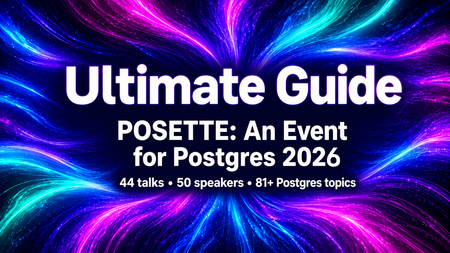
POSETTE: An Event for Postgres 2026 is back for its 5th year: free, virtual, and unapologetically all about Postgres. No travel budget required and no jet lag involved. Just your laptop, a decent internet connection, and curiosity. This year the POSETTE 2026 schedule has 4 livestreams (16-18 June) with 44 talks at ~25 minutes each—covering everything from query performance and partitioning to Postgres 19 features, extensions, and use cases. Which is awesome but also a bit of work to figure out which talks are for you. Hence this ultimate guide post. Every talk will land on YouTube afterward (un-gated, of course) so if you miss anything you care about, you can watch it later. But if you can catch a livestream in June, do it. That’s when the “virtual hallway track” happens on Discord—where you can ask the POSETTE speakers questions and compare notes with other attendees. Meeting other attendees who have the same weird Postgres problems you do can be reassuring somehow. And yes, there will be swag. This guide is your cheat sheet: I’ve categorized and tagged all 44 talks so you don’t have to read 44 abstracts back-to-back. In this post you'll get: “By the numbers” summary Map of the 44 talks 2 Keynote sessions 23 Postgres core talks 11 Postgres ecosystem talks 8 Azure Database talks Why participate on the virtual hallway track on Discord A big thank you to our amazing speakers Join us for POSETTE 2026 & mark your calendars Official POSETTE 2026 Trailer “By the numbers” summary for POSETTE 2026 Here’s a quick snapshot of what you need to know about POSETTE this year: 3 days 16-18 June 2026 4 livestreams In Americas & EMEA time zones but of course you can watch from anywhere 44 talks All free, all virtual 2 invited keynotes Driving Postgres forward at Microsoft (Livestream 1), and Postgres 19 Hackers Panel: What’s In, What’s Out, & What’s Next (Livestream 2) 25 minutes Average length per talk ~1100 minutes Total minutes in POSETTE 2026 talks 50 speakers POSETTE 2026 speakers include PostgreSQL hackers and contributors, users, application developers, PG community members, Azure engineers, & Azure customers 6 keynote speakers Affan Dar & Charles Feddersen (Livestream 1); and Álvaro Herrera, Heikki Linnakangas, Melanie Plageman, & Thomas Munro (Livestream 2) 19 countries Speakers reside in 19 different countries 23 companies Speakers hail from 23 different companies 17.6% CFP acceptance rate 42 talks selected from 238 submisssions 75% general Postgres talks 33 talks are not cloud-specific at all, they’re about the Postgres technology & ecosystem 25% Azure-related talks 11 of 44 talks feature Azure Database for PostgreSQL or Azure HorizonDB 1 organizing company Organized by the Postgres team at Microsoft, in partnership with AMD 17 languages Published talk videos will have captions available in 17 languages, including English, Czech, Dutch, French, German, Hindi, Italian, Japanese, Korean, Polish, Portuguese, Russian, Spanish, Turkish, Ukrainian, and Chinese Simplified & Chinese Traditional Map of the 44 talks To help you quickly navigate all 44 talks, here’s a map of the high-level categories and detailed topics. : A map of the POSETTE 2026 talks—high-level categories and detailed tags to help you find what you care about 2 Keynote sessions Affan Dar and Charles Feddersen lead the PostgreSQL engineering and product teams at Microsoft, In this keynote, they’ll walk through how Microsoft is contributing to Postgres, both upstream in the open source project and in the cloud database service they build on top of it. Driving Postgres forward at Microsoft, by Affan Dar & Charles Feddersen (Azure Database for PostgreSQL, Azure HorizonDB, VS Code, Dev tools, community, Postgres hacking, open source, PosetteConf, livestream-1) Want to understand how Postgres features get decided? This keynote panel with 4 PostgreSQL committers & hackers will peel back the curtain. You’ll hear what made it into Postgres 19, what didn’t (and why), and get a sneak peek into a few of the things in the oven for Postgres 20. Postgres 19 Hackers Panel: What’s In, What’s Out, & What’s Next, by Álvaro Herrera, Heikki Linnakangas, Melanie Plageman, & Thomas Munro (Postgres 19, Postgres hacking, panel, open source, collaboration, multithreading, livestream-2) 23 Postgres core talks Data Modeling JSON in PostgreSQL - evil data type or just needs to be tamed?, by Boriss Mejias (JSON, performance, data modeling, livestream-1) PostgreSQL Design Patterns, by Chris Ellis (data modeling, SQL, PG use cases, livestream-1) Graph Data Exploring property graphs with SQL/PGQ in PostgreSQL, by Ashutosh Bapat (SQL/PGQ, graph data, data modeling, Postgres 19, livestream-4) LISTEN/NOTIFY LISTEN Carefully: How NOTIFY Can Trip Up Your Database, by Jimmy Angelakos (LISTEN/NOTIFY, PG use cases, triggers, livestream-4) Performance Maintaining Large Tables in PostgreSQL, by Sarat Balijepalli (WAL, performance, scaling Postgres, vacuum, autovacuum, statistics, partitioning, monitoring, livestream-3) My Postgres partitioning cookbook, by Derk van Veen (partitioning, PG use cases, data modeling, performance, livestream-4) PostgreSQL 17 vs 18: Side‑by‑Side Performance Wins in Real‑World Queries, by Divya Bhargov (performance, PG use cases, livestream-3) Vacuuming Enhancements in PostgreSQL 18: Faster, Smarter, More Predictable, by Shashikant Shakya (vacuum, async IO, monitoring, performance, livestream-4) PG Internals Linux and PostgreSQL in the Multiverse of Connections, by Josef Machytka (Linux, PG internals, connection pooling, livestream-2) pg_stats: How Postgres Internal Stats Work, by Richard Yen (statistics, pg_stats, PG internals, query planner, livestream-2) Postgres isn’t slow, your storage is, by Sai Srirampur (storage, IO, performance, livestream-3) PostgreSQL queues done right with PgQ, by Alexander Kukushkin (queues, PG internals, extensions, livestream-2) random_page_cost in Postgres - why the default is 4.0 and should you lower it?, by Tomas Vondra (PG internals, IO, performance, livestream-1) The Wonderful World of WAL, by Bruce Momjian (WAL, PG internals, replication, livestream-3) What's new with constraints in Postgres 18, by Gülçin Yıldırım Jelínek (constraints, data modeling, livestream-2) Postgres Hacking Fuzzing PostgreSQL, by Adam Wolk (PG internals, testing, Dev tools, libpq, security, livestream-1) Journey of developing a performance optimization feature in PostgreSQL, by Rahila Syed (Postgres hacking, PG internals, performance, WAL, replication, livestream-4) The Hitchhiker’s Guide to PostgreSQL Hacking: Don’t Panic, Just Start Small, by Xuneng Zhou (Postgres hacking, PG internals, community, livestream-2) Replication Past, Present, and Future: Logical Decoding and Replication in PostgreSQL, by Hari Kiran (replication, logical decoding, PG internals, livestream-4) Where Does My INSERT Go? A Logical Replication Story, by Hamid Akhtar (replication, PG internals, WAL, livestream-4) Security From Dev to Prod: Securing Postgres the Right Way, by Sakshi Nasha (security, roles, PG use cases, extensions, monitoring, livestream-4) From trust to Tokens: A Short History of PostgreSQL Authentication, by Murat Tuncer (authentication, security, livestream-2) PostgreSQL vs. SQL Server: Security Model Differences, by Taiob Ali (security, authentication, SQL Server, roles, livestream-1) 11 Postgres ecosystem talks Analytics pg_lake: Postgres as a lakehouse, by Marco Slot (pg_lake, extensions, OLAP, data warehouse, Iceberg, DuckDB, analytics, livestream-2) Apache AGE Querying & Visualizing Graphs in Postgres with Apache AGE, by Christian Miles (Apache AGE, graph data, data visualization, SQL/PGQ, Azure HorizonDB, livestream-1) Autotuning Building safety tooling for risk-free AI tuning of Postgres: Fast cars need fast brakes, by Mohsin Ejaz (autotuning, AI, performance, monitoring, livestream-2) Change Data Capture Building Event-Driven Systems with PostgreSQL Logical Replication and Drasi, by Diaa Radwan (Drasi, replication, WAL, CDC, livestream-3) Citus Move Less, Move Faster: Speeding Up Citus Cluster Scaling, by Muhammad Usama (Citus, extensions, performance, scaling Postgres, livestream-4) Dev Tools An MCP for your Postgres DB, by Pamela Fox (MCP, AI, Python, Dev tools, livestream-1) pgcov: Bringing Real Test Coverage to PostgreSQL Code, by Pavlo Golub (testing, Postgres hacking, Dev tools, extensions, CI/CD, livestream-3) PostgreSQL Tooling Across AI Editors and Agents, by Matt McFarland (Dev tools, VS Code, Cursor, AI, data visualization, Apache AGE, graph data, Azure, MCP, Copilot, livestream-1) Django PostgreSQL Generated Columns by Example, by Paolo Melchiorre (app dev, Django, generated columns, livestream-2) Kubernetes Quorum-Based Consistency for Cluster Changes with CloudNativePG Operator, by Jeremy Schneider & Leonardo Cecchi (CloudNativePG, Kubernetes, PG use cases, livestream-3) Performance Modelling Postgres Performance Degradation on Burstable Cloud Instances, by Chun Lin Goh (performance, burstable, compute, QA, livestream-4) 8 Azure Database for PostgreSQL & Azure HorizonDB talks AI-related talks From Queries to Agents: The Next Era of Data Retrieval on PostgreSQL, by Abe Omorogbe (AI, MCP, Azure Database for PostgreSQL, graph data, Apache AGE, Azure HorizonDB, livestream-3) Production RAG at Scale with Azure Database for PostgreSQL, by Julia Schröder Langhaeuser & Paula Santamaría (Azure Database for PostgreSQL, AI, RAG, PG use cases, livestream-3) AMD Choose the Right Azure Infrastructure to Improve Postgres Performance by Over 60%, by Andrew Ruffin (AMD, performance, Azure, compute, Azure Database for PostgreSQL, livestream-1) Azure HorizonDB Why we built Azure HorizonDB for PostgreSQL, by Dingding Lu (Azure HorizonDB, scaling Postgres, livestream-3) Flexible Server pg_duckdb in Action: Accelerating Analytics on Azure Database for PostgreSQL, by Nitin Jadhav (DuckDB, Azure Database for PostgreSQL, extensions, OLAP, analytics, performance, livestream-4) The Rise of PostgreSQL as the Everything Database, by Varun Dhawan (Postgres history, extensions, graph data, Apache AGE, Azure Database for PostgreSQL, DuckDB, Citus, livestream-3) What I’ve Learned Teaching Postgres to 200+ field engineers at Microsoft, by Paula Berenguel (training, Azure, Postgres skilling, livestream-1) Oracle to Postgres Migrating VLDBs from Oracle to Azure Database for PostgreSQL, by Adithya Kumaranchath (migration, Azure Database for PostgreSQL, Oracle to Postgres, livestream-2) Why participate in the virtual hallway track on Discord If you’ve checked out the schedule and plan to watch some of the talks, you might still be wondering: why join live—and why bother with the virtual hallway track on Discord? Here’s how a few of last year’s attendees described the experience: “Very impressed by all the speakers and content I am absolutely shattered as there was so much great content in all the talks over the past 3 days but I have probably learnt more in these sessions than I could have in months of reading up.” “Want to let y’all know how much I got from this onine conference, the speakers were excellent, well-prepared and well-presented. The hosts were informative, engaging, & amusing. The discord hallway channel made me feel connected. I learned a lot and found some new inspiration. I’ll be back next year!” “I have no idea how I’m going to summarise all the interesting stuff for coworkers.” The common thread: the live, shared experience—being able to ask questions, compare notes, and learn alongside other people in real time. How to join the virtual hallway track Head to the #posetteconf channel on Discord (on the Microsoft Open Source Discord) That’s where speakers and attendees hang out during the livestreams—it’s where you can ask questions, share reactions, and just say hi Big thank you to our amazing speakers Every great event starts with great talks—and great talks start with great speakers. Want to learn more about the people behind these talks? Visit the POSETTE 2026 Speaker page Click a speaker’s bio to see their written interview (if available) If a speaker has been a guest on the Talking Postgres podcast in the past, then you’ll find a link to their episode there, too Join us for POSETTE 2026! Mark your calendars I hope you join us for POSETTE 2026. Consider yourself officially invited. As part of the talk selection team, I’m definitely biased—but I truly believe these speakers and talks are worth your time. I’ll be hosting Livestream 1 and you’ll find me in the #posetteconf Discord chat. I hope to see you there. And please: tell your Postgres friends, so they don’t miss out! 🗓️ Add the livestreams to your calendar Livestream 1: Tue 16 June, 8am–2pm PDT (UTC-7) [ register for updates ] and/or [ add to calendar ] Livestream 2: Wed 17 June, 8am–2pm CEST (UTC+2) [ register for updates ] and/or [ add to calendar ] Livestream 3: Wed 17 June, 8am–2pm PDT (UTC-7) [ register for updates ] and/or [ add to calendar ] Livestream 4: Thu 18 June, 8am–2pm CEST (UTC+2) [ register for updates ] and/or [ add to calendar ] Watch last year’s POSETTE 2025 talks in advance: And if you want to get ready, you can watch talks from the POSETTE 2025 playlist on YouTube anytime, anywhere. Lots of solid, useful, and evergreen Postgres talks in there. “Official Trailer” for POSETTE 2026 is on YouTube To help more developers, community members, and Postgres users discover POSETTE 2026, our team created this short video trailer. Take a peek and share it with friends as an invitation of sorts. We’re trying to make sure that people don’t miss their opportunity to be part of the livestreams and ask questions on the discord during the conference (as well as watch the talks on YouTube after the event is over.) Watch and share the trailer: Official Trailer for POSETTE: An Event for Postgres 2026 Acknowledgements & Gratitude I’ve already thanked the 50 amazing speakers above. In addition, thanks go to Silvano Coriani, Cornelia Biacsics, Aaron Wislang, and My Nguyen for reviewing parts of this post before publication. I also want to thank the team at AMD for their partnership and support of POSETTE this year! And of course, big thank you to the POSETTE 2026 organizing team and POSETTE talk selection team—without you, there would be no POSETTE! Figure 3: Visual invitation to join the virtual hallway track for POSETTE 2026 on the Microsoft Open Source Discord, so you can chat with the speakers & others in the Postgres community1.3KViews3likes0CommentsSELECT * FROM build2026_sessions WHERE postgres = true;
Microsoft Build 2026 is around the corner, and this year it’s shaping up to be a big one for PostgreSQL experts and enthusiasts. If you’re a developer working with Postgres, or just love exploring new database technology, there's plenty to get excited about. Microsoft’s new cloud-first evolution of PostgreSQL, Azure HorizonDB, alongside sessions featuring Azure Database for PostgreSQL, will highlight how Postgres is powering the next wave of AI-driven applications. A new horizon in Postgres Build 2026 arrives at a time when the role of databases in modern apps is evolving rapidly. From enabling AI model integration to scaling seamlessly across the cloud, PostgreSQL developers today are dealing with more complex demands than ever. That’s why Azure HorizonDB – Microsoft’s new cloud-native PostgreSQL service – is generating so much buzz ahead of Build. What is Azure HorizonDB? In short, it’s a reimagined version of PostgreSQL designed for cloud-scale performance and AI-era workloads. Azure HorizonDB, introduces a distributed architecture that decouples compute and storage, delivering sub-millisecond latencies and three times the throughput of self-managed Postgres at massive scale. It aims to preserve Postgres’s beloved features and SQL ecosystem while adding next-generation capabilities: built-in vector indexing for high-speed AI/ML retrieval, the ability to run AI models and vector operations directly in the database, and multi-zone replication for resilience. For Postgres developers, this means less time stitching together external data stores or machine learning services – and more time building powerful apps on a unified platform that’s both familiar and built for the future. The bottom line: Microsoft Build 2026 is an ideal opportunity for developers to see Azure HorizonDB in action, learn best practices for modern PostgreSQL architectures, and understand how to leverage Postgres in new scenarios like generative AI and multi-agent applications. Read on for a rundown of sessions covering these topics, complete with what you’ll learn from each one. Top sessions for PostgreSQL databases on Azure Below are key sessions tailored for PostgreSQL users and those interested in Azure HorizonDB, with session types and highlights of what you’ll gain by attending. 🎤 Breakout: From Rows to Reasoning: Designing Databases for AI Apps and Agents (BRK223, 45 min, in-person and digital options) Discover how to architect databases that can power tomorrow’s intelligent applications. This technical breakout will show how AI-ready databases can move beyond plain transactions. You’ll see live demos of integrating transactional, analytical, and vector data in one unified platform, with Azure’s new database capabilities, including Azure HorizonDB. Learn how to simplify your stack by eliminating separate analytics engines or vector stores. The session will highlight patterns that reduce data movement and latency so your apps can efficiently reason over live data with minimal complexity. 🧪 Hands-on lab: Create Advanced Postgres-Powered Agentic Apps with Azure HorizonDB (LAB511, 75 min, in person and digital options) Roll up your sleeves and get hands-on building a real multi-agent AI application with Postgres. In this advanced lab, you’ll create a production-ready AI agent powered by Azure HorizonDB as an all-in-one data, search, and intelligence layer. Experiment with retrieval-augmented generation (RAG) by combining semantic vector search (DiskANN) with traditional SQL queries right inside the database. Implement hybrid search and agent workflows without resorting to external vector databases or glue code – thanks to HorizonDB’s built-in vector indexing and in-database AI model capabilities. This lab is perfect for developers who want to experience how HorizonDB can simplify your stack and boost performance for AI-driven apps. Multiple hands-on labs are offered to suite your schedule. 💻 Demo: Simplify App Dev with Cloud-Native PostgreSQL in Azure HorizonDB (DEM364, 25 min, in-person and digital options) See how to cut your development time and complexity with built-in AI and search features in Postgres. This fast-paced demo shows how Azure HorizonDB helps eliminate the need for separate search engines and AI services by pulling those capabilities straight into PostgreSQL. Expect to learn how you can run hybrid vector + keyword queries using SQL, integrate AI models directly from within the database, and apply full-text search (BM25) and semantic ranking to get smarter results. If you’re eager to deliver intelligent apps faster, with fewer moving parts, this session will show how HorizonDB simplifies your architecture without sacrificing performance. ⚡Lightning Talk: Cloud-Native PostgreSQL, Rebuilt for Scale: Azure HorizonDB (LTG413, 15 min, in-person only) Get a rapid-fire introduction to the architecture behind HorizonDB’s eye-popping performance. This short talk dives into how HorizonDB re-architects core PostgreSQL to deliver effortless scale out and blazing speed. Learn how decoupled compute and storage, predictive caching, and multi-region replication combine to achieve sub-millisecond query latencies and 3× higher throughput than standard Postgres. If you care about performance tuning and high-scale database design, don’t miss this quick primer on the tech under HorizonDB’s hood. 👥 Interactive Table Talk: Scaling PostgreSQL for AI Apps: Patterns and Tradeoffs (TT622, 45 min, in-person only) Bring your questions and ideas to this collaborative discussion. In this open round-table session with community and Microsoft experts, you’ll explore architecture patterns for scaling PostgreSQL to meet the demands of agent-based and AI-driven applications. Discuss real-world strategies for handling vector embeddings in Postgres, unifying relational and document data, integrating with AI models, and more. Compare the trade-offs between different scaling approaches – from monolithic to microservices, sharding strategies, and new technologies like HorizonDB – and learn where each design shines or struggles in production. Come ready to share your experiences and learn from others in the room. ▶️ On-Demand: Smarter PostgreSQL Migrations to Power Modern, Intelligent Apps (OD822, 30 min, digital only) Planning to migrate to Postgres or move your databases to Azure? Start here. This on-demand session focuses on new tools and proven strategies to migrate large-scale databases to Azure Database for PostgreSQL quickly and safely. You’ll see AI-assisted migration tools in action that minimize downtime and risk when moving terabytes of data. Just as importantly, you’ll learn how migrating to Azure unlocks advanced capabilities – from boosted performance and enhanced security to AI-ready features – helping you turn your newly migrated data into intelligent apps and services. On-demand session will be available to stream on the first day of Build. Meet the team: PostgreSQL expert meetups If you’re attending Build in person, stop by the Expert Meetup (EMU) area and head to the relational cloud databases booth. This is your chance to talk directly with the engineers and product teams behind PostgreSQL on Azure. Bring your questions about architecture decisions, scaling patterns, migrations, AI workloads, or anything else on your mind. Whether you want to sanity-check a design, dig deeper into something you saw in a session, or give direct feedback, the EMU space is designed for exactly that convo. How to get the most out of Build (and what to do next) With so much great content lined up, how do you decide where to start? It really depends on what you’re most excited about: Curious about AI and agentic apps: Start with From Rows to Reasoning, then go deeper with the Simplify App Dev with HorizonDB demo or get hands-on at the Azure HorizonDB labs to see how these ideas work in practice. Performance and scale are your focus: The short Lightning Talk on HorizonDB’s cloud-native architecture and the Table Talk on scaling Postgres will both provide unique insights and pro tips for running Postgres at massive scale. Planning a migration to PostgreSQL on Azure: Watch the Smarter PostgreSQL Migrations on-demand session to learn how to migrate large workloads with minimal downtime, and the benefits you can unlock after moving to Azure. Looking for real answers to your specific questions: Make time for the PostgreSQL Expert Meetup area to connect directly with the team. No matter which sessions you choose, Build 2026 promises to be an exciting event for the PostgreSQL developer community. Browse the session catalog, save the sessions that match your interests, and we’ll see you at Build.900Views2likes0Comments
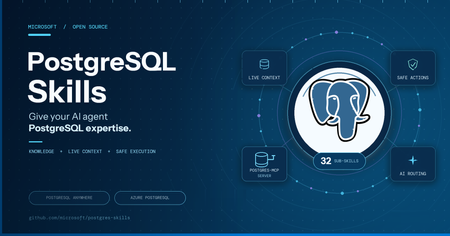
Postgres Skills: Give Your AI Agent PostgreSQL Expertise
Modern application development increasingly relies on AI agents to generate code, configure services, and accelerate delivery. But generic agents often stop at plausible SQL or broad recommendations. They do not reliably inspect the live database, account for PostgreSQL versions and extensions, distinguish self-hosted from managed environments, apply production guardrails, or verify that a change actually works. That gap matters when database decisions affect security, performance, availability, and customer experience. A syntactically correct query can still create an isolation issue, use an incompatible feature, recommend an unsupported managed-service command, or leave an application with a design that does not scale. The solution: PostgreSQL Skills PostgreSQL Skills closes this gap by giving agents the PostgreSQL expertise, live context, execution tools, and validation workflow needed to turn a generic answer into a safe, production-ready outcome that solves the application’s business problem. Its 32 expert sub-skills support PostgreSQL running locally, self-hosted, or on any cloud; Azure Database for PostgreSQL and HorizonDB. The plugin includes postgres-mcp for live database access and Azure CLI integration for managed-service operations. One install works across GitHub Copilot CLI, VS Code, Claude Code, and Codex CLI. Domain What you can do PostgreSQL Anywhere Build vector search, partition tables, implement row-level security, index JSONB data, and analyze query regressions on local, self-hosted, or cloud deployments Azure Database for PostgreSQL & HorizonDB Provision and scale servers, configure HA/DR and PITR, use Entra ID authentication, plan major-version upgrades, and get HorizonDB (Preview) guidance You do not need to choose a sub-skill or tell the agent which rules apply. The plugin checks your environment and routes each request to the guidance that fits your deployment. Live database context and PostgreSQL expertise, together The included postgres-mcp server gives your agent structured access to the database you are using. It can inspect schemas, roles, extensions, and server capabilities, run queries, and apply changes you approve. This grounds the work in live database state instead of assumptions. The sub-skills guide how the agent uses that access. They define what to check, which rules apply to your deployment, when to ask for confirmation, and how to validate the outcome. Together, postgres-mcp and the sub-skills help the agent move from a generic answer to a change that fits your database and has been verified. Try it yourself Choose a host and follow the setup path for your operating system. Install your host Add the marketplace and install PostgreSQL Skills GitHub Copilot CLI copilot plugin marketplace add microsoft/postgres-skills copilot plugin install postgres-skills@postgres-skills copilot plugin list # confirm postgres-skills is active Claude Code /plugin marketplace add microsoft/postgres-skills /plugin install postgres-skills@postgres-skills /plugin # confirm the plugin appears as installed Codex CLI codex plugin marketplace add microsoft/postgres-skills codex plugin add postgres-skills codex plugin list # confirm postgres-skills is active See it work: three developer scenarios PostgreSQL anywhere: enforce tenant isolation Prompt: "Add row-level security so each tenant can only access its own data." A generic agent with SQL access can write a CREATE POLICY statement. But it may not inspect table ownership, BYPASSRLS roles, existing policies, or how your application establishes tenant context. The policy can look correct while still leaving an isolation gap. With PostgreSQL Skills, the agent inspects the live schema and role model, identifies the tenant key, accounts for owner bypass behavior, and proposes the policy against your actual tables. It asks before enabling RLS, then tests allowed and denied access with representative roles. You get a verified security boundary, not just policy syntax. PostgreSQL application development: build hybrid search Prompt: "Add semantic and keyword search to my product catalog." A generic agent can generate a pgvector query and a full-text search query. It still leaves you to reconcile two result sets, choose compatible indexes, and adapt the example to your schema and PostgreSQL version. With PostgreSQL Skills, the agent inspects your catalog schema and extension availability, designs the embedding and text-search columns, creates the appropriate indexes, and combines both signals with reciprocal rank fusion. It runs the search against your data and verifies the result before calling the implementation complete. Azure PostgreSQL: connect an application without passwords or public access Prompt: "Connect my application to Azure Database for PostgreSQL without passwords or public internet access." A generic agent with Azure CLI access may provide the right ingredients: Entra authentication, a managed identity, and a private endpoint. It may not check which server is targeted, whether private networking is already configured, how the application identity maps to PostgreSQL, or whether disabling an existing authentication path will break deployed applications. With PostgreSQL Skills, the agent confirms the Azure connection and discovers the server, subscription, resource group, networking mode, and current authentication configuration. It identifies the application identity, proposes a private and passwordless connection plan, and explains every Azure and PostgreSQL object that will change. It asks before modifying identity, authentication, or network access, validates token-based connectivity, and leaves existing access in place until you confirm it can be removed. Guardrails for safe execution Acting on a database is only useful if it is safe on any host. One rule is universal: Every destructive or non-reversible action is confirmed with you first. This applies without exception on self-hosted and Azure deployments. If you're connected to Azure, three more rules kick in automatically: Azure guidance uses `azure_pg_admin`, never `SUPERUSER`. It never assumes access that the managed service does not grant. No `ALTER SYSTEM` and no OS-level access on Flexible Server. Azure changes go through az ... parameter set, matching how the service actually works. Connection-aware gating. Azure-only guidance loads only after the live connection confirms isAzure: true. It never guesses your environment or applies Azure rules to a database that is not one. Get started Repo: github.com/microsoft/postgres-skills. Visit the PostgreSQL Skills repository for installation commands, usage examples, and contribution guidance. Explore the open-source collection of PostgreSQL skills for AI coding agents, including installation commands, usage examples, and contribution guidance. Contribute: Follow CONTRIBUTING.md to add a reference file, register its triggers in the routing table, run the validation checks, and submit a pull request. Feedback: open an issue on the repo with what you tried and what broke The takeaway: generic agents can produce plausible database code, but solving real application problems requires PostgreSQL expertise, live environment context, production guardrails, and validation. PostgreSQL Skills brings those capabilities together so your agent can move beyond suggesting an answer to delivering a safe, deployment-aware, and verified outcome.800Views2likes0CommentsSmarter Storage for Azure HorizonDB
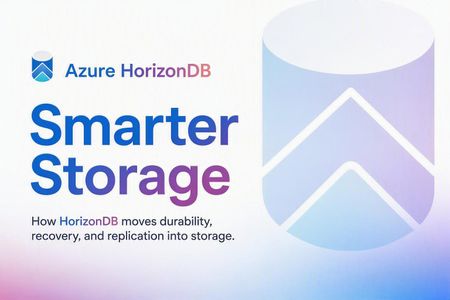
A key benefit of Azure HorizonDB comes from its smart storage layer, which works seamlessly with Postgres and takes over durability and high availability work typically done by Postgres itself. This frees Postgres to operate as a stateless compute engine focused on running queries and transactions leaving more CPU, disk, and network bandwidth available for your application’s business logic. For example, HorizonDB’s storage layer handles work such as replicating WAL to read replicas and archiving WAL to blob storage for point-in-time restore. PostgreSQL also no longer needs full-page writes or background dirty-page flushing, that work is handled by the storage layer. The rest of this post explains the storage architecture that enables this division of responsibility. HorizonDB Storage Overview HorizonDB’s storage design is similar to that of Socrates. The write‑ahead log (WAL) is the sole mechanism used to persist writes to storage (Orange in Figure 1). PostgreSQL compute nodes never write data pages to storage directly in HorizonDB (blue in Figure 1). Instead, pages and other on‑disk structures are treated as derived state and are reconstructed by the storage layer from WAL records. Each Postgres instance in a cluster shares the same copy of the data pages in storage (blue “Page Reads” arrow in Figure 1). A Postgres read replica doesn’t need to maintain its own copy of WAL and data pages as in a typical Postgres setup with a hot standby or readable secondary. Figure 1 - HorizonDB WAL and Page Storage HorizonDB uses separate storage services for WAL and data pages. This separation allows each to be specialized for the very different patterns of reads and writes for WAL versus pages. The WAL server is optimized for low latency writes to the tail of the log stream and reads often at or near the tail. The page server is optimized for elastic storage of potentially many terabytes of pages and it must support random reads and writes of pages. This specialization improves query performance as we have demonstrated in the past. Moving Work into Storage Figure 2) shows the work Postgres does in a typical configuration with high availability, backups and WAL archiving configured. The Postgres primary is doing the work to send WAL to the secondary, and archive WAL to blob storage. The primary and secondary nodes both maintain their own complete copies of the data. Figure 2 - Postgres without Smart Storage Figure 3) shows where the equivalent work is done by HorizonDB storage. The primary and secondaries share one copy of the data in storage in this design. Figure 3 – HorizonDB storage offloading work from Postgres Some example work HorizonDB storage is now doing in Figure 3. The work usually done by the Postgres walsender and archiver processes to send WAL to standbys\secondaries or to WAL archive (blob storage) is now done by HorizonDB’s WAL servers in Figure 3) instead of by Postgres as in Figure 2). In HorizonDB, Postgres secondaries don’t ever communicate directly the with primary. When Postgres starts up, it no longer needs to redo WAL to bring stale page content up to date speeding up startup times. HorizonDB’s page servers in Figure 3) take care of page recovery for Postgres and can send it any pages it needs on demand. The Postgres checkpointer and background writer no longer need to write dirty pages to disk. The page server handles this work. Both Postgres primary and any secondaries can retrieve the page versions they need from the page servers. HorizonDB page servers protect against torn pages making Postgres Full page writes unnecessary reducing the amount of WAL generated and improving write throughput. On read replicas, HorizonDB only requires redo of WAL onto pages that the read replica has stored in memory already saving the work to persist the WAL and redo it. HorizonDB read replicas don’t maintain their own private copy of the data, so redo is only used as a mechanism to keep their in-memory copy in sync with the primary. Tables 1) and 2) below summarize the Postgres processes whose work moved into HorizonDBs storage layer. Task Resource Savings Postgres Process Moved WAL sending to Postgres replicas Disk IO, Network IO walsender WAL archiving to blob storage Disk IO, Network IO archiver WAL filtering CPU, Network IO Shared Storage Specific (*) Dirty Page Writing Disk IO background writer Checkpointing Disk IO checkpointer PostgreSQL WAL recovery Disk IO, CPU startup recovering PostgreSQL read replica redo Disk IO, CPU startup recovering PostgreSQL read replica shared storage (read replicas share storage with primary Disk IO Background writer, checkpointer Backups Disk IO pg_dump, pg_basebackup, pg_backup_start, pg_backup_stop Full page writes Disk IO Backends doing WAL writing Hot standby feedback Vacuum accuracy walreceiver Task HorizonDB Storage Component Responsible WAL sending to Postgres replicas WAL Service WAL archiving to blob storage WAL Service WAL filtering WAL Filtering Service Dirty Page Writing Page Server Checkpointing Page Server PostgreSQL WAL recovery Page Server PostgreSQL read replica redo Page Server PostgreSQL read replica shared storage Page Server Backups WAL Service and Page Server Full page writes Page Server Hot standby feedback WAL Filtering Service (*) Table 1) and 2) refer to HorizonDB’s WAL filtering service. We haven’t talked about this service yet. It’s responsible for sharding the WAL stream across many page servers. To store 10s of TBs of data the page servers shard that data out across many machines. The WAL filtering service takes as input the full WAL stream and shards it into the parts that apply to each page server shard, sending only the WAL that applies to a given shard to that shard (reducing network amplification). Some other shared storage OLTP databases do this WAL filtering on the compute VM, within or alongside Postgres, incurring non-trivial CPU use and higher tail latencies on WAL writes. In summary, by moving durability, recovery, and replication into a purpose-built storage layer, HorizonDB simplifies Postgres while freeing up compute resources for query execution. The result is higher throughput, faster recovery, and lower cost, without compromising the familiar Postgres programming interface.800Views2likes0CommentsIntroducing PostgreSQL Hub for Azure Developers
PostgreSQL Hub for Azure Developers is live. A centralized destination with curated sample apps, tutorials, videos, structured learning pathways, and a community space to connect with Microsoft and ecosystem experts. Whether you're building your first Postgres app or scaling AI agents on Azure, this hub has you covered.799Views2likes0CommentsNovember 2025 Recap: PostgreSQL on Azure
Hello Azure Community, November was an exciting month for PostgreSQL on Azure, packed with announcements at Microsoft Ignite 2025. In this recap, we’ll walk you through the highlights from features recaps to deep-dive sessions so you can catch up on everything you might have missed. If you couldn’t join us live, here are some of the key sessions now available on demand: Modern data modern apps: Innovation with Microsoft Databases AI-assisted migration: The path to powerful performance on PostgreSQL Azure HorizonDB: Deep Dive into a New Enterprise-Scale PostgreSQL The blueprint for intelligent AI agents backed by PostgreSQL Nasdaq Boardvantage: AI-driven governance on PostgreSQL and Microsoft Foundry We also introduced major updates, including Azure HorizonDB preview with AI capabilities and new features for Azure Database for PostgreSQL that make migrations faster, deployments smarter, and performance more predictable. The blog is organized into the following sections: Azure HorizonDB (Preview) Azure Database for PostgreSQL feature announcements Azure HorizonDB: AI features & developer tools Photo Gallery from Ignite Azure HorizonDB (Preview) If it’s not obvious, the introduction of Azure HorizonDB is a big deal. This brand-new, fully managed PostgreSQL service is built for mission-critical workloads and modern AI applications, bringing cloud-native scale, ultra-low latency, and deep Azure integration in one powerful offering. Here are some of the features that we offer with Azure HorizonDB: Scale-out compute architecture supporting up to 3,072 vCores across primary and replica nodes. Auto-scaling shared storage that handles databases up to 128 TB, while achieving sub-millisecond multi-zone commit latencies. Breakthrough throughput up to 3× higher than open-source PostgreSQL for transactional workloads, powered by our storage innovations. Learn more about Azure HorizonDB in our detailed blog. Azure Database for PostgreSQL feature announcements We introduced a wave of new capabilities focusing on performance, analytics, security and AI-assisted migration for Azure Database for PostgreSQL. Among the key general availability announcements were PostgreSQL 18, Fabric mirroring, Elastic clusters, and support for Parquet in the azure_storage extension. We also unveiled several exciting preview features, including Intel and AMD v6-series SKUs, the pg_duckdb extension, and enhanced tooling for Oracle-to-PostgreSQL migrations. All these updates are captured in our blog post explore the full list and learn more. Azure HorizonDB: AI features & developer tools Azure HorizonDB isn’t just built for enterprise-scale workloads it’s also designed to power next-generation AI applications. At Ignite, we introduced advanced AI capabilities including DiskANN with Advanced Filtering, built-in AI model management, and Microsoft Foundry integration. DiskANN Advanced Filtering reduces query latency by up to 3×, depending on filter complexity. AI Model Management enables developers to set up semantic operators directly within the PostgreSQL environment, simplifying AI workflows. Microsoft Foundry Integration adds a PostgreSQL connector, allowing Foundry agents to interact with HorizonDB securely using natural language instead of SQL. General Availability of PostgreSQL extension for VS Code We announced the general availability of the PostgreSQL extension for VS Code, making development faster and more intuitive. The PostgreSQL extension for VS code has now over 300K downloads from the Visual Studio Marketplace! This extension makes it easier for developers to seamlessly interact with any PostgreSQL databases. To learn more about these AI features in Azure HorizonDB, check out our blog post. Photo Gallery from Microsoft Ignite Ignite 2025 brought a lot of great sessions, announcements, and hands-on demos. Here’s a quick photo recap of some key moments from technical deep dives to product launches to hearing real world impact from our amazing customer speakers. POSETTE CFP Now Open We are excited to announce that the Call for Proposals (CFP) for POSETTE: An Event for Postgres 2026 is now open! We’re inviting speakers, practitioners, educators, and community contributors to share their knowledge through talks and demos. If you’re passionate about PostgreSQL, open-source innovation, or building resilient data systems, we’d love to see your submission. CFP Link: https://posetteconf.com/2026/cfp/799Views3likes0CommentsAI-Powered Retrieval in PostgreSQL with Azure HorizonDB
Developers need flexible, efficient item searches by description. Using a Wikipedia movie dataset, I started with full-text search, then created embeddings for descriptions, and performed semantic searches. Queries combined text or similarity searches with filters. Common questions arose: How to update embeddings as data changes? How to avoid reprocessing all data? How to make AI calls more efficient? I prefer to keep business logic in the app and data manipulation in SQL, but triggers and stored procedures complicate this. This post explores keeping retrieval workflows inside the database, using data, indexes, filters, and rules already in place. Instead of external workers, I want SQL abstractions to handle operations like generating and maintaining embeddings as part of the data model. I begin with relational data, using BM25 text search, generating embeddings with AI Model Management (AIMM) and AI Functions, storing them with pgvector, indexing them with DiskANN, and integrating AI into PostgreSQL. Then I define an AI pipeline to maintain consistency without extra procedural code. The goal is to keep AI processing close to data with declarative SQL. I used a Kaggle movies dataset with 30,000 entries over 11 years, importing a subset for simplicity. Each file has title, description, director, country, year, and ID. HorizonDB and AI extensions I've run this on HorizonDB preview, where I enabled pg_textsearch, pg_vector, DiskANN, and azure_ai extensions: postgres=> select name, current_setting(name) from pg_settings where name in ('server_version', 'azure.extensions') ; name | current_setting ------------------+----------------------------------------------- azure.extensions | pg_diskann,vector,pg_textsearch,azure_ai server_version | 17.9 (Azure HorizonDB (81895d42565)(release)) (2 rows) I downloaded and unzipped the dataset files in the current directory: \! curl -L -o movies-dataset-2016-2026.zip https://www.kaggle.com/api/v1/datasets/download/lakshyaupadhyaya/wikipedia-movies-dataset-2016-2026 \! unzip -o movies-dataset-2016-2026.zip \! rm movies-dataset-2016-2026.zip I created a table where I can load this data and add embeddings later: postgres=> drop table if exists wikipedia_movies ; DROP TABLE postgres=> create table wikipedia_movies ( year int, id bigint, title text, description text, directed_by text, written_by text, produced_by text, starring text, cinematography text, edited_by text, release_date text, country text, language text, primary key (year, id) ); CREATE TABLE postgres=> create index on wikipedia_movies (country) ; CREATE INDEX I loaded data from 2026 using a one-liner that prepends the year from the filename. postgres=> \copy wikipedia_movies from program 'awk ''FNR>1{print substr(FILENAME,1,4)","$0}'' {2026..2026}.csv' with (format csv) COPY 852 Some rows have a NULL description. I updated them with the title so every row has something meaningful to embed or search, and make sure the description cannot be null: postgres=> update wikipedia_movies set description = format('Title: %s', title) where description is null ; UPDATE 22 postgres=> alter table wikipedia_movies alter column description set not null ; ALTER TABLE So far, there's nothing AI-specific here. It's simply PostgreSQL functioning as it always does: storing structured data, enforcing keys, and allowing me to load, clean, and query using SQL. Try full-text search first Before generating embeddings for similarity search, I started with lexical search. Azure Database for PostgreSQL supports pg_textsearch , which provides BM25-based full-text search and scoring. postgres=> create extension if not exists pg_textsearch; CREATE EXTENSION postgres=> create index wikipedia_movies_description_idx on wikipedia_movies using bm25 (description) with (text_config = 'english') ; NOTICE: BM25 index build started for relation wikipedia_movies_description_idx NOTICE: Using text search configuration: english NOTICE: Using index options: k1=1.20, b=0.75 NOTICE: BM25 index build completed: 852 documents, avg_length=35.95 CREATE INDEX Then I can search the descriptions: postgres=> select description <@> 'Spanish tragicomedy autofiction from 2026' as score, title, description from wikipedia_movies where country = 'Spain' and year = '2026' order by score limit 2 ; score | title | description --------------------+------------------+------------------------------------------------------------------------------------------------------------------------------------------------------------------------------------------------------------------------------------------------------------------------------------------------------------------ -17.06686845421791 | Bitter Christmas | Bitter Christmas (Spanish: Amarga Navidad) is a 2026 Spanish tragicomedy film written and directed by Pedro Almodóvar. It stars Bárbara Lennie and Leonardo Sbaraglia alongside Aitana Sánchez-Gijón, Victoria Luengo, Patrick Criado, Milena Smit, and Quim Gutiérrez. It incorporates elements of autofiction. -5.273793399333954 | Aida, the Movie | Aida, the Movie (Spanish: Aída y vuelta) is a 2026 Spanish comedy film directed by Paco León serving as a meta-sequel to the sitcom Aída. (2 rows) Time: 31.024 ms This is the appropriate initial step. When the query includes terms found in the text, BM25 provides search and scoring capabilities. It is transparent, efficient, and easy to combine with relational filters. Nevertheless, lexical search has its limitations. It works best when the query vocabulary matches the data. But what if the user searches by concept rather than exact words? Or if the query is in French while the descriptions are in English? In such situations, embeddings help capture the semantic meaning of the description rather than its words. They do not replace BM25 but serve as an additional signal for retrieval. AI Model Management AI Model Management (AIMM) includes pre-provisioned models, so manual registration is not required, and I've just enabled the managed model: Once successfully enabled, I can see three registered models, which are used by default by the AI functions: postgres=> select alias, model_name, status from model_registry.model_list_all(); alias | model_name | status -------------------+-------------------------+------------ default-chat | gpt-5.4 | registered default-embedding | text-embedding-3-small | registered default-reranker | Cohere-rerank-v4.0-fast | registered (3 rows) postgres=> Without AIMM, you would need to bring your own model, or deploy an OpenAI model in Azure AI Foundry, and register it: postgres=> create extension if not exists azure_ai ; CREATE EXTENSION postgres=> select model_registry.model_add('default-embedding',...) ; model_add ------------------------------------------------------------------------ Model 'default-embedding' (text-embedding-3-small) added successfully. (1 row) Time: 40.762 ms Generate embeddings manually I created a vector column and generated embeddings directly from the movie descriptions. postgres=> create extension if not exists azure_ai ; CREATE EXTENSION postgres=> create extension if not exists vector; CREATE EXTENSION postgres=> alter table wikipedia_movies add column embedding vector(1536), alter column embedding set storage external -- (it's the default) ; ALTER TABLE postgres=> update wikipedia_movies set embedding = azure_openai.create_embeddings( input => description, dimensions => 1536 )::vector(1536) ; INFO: Using user-assigned managed identity authentication method. UPDATE 852 Time: 200905.958 ms (03:20.906) This approach invokes the embedding service separately for each row. These calls are visible if you set client_min_messages to 'log' . Making external service calls asynchronously for each row is not optimal. Performance could be improved by batching the requests into a more complex query: postgres=> with numbered as ( select year, id, description, (row_number() over() - 1) / 100 as batch_num from wikipedia_movies ), batched AS ( select array_agg(year) as years, array_agg(id) as ids, array_agg(description) as texts, batch_num from numbered group by batch_num ), embedded AS ( select unnest(years) as year, unnest(ids) as id, azure_openai.create_embeddings( input => texts, dimensions => 1536 ) as emb from batched ) update wikipedia_movies t set embedding = e.emb::vector(1536) from embedded e where t.year = e.year and t.id = e.id ; UPDATE 852 Time: 10892.871 ms (00:10.893) This is precisely where an abstraction is needed to simplify and optimize embedding generation. I will add that later. After setting the vectors in the table, I can proceed to add a DiskANN index. postgres=> CREATE EXTENSION IF NOT EXISTS pg_diskann ; CREATE EXTENSION postgres=> CREATE INDEX wikipedia_movies_embedding_idx ON wikipedia_movies USING diskann (embedding vector_cosine_ops) ; CREATE INDEX Time: 5369.375 ms (00:05.369) This allows me to perform a semantic query in French on English descriptions while continuing to filter using standard SQL: postgres=> select azure_openai.create_embeddings( input => 'une comédie amère sur le thème de l''auto-fiction' )::vector(1536) <=> embedding as score, title, description from wikipedia_movies where country = 'Spain' and year = '2026' order by score limit 2 ; score | title | description -------------------+------------------+-------------------------------------------------------------------------------------------------------------------------------------------------------------------------------------------------------------------------------------------------------------------------------------------------------------------- 0.692949073279717 | Bitter Christmas | Bitter Christmas (Spanish: Amarga Navidad) is a 2026 Spanish tragicomedy film written and directed by Pedro Almodóvar. It stars Bárbara Lennie and Leonardo Sbaraglia alongside Aitana Sánchez-Gijón, Victoria Luengo, Patrick Criado, Milena Smit, and Quim Gutiérrez. It incorporates elements of autofiction. 0.757078099513101 | Cool Books | Cool Books (Spanish: Casi todo bien)[1] is a 2026 Spanish comedy-drama film directed by Andrés Salmoyraghi and Rafael López Saubidet and written by López Saubidet and Ricardo Uhagón Vivas. It stars Marcel Borràs and Silma López alongside Lorenzo Ferro, Julián Villagrán, Secun de la Rosa, and Adelfa Calvo. (2 rows) Time: 269.598 ms The query goes beyond simple token matching: it searches based on the description's meaning across different languages, while PostgreSQL continues to enforce relational filters on the year and country. The execution plan shows a filtered scan through the DiskANN index: QUERY PLAN ----------------------------------------------------------------------------------- Limit (actual time=1.622..1.642 rows=2 loops=1) -> Custom Scan (DiskANNFilteredScan) (actual time=1.620..1.639 rows=2 loops=1) Strategy: Filter(BitmapHeapScan) -> Vector Rows Retrieved: 2 count TIDs Collected: 31 count Planning Time: 250.003 ms Execution Time: 1.789 ms (7 rows) Time: 283.231 ms This approach is efficient: the "country" predicate leverages the b-tree index for pre-filtering, narrowing the search to 31 rows identified by their TID—tuple identifiers stored in the b-tree leaf nodes. The Approximate Nearest Neighbors search then considers only this pre-filtered list when navigating the vector index, finding the best candidates, and subsequently retrieving the top two. Although I could have used pgvector's HNSW index instead of DiskANN, it lacks pre-filtering capabilities. I now face a maintenance issue: the embeddings remain correct only until the next insert or update of the description. In SQL, I expect indexes to be maintained synchronously by the database rather than by the application, but embedding generation is a step in between. Embedding becomes a pipeline For a one-time load, manually running the UPDATE is sufficient. However, for regular applications, this approach isn't practical. I don't want to remember to run an embedding update whenever new movies arrive, nor do I want an extra worker polling the table, additional queues, retry loops, or extra status tables that can cause data to get out of sync. Instead, I prefer the embedding workflow to be directly linked to the data, with AI pipelines in the AI Functions. A pipeline consists of a source, steps, a trigger, and a sink. In this case, the source is the movie table, the step is embedding generation, the trigger is an on_change event, and the sink is the same table with the embeddings stored as a column within each row’s description. postgres=> SELECT ai.create_pipeline( name => 'movie_embeddings', source => ai.table_source('wikipedia_movies'), steps => ARRAY[ ai.embed( model => 'default-embedding', input => 'description', dimensions => 1536 ) ], trigger => 'on_change', sink => ai.table_sink( 'wikipedia_movies', on_conflict => ARRAY['year', 'id'], on_conflict_action => 'DO UPDATE SET embedding = EXCLUDED.embedding' ) ); NOTICE: trigger "_ai_pipeline_movie_embeddings_trigger" for relation "public.wikipedia_movies" does not exist, skipping create_pipeline -------------------------------------------------- Pipeline 'movie_embeddings' created successfully (1 row) The AI pipeline is configured to insert embeddings into a sink table, with an on-conflict clause that updates the existing row rather than inserts a new one when the key already exists. When the sink table is the source table, this always leads to an insert conflict because the row already exists when the pipeline runs, making it an update. The pipeline creates an internal batch from the source, generates embeddings, and writes them back with ON CONFLICT DO UPDATE. The trigger verifies whether the pipeline is already running in the same transaction to prevent an infinite recursion when it writes back to the same table. I can validate my pipeline by updating all embeddings for each description using the AI model and requesting a backfill: postgres=> select ai.backfill('movie_embeddings') ; NOTICE: table "_ai_batch_d03946bdb634_chunks" does not exist, skipping backfill ----------------------------------------------------------- Pipeline 'movie_embeddings' completed: 852 rows processed (1 row) Time: 10653.393 ms (00:10.65) This was as quick as my batching query because the default batch size is 100. Under the hood: triggers and batches I like to understand what is executed behind the abstraction. The call to ai.create_pipeline() has created an internal trigger on my table: postgres=> \d wikipedia_movies Table "public.wikipedia_movies" Column | Type | Collation | Nullable | Default ------------------+--------------+-----------+----------+--------- year | integer | | not null | id | bigint | | not null | title | text | | | description | text | | | directed_by | text | | | written_by | text | | | produced_by | text | | | starring | text | | | cinematography | text | | | edited_by | text | | | release_date | text | | | country | text | | | language | text | | | embedding | vector(1536) | | | Indexes: "wikipedia_movies_pkey" PRIMARY KEY, btree (year, id) "wikipedia_movies_country_idx" btree (country) "wikipedia_movies_description_idx" bm25 (description) WITH (text_config=english) "wikipedia_movies_embedding_idx" diskann (embedding vector_cosine_ops) Triggers: _ai_pipeline_movie_embeddings_trigger AFTER INSERT OR UPDATE ON wikipedia_movies FOR EACH STATEMENT EXECUTE FUNCTION ai._pipeline_trigger_movie_embeddings() postgres=> \sf ai._pipeline_trigger_movie_embeddings CREATE OR REPLACE FUNCTION ai._pipeline_trigger_movie_embeddings() RETURNS trigger LANGUAGE plpgsql AS $function$ DECLARE running BOOLEAN; BEGIN SELECT EXISTS(SELECT 1 FROM ai.pipeline_runs WHERE pipeline_name = 'movie_embeddings' AND status = 'running') INTO running; IF NOT running THEN PERFORM ai.run('movie_embeddings'); END IF; RETURN NULL; END; $function$ This trigger function is called after each INSERT or UPDATE statement, not after individual rows, and runs the pipeline if it's not already active. The FOR EACH STATEMENT option ensures it triggers once per DML statement rather than per row, enabling batching. By default, it behaves like my previous ai.backfill() , updating all embeddings regardless of description changes. Interestingly, it calls ai.run() instead of ai.backfill() , which can operate incrementally if a tracking column exists in the source table. Only process what changed: incremental pipelines Without an incremental_column specified in the pipeline, it replicates the source table as its batch table and re-embeds all data each time. Generating embeddings again for the unchanged description is inefficient. To prevent this, I should add a timestamp column to indicate each row's last modification time and configure the pipeline to use it as a watermark: postgres=> -- add the tracking column alter table wikipedia_movies add column updated_at timestamptz not null default clock_timestamp() ; postgres=> -- function to set the update_at to now() create or replace function update_timestamp() returns trigger as $$ begin new.updated_at = clock_timestamp(); return new; end; $$ language plpgsql ; postgres=> -- trigger to call the function on insert or update create trigger wikipedia_movies_updated before insert or update on wikipedia_movies for each row execute function update_timestamp() ; Lots of PostgreSQL examples use now() to set the update time, but now() returns the time when the transaction began, not the time when the update occurred, so using it for an incremental approach could miss the changes if a concurrent session ran the pipeline between those two in Read Committed isolation. I use clock_timestamp() which gets the time after the verification that no concurrent pipeline is running. Now I can re-create the pipeline with the incremental column defined: postgres=> select ai.drop_pipeline( 'movie_embeddings' ); drop_pipeline ------------------------------------- Pipeline 'movie_embeddings' dropped (1 row) postgres=> select ai.create_pipeline( name => 'movie_embeddings', source => ai.table_source( 'wikipedia_movies', incremental_column => 'updated_at' ), steps => ARRAY[ ai.embed( model => 'default-embedding', input => 'description', dimensions => 1536 ) ], trigger => 'on_change', sink => ai.table_sink( 'wikipedia_movies', on_conflict => ARRAY['year', 'id'], on_conflict_action => 'DO UPDATE SET embedding = EXCLUDED.embedding' ) ); NOTICE: trigger "_ai_pipeline_movie_embeddings_trigger" for relation "public.wikipedia_movies" does not exist, skipping create_pipeline -------------------------------------------------- Pipeline 'movie_embeddings' created successfully (1 row) When using incremental_column => 'updated_at' , the batch records the last execution time as a checkpoint, so the next run only processes rows with an updated_at value higher than that checkpoint. The next run will then process all rows again: postgres=> select ai.run('movie_embeddings'); NOTICE: table "_ai_batch_ef762cbb918f_chunks" does not exist, skipping run ----------------------------------------------------------- Pipeline 'movie_embeddings' completed: 852 rows processed (1 row) Time: 12231.656 ms (00:12.232) However, a new execution will process only incrementally: postgres=> select ai.run('movie_embeddings'); run ----------------------------------------------------- Pipeline 'movie_embeddings': no new rows to process (1 row) postgres=> update wikipedia_movies set description = description || ' (film Français)' where country = 'France' ; NOTICE: table "_ai_batch_9769bddf6224_chunks" does not exist, skipping UPDATE 7 Time: 477.686 ms postgres=> select ai.run('movie_embeddings'); run ----------------------------------------------------- Pipeline 'movie_embeddings': no new rows to process (1 row) Time: 33.692 ms The 7 updated rows have been handled by the trigger, which set the checkpoint timestamp, ensuring that the next run has no further processing to perform. I loaded only 2026 movies to save AI model tokens. I insert more movies from previous years and specific countries: \copy wikipedia_movies from program 'awk ''FNR>1{print substr(FILENAME,1,4)","$0",,"}'' {2016..2025}.csv' with (format csv) where description is not null and country like '%France%' COPY 1730 Time: 24935.910 ms (00:24.936) The insert has automatically generated 1730 embeddings from the model. The new rows are immediately accessible and can be retrieved using a new query. postgres=> select azure_openai.create_embeddings( input => 'a movie based on a novel from A. Camus' )::vector(1536) <=> embedding as score, year, title, country from wikipedia_movies order by score limit 2 ; score | year | title | country --------------------+------+------------------+----------------- 0.4765376989279472 | 2025 | The Stranger | France, Belgium 0.5485678715584099 | 2024 | An Ordinary Case | France (2 rows) Time: 448.648 ms The result includes the newly inserted movies from previous years. The index remains strongly consistent when the “embedding” column is modified, and the AI pipeline ensures this consistency also applies to changes in the “description” column. It behaves exactly like indexes in SQL: transparent to the application, consistent in the database. More AI functions Generating the embeddings is not the only feature of AI functions. Previously I've updated the description for the movies that didn't have one, simply putting the title in it. However, I can use generate() to get a real description: postgres=> \x Expanded display is on. postgres=> select azure_ai.generate(format( 'Write a short description for the movie %s, directed by %s', title, directed_by )), title from wikipedia_movies where description like 'Title: %' limit 3 ; -[ RECORD 1 ]--------------------------------------------------------------------------------------------------------------------------------------------------------------------------------------------------------------------------------------------------------------------------------------------------------------------------------------------------------------------------- generate | Billie Eilish – Hit Me Hard and Soft: The Tour (Live in 3D) is a concert film directed by James Cameron and Billie Eilish, capturing the energy and emotion of Eilish’s live tour in immersive 3D. Blending striking visuals with powerful performances, the film brings audiences into the heart of the show and offers a vivid celebration of her music and stage presence. title | Billie Eilish – Hit Me Hard and Soft: The Tour (Live in 3D) -[ RECORD 2 ]--------------------------------------------------------------------------------------------------------------------------------------------------------------------------------------------------------------------------------------------------------------------------------------------------------------------------------------------------------------------------- generate | Border 2 is an upcoming Indian war drama directed by Anurag Singh. Serving as a sequel to the iconic film Border, it is expected to bring a powerful story of patriotism, courage, and sacrifice, set against the backdrop of military conflict. title | Border 2 -[ RECORD 3 ]--------------------------------------------------------------------------------------------------------------------------------------------------------------------------------------------------------------------------------------------------------------------------------------------------------------------------------------------------------------------------- generate | *February* (2022) is a drama film directed by Kamen Kalev. The story follows a quiet man through different stages of his life, using minimal dialogue and striking imagery to reflect on solitude, routine, and the passage of time. title | (February 2022) The generate() function doesn't simply repeat the title. Using the title and director as context, it generates a richer description that can be stored in the table, indexed with BM25, embedded for semantic search. Instead of generating text from structured column, with the generate() function, I can do the opposite: create new columns from the description with the extract() function: postgres=> select azure_ai.extract( description, array['genre'] ), title from wikipedia_movies limit 3 ; -[ RECORD 1 ]-------------------------------------- extract | {"genre": "coming-of-age romantic drama"} title | 18th Rose -[ RECORD 2 ]-------------------------------------- extract | {"genre": "drama"} title | Animol -[ RECORD 3 ]-------------------------------------- extract | {"genre": "documentary film"} title | The Best Summer Like embeddings, extracted attributes or additional columns could be maintained automatically through an AI Pipeline when descriptions change. Another function, azure_ai.rank() , can use the re-ranker model on the set of candidates (AIMM installed the Cohere Rerank model). Hybrid search in one query Once the table has both a BM25 index and embeddings, there is no need to choose between lexical and semantic retrieval. For many real applications, the best answer is to get candidates from both approaches and combine them to retrieve the best overall score. A classic way to combine them is Reciprocal Rank Fusion: postgres=> with semantic as ( select year, id, rank() over ( order by embedding <=> azure_openai.create_embeddings( input => 'space opera produced or directed by luc besson', dimensions => 1536 )::vector(1536) ) as r from wikipedia_movies where year between 2016 and 2026 ), lexical as ( select year, id, rank() over ( order by description <@> 'space opera produced or directed by luc besson' ) as r from wikipedia_movies where year between 2016 and 2026 ) select m.year, m.title from wikipedia_movies m join semantic s using (year, id) -- Join both result sets (full join to keep all) full join lexical l using (year, id) -- Reciprocal Rank Fusion (RRF): order by coalesce(1.0 / (60 + s.r), 0) + coalesce(1.0 / (60 + l.r), 0) desc limit 5 ; NOTICE: pg_diskann: Filter selectivity too high (1.0000), skipping filtered vector scan year | title ------+--------------------------------------------- 2017 | Valerian and the City of a Thousand Planets 2025 | Dracula 2016 | Ballerina 2024 | Meanwhile on Earth 2016 | The Warriors Gate (5 rows) Time: 410.727 ms The data and filters remain relational, with both BM25 and vector search options available. Ranking is handled through SQL, embeddings are synchronized through a pipeline, and reranking can be delegated to an AI model when additional precision is required. The notable aspect isn't just PostgreSQL's ability to invoke AI models, but that the entire retrieval workflow, from indexing and filtering to ranking and reranking, remains close to the data and can be expressed declaratively in SQL. Conclusion This example started with a simple retrieval problem: searching movie descriptions, combining lexical and semantic relevance, and keeping embeddings synchronized as data changes. Along the way, it used AI Functions, BM25 full-text search, vector embeddings, DiskANN indexes, and AI Pipelines, all from within PostgreSQL. Those capabilities are part of a broader set of multi-model features in HorizonDB, including built-in AI models and functions, graph queries with Apache AGE, and durable workflow execution. What interested me here was not any individual feature, but how they fit together around the data. Search, embeddings, indexing, and synchronization can be expressed in SQL and managed alongside the application data they depend on. AI applications still need models, prompts, and business logic in the application layer. But retrieval remains a critical foundation. By combining relational data, keyword search, vector search, and automated embedding pipelines within a single PostgreSQL database, HorizonDB reduces the infrastructure required to keep that foundation accurate, consistent, and up to date. If you'd like to try these capabilities yourself, visit the PostgreSQL Hub for sample applications, learning paths, and solution accelerators. The PostgreSQL Developer Forum is also the best place to share feedback, ask questions, and participate in the community.600Views2likes0CommentsBuild a Knowledge Graph in Azure HorizonDB with AI Functions and Apache AGE
Knowledge graphs appear in every AI architecture diagram, every conference keynote and every AI strategy deck. Yet the most common question we hear from customers and engineers alike is: "What does a knowledge graph actually do for me?" That is a fair question, and one worth answering clearly, because most teams already have a knowledge graph problem and do not realize it. The connections your relational tables cannot surface Picture this: five incident tickets land over a week. One says the auth service returned 503s after an API gateway update, which broke checkout. Another says the payment service lost connectivity to fraud detection through a DNS failure. A third says auth got rate-limited by that same API gateway after a config change. Each ticket makes sense on its own. But no one in your postmortem can answer: "What upstream services most commonly trigger failures that reach checkout?" That question requires tracing relationships across tickets, teams, services, and root causes. Your relational tables store the facts. They do not store the connections between them. That is a knowledge graph problem. What becomes queryable once you have a knowledge graph Once you build a graph from those tickets, every node is an entity (a service, a team, an incident) and every edge is a relationship (CAUSED_FAILURE_IN, OPERATES_ON, INVOLVES). The graph does not just store data differently. It makes a new class of questions answerable: What is the most common upstream cause of checkout failures? Which team resolves the most cross-service incidents? Show me every cascading failure chain that touched the payment service in the last 90 days. What is the timeline of incidents involving the same shared service? Each of these questions can be answered with a single Cypher query, without nested subqueries, recursive CTEs, or manually correlating data across spreadsheets. Why graph-augmented RAG needs a knowledge graph first Traditional RAG retrieves chunks of text by vector similarity. It works well when the answer lives in a single document. It falls apart when the answer requires connecting facts across multiple documents. Ask "does this contract conflict with existing obligations?" and vector search returns a relevant clause. But it cannot follow links across regions, obligation types, and counterparties to prove a real conflict. Graph-augmented RAG combines vector search, semantic ranking, and graph traversal into one retrieval pipeline. The graph provides the structural context that vector search alone cannot: the actual chain of cause and effect, not just the five most similar paragraphs. But here is the catch most people miss: you cannot run graph-augmented RAG without a knowledge graph. And building the graph has always been the hard part. That is exactly what the new tutorial solves. Building a knowledge graph in five steps inside Azure HorizonDB We published a hands-on tutorial on Microsoft Learn that takes you from raw incident tickets to a connected, queryable knowledge graph. No external NLP pipelines. No separate graph database. Just SQL. Here is the pipeline: Extract entities and relationships from unstructured text with azure_ai.extract(). The LLM parses services, teams, root causes, and relationship triples in one SQL call. Deduplicate entities with azure_ai.generate() using structured JSON output. "API gateway," "api-gateway," and "the gateway service" collapse into one canonical node. Load into an Apache AGE graph using Cypher MERGE in PL/pgSQL loops. The tutorial builds service nodes, team nodes, incident hub nodes, all six relationship types, and a timeline chain linking incidents chronologically. Query with Cypher traversals. Variable-length path patterns like *1..3 trace cascading failure chains up to three hops deep. Visualize results in the PostgreSQL extension for VS Code, which renders Cypher output as an interactive node-edge graph. The tutorial walks through every SQL statement, explains the tricky parts (like why EXECUTE format() is needed for parameterized Cypher, and how CROSS JOIN LATERAL expands team-service pairs correctly), and shows the exact output at each step. The same pipeline applied to any domain The tutorial uses incident tickets to keep things concrete. But the pipeline applies to any domain: Domain Key Entities Question It Answers Contract intelligence Parties, clauses, obligations Does this new vendor contract conflict with existing obligations? E-commerce product catalog Products, categories, customers, orders What do customers who bought X typically buy next? Fraud detection Accounts, transactions, devices, IP addresses Which accounts are connected through shared devices and circular transfers? Healthcare clinical data Patients, medications, conditions, providers Does this new prescription conflict with existing medications? Codebase dependency analysis Tables, functions, views, triggers If I alter this table, which downstream views and functions break? Supply chain Suppliers, components, facilities Which tier-2 suppliers are single points of failure? Research knowledge base Papers, authors, concepts What evidence chain supports this treatment for condition X? Data lineage and ETL Sources, transformations, dashboards If this source schema changes, which dashboards break? Identity and access management Users, groups, roles, resources Which users have transitive access to production through nested groups? Regulatory compliance Regulations, controls, systems If this regulation changes, which controls need updating? Customer 360 Customers, interactions, campaigns What sequence of touchpoints leads to churn for enterprise accounts? Insurance claims Claimants, policies, events, providers Which claims share overlapping parties or event timelines? M&A due diligence Companies, IP assets, contracts, liabilities What hidden liabilities are linked to this acquisition target? In every case, the shape is the same: azure_ai.extract() discovers the entities, azure_ai.generate() deduplicates them, and AGE stores and traverses the graph. Get started Tutorial: Build a knowledge graph from unstructured text using AI Functions and Apache AGE Knowledge graph enhanced search: Graph-augmented RAG patterns for Azure HorizonDB Solution accelerators: GraphRAG Legal Research Copilot, GraphRAG with Docker and AI Agents We would love to hear what you build. Share your feedback on the PostgreSQL Hub developer forum. Thank you!600Views0likes2Comments