azure event grid
59 TopicsMaking ACR Data Transfer Visible: The Storage Activity Platform Behind GetBlob Metrics
Learn More Use Grafana dashboards in Azure Container Registry - Use Grafana dashboards in Azure Container Registry - Azure Container Registry | Microsoft Learn Monitor Azure Container Registry - Monitor Azure Container Registry - Azure Container Registry | Microsoft Learn Introduction Azure Container Registry (ACR) can now show customers something it never could before: how much data leaves their registry, and which operations caused it. A new customer-facing Data Transfer metric in Azure Monitor breaks egress down by API Name, GetManifest, GetBlob, GeoReplication, and ImportSource so customers can finally attribute and plan for traffic that used to be invisible. The hard part of that metric is GetBlob. Blob and layer downloads, the bulk of pull traffic, are redirected to Azure Storage, so the registry serving path never sees those bytes. Making that redirected egress observable, fresh, and attributable is what required real engineering investment. To close that gap we built a Storage Activity Platform: a reusable, scalable ingestion foundation that turns raw storage activity into fresh, attributable telemetry in minutes instead of days. The Data Transfer metric GetBlob registry path is the first customer-facing capability it unlocks. What Customers Can Now See: The Data Transfer Metric For the first time, ACR exposes a customer-facing Data Transfer metric in Azure Monitor. It measures egress, the bytes actually transferred out of a registry, in bytes, captured per operation. What makes it useful is the ApiName dimension, which attributes every byte to the operation that generated it. The operations visible today include: GetManifest - manifest retrieval. GetBlob - blob and layer downloads (the bulk of pull traffic). GeoReplication - data transferred during geo-replication sync across regions as well as geo-replication initial sync. ImportSource - traffic pulled from a source registry during import. Because egress is split this way, customers can finally answer questions they never could before, for example "How much of my egress is geo-replication sync versus pulls?" The metric is: Dimensioned by Region and ApiName, consistent with the Transaction metric. Inclusive of service-initiated egress such as geo-replication sync, not just customer pulls. Reported on a PT1M time grain, aligned with Azure Storage metrics. Why customers care: Egress can be significant and hard to predict, especially for geo-replicated registries with large initial syncs. Attributing it by operation is the foundation for cost planning, capacity planning, and faster troubleshooting. The Engineering Challenge: GetBlob Is Invisible to the Registry Most of these operations are straightforward to measure: the registry serves them directly, so it can emit the metric as it does the work. GetBlob is the exception, and it is the hard one. When a client pulls an image, the registry does not stream the blob and layer bytes itself. It redirects the client to Azure Storage, which serves the download directly. That redirect is great for performance and scale, but it means the registry never observes the transferred bytes. The single largest component of egress is invisible to the very service that would normally report it. Before: a client pull is redirected from ACR to Azure Storage, so the transferred bytes are invisible to the registry; after: storage activity flows through the Storage Activity Platform into the Data Transfer metric in Azure Monitor That is the observability gap. To turn GetBlob into a customer-facing metric, we needed those redirected bytes to be: Observable - captured from where the transfer actually happens (Azure Storage), not the registry serving path. Fresh - available in minutes, not days, so the metric reflects current behavior. Attributable - tied back to the right registry, region, and operation. None of that existed. Closing this gap is what motivated the Storage Activity Platform built by the Azure Container Registry team. The Freshness Problem Even where storage activity was available, it was too slow to build on. Our previous storage log ingestion pipeline could not keep up. In several regions, telemetry arrived in days rather than minutes. By the time data reached our analytics platform it was frequently no longer actionable, which made troubleshooting harder and, just as importantly, blocked entire classes of customer-facing metrics that simply cannot exist on stale data, GetBlob egress among them. Why customers care: Fresh, trustworthy storage telemetry is the prerequisite for faster troubleshooting, better planning, and every new customer-facing metric that depends on it. Why It Was Hard ACR operates globally at significant scale, serving a large and continuously growing volume of registry traffic. Rebuilding the telemetry ingestion foundation under that load, without affecting the core service, was the central challenge. Finding the real bottleneck. We knew telemetry was slow, but not where the delay came from, log generation, delivery, ingestion, processing, aggregation, or persistence. Without that answer, any fix would be a guess. Sustaining production-scale volume continuously. The platform had to keep up with the highest-volume regions all the time, not just in a benchmark. Producing trustworthy data. For egress to become a customer-facing metric, the underlying data had to be accurate and correctly attributable per operation. The Engineering Story: A Platform, Not a Pipeline Design principles Rather than patching the old pipeline, we rebuilt ingestion around a small set of principles: Decouple ingestion from analytics. Getting storage activity in quickly should not be entangled with how any single downstream scenario consumes it. This separation is what lets new metrics attach later without touching ingestion. Instrument every stage independently. We built visibility into the pipeline itself, measuring latency at each stage separately, so we could locate the real bottleneck instead of guessing. Design for reuse from day one. The target was a scalable ingestion platform, not a bespoke path for one metric. New telemetry should inherit the infrastructure, not rebuild it. Scale and reliability without core-service impact. Ingestion had to sustain production volume continuously and independently of the registry's serving path. Measuring what matters We instrument the platform across a few conceptual signals: The surprise. We expected the consumer to be the scaling challenge. The data showed the opposite: once events are available, the platform processes them almost immediately, even under production load. The overwhelming majority of remaining latency lives upstream, in log delivery, which redirected our optimization focus to where it will actually help. The outcome is telemetry that now arrives in minutes instead of days in many regions, and more durably, a foundation the next capability can build on. High-Level Architecture The platform is one path among several into Azure Monitor. The registry still emits most metrics directly as it serves requests. The storage activity platform runs alongside that direct path, specialized for the redirected-download (GetBlob) egress the registry cannot see for itself. It is an addition to the metric pipeline, not a replacement for it. Why customers care: A reusable ingestion platform means new metrics - starting with the previously-invisible redirected-download egress - can be onboarded faster, with far less engineering overhead, so observability keeps improving over time. The Payoff: GetBlob Data Transfer Is Now Visible The clearest proof that this was a platform investment, not just a latency fix, is what it closed: the GetBlob observability gap. The redirected blob and layer downloads that make up the bulk of egress, and that the registry never sees, are now populated entirely from the storage activity platform and surfaced through the Data Transfer metric in Azure Monitor. For the first time, customers can see that egress, attributed by ApiName. Critically, exposing that redirected-download egress required no new ingestion infrastructure of its own. It attached to the storage activity platform we had already built, which is exactly the point: the platform did the hard part once, and the metric inherited it. The Customer Experience Both the freshness improvement and the new metric surface through tools customers already use, no new workflow to learn. Fresher telemetry flows into the analytics and dashboards teams already rely on, so what they see reflects what is happening now rather than days ago. The Data Transfer metric appears in Azure Monitor alongside existing registry metrics, and can be charted, alerted, and forecast like any other Azure Monitor metric, split by Region and ApiName. Why customers care: Egress attribution leads directly to better cost and capacity planning and faster troubleshooting, and it is only the first of many capabilities the platform can now serve. Engineering Lessons Learned Instrument the pipeline before optimizing it. Measuring each stage independently turned a guessing game into a targeted fix and revealed the bottleneck was not where we assumed. Invest in the platform, not the feature. Building ingestion as a reusable foundation meant the first customer-facing metric attached in a fraction of the time it would have otherwise taken. Outcomes & What's Next What changes for customers is the bottom line: Egress is no longer invisible. Customers can see how much data leaves their registry and attribute it by operation, including the redirected GetBlob downloads that were never observable before. What they see reflects now, not days ago. Telemetry that arrives in minutes instead of days means troubleshooting, cost planning, and capacity planning act on current reality. The platform matters because of what it lets customers observe next. Because new metrics can now be onboarded on top of this foundation, the Data Transfer metric is a beginning, not an endpoint, richer analytics and additional customer-facing metrics follow, each one deepening the visibility customers have into their own registries. Learn More Use Grafana dashboards in Azure Container Registry - Use Grafana dashboards in Azure Container Registry - Azure Container Registry | Microsoft Learn Monitor Azure Container Registry - Monitor Azure Container Registry - Azure Container Registry | Microsoft Learn237Views3likes0Comments
From Form to Action: A Governed, Event-Driven AI Intake Pipeline with Azure Integration Services
A production-minded reference architecture using Azure Integration Services and Microsoft Foundry to turn document-heavy intake into governed, traceable work. TL;DR: Calling a model is one step in AI-powered intake. Production readiness depends on everything around the model: authenticated entry, controlled model consumption, durable asynchronous processing, explicit failure handling, and one correlation ID carried from the gateway to the final event. This post walks through a permit-intake reference architecture on Azure Integration Services and a companion repository you can run offline, without an Azure subscription. The Problem: Intake is where AI Prototypes Stall Many teams have built an AI prototype that reads a scanned form, extracts the key fields, and returns clean, structured data. That prototype proves the model can do the job. Taking it to production raises a different set of questions: Who is allowed to call this, and how many times per minute? What happens when the model returns a 429 or the CRM is down for maintenance? Which team consumed those tokens? Can you show me everything that happened to application #00417? Who is notified when a record is created, and what breaks when we add another subscriber? None of those questions is about the model, yet each one can decide whether the solution ships. The underlying customer problem is broader than “How do we read a form?” It’s “How do we accept responsibility for a submission, process it reliably across slow or unavailable dependencies, and give applicants and operators a trustworthy status?” That framing moves the design from a single AI call to a governed system of connected services. In this post, I use a fictional county’s building-permit intake as the running example. A resident submits a permit packet, and the county needs to validate it, extract the key fields, score it against intake policy, record it in a case system, and notify the right people, with a complete audit trail. The same shape appears in insurance first notice of loss, benefits enrollment, supplier onboarding, and claims intake. The repository keeps the domain in schemas and configuration: replace the schemas and labels, and keep the boundaries. My thesis is simple: the hard part of production AI intake is connecting the services around the model reliably and under governance, not calling the model. The model is one component of the system. It isn’t the system. Scope note: This is a production-minded reference architecture, not a production-ready template. The people, permit data, identifiers, and URLs in this post are synthetic, and the screenshots and trace rows show only that synthetic data. The repository favors demonstration clarity: public endpoints, simple SKUs, and simulated fallbacks. Architecture at a Glance Figure 1. The governed, event-driven permit-intake flow. One correlation ID follows the permit from the gateway to the published event. The design separates the acceptance path from the processing path. API Management owns the caller-facing contract and hands the work to a queue. Slow or failure-prone work happens after that hand-off. The flow reads left to right: Portal → API Management → Logic App → Service Bus → Function → Case system → Event Grid → Subscribers │ Document Intelligence + Foundry model (through the AI gateway) Responsibility Service Why this service Governed front door and AI gateway Azure API Management One policy boundary for business APIs and model APIs Low-code validation, enrichment, and routing Azure Logic Apps Business-visible run history; easy to change routing rules Durable hand-off and back-pressure Azure Service Bus Retries, duplicate detection, and dead-lettering Processing worker Azure Functions Scales with queue depth; runs the shared orchestrator Field extraction Azure Document Intelligence Layout and key-value extraction from the packet Policy-oriented scoring Azure OpenAI in Microsoft Foundry Models Rubric-based completeness and consistency review Fan-out to downstream consumers Azure Event Grid Decoupled subscribers via CloudEvents One correlation ID across the flow Application Insights End-to-end transactions plus one KQL join Discovery and reuse Azure API Center A catalog of the Permits and model APIs The case-system box is deliberately not a CRM product. The repository’s crm.py is an adapter: an in-memory stub by default, or an HTTP call to whatever CRM_BASE points at. Swap in Dynamics 365 or your records system without changing the orchestration contract. Let’s walk through the design decisions that matter most. API Management is more than a Proxy API Management is often introduced as a proxy. In this architecture, it’s the governance boundary, and it governs two surfaces. Figure 2. One gateway governs both the business API and the model API. Surface 1: The Permits API The Entra-protected variant of the inbound policy (permits-api.policy.xml, abridged) authenticates, throttles, and stamps a correlation ID before any backend code runs: <inbound> <base /> <validate-azure-ad-token tenant-id="{{tenant-id}}" failed-validation-httpcode="401"> <audiences><audience>api://ais-demo-permits</audience></audiences> </validate-azure-ad-token> <rate-limit-by-key calls="60" renewal-period="60" counter-key="@(context.Subscription?.Key ?? context.Request.IpAddress)" /> <set-variable name="correlationId" value="@(context.Request.Headers.GetValueOrDefault("X-Correlation-Id", Guid.NewGuid().ToString()))" /> <set-header name="X-Correlation-Id" exists-action="override"> <value>@((string)context.Variables["correlationId"])</value> </set-header> <set-backend-service backend-id="permit-intake-logicapp" /> </inbound> Three lines of intent are worth calling out: validate-azure-ad-token rejects missing, invalid, or expired Microsoft Entra tokens with a 401 at the edge, so unauthenticated requests are rejected before they reach the backend. It knows the Entra issuers and signing keys for your tenant, so there’s no OpenID configuration URL to maintain. rate-limit-by-key gives each consumer its own budget and returns 429 with Retry-After when it’s exceeded. The correlation ID is created here (or accepted from a trusted caller) and echoed back on the 202 Accepted response. That single value is how you’ll find this permit later. The deployed demo authenticates callers with API Management subscription keys and applies the same rate limit and correlation ID. To adopt the Entra variant, register an app for the api://ais-demo-permits audience, register a backend for the Logic App trigger, and then swap the policy. Surface 2: The Model API (The AI Gateway) The Function doesn’t call the model endpoint directly. It calls the Azure OpenAI v1 API through API Management, where a second policy applies (abridged): <inbound> <base /> <llm-content-safety backend-id="content-safety-backend" shield-prompt="true"> <categories output-type="EightSeverityLevels"> <category name="Hate" threshold="4" /> <category name="SelfHarm" threshold="4" /> <category name="Sexual" threshold="4" /> <category name="Violence" threshold="4" /> </categories> </llm-content-safety> <llm-token-limit counter-key="@(context.Subscription?.Id ?? "anonymous")" tokens-per-minute="20000" token-quota="2000000" token-quota-period="Monthly" estimate-prompt-tokens="false" /> <llm-emit-token-metric namespace="ais-demo-ai-gateway"> <dimension name="Subscription" value="@(context.Subscription?.Name ?? "unknown")" /> <dimension name="Department" value="@(context.Request.Headers.GetValueOrDefault("x-dept", "unknown"))" /> </llm-emit-token-metric> <set-header name="api-key" exists-action="delete" /> <authentication-managed-identity resource="https://cognitiveservices.azure.com" /> <set-backend-service backend-id="foundry-models-backend" /> </inbound> In order, that policy: llm-content-safety sends the prompt to Azure AI Content Safety, with Prompt Shields for injection attempts, and returns 403 for prompts that exceed the configured thresholds, before they reach the model. llm-token-limit gives each consumer a tokens-per-minute budget (429) and a monthly token quota (403). llm-emit-token-metric publishes token usage to Application Insights with a department dimension for showback or chargeback. Managed identity authenticates the gateway to the model. The caller’s API Management subscription key is stripped, and local (key) auth is disabled on the Foundry resource, so the Function doesn’t hold a model key, which helps reduce the risk of key leakage. The backend also has a circuit breaker that trips after three 429 or 5xx responses within a minute, pauses calls for a minute (or for the Retry-After period the model returns), and then resumes. The repository includes sample KQL for token monitoring and chargeback views. The key point: conventional APIs and AI endpoints share one governed boundary. Your security team reviews one set of policies, and your platform team gets one place to see who is calling what. Discovery: Azure API Center API Management governs runtime traffic; Azure API Center is where people find the APIs. The repository links API Center to API Management, so the Permits APIs and the model API are cataloged with their definitions, lifecycle stage, and environment. Before a team builds another intake API or model proxy, they search the catalog and still call API Management at runtime. API Center isn’t on the request path. Why the Flow is Asynchronous The Permits API returns 202 Accepted with a correlation ID. It doesn’t wait for extraction, scoring, or the case system. That’s deliberate: document analysis, model calls, record writes, and notifications all have different latency and failure behavior, and holding the caller’s request open couples the caller to each of them. Governance boundary: 202 means the platform durably accepted responsibility for the permit. It doesn’t mean extraction succeeded, a model approved anything, or a record was committed. The repository enforces that literally. On the direct route (POST /permits), API Management writes to Service Bus and checks the answer before it says yes: <send-request mode="new" response-variable-name="sbresponse" timeout="20" ignore-error="true"> <!-- POST to https://{namespace}.servicebus.windows.net/permits-in/messages with managed identity --> </send-request> <choose> <when condition="@(context.Variables.GetValueOrDefault<IResponse>("sbresponse") == null || context.Variables.GetValueOrDefault<IResponse>("sbresponse").StatusCode != 201)"> <return-response> <set-status code="503" reason="Service Unavailable" /> <!-- plus Retry-After --> </return-response> </when> </choose> <!-- only now: return 202 Accepted with X-Correlation-Id --> If Service Bus doesn’t confirm the write (an error status, a timeout, or no connection), the caller gets 503 with Retry-After, not a 202 for work that wasn’t queued. Logic Apps: Validate, Enrich, Route The Logic App workflow checks the payload, attaches the correlation ID, and hands the message to Service Bus with its own managed identity. If required fields are missing, it returns 400 immediately. Here’s the send step: "Send_to_Service_Bus": { "type": "Http", "inputs": { "method": "POST", "uri": "https://@{parameters('serviceBusNamespace')}.servicebus.windows.net/@{parameters('permitsQueue')}/messages", "headers": { "BrokerProperties": "@{string(outputs('Broker_properties'))}" }, "body": "@outputs('Enrich_message')", "authentication": { "type": "ManagedServiceIdentity", "audience": "https://servicebus.azure.net" } } } A preceding Broker_properties step sets MessageId to the parcel number and CorrelationId to the request’s correlation ID. Bicep loads this same workflow JSON when it deploys the Logic App, so each deployment applies the workflow definition from the repository. Business analysts can read the run history in the Azure portal. If the county adds a new permit type or a routing rule, that change happens in the workflow, not in Python. Design choice: The template deploys both routes. POST /permits-orchestrated goes through this Logic App. POST /permits uses a direct-enqueue policy that writes straight to Service Bus with the API Management managed identity; it’s the portal’s default and the route the trace below uses. Use the direct route when you don’t need low-code enrichment. Keep the Logic App when business users own the routing rules. Service Bus: The Durable Hand-off The permits-in queue is configured in Bicep with: maxDeliveryCount: 5, a message is delivered up to five times (the first attempt plus four retries) before it’s moved to the dead-letter subqueue. requiresDuplicateDetection: true with a 10-minute window, resubmitting the same messageId (the parcel number) doesn’t create a second message. See duplicate detection. deadLetteringOnMessageExpiration: true, expired messages are kept for inspection instead of being dropped. Functions: One Orchestrator, Many Hosts A Service Bus–triggered Function (Python 3.14 on Flex Consumption) reads the correlation ID from the message properties and runs a framework-agnostic orchestrator. A message without a permit type raises an error, so Service Bus retries it and then moves it to the dead-letter queue. The orchestrator does four things in order: extract → score → record → publish. def process_permit(permit: dict, correlation_id: str) -> ProcessResult: extracted = document_intelligence.extract_fields(permit) # Document Intelligence compliance = ai_gateway.score_compliance(extracted) # model via the API Management AI gateway status = "IntakeReview" if compliance.score >= settings.compliance_threshold else "NeedsAttention" permit_id = crm.create_permit_record(extracted, compliance, correlation_id, status) event_grid.publish_permit_created(PermitEvent(permitId=permit_id, complianceScore=compliance.score, correlationId=correlation_id)) ... Notice what the model doesn’t do: it doesn’t approve or deny anything. The score (0–100, against a rubric for completeness, consistency, and policy fit) only decides which human review state the permit lands in, IntakeReview or NeedsAttention, and that state is written to the case record. The call uses the Responses API on gpt-5.4-mini with structured output: the response must match a JSON schema (score, missing, flags), so downstream code receives a consistent, schema-validated shape. There’s no dated api-version to maintain: client = OpenAI( base_url=f"{apim_base}/openai/v1/", api_key=subscription_key, default_headers={"api-key": subscription_key, "x-dept": "permitting"}, ) review = client.responses.parse( model="gpt-5.4-mini", instructions=RUBRIC, input=fields_json, text_format=Review, reasoning={"effort": "low"}, store=False, ).output_parsed The caller authenticates to API Management, not to the model: the api-key header carries the caller’s API Management subscription key (the template renames this API’s subscription-key header to api-key). The OpenAI client requires api_key and also sends it as a bearer token, but the gateway replaces that header with its own managed-identity token before calling the model. For production, swap the subscription key for a Microsoft Entra token (api_key=token_provider) and validate it at the gateway. The same process_permit function is hosted by the Function, by a FastAPI service for the portal, and by the Python SDK walkthrough. That keeps the demo, the tests, and the deployed worker running the same code. Event Grid: Fan-out without Coupling After the CRM write, the Function publishes a PermitCreated CloudEvent. Two subscribers react independently: an analytics/audit queue and, when you supply a webhook URL, a resident notification webhook. Each subscription makes up to 30 delivery attempts over 24 hours. Adding a third subscriber, such as a GIS update or an inspector scheduling system, is a new subscription. It’s not a change to the permit flow. Commands and Events are Different Things Service Bus carries a command: “process this permit.” Event Grid carries a fact: “this permit was created,” published only after the record write succeeds. Keeping them separate makes retries, ownership, and subscriber behavior easier to reason about, a poison message can be retried and dead-lettered without a PermitCreated event going out for work that didn’t finish. Four rules follow: Message identity: a stable message ID (the parcel number) and the correlation ID as a message property. In the repository. Idempotency: a redelivered message must confirm earlier work, not create a duplicate record. Production work. Dead-letter ownership: someone watches the queue, reads the reason codes, and is authorized to replay. Operational. Status: callers need a status resource (accepted, processing, needs review, completed, failed) that doesn’t expose document contents. Production works the repository returns only the correlation ID. How Failures are Handled and What Still Needs Work A production-minded design makes failure behavior explicit before the happy path is trusted. The table separates what the repository does today from what still belongs on the production path: Failure What happens in the repository Still needed for production Caller has no valid token 401 at API Management (Entra policy variant); no backend call Entra validation on every public API Caller exceeds its rate limit 429 with Retry-After Per-consumer products and quotas Payload missing required fields Orchestrated route: 400 from the Logic App, passed back by API Management. Direct route: accepted, then dead-lettered by the Function if type is missing The same validation on the direct route Queue unavailable Direct route: 503 with Retry-After. Orchestrated route: the Logic App run fails and returns an error. Neither returns 202 An alert on enqueue failures Malformed message on the queue Delivered up to five times, then dead-lettered (MaxDeliveryCountExceeded) A named owner and a replay procedure Prompt blocked by content safety, or monthly token quota spent 403 from the gateway; Service Bus redelivers the message, then dead-letters it Route to NeedsAttention with a reason instead of dead-lettering Model unavailable (429 or 5xx from the gateway or model) The OpenAI client retries twice, then Service Bus redelivers the message and finally dead-letters it. The backend circuit breaker pauses calls to the model while it’s tripped Route to NeedsAttention with the reason model_unavailable, keeping the deterministic validation results Case system unavailable The Function fails before publishing; the message is redelivered An idempotency key on the record write Event Grid unavailable after the record write The Function fails; a retry can repeat the record write A transactional outbox for the event A notification subscriber is down Event Grid retries that subscriber only (30 attempts over 24 hours) — Two rows deserve a closer look. Model unavailable: today, a model failure retries and then dead-letters the permit. A better design keeps the deterministic validation results, routes the permit to NeedsAttention with a reason such as model_unavailable, and never treats a missing score as approval. Case system unavailable: the record write is the commit point for PermitCreated, so the event must never go out before it. Idempotency keys plus an outbox let a committed record and its event be reconciled. A prototype doesn’t need these safeguards; a production service does. AI is Optional and Bounded The non-AI capabilities like durable acceptance, extraction, deterministic validation, the case record, and events are useful with generative AI turned off. The model’s score is advisory: it prioritizes review and surfaces gaps. It must never quietly become the approval decision. Extraction output is evidence to validate, not ground truth. Deterministic rules own required fields, allowed values, and hard policy constraints. In the repository, the Logic App rejects a packet without name or type, and the Function dead-letters a message without type. The model doesn’t enforce either rule. The model’s output is schema-constrained (score, missing, flags) and labeled advisory. Low scores, conflicting evidence, and model failures route to people. Logs carry identifiers and stage outcomes, not document bodies. Before any real workload, evaluate the scorer in Microsoft Foundry with synthetic or properly governed labeled data. The scorer is a direct model call through API Management, not a Foundry agent, so use dataset-based evaluators and graders, and keep an authorized person in the loop for consequential decisions. Trace One Permit End to End Governance is only useful if you can prove what happened. Here’s one synthetic permit created through the demo environment. Submit. The client posts the permit to API Management: { "name": "[Applicant Name]", "type": "Building", "parcel": "AIS-TT-102242", "applicantEmail": "[Applicant Email]" } Govern and accept durably. On the direct /permits route, API Management applies its policies, stamps a correlation ID, writes the message to permits-in, and only after Service Bus answers 201, returns 202 Accepted with X-Correlation-Id: xxxxxxxx-xxxx-xxxx-xxxx-xxxxxxxx. Process. The Function picks up the message and extracts the fields. This run had no document attached, so it used the repository’s synthetic extraction fallback; attach a document URL to exercise Document Intelligence. Score, behind content safety. The Function calls the model through the AI gateway. Content Safety and Prompt Shields screen the prompt first; then gpt-5.4-mini returns a score of 22 and lists missing applicant contact details and a project description. Status: NeedsAttention, which is the expected result for a packet missing those details. (Simulated mode scores the same packet 100.) Record and publish. The case-system adapter creates P-E6980B0C, and the Function publishes PermitCreated; Event Grid delivers it to the analytics queue. Reconstruct. One query returns the whole journey. The portal shows the same journey to a business audience: Figure 3. The portal’s processing result and hop-by-hop trace. This screenshot is from simulated mode, so all values are synthetic and the applicant is shown as a placeholder. In Application Insights the journey is two operations. The intake operation is the API Management request and its Service Bus write. The processing operation is one end-to-end transaction: the Function, its call back through the AI gateway, the Content Safety checks, the model call, and the Event Grid publish. The Service Bus hop doesn’t carry W3C trace context, so the correlation ID is the join key, API Management logs it as a header, and the Function’s log lines name it. This query finds the operations that mention it: let cid = '<correlation-id>'; let hits = union AppRequests, AppDependencies, AppTraces, AppExceptions | where OperationId == cid or Message has cid or tostring(Properties) has cid; let ops = hits | where isnotempty(OperationId) and OperationId != '00000000000000000000000000000000' | distinct OperationId; union (union AppRequests, AppDependencies, AppExceptions | where OperationId in (ops)), (hits | where Type == 'AppTraces') | project TimeGenerated, Type, Name = coalesce(Name, Message, OuterMessage), ResultCode, DurationMs, AppRoleName | order by TimeGenerated asc For the permit above, it returned: Operation Hop Component Result Duration (ms) Intake POST /permits API Management 202 1,471 Intake POST /permits-in/messages Service Bus enqueue 201 177 Processing ServiceBusProcessor.ProcessMessage Azure Functions — 5,875 Processing POST /openai/v1/responses AI gateway (called by the Function) 200 4,542 Processing POST /contentsafety/text:analyze Content Safety 200 777 Processing POST /contentsafety/text:shieldPrompt Prompt Shields 200 235 Processing POST /openai/v1/responses Foundry model (gpt-5.4-mini) 200 2,705 Processing POST /api/events Event Grid publish 200 83 Durations come from one run in a demo environment, including cold starts. They aren’t performance figures. Figure 4. The processing operation for the same permit in Application Insights. The durations match the table above. Resource names and tenant identifiers are redacted. When a caseworker asks, “What happened to application #00417?”, the answer can come from one query instead of separate log searches across teams. Run it Locally, then Deploy it The repository is designed so you can understand the architecture before you spend anything on Azure. 1. Offline Simulation (no Azure Subscription) uv sync --extra dev # Python 3.14 cp .env.example .env # SIMULATED_MODE=true by default uv run ais-demo # runs steps B1–B8 end to end In simulated mode, each adapter (Service Bus, Document Intelligence, the model, CRM, Event Grid, Azure Monitor) is replaced by an in-memory stand-in with the same interface. The walkthrough submits a permit, enqueues it, extracts and scores it, writes the record, publishes the event, dead-letters a deliberately malformed message, and prints the correlated trace. The test suite (uv run pytest) covers the same paths. To see the business view, start the API and portal together: ./scripts/setup.sh ./scripts/app.sh start # API on :8000, portal on :5173 (Node.js 24 LTS) 2. Same Interface, Azure-backed Adapters Each adapter module checks one setting: if settings.simulated_mode or not settings.servicebus_fqdn: return _consume_simulated(handler) return _consume_live(handler, settings) # azure-servicebus + DefaultAzureCredential Set SIMULATED_MODE=false, provide the endpoints, and the same orchestrator talks to real services. Live adapters authenticate with DefaultAzureCredential, so the deployed Function uses its managed identity for Service Bus, Document Intelligence, Event Grid, and Azure Monitor. Both Python hosts export OpenTelemetry to Application Insights, and the Function’s log lines name the correlation ID. 3. Deploy with Bicep and Clean up az group create -n rg-ais-demo -l eastus2 az deployment group what-if -g rg-ais-demo \ --template-file infra/main.bicep --parameters infra/main.bicepparam az deployment group create -g rg-ais-demo \ --template-file infra/main.bicep --parameters infra/main.bicepparam # or: azd provision --preview && azd provision One deployment creates and wires the whole stack: Service Bus and Event Grid (with the analytics subscription, plus the notification webhook subscription when you pass notificationWebhookUrl), Document Intelligence, a Microsoft Foundry resource with the gpt-5.4-mini deployment, the Logic App workflow, a Flex Consumption Function App on Python 3.14, API Management with all three APIs (/permits, /permits-orchestrated, and /openai) and their policies, API Center, and the managed-identity role assignments it needs. Local (key) auth is disabled on Service Bus, Event Grid, Document Intelligence, and the Foundry resource. The template defaults to the BasicV2 tier of API Management; the sample main.bicepparam sets the classic Developer tier to match the existing demo environment, so change apimSku for a new environment. For a faster inner loop, pass deployApim=false. After provisioning, publish the Function code; the deployment guide has the details, and a GitHub Actions workflow runs the same what-if and provision steps with OpenID Connect. When you’re done: az group delete -n rg-ais-demo --yes --no-wait The repository also includes a demo track that tells the same story two ways: an Azure portal click-through for business stakeholders (steps A1–A15) and a Python SDK walkthrough for engineers (steps B1–B8). Production Boundaries: What this Reference doesn’t Do This repository is a production-minded reference architecture: it anticipates production concerns while staying candid about what it doesn’t prove. A production path starts from your organization’s requirements and platform standards. Here’s the gap: Area In the repository Before production Networking Public endpoints Private endpoints, virtual network integration, and a WAF in front of internal API Management (reference architecture) Identity Managed identity to Service Bus, Event Grid, Document Intelligence, and the Foundry resource, with local auth disabled; API Management subscription keys for callers (an Entra token policy is provided) Microsoft Entra token validation on every public API; the Function’s API Management subscription key in Key Vault or replaced by Entra auth AI safety Content Safety and Prompt Shields at the gateway; structured output; advisory-only scoring Tuned thresholds and blocklists, response-side checks, and offline and continuous evaluation gated in CI Data retention In-memory or simulated CRM A real system of record with retention, residency, and deletion policies agreed with records owners Consistency Retries, duplicate detection, and dead-lettering Idempotency keys and an outbox for the record write and event publish Caller status The correlation ID A status resource (accepted, processing, needs review, completed, failed) Access control One demo subscription Per-consumer products, least-privilege RBAC, and separated duties for operators and reviewers Operational ownership Demo scripts Dashboards, alerts on dead-letter depth and token budgets, runbooks, and named owners for every queue Human review Score routes to a review state Documented reviewer workflow, override capture, and periodic sampling of AI-assisted decisions Figure 5. The same services in a network-isolated API Management landing zone. The repository’s production path maps each of these items to the Azure Well-Architected Framework pillars. It also sketches how the AI gateway grows into a multi-region front door with backend pools, circuit breakers, and semantic caching, without changing the governance policies you already have. Map the Article to the Repository Article Repository location Shared pipeline src/ais_demo/orchestrator.py Governed intake (direct, orchestrated, Entra variant) apim/policies/permits-api*.xml AI gateway apim/policies/aoai-api.policy.xml Logic App workflow integration/logicapp/permit-intake-workflow.json Durable command and dead-lettering src/ais_demo/integrations/service_bus.py Extraction src/ais_demo/integrations/document_intelligence.py Advisory scoring src/ais_demo/integrations/ai_gateway.py Case-system adapter src/ais_demo/integrations/crm.py Events src/ais_demo/integrations/event_grid.py Trace join src/ais_demo/integrations/monitor.py Infrastructure infra/main.bicep and infra/modules/ Runbooks docs/deployment-guide.md and docs/demo-track.md Production path docs/production-path.md Key Takeaways Put the model behind the same gateway as your APIs. Content safety, token limits, usage metrics, and managed identity help turn model access into something you can govern and attribute. Accept fast, process durably and mean it. Return 202 only after the queue confirms the message. That helps shield residents from downstream outages and gives operators a dead-letter queue to inspect instead of a lost request. Keep AI advisory. Let the model route work to people. Don’t let it make the decision. Create one correlation ID at the edge and carry it through each hop. It’s one of the simplest audit trails you can build. Decouple what happens next. Event Grid lets new consumers subscribe without touching the intake flow. What to do Next Agree on the acceptance contract: exactly when 202 is returned and how callers check status. Run the simulated portal and Python walkthroughs with one synthetic correlation ID. Test the failure paths: queue unavailable, poison message, model unavailable, case system unavailable, and a trace gap. Add idempotent record writes and an outbox for event publication. Evaluate the advisory model separately from deterministic rules and human approval. Complete an architecture, privacy, security, and Well-Architected review for your subscription before using real data. Try It Repository: github.com/honestypugh2/ais-demo. Start with uv run ais-demo, no Azure subscription required. Adapt it: Change the schemas in src/ais_demo/schemas/permit.py, update USE_CASE_PROFILE and the samples in data/, and keep the topology. Go deeper: AI gateway capabilities in API Management · Service Bus dead-letter queues · Event-driven architecture style · Investigate transactions in Application Insights Related reading: Grounding Copilot Studio Agents with Azure AI Search and Foundry IQ Models will change. The work around them is what moves intake from form to action: a governed front door, durable hand-offs, advisory scoring, and one correlation ID from submission to the final event. Clone the repository, run it offline, and adapt the schemas to your own intake process. Comments and questions are welcome below. The sample code in this post and the companion repository is provided "as is" under the MIT license for demonstration purposes. It uses synthetic data only and isn't intended for production use without additional security, reliability, and compliance review. Nothing in this post is legal, compliance, security, or deployment assurance, and it doesn't represent a customer implementation. The county and applicant in this example are fictional. Check product availability, quotas, model access, and regional capabilities for your own subscription.541Views0likes0Comments
Build governed asynchronous APIs with Azure API Management and Azure Service Bus
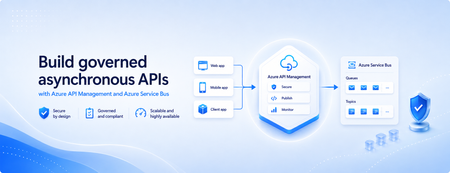
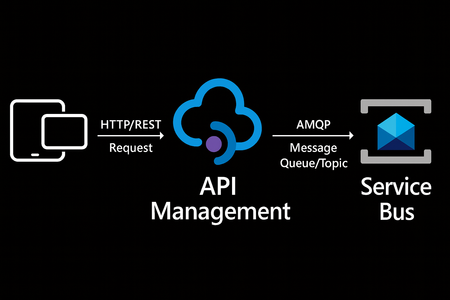
Many applications use Azure Service Bus to decouple services, handle traffic spikes, and process workloads asynchronously. However, securely exposing messaging capabilities to applications, partners, and internal teams can require custom middleware or messaging-specific client implementations. Today, we’re announcing the general availability of native Azure Service Bus integration in Azure API Management. With the send-service-bus-message policy, developers can publish messages directly from an Azure API Management gateway to an Azure Service Bus queue or topic. This provides a secure and governed HTTP interface for Service Bus workloads—without requiring teams to build and operate a separate adapter service. Connect APIs directly to Azure Service Bus Azure API Management can act as the governed entry point for applications that submit work to Azure Service Bus. A client sends a standard HTTP request to API Management. The gateway can authenticate and authorize the caller, validate or transform the request, and apply policies such as rate limits and quotas before publishing the message to a Service Bus queue or topic. Once the message is accepted, API Management can immediately respond to the caller while downstream services process the message asynchronously. Alternatively, message publication can be added to an existing API flow while the request continues to its primary backend. This integration brings together API governance in Azure API Management and reliable asynchronous messaging in Azure Service Bus—without adding another intermediary service. Greater control over Service Bus messages As part of general availability, we’re introducing additional controls for building production messaging workflows. 1. Control how messages are processed Developers can configure the following Service Bus message properties directly in the policy: Message IDs to correlate messages and support duplicate-detection or idempotent processing patterns. Session IDs to group related messages for ordered or stateful processing. Time-to-live to prevent messages from being processed after they are no longer relevant. These values can be generated dynamically using API Management policy expressions, allowing them to reflect request IDs, customer identifiers, transactions, or other application context. 2. Capture the send result The response-variable-name attribute captures information about the Service Bus send operation in an API Management context variable. Subsequent policies can use the result to add correlation information to an API response, emit telemetry, record an operational event, or apply conditional logic when a message cannot be sent. 3. Choose how failures affect the API Different messaging scenarios require different failure behavior. When publishing the message is the primary purpose of an API, a send failure can stop policy execution and invoke the API Management error-handling path. When publishing is secondary—such as sending an audit event or initiating optional downstream processing—the ignore-error option can allow the primary API request to continue. Information about the send operation remains available through the response variable for logging or subsequent policy logic. 4. Secure access with managed identity API Management authenticates to Azure Service Bus using a Microsoft Entra managed identity. Customers can use the system-assigned identity of the API Management service or specify a user-assigned managed identity. The selected identity is granted the Azure Service Bus Data Sender role for the appropriate namespace, queue, or topic. This removes the need to store Service Bus connection strings or shared access keys in API policies and makes it easier to apply least-privilege access using Azure role-based access control. Send a message with an API Management policy The following example sends the incoming request body to an orders queue. It assigns a message ID and expiration time, captures the result of the send operation, and treats successful publication as a required part of the API request. <send-service-bus-message queue-name="orders" namespace="contoso-messaging.servicebus.windows.net" message-id="@(context.RequestId.ToString())" time-to-live="00:10:00" response-variable-name="serviceBusResult" ignore-error="false"> <payload> @(context.Request.Body.As<string>(preserveContent: true)) </payload> </send-service-bus-message> A session ID can also be added when related messages need to be grouped for ordered or stateful processing. For a fully asynchronous API, the policy can be followed by return-response so that API Management acknowledges the request immediately after sending the message. For an existing API, the request can continue to its configured backend after the message is published. Common integration scenarios Create asynchronous APIs: Accept an order, document, or processing request through an HTTP API, publish it to a queue, and return immediately while downstream services complete the work. Govern partner integrations: Provide partners with a managed API contract instead of exposing the underlying Service Bus namespace. API Management can authenticate callers, validate requests, and apply quotas before publishing messages. Publish business events: Publish events to a Service Bus topic so multiple subscriptions and downstream services can process them independently. Handle bursts of incoming traffic: Use Service Bus to buffer messages when incoming API traffic temporarily exceeds the rate at which downstream services can process requests. Add events to existing API operations: Publish audit, notification, analytics, or workflow events while allowing the primary API request to continue to its configured backend. Preserve workflow affinity: Use Service Bus sessions to group related messages for ordered or stateful processing based on a customer, transaction, order, or workflow identifier. Get started To send messages from Azure API Management to Azure Service Bus: Create or select an Azure Service Bus queue or topic. Enable a system-assigned or user-assigned managed identity on the API Management service. Assign the identity the Azure Service Bus Data Sender role. Add the send-service-bus-message policy to an API operation. Configure the message payload, processing properties, output variable, and failure behavior. With native Azure Service Bus integration, Azure API Management provides a secure and governed way to connect HTTP APIs with asynchronous messaging workloads—without requiring additional middleware. Learn more Send Service Bus message policy reference Send messages to Azure Service Bus from Azure API Management Azure API Management June 2026 release notes Azure Service Bus documentation968Views0likes0CommentsIntroducing native Service Bus message publishing from Azure API Management (Preview)
We’re excited to announce a preview capability in Azure API Management (APIM) — you can now send messages directly to Azure Service Bus from your APIs using a built-in policy. This enhancement, currently in public preview, simplifies how you connect your API layer with event-driven and asynchronous systems, helping you build more scalable, resilient, and loosely coupled architectures across your enterprise. Why this matters? Modern applications increasingly rely on asynchronous communication and event-driven designs. With this new integration: Any API hosted in API Management can publish to Service Bus — no SDKs, custom code, or middleware required. Partners, clients, and IoT devices can send data through standard HTTP calls, even if they don’t support AMQP natively. You stay in full control with authentication, throttling, and logging managed centrally in API Management. Your systems scale more smoothly by decoupling front-end requests from backend processing. How it works The new send-service-bus-message policy allows API Management to forward payloads from API calls directly into Service Bus queues or topics. High-level flow A client sends a standard HTTP request to your API endpoint in API Management. The policy executes and sends the payload as a message to Service Bus. Downstream consumers such as Logic Apps, Azure Functions, or microservices process those messages asynchronously. All configurations happen in API Management — no code changes or new infrastructure are required. Getting started You can try it out in minutes: Set up a Service Bus namespace and create a queue or topic. Enable a managed identity (system-assigned or user-assigned) on your API Management instance. Grant the identity the “Service Bus data sender” role in Azure RBAC, scoped to your queue/ topic. Add the policy to your API operation: <send-service-bus-message queue-name="orders"> <payload>@(context.Request.Body.As<string>())</payload> </send-service-bus-message> Once saved, each API call publishes its payload to the Service Bus queue or topic. 📖 Learn more. Common use cases This capability makes it easy to integrate your APIs into event-driven workflows: Order processing – Queue incoming orders for fulfillment or billing. Event notifications – Trigger internal workflows across multiple applications. Telemetry ingestion – Forward IoT or mobile app data to Service Bus for analytics. Partner integrations – Offer REST-based endpoints for external systems while maintaining policy-based control. Each of these scenarios benefits from simplified integration, centralized governance, and improved reliability. Secure and governed by design The integration uses managed identities for secure communication between API Management and Service Bus — no secrets required. You can further apply enterprise-grade controls: Enforce rate limits, quotas, and authorization through APIM policies. Gain API-level logging and tracing for each message sent. Use Service Bus metrics to monitor downstream processing. Together, these tools help you maintain a consistent security posture across your APIs and messaging layer. Build modern, event-driven architectures With this feature, API Management can serve as a bridge to your event-driven backbone. Start small by queuing a single API’s workload, or extend to enterprise-wide event distribution using topics and subscriptions. You’ll reduce architectural complexity while enabling more flexible, scalable, and decoupled application patterns. Learn more: Get the full walkthrough and examples in the documentation 👉 here5.5KViews4likes10Comments
Announcing Public Preview of Autoscale for Azure Event Grid Namespaces
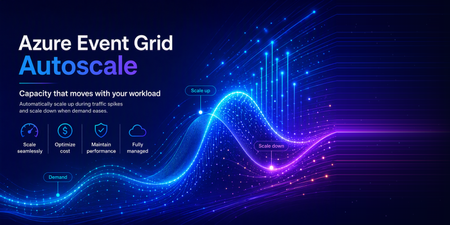
Today we are pleased to announce the public preview of Autoscale for Azure Event Grid namespaces. With this capability, an Event Grid namespace in the Standard tier automatically adjusts its throughput unit (TU) allocation in response to real-time workload utilization. This removes the need to manually provision capacity ahead of traffic changes or react to throttling after the fact. How Autoscale fits with existing capacity management Event Grid namespaces already provide control over capacity through throughput units. Each Throughput Unit defines a fixed rate of event ingress, event egress, MQTT publish, and MQTT client connections. Until now, customers set the Throughput Unit count at namespace creation and adjusted it manually when traffic patterns changed. Autoscale builds on this model. It automates the adjustment of Throughput Unit count based on observed utilization. Customers still control the boundaries: a minimum Throughput Unit floor that guarantees baseline capacity, and a maximum Throughput Unit ceiling that caps cost. Event Grid handles all scaling decisions within those bounds. No manual intervention is required. Why this matters Event-driven and IoT workloads are rarely steady-state. MQTT device fleets connect in waves as regions come online. Event broker ingress spikes during batch processing windows or in response to external triggers. Multi-tenant platforms see delivery volumes shift across tenants throughout the day. Fixed-capacity provisioning forces a trade-off: provision for peak and pay for idle capacity, or provision for average and accept throttling during spikes. Autoscale addresses both sides by adding capacity when utilization is high and releasing it when utilization drops. Scenarios where Autoscale helps IoT and MQTT workloads Device fleets connect and disconnect on their own schedule. Message fan-out and subscription counts shift rapidly as devices move between online and offline states. With Autoscale, the namespace adds capacity as connection counts grow and releases it as devices go idle, keeping the MQTT broker responsive without manual resizing. Example A logistics company operates a fleet of 50,000 delivery vehicles. Each vehicle publishes GPS location and engine telemetry via MQTT every 10 seconds. During the morning dispatch window (6–8 AM), all vehicles come online simultaneously, generating a connection surge that is 5× the steady-state rate. Previously, the operations team had to pre-scale the namespace each morning and scale it back at night. With Autoscale, the namespace detects the connection ramp-up within seconds, provisions additional TUs to absorb the spike, and scales back down overnight when most vehicles are parked and idle—without any manual intervention. Bursty event broker workloads Periodic batch uploads, demand-driven spikes, or seasonal traffic patterns create short-lived peaks that are difficult to plan for. Autoscale provisions additional capacity during the burst and releases it once traffic returns to baseline, keeping costs aligned with actual usage rather than worst-case projections. Example An e-commerce platform processes order events through Event Grid. On regular days, ingress sits at approximately 2,000 events per second. During flash sales, ingress spikes to 40,000 events per second for 15-20 minutes before returning to normal. Before Autoscale, the team provisioned for peak capacity around the clock, paying for 20x the baseline even when traffic was low. With Autoscale, the namespace scales from 2 Throughput Units to the required capacity within seconds of detecting the spike, handles the burst without throttling, and releases the extra Throughput Units once the sale ends - aligning cost directly with the duration and intensity of each event. How it works Autoscale is a namespace-level configuration. Customers enable it and set a minimum and maximum TU count. Event Grid continuously evaluates utilization across all scaling categories. When utilization crosses internal thresholds, Event Grid adjusts the Throughput Unit allocation up or down within the customer-defined bounds. Full details on scaling behavior are available in the Autoscale in Azure Event Grid namespaces (preview) - Azure Event Grid | Microsoft Learn. What customers control The configuration is intentionally simple: Select Autoscale on the Scale tab to turn the capability on. Minimum throughput units: The namespace will not scale below this value. Set this to cover baseline traffic so the workload is never throttled while the system detects a change. Maximum throughput units: The namespace will not scale above this value. This caps cost exposure during peak traffic. Everything else is managed by Event Grid internally. There are no scaling rules to configure or maintain. Availability Autoscale is available in public preview for Event Grid namespaces in the Standard tier. It can be enabled through the Azure portal, ARM templates or REST API. For detailed steps, refer to the how-to guide on Microsoft Learn. What's next This is a public preview release. We are actively evolving the experience and welcome your feedback. Feedback can be shared by contacting our support team directly.194Views1like0Comments
How to Fix Azure Event Grid Entra Authentication issue for ACS and Dynamics 365 integrated Webhooks
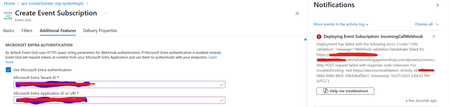
Introduction: Azure Event Grid is a powerful event routing service that enables event-driven architectures in Azure. When delivering events to webhook endpoints, security becomes paramount. Microsoft provides a secure webhook delivery mechanism using Microsoft Entra ID (formerly Azure Active Directory) authentication through the AzureEventGridSecureWebhookSubscriber role. Problem Statement: When integrating Azure Communication Services with Dynamics 365 Contact Center using Microsoft Entra ID-authenticated Event Grid webhooks, the Event Grid subscription deployment fails with an error: "HTTP POST request failed with unknown error code" with empty HTTP status and code. For example: Important Note: Before moving forward, please verify that you have the Owner role assigned on app to create event subscription. Refer to the Microsoft guidelines below to validate the required prerequisites before proceeding: Set up incoming calls, call recording, and SMS services | Microsoft Learn Why This Happens: This happens because AzureEventGridSecureWebhookSubscriber role is NOT properly configured on Microsoft EventGrid SP (Service Principal) and event subscription entra ID or application who is trying to create event grid subscription. What is AzureEventGridSecureWebhookSubscriber Role: The AzureEventGridSecureWebhookSubscriber is an Azure Entra application role that: Enables your application to verify the identity of event senders Allows specific users/applications to create event subscriptions Authorizes Event Grid to deliver events to your webhook How It Works: Role Creation: You create this app role in your destination webhook application's Azure Entra registration Role Assignment: You assign this role to: Microsoft Event Grid service principal (so it can deliver events) Either Entra ID / Entra User or Event subscription creator applications (so they can create event grid subscriptions) Token Validation: When Event Grid delivers events, it includes an Azure Entra token with this role claim Authorization Check: Your webhook validates the token and checks for the role Key Participants: Webhook Application (Your App) Purpose: Receives and processes events App Registration: Created in Azure Entra Contains: The AzureEventGridSecureWebhookSubscriber app role Validates: Incoming tokens from Event Grid Microsoft Event Grid Service Principal Purpose: Delivers events to webhooks App ID: Different per Azure cloud (Public, Government, etc.) Public Azure: 4962773b-9cdb-44cf-a8bf-237846a00ab7 Needs: AzureEventGridSecureWebhookSubscriber role assigned Event Subscription Creator Entra or Application Purpose: Creates event subscriptions Could be: You, Your deployment pipeline, admin tool, or another application Needs: AzureEventGridSecureWebhookSubscriber role assigned Although the full PowerShell script is documented in the below Event Grid documentation, it may be complex to interpret and troubleshoot. Azure PowerShell - Secure WebHook delivery with Microsoft Entra Application in Azure Event Grid - Azure Event Grid | Microsoft Learn To improve accessibility, the following section provides a simplified step-by-step tested solution along with verification steps suitable for all users including non-technical: Steps: STEP 1: Verify/Create Microsoft.EventGrid Service Principal Azure Portal → Microsoft Entra ID → Enterprise applications Change filter to Application type: Microsoft Applications Search for: Microsoft.EventGrid Ideally, your Azure subscription should include this application ID, which is common across all Azure subscriptions: 4962773b-9cdb-44cf-a8bf-237846a00ab7. If this application ID is not present, please contact your Azure Cloud Administrator. STEP 2: Create the App Role "AzureEventGridSecureWebhookSubscriber" Using Azure Portal: Navigate to your Webhook App Registration: Azure Portal → Microsoft Entra ID → App registrations Click All applications Find your app by searching OR use the Object ID you have Click on your app Create the App Role: Display name: AzureEventGridSecureWebhookSubscriber Allowed member types: Both (Users/Groups + Applications) Value: AzureEventGridSecureWebhookSubscriber Description: Azure Event Grid Role Do you want to enable this app role?: Yes In left menu, click App roles Click + Create app role Fill in the form: Click Apply STEP 3: Assign YOUR USER to the Role Using Azure Portal: Switch to Enterprise Application view: Azure Portal → Microsoft Entra ID → Enterprise applications Search for your webhook app (by name) Click on it Assign yourself: In left menu, click Users and groups Click + Add user/group Under Users, click None Selected Search for your user account (use your email) Select yourself Click Select Under Select a role, click None Selected Select AzureEventGridSecureWebhookSubscriber Click Select Click Assign STEP 4: Assign Microsoft.EventGrid Service Principal to the Role This step MUST be done via PowerShell or Azure CLI (Portal doesn't support this directly as we have seen) so PowerShell is recommended You will need to execute this step with the help of your Entra admin. # Connect to Microsoft Graph Connect-MgGraph -Scopes "AppRoleAssignment.ReadWrite.All" # Replace this with your webhook app's Application (client) ID $webhookAppId = "YOUR-WEBHOOK-APP-ID-HERE" #starting with c5 # Get your webhook app's service principal $webhookSP = Get-MgServicePrincipal -Filter "appId eq '$webhookAppId'" Write-Host " Found webhook app: $($webhookSP.DisplayName)" # Get Event Grid service principal $eventGridSP = Get-MgServicePrincipal -Filter "appId eq '4962773b-9cdb-44cf-a8bf-237846a00ab7'" Write-Host " Found Event Grid service principal" # Get the app role $appRole = $webhookSP.AppRoles | Where-Object {$_.Value -eq "AzureEventGridSecureWebhookSubscriber"} Write-Host " Found app role: $($appRole.DisplayName)" # Create the assignment New-MgServicePrincipalAppRoleAssignment ` -ServicePrincipalId $eventGridSP.Id ` -PrincipalId $eventGridSP.Id ` -ResourceId $webhookSP.Id ` -AppRoleId $appRole.Id Write-Host "Successfully assigned Event Grid to your webhook app!" Verification Steps: Verify the App Role was created: Your App Registration → App roles You should see: AzureEventGridSecureWebhookSubscriber Verify your user assignment: Enterprise application (your webhook app) → Users and groups You should see your user with role AzureEventGridSecureWebhookSubscriber Verify Event Grid assignment: Same location → Users and groups You should see Microsoft.EventGrid with role AzureEventGridSecureWebhookSubscriber Sample Flow: Analogy For Simplification: Lets think it similar to the construction site bulding where you are the owner of the building. Building = Azure Entra app (webhook app) Building (Azure Entra App Registration for Webhook) ├─ Building Name: "MyWebhook-App" ├─ Building Address: Application ID ├─ Building Owner: You ├─ Security System: App Roles (the security badges you create) └─ Security Team: Azure Entra and your actual webhook auth code (which validates tokens) like doorman Step 1: Creat the badge (App role) You (the building owner) create a special badge: - Badge name: "AzureEventGridSecureWebhookSubscriber" - Badge color: Let's say it's GOLD - Who can have it: Companies (Applications) and People (Users) This badge is stored in your building's system (Webhook App Registration) Step 2: Give badge to the Event Grid Service: Event Grid: "Hey, I need to deliver messages to your building" You: "Okay, here's a GOLD badge for your SP" Event Grid: *wears the badge* Now Event Grid can: - Show the badge to Azure Entra - Get tokens that say "I have the GOLD badge" - Deliver messages to your webhook Step 3: Give badge to yourself (or your deployment tool) You also need a GOLD badge because: - You want to create event grid event subscriptions - Entra checks: "Does this person have a GOLD badge?" - If yes: You can create subscriptions - If no: "Access denied" Your deployment pipeline also gets a GOLD badge: - So it can automatically set up event subscriptions during CI/CD deployments Disclaimer: The sample scripts provided in this article are provided AS IS without warranty of any kind. The author is not responsible for any issues, damages, or problems that may arise from using these scripts. Users should thoroughly test any implementation in their environment before deploying to production. Azure services and APIs may change over time, which could affect the functionality of the provided scripts. Always refer to the latest Azure documentation for the most up-to-date information. Thanks for reading this blog! I hope you found it helpful and informative for this specific integration use case 😀1KViews4likes1Comment
How to consume Azure Event Grid messages on local desktop application?
Hello All, I am new to Azure Platform, Need some inputs on how can one consume Azure Event Grid messages on local environment. I already went through the documentation of the same but all I could find was references related to those apps which runs on Azure PaaS. If anyone can guide me in the right direction, I would be very much appreciate it. Thank you.1.3KViews0likes1CommentAzure Event Grid: Powering IoT and Event-Driven Applications at Scale
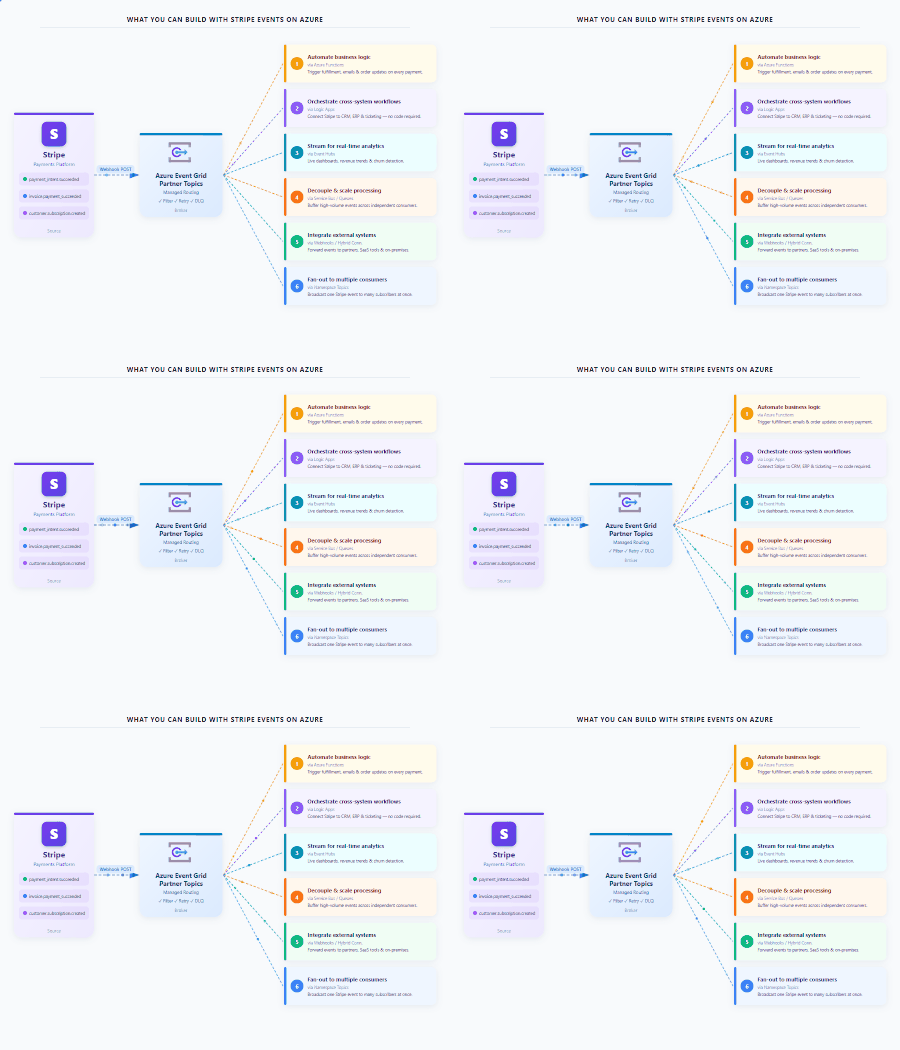
Modern IoT and event-driven applications demand more than reliable messaging. They require the ability to handle larger payloads, efficiently route data at scale, and automatically adapt to changing workloads. Today, we're excited to introduce a new set of capabilities in Azure Event Grid Namespace (MQTT Broker & Event Broker) that help organizations build more scalable, resilient, and cost-efficient connected solutions. With support for MQTT v5 Subscription Identifiers, larger messages(1MB), and Auto scale-up and scale-down, customers can simplify architecture, reduce operational overhead, and accelerate deployments across manufacturing, automotive, retail, energy, and other connected industries. Event Grid Standard: MQTT v5 Subscription Identifier (GA) What it solves In many MQTT applications, one client subscribes to several topics at the same time. When a message arrives, the application needs a quick way to tell which subscription triggered it and what should happen next. Which subscription triggered this message? Which business rule should process it? What’s new MQTT v5 Subscription Identifier is now generally available in Event Grid MQTT broker. Each subscription can have an ID, and that ID is included when the message is delivered. Each subscription can have an ID, and when a message is delivered, that ID comes with it. Why it matters Faster message routing Cleaner application logic No need to parse topic strings Simple example Example subscriptions: Subscription ID 101 = factory/line1/temperature Subscription ID 202 = factory/line1/vibration When a message arrives If the message comes in with Subscription ID 101, the app immediately knows it is temperature data and can send it to the correct processing path without inspecting the topic string. Common use cases Manufacturing lines with hundreds of sensors Automotive telemetry platforms Multi‑tenant IoT solutions Rule engines and stream processors Event Grid Standard: 1MB Message Support (GA) - Coming Soon Applies to both MQTT and non-MQTT workloads. What it solves As devices and applications become more capable, the events they send are becoming richer too. In many real-world scenarios, a single message may need to include things like: Sensor batches Telemetry snapshots Diagnostics data Configuration payloads Before this, customers often had to split large messages into smaller pieces or store the payload somewhere else and send only a reference. What’s new Event Grid Standard Namespace now supports larger event payloads upto 1MB for both MQTT and non-MQTT scenarios. That means customers can send more complete information in one message and reduce complex workarounds in design. Why it matters Fewer architectural components Simpler producers and consumers Lower latency for real‑time decisions Example Before: A factory device sent the main payload to storage and then published a small event that pointed to that file. Now: The same device can publish the full event payload directly through Event Grid, making the flow easier to build and easier to operate. Example: A smart machine can send a larger diagnostic package in one event, including the machine ID, a batch of readings, and a timestamp, instead of splitting the information across multiple services. Common use cases Smart manufacturing telemetry Vehicle diagnostics and firmware data Batch sensor readings from edge devices Rich business events for analytics Event Grid Standard: Autoscale Up and Down (Preview) - Coming Soon Applies to both MQTT and non-MQTT workloads. What it solves Event-driven systems rarely operate at a constant rate. Traffic patterns fluctuate throughout the day, with predictable peaks, seasonal surges, and unexpected bursts that can quickly overwhelm static infrastructure. Think about: Morning factory startup Fleet check‑ins at the top of the hour Flash sales or system bursts Manually sizing infrastructure leads to: Over‑provisioning (higher cost) Under‑provisioning (missed events) What’s new Azure Event Grid Standard Namespace now supports Autoscale Up and Down, automatically adjusting capacity based on real-time workload demand. Whether you're running MQTT-based IoT workloads or event-driven applications using HTTP, AMQP, or CloudEvents, Event Grid dynamically scales resources to match traffic patterns without manual intervention. As demand grows, Event Grid automatically adds capacity to absorb increased traffic and maintain performance. When activity subsides, resources scale back down to optimize efficiency and reduce costs. Why it matters With Autoscale, customers can focus on building applications instead of managing infrastructure and reap benefits like: Scale seamlessly during traffic spikes without pre-provisioning for peak demand. Reduce costs during quieter periods by automatically scaling capacity down. Maintain consistent performance and reliability across changing workloads. Eliminate manual tuning and capacity planning, reducing operational overhead. Optimize resource utilization while supporting millions of devices and high-volume event streams. Use case: A Modern Event-Driven Manufacturing Platform A smart manufacturing company uses Microsoft to connect factory machines, sensors, edge gateways, and enterprise applications through a single scalable eventing platform. Devices publish rich telemetry and diagnostic payloads using MQTT, while cloud applications send operational and business events using HTTP. The company has steady traffic during the day, a large spike during shift changes, and much lower usage overnight. With autoscale, Event Grid adjusts capacity automatically, so performance stays strong when traffic is high and costs stay more efficient when traffic is low. Common use cases Shift‑based manufacturing systems Connected vehicle platforms Event‑driven commerce backends Analytics pipelines with bursty data Building IoT platforms, manufacturing and automotive solutions, or high-scale event-driven applications? Azure Event Grid MQTT Broker now delivers larger messages, subscription Identifiers, and autoscale up/down, helping you simplify operations, improve performance, and optimize costs all on a single eventing platform. Event Grid Basic: Powering Event Driven Payments with Stripe (GA) Developers can seamlessly route Stripe events into Azure Event Grid to build scalable, event driven architectures without managing webhooks or custom brokers. Event Grid acts as a fully managed event broker between Stripe and Azure services. Azure Event Grid now delivers Stripe events directly to Azure subscribers, including: Azure Functions Logic Apps Event Hubs Service Bus And more With Event Grid’s native integration with Microsoft Fabric, Stripe events can also be ingested as continuous streams, enabling real time transformation, enrichment, and analytics within Fabric. Learn more.352Views0likes0CommentsBuild Smarter, Simpler IoT Messaging with Azure Event Grid MQTT Broker
Why this matters for modern IoT solutions As IoT solutions grow, teams need messaging that is reliable, scalable, and simple enough to operate across devices, apps, and cloud services. Azure Event Grid MQTT broker helps organizations connect devices and applications using standard MQTT patterns while also integrating with Azure services for downstream processing and automation. The result is a managed, cloud-native approach to messaging that supports both technical flexibility and business agility. With support for MQTT v3.1.1 and MQTT v5, Azure Event Grid MQTT broker enables device-to-device, device-to-cloud, and server-to-device communication patterns. It is especially useful in scenarios where customers want to ingest telemetry, send commands, broadcast alerts, and route data into analytics or workflow systems without building and maintaining broker infrastructure themselves. In this post, we focus on four capabilities that make the experience even more powerful and easier to adopt: MQTT Retain support, Shared Subscriptions, HTTP Publish of MQTT messages, and Subscription Identifiers. These features help new subscribers get context immediately, allow multiple consumers to scale out work, let HTTP-native back-end services participate in MQTT workflows, and make message handling more efficient for clients. Four features that make MQTT messaging easier to use These capabilities are designed to solve everyday problems that customers face when building real-world IoT systems. MQTT Retain support helps newly connected clients get the latest known value right away. Shared Subscriptions help distribute message processing across multiple consumers for better scale and resilience. HTTP Publish of MQTT messages enables back-end services to send MQTT messages without keeping long-lived MQTT sessions open. Subscription Identifiers help clients understand which subscription matched a received message, making routing and processing simpler. Together, these features reduce application complexity, improve responsiveness, and make it easier for teams to build user-friendly, production-ready IoT experiences. MQTT Retain support: Give new subscribers the latest known value instantly One of the most helpful MQTT patterns is the ability to retain the latest message on a topic. With MQTT Retain support in Azure Event Grid, the broker stores the last known good value for a topic and delivers it immediately to a new subscriber. That means a client does not have to wait for the next live publish to understand the current state. This is especially valuable for scenarios such as device state, configuration settings, last reported sensor readings, and control values. When a new application, dashboard, or device comes online, it can immediately understand the current state of the system and take action faster. Example Imagine a smart factory dashboard subscribing to the topic factory/line1/status. If the latest retained message says Running, a newly opened dashboard can display that status immediately instead of waiting for the next update. Retained messages ensure new subscribers instantly receive the latest device state without waiting for the next publish Why customers like it Faster onboarding for newly connected devices and apps Better user experience in dashboards and operator tools Less waiting for current state information Simpler application logic for recovering context Common use cases Device online or offline state Latest environmental reading such as temperature or humidity Machine mode, recipe, or configuration profile Current command state for field equipment Shared Subscriptions: Scale message processing without extra complexity As message volume grows, a single subscriber may not be enough to process all incoming data efficiently. Shared Subscriptions solve this by allowing multiple consumers to share the work for a subscription. Instead of every consumer receiving every message, the broker distributes messages across members of the shared group. This is a powerful pattern for scaling out telemetry processing, command handling, or event enrichment pipelines. It also helps improve resilience because work can continue even if one consumer instance goes offline. Example Suppose you have a fleet of connected vehicles publishing telemetry to vehicles/+/telemetry. A back-end processing service might run three worker instances subscribed through a shared subscription. Rather than each worker processing all messages, the workload is divided across the three instances, which improves throughput and reduces duplicate effort. Shared subscriptions distribute telemetry messages across multiple worker nodes for scalable, load-balanced, and resilient stream processing. Why customers like it Easier horizontal scaling for high-volume topics Improved throughput for back-end processing Better fault tolerance for worker-based applications Cleaner architecture for stream processing pipelines Common use cases Telemetry ingestion at scale Alarm processing pipelines Order or command handling across multiple workers Message transformation before routing to analytics platforms Shared Subscriptions help teams grow from pilot projects to production-scale deployments without redesigning their application model. They make it easier to add processing capacity as business needs expand. HTTP Publish of MQTT messages: Bring HTTP-native back-end systems into MQTT workflows Not every application wants to maintain a persistent MQTT connection. Many back-end systems are built around stateless HTTP APIs and prefer simple request-based interactions. Azure Event Grid supports publishing MQTT messages over HTTP, which makes it easier for server-side applications to send messages into MQTT-based solutions. This capability is a strong fit for server-to-device command and control, updates from enterprise systems, and retained message management. It also helps protect broker stability by reducing the need for a large number of long-lived sessions from services that do not truly need them. Example Imagine a support application that needs to send a message to a field device asking it to refresh its configuration. Instead of opening an MQTT session, the application can make an HTTP POST request that maps to an MQTT publish operation and sends the command to the desired topic. Why customers like it Simple integration for HTTP-native applications No need for persistent broker sessions in back-end services Consistent messaging flow across HTTP and MQTT publishers Easier integration with business systems and automation workflows Common use cases Server-to-device commands Application-driven updates and prompts Retained message management Integration with business processes, portals, and line-of-business apps Subscription Identifiers: Make client-side message handling smarter As applications grow, a single client may subscribe to many topic filters at the same time. Subscription Identifiers help the client understand which subscription matched a delivered message. This makes application logic cleaner because the client does not have to guess why a message arrived or manually compare it against every subscribed filter. In practical terms, this is useful when one client is listening for different kinds of data such as telemetry, alerts, and control acknowledgments. Instead of writing extra parsing logic, the client can use the identifier to route the message to the right processing path immediately. Example A monitoring application subscribes to one filter for devices/+/telemetry and another for devices/+/alerts. When a message arrives, the subscription identifier helps the application know whether the message should be shown on a live dashboard, routed to alert handling, or stored for analysis. Why customers like it Simpler client code Cleaner separation of processing paths Easier troubleshooting and observability Better support for sophisticated MQTT v5 client applications Common use cases Applications subscribing to multiple topic categories Edge gateways handling mixed streams Dashboards that separate operational data from alerts Services that apply different business logic based on subscription intent Putting it all together: A simple customer scenario Consider a smart manufacturing plant. Machines, PLCs, and industrial sensors continuously publish telemetry such as production counts, machine health, vibration, and temperature. Operations dashboards subscribe to real-time machine status and line performance. Maintenance systems send commands to equipment when anomalies or thresholds are detected. Meanwhile, analytics workers process high-volume telemetry streams in parallel for quality monitoring, predictive maintenance, and throughput optimization. In this scenario, MQTT Retain support ensures that a newly opened operations dashboard immediately sees the latest machine state without waiting for the next update. Shared Subscriptions enable multiple analytics workers to process telemetry streams in parallel, improving scalability and avoiding duplicate processing. HTTP Publish of MQTT messages allows MES or maintenance applications to send commands to machines through simple HTTP requests, without needing a persistent MQTT connection. Subscription Identifiers help downstream systems distinguish between telemetry, alerts, and control signals, enabling clean routing to the right processing pipelines. The result is a unified, event-driven architecture that is scalable, efficient, and easier to operate—supporting real-time visibility, faster decision-making, and continuous optimization across the manufacturing floor. Azure Event Grid MQTT broker continues to make cloud-scale MQTT messaging more approachable for customers building modern IoT and event-driven solutions. Features such as MQTT Retain support, Shared Subscriptions, HTTP Publish of MQTT messages, and Subscription Identifiers help simplify application design while improving responsiveness, scale, and operational efficiency. For teams looking to build customer-ready solutions faster, these capabilities can reduce custom code, accelerate onboarding, and create a smoother path from proof of concept to production. Whether you are building connected products, industrial monitoring systems, smart spaces, or data-driven operations, Azure Event Grid MQTT broker provides a flexible foundation for reliable communication across devices, services, and applications. Now is a great time to explore how these features can help simplify your architecture and unlock new patterns for device connectivity and cloud integration.450Views0likes0Comments
Stripe Events + Azure Event Grid: Now Generally Available
Stripe events give developers real-time visibility into everything happening in their Stripe accounts — payments, subscriptions, refunds, disputes, and more. With Azure Event Grid as a destination for Stripe events, now Generally Available, teams can route those signals directly into Azure and build scalable, event-driven architectures without managing webhook infrastructure. Stripe events meet Azure Event Grid Stripe produces events for changes across payments, customers, subscriptions, accounts, meters, and more — covering hundreds of distinct event types. Azure Event Grid acts as a fully managed event broker, routing those events directly into Azure so teams can build reactive, real-time workflows without managing custom webhook infrastructure. Here are some of the scenarios this enables: Automate business logic on every payment: Use Azure Functions to react instantly to payment completions, refunds, or disputes — triggering fulfillment, updating inventory, or sending confirmation emails in real time. Orchestrate cross-system workflows: Use Logic Apps to connect Stripe events to CRM systems, ERP platforms, or ticketing tools — automatically syncing data and triggering multi-step processes without writing code. Stream events for real-time analytics: Route Stripe events to Azure Event Hubs and connect them to Microsoft Fabric Eventstream to power live dashboards, revenue trend analysis, and churn detection as events happen. Decouple and scale payment processing: Send events to Service Bus or Storage Queues to buffer and distribute high-volume payment workloads across independent consumers, ensuring reliability and scalability under load. Integrate with external systems and partners: Use Webhooks or Hybrid Connections to forward Stripe events to third-party platforms, on-premises systems, or partner services — without exposing internal infrastructure. Fan out events across multiple consumers: Publish to Azure Event Grid Namespace Topics to broadcast a single Stripe event to multiple subscribers simultaneously, enabling parallel processing across different teams or services. This creates a clean separation between event ingestion, routing, and processing, following modern event-driven design principles. Deep Dive: Processing Core Payment Events with Azure Event Grid To build a production-ready integration that reacts to business-critical signals like successful payments or disputes, follow these steps to route Stripe events through Azure Event Grid. Set up Partner Authorization in Azure: Register the Event Grid resource provider in the Azure portal and create a Partner Authorization to grant Stripe permission to create Partner Topics. Configure the Event Destination in Stripe: In the Stripe Dashboard, configure the event destination by providing your Azure subscription ID, resource group, and region to connect the accounts. Activate the Partner Topic: Once Stripe creates the Partner Topic in your Azure resource group, you must activate it in the Azure portal within seven days to begin receiving events. Create an Event Subscription and Handler: Set up an Event Subscription to route events from the Partner Topic to an Azure service, such as an Azure Function or Logic App, which acts as your event handler. Process the Payment Event Object: Your handler will receive event objects formatted using the CloudEvents schema. Parse these objects and implement your application logic to react to specific event types like payment_intent.succeeded or charge.dispute.created. Retrieve Full Resource Data (Hydration): For full context, use "thin event hydration" to fetch the complete resource object (e.g., the full Charge or PaymentIntent) via a call to the Stripe API using the object ID provided in the event data. Production and Reliability Notes Switch your integration to use live mode API keys and data sources for production readiness. Stripe automatically retries failed deliveries for up to three days in live mode. Event ordering is not guaranteed through Event Grid. Note: Events are delivered using the CloudEvents schema, and Stripe provides automatic retries for failed deliveries for up to three days. Extending Stripe events into Fabric Real-Time Intelligence Every payment, subscription change, and customer action in Stripe carries a signal. The question is how fast your business can act on it. Azure Event Grid namespaces connect natively with Microsoft Fabric Real-Time Intelligence through Eventstream, turning Stripe events into continuous data streams — no custom ingestion pipelines required. As events flow in, they can be transformed, enriched, and joined with other business signals in real time. This opens a new layer of intelligence on top of your commerce data: revenue anomalies surfaced as they happen, churn patterns detected before they compound, and live dashboards that reflect the actual state of your business — not yesterday’s batch. For teams already invested in Fabric, this means Stripe becomes a first-class real-time data source alongside the rest of your operational data. Getting started The Stripe destination for Azure Event Grid is now Generally Available. To get started, configure Azure Event Grid as an event destination in your Stripe dashboard. Stripe provides clear guidance for setting up the Azure Event Grid destination and sending events into your Azure environment: Stripe documentation for Azure Event Grid. Once configured, events can be routed to Azure services or streamed into Fabric Eventstream for real-time analytics and insights. Building on Public Preview This release marks the General Availability of the Stripe destination for Azure Event Grid, which was first introduced in Public Preview. If you missed the initial announcement, you can read the original blog post: Powering Event-Driven Payments with Stripe and Azure Event Grid.369Views0likes0Comments