azure ai
41 TopicsAzure Incident Retrospective - Please register! Session 2 - Tracking ID: 7QL5-Z50
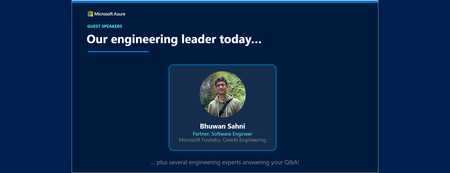
Join our upcoming live webcast for a transparent discussion about this recent Azure service incident led by our engineering teams. AOAI/Foundry – Intermittent failures in Sweden Central Tracking ID: 7QL5-Z50 | Impacted: 29 September 2026 Same content presented in both sessions: pick the one that works best for your timezone! What to expect 📚 Understand What happened, how we responded, and what we learned 💬 Ask Live Q&A with our engineering experts throughout the session 🛠 Learn The fixes we've put in place and guidance for workload resiliency Choose your session Same content presented at both times: pick the one that works best for your timezone: Session 1 17:30 UTC Thursday, 22 Oct 2026 Register now → Session 2 05:30 UTC Friday, 23 Oct 2026 Register now → 10:30 AM US Pacific (PDT) 1:30 PM US Eastern (EDT) 6:30 PM London (BST) 1:30 AM Beijing (CST) 4:30 AM +1 Sydney (AEDT) 6:30 AM +1 Auckland (NZDT) 10:30 PM -1 US Pacific (PDT) 1:30 AM -1 US Eastern (EDT) 6:30 AM London (BST) 1:30 PM Beijing (CST) 4:30 PM Sydney (AEDT) 6:30 PM Auckland (NZDT) Our engineering leader Bhuwan Sahni Partner, Software Engineer CoreAI Engineering LinkedIn ↗ ⚠️ Prepare before the livestream Read the Post Incident Review (PIR) ahead of time so you can ask any follow up questions during the live Q&A Helpful resources 🔔 Azure Service Health Alerts Get alerts for relevant incidents by setting up notifications via email, SMS, or webhook 🎥 Past Retrospective Recordings Watch recordings of previous retrospective livestreams 📄 Azure Post Incident Reviews Learn more about PIRs and the retrospective program25Views0likes0CommentsAzure Incident Retrospective - Please register! Session 1 - Tracking ID: 7QL5-Z50
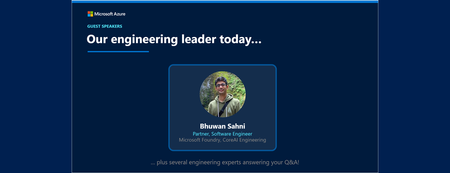
Join our upcoming live webcast for a transparent discussion about this recent Azure service incident led by our engineering teams. AOAI/Foundry – Intermittent failures in Sweden Central Tracking ID: 7QL5-Z50 | Impacted: 29 September 2026 Same content presented in both sessions: pick the one that works best for your timezone! What to expect 📚 Understand What happened, how we responded, and what we learned 💬 Ask Live Q&A with our engineering experts throughout the session 🛠 Learn The fixes we've put in place and guidance for workload resiliency Choose your session Same content presented at both times: pick the one that works best for your timezone: Session 1 17:30 UTC Thursday, 22 Oct 2026 Register now → Session 2 05:30 UTC Friday, 23 Oct 2026 Register now → 10:30 AM US Pacific (PDT) 1:30 PM US Eastern (EDT) 6:30 PM London (BST) 1:30 AM Beijing (CST) 4:30 AM +1 Sydney (AEDT) 6:30 AM +1 Auckland (NZDT) 10:30 PM -1 US Pacific (PDT) 1:30 AM -1 US Eastern (EDT) 6:30 AM London (BST) 1:30 PM Beijing (CST) 4:30 PM Sydney (AEDT) 6:30 PM Auckland (NZDT) Our engineering leader Bhuwan Sahni Partner, Software Engineer CoreAI Engineering LinkedIn ↗ ⚠️ Prepare before the livestream Read the Post Incident Review (PIR) ahead of time so you can ask any follow up questions during the live Q&A Helpful resources 🔔 Azure Service Health Alerts Get alerts for relevant incidents by setting up notifications via email, SMS, or webhook 🎥 Past Retrospective Recordings Watch recordings of previous retrospective livestreams 📄 Azure Post Incident Reviews Learn more about PIRs and the retrospective program36Views0likes0CommentsPath to production for agents: a Microsoft Azure AI Tech Accelerator
Move AI agents from experimentation to production with trusted architecture, governance, and operations. Many organizations have made progress with AI prototypes, but struggle to turn early success into systems that are secure, reliable, and ready for real-world use. If you want to bridge that gap with practical, engineering-focused guidance across the full AI lifecycle—from foundational governance and architecture to deployment, security, and ongoing operation—don't miss this event. Learn how to establish trust in AI systems, design architectures that scale with control, and operate agentic solutions with confidence over time. Explore proven patterns for building production-ready foundations, managing risk and cost, and maintaining performance in dynamic, non-deterministic environments. Walk away with a clear path forward, offering actionable strategies and playbooks you can use to deliver secure, compliant, and high-performing AI solutions in your organization. Organizational policies preventing you from watching and participating here on the Tech Community? Sign in with a personal account or tune in on LinkedIn. (You'll find LinkedIn event links on each session page.) Day 1: Now on demand Build an AI Center of Excellence for agent governance Design Azure AI Landing Zones for production at scale A Microsoft blueprint for scalable agentic AI systems Day 2 - Now on demand Monitor and govern AI agents in production with AgentOps What it looks like: Trusted, compliant AI systems at scale How to keep agentic workloads orchestrated, fast, and affordable8.2KViews5likes3CommentsA Microsoft blueprint for scalable agentic AI systems
Explore a governance-first, multi-agent architecture that embeds consistent controls and quality checks across every layer. Many AI pilots don't fail because of technology; they fail because the architecture isn't designed for trust. Agentic AI architecture enables trusted, scalable AI systems with built-in governance and control from user interactions and agent orchestration to integrations, data, and models. See how aligning these layers under a unified security and governance framework creates a resilient, enterprise-wide AI fabric. You'll leave with a clear blueprint for building interoperable, trustworthy AI systems that are designed to scale without compromising control. How do I participate? Select Add to Calendar to save the date, then click the Attend button to save your spot, receive event reminders, and participate in the Q&A. Not able to attend live? This session will be recorded and available on demand shortly after airing. Just announced! Live Q&A will also be available July 28 from 10:00-11:00 AM SGT (UTC+8) to support attendees in Asia and western Australia. Don't see Attend or Add to Calendar? Sign in to the Tech Community to join the conversation. Organizational policies preventing you from signing in to the Tech Community? Use a personal account or tune in on LinkedIn. This session is part of Path to production for agents: a Microsoft Azure AI Tech Accelerator. View the full agenda for more actionable strategies to help you deliver secure, compliant, and high-performing AI solutions across your organization.1.8KViews0likes6CommentsWhat it looks like: Trusted, compliant AI systems at scale
As AI systems move into production, the risk landscape expands beyond traditional app security. Examine emerging threats like prompt injection, data leakage, and autonomous tool misuse—and hear ways to mitigate threats using a defense-in-depth strategy. Find out how to apply layered controls across identity, data protection, orchestration, and runtime environments to keep AI systems secure and controllable. AI security and observability are essential for building trusted, compliant AI systems at scale. That's why we'll also cover how traceability, safety monitoring, and auditability help you maintain trust, prove compliance, and operate with confidence in real-world conditions. How do I participate? Select Add to Calendar to save the date, then click the Attend button to save your spot, receive event reminders, and participate in the Q&A. Not able to attend live? This session will be recorded and available on demand shortly after airing. Just announced! Live Q&A will also be available July 29 from 9:00-10:00 AM SGT (UTC+8) to support attendees in Asia and western Australia. Don't see Attend or Add to Calendar? Sign in to the Tech Community to join the conversation. Organizational policies preventing you from signing in to the Tech Community? Use a personal account or tune in on LinkedIn. This session is part of Path to production for agents: a Microsoft Azure AI Tech Accelerator. View the full agenda for more actionable strategies to help you deliver secure, compliant, and high-performing AI solutions across your organization.981Views0likes4CommentsMonitor and govern AI agents in production with AgentOps
AgentOps brings discipline and reliability to deploying, monitoring, and scaling agentic AI in production. Getting an AI agent to work once is easy. Keeping it reliable over time is not. Dive into the full lifecycle of running agentic AI in production, from evaluation and CI/CD quality gates to observability, continuous monitoring, and incident response. Learn how to apply DevOps practices to AI’s unique challenges, including non-deterministic behavior, prompt regression, model drift, and tool-calling risks. If you are looking for a practical AgentOps operating model that can increase release confidence, catch issues earlier, and connect agent performance insights back into Microsoft Foundry and Azure Monitor, this is the session for you. How do I participate? Select Add to Calendar to save the date, then click the Attend button to save your spot, receive event reminders, and participate in the Q&A. Not able to attend live? This session will be recorded and available on demand shortly after airing. Just announced! Live Q&A will also be available July 29 from 8:00-9:00 AM SGT (UTC+8) to support attendees in Asia and western Australia. Don't see Attend or Add to Calendar? Sign in to the Tech Community to join the conversation. Organizational policies preventing you from signing in to the Tech Community? Use a personal account or tune in on LinkedIn. This session is part of Path to production for agents: a Microsoft Azure AI Tech Accelerator. View the full agenda for more actionable strategies to help you deliver secure, compliant, and high-performing AI solutions across your organization.1.4KViews0likes4CommentsHow to keep agentic workloads orchestrated, fast, and affordable
Getting AI to production is only half the battle. Once agentic workloads are live, organizations face compounding challenges: token costs that grow non-linearly, latency that degrades user trust, Retrieval-Augmented Generation (RAG) pipelines that return noise instead of signal, and orchestration overhead that multiplies with every agent added to the mesh. This is where the real engineering begins. Wrap up your Path to production Tech Accelerator experience with a practical optimization playbook for agentic AI, from model selection and inference routing to prompt compression, RAG tuning, and caching strategies. Learn how to manage orchestration complexity across multi-agent systems while improving signal quality and response times. Explore FinOps practices for AI, including capacity planning, batch processing, and intelligent model routing. Walk away with actionable techniques to reduce inference costs, cut latency, and scale reliably across regions. How do I participate? Select Add to Calendar to save the date, then click the Attend button to save your spot, receive event reminders, and participate in the Q&A. Not able to attend live? This session will be recorded and available on demand shortly after airing. Just announced! Live Q&A will also be available July 29 from 10:00-11:00 AM SGT (UTC+8) to support attendees in Asia and western Australia. Don't see Attend or Add to Calendar? Sign in to the Tech Community to join the conversation. Organizational policies preventing you from signing in to the Tech Community? Use a personal account or tune in on LinkedIn. This session is part of Path to production for agents: a Microsoft Azure AI Tech Accelerator. View the full agenda for more actionable strategies to help you deliver secure, compliant, and high-performing AI solutions across your organization.934Views0likes4CommentsBuild an AI Center of Excellence for agent governance
AI governance and Center of Excellence (CoE) strategies are key to scaling trusted AI. Too many AI initiatives stall in the proof-of-concept graveyard—not because of lack of innovation, but because trust, consistency, and accountability are missing. Learn how to establish an AI Center of Excellence and governance framework that acts as a consistent "quality gate" across every layer of your AI applications. See how this approach helps you deliver a single, organization-wide view of secure, responsible, and trustworthy AI so you can confidently move from experimentation to production and scale with control. How do I participate? Select Add to Calendar to save the date, then click the Attend button to save your spot, receive event reminders, and participate in the Q&A. Not able to attend live? This session will be recorded and available on demand shortly after airing. Just announced! Live Q&A will also be available July 28 from 8:00-9:00 AM SGT (UTC+8) to support attendees in Asia and western Australia. Don't see Attend or Add to Calendar? Sign in to the Tech Community to join the conversation. Organizational policies preventing you from signing in to the Tech Community? Use a personal account or tune in on LinkedIn. This session is part of Path to production for agents: a Microsoft Azure AI Tech Accelerator. View the full agenda for more actionable strategies to help you deliver secure, compliant, and high-performing AI solutions across your organization.2.8KViews1like4CommentsDesign Azure AI Landing Zones for production at scale
If you’re moving beyond AI experiments, you need more than great models; you need a foundation you can trust. Azure AI Landing Zones enable secure, scalable AI deployment with proven architectures and governance. Learn how to use Landing Zones as your production-ready blueprint for deploying AI applications and agents with built-in guardrails for networking, identity, security, and cost control. Get insights to help you apply the Cloud Adoption Framework and the Azure Well-Architected Framework to design platforms that support innovation without sacrificing compliance. Walk away knowing how to accelerate time-to-production using validated architectures, infrastructure as code (IaC), and seamless integration with your enterprise environment. How do I participate? Select Add to Calendar to save the date, then click the Attend button to save your spot, receive event reminders, and participate in the Q&A. Not able to attend live? This session will be recorded and available on demand shortly after airing. Just announced! Live Q&A will also be available July 28 from 9:00-10:00 AM SGT (UTC+8) to support attendees in Asia and western Australia. Don't see Attend or Add to Calendar? Sign in to the Tech Community to join the conversation. Organizational policies preventing you from signing in to the Tech Community? Use a personal account or tune in on LinkedIn. This session is part of Path to production for agents: a Microsoft Azure AI Tech Accelerator. View the full agenda for more actionable strategies to help you deliver secure, compliant, and high-performing AI solutions across your organization.1.9KViews1like5Comments