azure ai services
62 TopicsFine-Tuning and Deploying Phi-3.5 Model with Azure and AI Toolkit
What is Phi-3.5? Phi-3.5 as a state-of-the-art language model with strong multilingual capabilities. Emphasize that it is designed to handle multiple languages with high proficiency, making it a versatile tool for Natural Language Processing (NLP) tasks across different linguistic backgrounds. Key Features of Phi-3.5 Highlight the core features of the Phi-3.5 model: Multilingual Capabilities: Explain that the model supports a wide variety of languages, including major world languages such as English, Spanish, Chinese, French, and others. You can provide an example of its ability to handle a sentence or document translation from one language to another without losing context or meaning. Fine-Tuning Ability: Discuss how the model can be fine-tuned for specific use cases. For instance, in a customer support setting, the Phi-3.5 model can be fine-tuned to understand the nuances of different languages used by customers across the globe, improving response accuracy. High Performance in NLP Tasks: Phi-3.5 is optimized for tasks like text classification, machine translation, summarization, and more. It has superior performance in handling large-scale datasets and producing coherent, contextually correct language outputs. Applications in Real-World Scenarios To make this section more engaging, provide a few real-world applications where the Phi-3.5 model can be utilized: Customer Support Chatbots: For companies with global customer bases, the model’s multilingual support can enhance chatbot capabilities, allowing for real-time responses in a customer’s native language, no matter where they are located. Content Creation for Global Markets: Discuss how businesses can use Phi-3.5 to automatically generate or translate content for different regions. For example, marketing copy can be adapted to fit cultural and linguistic nuances in multiple languages. Document Summarization Across Languages: Highlight how the model can be used to summarize long documents or articles written in one language and then translate the summary into another language, improving access to information for non-native speakers. Why Choose Phi-3.5 for Your Project? End this section by emphasizing why someone should use Phi-3.5: Versatility: It’s not limited to just one or two languages but performs well across many. Customization: The ability to fine-tune it for particular use cases or industries makes it highly adaptable. Ease of Deployment: With tools like Azure ML and Ollama, deploying Phi-3.5 in the cloud or locally is accessible even for smaller teams. Objective Of Blog Specialized Language Models (SLMs) are at the forefront of advancements in Natural Language Processing, offering fine-tuned, high-performance solutions for specific tasks and languages. Among these, the Phi-3.5 model has emerged as a powerful tool, excelling in its multilingual capabilities. Whether you're working with English, Spanish, Mandarin, or any other major world language, Phi-3.5 offers robust, reliable language processing that adapts to various real-world applications. This makes it an ideal choice for businesses looking to deploy multilingual chatbots, automate content generation, or translate customer interactions in real time. Moreover, its fine-tuning ability allows for customization, making Phi-3.5 versatile across industries and tasks. Customization and Fine-Tuning for Different Applications The Phi-3.5 model is not just limited to general language understanding tasks. It can be fine-tuned for specific applications, industries, and language models, allowing users to tailor its performance to meet their needs. Customizable for Industry-Specific Use Cases: With fine-tuning, the model can be trained further on domain-specific data to handle particular use cases like legal document translation, medical records analysis, or technical support. Example: A healthcare company can fine-tune Phi-3.5 to understand medical terminology in multiple languages, enabling it to assist in processing patient records or generating multilingual health reports. Adapting for Specialized Tasks: You can train Phi-3.5 to perform specialized tasks like sentiment analysis, text summarization, or named entity recognition in specific languages. Fine-tuning helps enhance the model's ability to handle unique text formats or requirements. Example: A marketing team can fine-tune the model to analyse customer feedback in different languages to identify trends or sentiment across various regions. The model can quickly classify feedback as positive, negative, or neutral, even in less widely spoken languages like Arabic or Korean. Applications in Real-World Scenarios To illustrate the versatility of Phi-3.5, here are some real-world applications where this model excels, demonstrating its multilingual capabilities and customization potential: Case Study 1: Multilingual Customer Support Chatbots Many global companies rely on chatbots to handle customer queries in real-time. With Phi-3.5’s multilingual abilities, businesses can deploy a single model that understands and responds in multiple languages, cutting down on the need to create language-specific chatbots. Example: A global airline can use Phi-3.5 to power its customer service bot. Passengers from different countries can inquire about their flight status or baggage policies in their native languages—whether it's Japanese, Hindi, or Portuguese—and the model responds accurately in the appropriate language. Case Study 2: Multilingual Content Generation Phi-3.5 is also useful for businesses that need to generate content in different languages. For example, marketing campaigns often require creating region-specific ads or blog posts in multiple languages. Phi-3.5 can help automate this process by generating localized content that is not just translated but adapted to fit the cultural context of the target audience. Example: An international cosmetics brand can use Phi-3.5 to automatically generate product descriptions for different regions. Instead of merely translating a product description from English to Spanish, the model can tailor the description to fit cultural expectations, using language that resonates with Spanish-speaking audiences. Case Study 3: Document Translation and Summarization Phi-3.5 can be used to translate or summarize complex documents across languages. Its ability to preserve meaning and context across languages makes it ideal for industries where accuracy is crucial, such as legal or academic fields. Example: A legal firm working on cross-border cases can use Phi-3.5 to translate contracts or legal briefs from German to English, ensuring the context and legal terminology are accurately preserved. It can also summarize lengthy documents in multiple languages, saving time for legal teams. Fine-Tuning Phi-3.5 Model Fine-tuning a language model like Phi-3.5 is a crucial step in adapting it to perform specific tasks or cater to specific domains. This section will walk through what fine-tuning is, its importance in NLP, and how to fine-tune the Phi-3.5 model using Azure Model Catalog for different languages and tasks. We'll also explore a code example and best practices for evaluating and validating the fine-tuned model. What is Fine-Tuning? Fine-tuning refers to the process of taking a pre-trained model and adapting it to a specific task or dataset by training it further on domain-specific data. In the context of NLP, fine-tuning is often required to ensure that the language model understands the nuances of a particular language, industry-specific terminology, or a specific use case. Why Fine-Tuning is Necessary Pre-trained Large Language Models (LLMs) are trained on diverse datasets and can handle various tasks like text summarization, generation, and question answering. However, they may not perform optimally in specialized domains without fine-tuning. The goal of fine-tuning is to enhance the model's performance on specific tasks by leveraging its prior knowledge while adapting it to new contexts. Challenges of Fine-Tuning Resource Intensiveness: Fine-tuning large models can be computationally expensive, requiring significant hardware resources. Storage Costs: Each fine-tuned model can be large, leading to increased storage needs when deploying multiple models for different tasks. LoRA and QLoRA To address these challenges, techniques like LoRA (Low-rank Adaptation) and QLoRA (Quantized Low-rank Adaptation) have emerged. Both methods aim to make the fine-tuning process more efficient: LoRA: This technique reduces the number of trainable parameters by introducing low-rank matrices into the model while keeping the original model weights frozen. This approach minimizes memory usage and speeds up the fine-tuning process. QLoRA: An enhancement of LoRA, QLoRA incorporates quantization techniques to further reduce memory requirements and increase the efficiency of the fine-tuning process. It allows for the deployment of large models on consumer hardware without the extensive resource demands typically associated with full fine-tuning. from transformers import AutoModelForSequenceClassification, Trainer, TrainingArguments from peft import get_peft_model, LoraConfig # Load a pre-trained model model = AutoModelForSequenceClassification.from_pretrained("bert-base-uncased") # Configure LoRA lora_config = LoraConfig( r=16, # Rank lora_alpha=32, lora_dropout=0.1, ) # Wrap the model with LoRA model = get_peft_model(model, lora_config) # Define training arguments training_args = TrainingArguments( output_dir="./results", evaluation_strategy="epoch", learning_rate=2e-5, per_device_train_batch_size=16, per_device_eval_batch_size=16, num_train_epochs=3, ) # Create a Trainer trainer = Trainer( model=model, args=training_args, train_dataset=train_dataset, eval_dataset=eval_dataset, ) # Start fine-tuning trainer.train() This code outlines how to set up a model for fine-tuning using LoRA, which can significantly reduce the resource requirements while still adapting the model effectively to specific tasks. In summary, fine-tuning with methods like LoRA and QLoRA is essential for optimizing pre-trained models for specific applications in NLP, making it feasible to deploy these powerful models in various domains efficiently. Why is Fine-Tuning Important in NLP? Task-Specific Performance: Fine-tuning helps improve performance for tasks like text classification, machine translation, or sentiment analysis in specific domains (e.g., legal, healthcare). Language-Specific Adaptation: Since models like Phi-3.5 are trained on general datasets, fine-tuning helps them handle industry-specific jargon or linguistic quirks. Efficient Resource Utilization: Instead of training a model from scratch, fine-tuning leverages pre-trained knowledge, saving computational resources and time. Steps to Fine-Tune Phi-3.5 in Azure AI Foundry Fine-tuning the Phi-3.5 model in Azure AI Foundry involves several key steps. Azure provides a user-friendly interface to streamline model customization, allowing you to quickly configure, train, and deploy models. Step 1: Setting Up the Environment in Azure AI Foundry Access Azure AI Foundry: Log in to Azure AI Foundry. If you don’t have an account, you can create one and set up a workspace. Create a New Experiment: Once in the Azure AI Foundry, create a new training experiment. Choose the Phi-3.5 model from the pre-trained models provided in the Azure Model Zoo. Set Up the Data for Fine-Tuning: Upload your custom dataset for fine-tuning. Ensure the dataset is in a compatible format (e.g., CSV, JSON). For instance, if you are fine-tuning the model for a customer service chatbot, you could upload customer queries in different languages. Step 2: Configure Fine-Tuning Settings Select the Training Dataset: Select the dataset you uploaded and link it to the Phi-3.5 model. 2) Configure the Hyperparameters: Set up training hyperparameters like the number of epochs, learning rate, and batch size. You may need to experiment with these settings to achieve optimal performance. 3) Choose the Task Type: Specify the task you are fine-tuning for, such as text classification, translation, or summarization. This helps Azure AI Foundry understand how to optimize the model during fine-tuning. 4) Fine-Tuning for Specific Languages: If you are fine-tuning for a specific language or multilingual tasks, ensure that the dataset is labeled appropriately and contains enough examples in the target language(s). This will allow Phi-3.5 to learn language-specific features effectively. Step 3: Train the Model Launch the Training Process: Once the configuration is complete, launch the training process in Azure AI Foundry. Depending on the size of your dataset and the complexity of the model, this could take some time. Monitor Training Progress: Use Azure AI Foundry’s built-in monitoring tools to track performance metrics such as loss, accuracy, and F1 score. You can view the model’s progress during training to ensure that it is learning effectively. Code Example: Fine-Tuning Phi-3.5 for a Specific Use Case Here's a code snippet for fine-tuning the Phi-3.5 model using Python and Azure AI Foundry SDK. In this example, we are fine-tuning the model for a customer support chatbot in multiple languages. from azure.ai import Foundry from azure.ai.model import Model # Initialize Azure AI Foundry foundry = Foundry() # Load the Phi-3.5 model model = Model.load("phi-3.5") # Set up the training dataset training_data = foundry.load_dataset("customer_queries_dataset") # Fine-tune the model model.fine_tune(training_data, epochs=5, learning_rate=0.001) # Save the fine-tuned model model.save("fine_tuned_phi_3.5") Best Practices for Evaluating and Validating Fine-Tuned Models Once the model is fine-tuned, it's essential to evaluate and validate its performance before deploying it in production. Split Data for Validation: Always split your dataset into training and validation sets. This ensures that the model is evaluated on unseen data to prevent overfitting. Evaluate Key Metrics: Measure performance using key metrics such as: Accuracy: The proportion of correct predictions. F1 Score: A measure of precision and recall. Confusion Matrix: Helps visualize true vs. false predictions for classification tasks. Cross-Language Validation: If the model is fine-tuned for multiple languages, test its performance across all supported languages to ensure consistency and accuracy. Test in Production-Like Environments: Before full deployment, test the fine-tuned model in a production-like environment to catch any potential issues. Continuous Monitoring and Re-Fine-Tuning: Once deployed, continuously monitor the model’s performance and re-fine-tune it periodically as new data becomes available. Deploying Phi-3.5 Model After fine-tuning the Phi-3.5 model, the next crucial step is deploying it to make it accessible for real-world applications. This section will cover two key deployment strategies: deploying in Azure for cloud-based scaling and reliability, and deploying locally with AI Toolkit for simpler offline usage. Each deployment strategy offers its own advantages depending on the use case. Deploying in Azure Azure provides a powerful environment for deploying machine learning models at scale, enabling organizations to deploy models like Phi-3.5 with high availability, scalability, and robust security features. Azure AI Foundry simplifies the entire deployment pipeline. Set Up Azure AI Foundry Workspace: Log in to Azure AI Foundry and navigate to the workspace where the Phi-3.5 model was fine-tuned. Go to the Deployments section and create a new deployment environment for the model. Choose Compute Resources: Compute Target: Select a compute target suitable for your deployment. For large-scale usage, it’s advisable to choose a GPU-based compute instance. Example: Choose an Azure Kubernetes Service (AKS) cluster for handling large-scale requests efficiently. Configure Scaling Options: Azure allows you to set up auto-scaling based on traffic. This ensures that the model can handle surges in demand without affecting performance. Model Deployment Configuration: Create an Inference Pipeline: In Azure AI Foundry, set up an inference pipeline for your model. Specify the Model: Link the fine-tuned Phi-3.5 model to the deployment pipeline. Deploy the Model: Select the option to deploy the model to the chosen compute resource. Test the Deployment: Once the model is deployed, test the endpoint by sending sample requests to verify the predictions. Configuration Steps (Compute, Resources, Scaling) During deployment, Azure AI Foundry allows you to configure essential aspects like compute type, resource allocation, and scaling options. Compute Type: Choose between CPU or GPU clusters depending on the computational intensity of the model. Resource Allocation: Define the minimum and maximum resources to be allocated for the deployment. For real-time applications, use Azure Kubernetes Service (AKS) for high availability. For batch inference, Azure Container Instances (ACI) is suitable. Auto-Scaling: Set up automatic scaling of the compute instances based on the number of requests. For example, configure the deployment to start with 1 node and scale to 10 nodes during peak usage. Cost Comparison: Phi-3.5 vs. Larger Language Models When comparing the costs of using Phi-3.5 with larger language models (LLMs), several factors come into play, including computational resources, pricing structures, and performance efficiency. Here’s a breakdown: Cost Efficiency Phi-3.5: Designed as a Small Language Model (SLM), Phi-3.5 is optimized for lower computational costs. It offers competitive performance at a fraction of the cost of larger models, making it suitable for budget-conscious projects. The smaller size (3.8 billion parameters) allows for reduced resource consumption during both training and inference. Larger Language Models (e.g., GPT-3.5): Typically require more computational resources, leading to higher operational costs. Larger models may incur additional costs for storage and processing power, especially in cloud environments. Performance vs. Cost Performance Parity: Phi-3.5 has been shown to achieve performance parity with larger models on various benchmarks, including language comprehension and reasoning tasks. This means that for many applications, Phi-3.5 can deliver similar results to larger models without the associated costs. Use Case Suitability: For simpler tasks or applications that do not require extensive factual knowledge, Phi-3.5 is often the more cost-effective choice. Larger models may still be preferred for complex tasks requiring deep contextual understanding or extensive factual recall. Pricing Structure Azure Pricing: Phi-3.5 is available through Azure with a pay-as-you-go billing model, allowing users to scale costs based on usage. Pricing details for Phi-3.5 can be found on the Azure pricing page, where users can customize options based on their needs. Code Example: API Setup and Endpoints for Live Interaction Below is a Python code snippet demonstrating how to interact with a deployed Phi-3.5 model via an API in Azure: import requests # Define the API endpoint and your API key api_url = "https://<your-azure-endpoint>/predict" api_key = "YOUR_API_KEY" # Prepare the input data input_data = { "text": "What are the benefits of renewable energy?" } # Make the API request response = requests.post(api_url, json=input_data, headers={"Authorization": f"Bearer {api_key}"}) # Print the model's response if response.status_code == 200: print("Model Response:", response.json()) else: print("Error:", response.status_code, response.text) Deploying Locally with AI Toolkit For developers who prefer to run models on their local machines, the AI Toolkit provides a convenient solution. The AI Toolkit is a lightweight platform that simplifies local deployment of AI models, allowing for offline usage, experimentation, and rapid prototyping. Deploying the Phi-3.5 model locally using the AI Toolkit is straightforward and can be used for personal projects, testing, or scenarios where cloud access is limited. Introduction to AI Toolkit The AI Toolkit is an easy-to-use platform for deploying language models locally without relying on cloud infrastructure. It supports a range of AI models and enables developers to work in a low-latency environment. Advantages of deploying locally with AI Toolkit: Offline Capability: No need for continuous internet access. Quick Experimentation: Rapid prototyping and testing without the delays of cloud deployments. Setup Guide: Installing and Running Phi-3.5 Locally Using AI Toolkit Install AI Toolkit: Go to the AI Toolkit website and download the platform for your operating system (Linux, macOS, or Windows). Install AI Toolkit by running the appropriate installation command in your terminal. Download the Phi-3.5 Model: Once AI Toolkit is installed, you can download the Phi-3.5 model locally by running: 3. Run the Model Locally: After downloading the model, start a local session by running: This will launch a local server on your machine where the model will be available for interaction. Code Example: Using Phi-3.5 Locally in a Project Below is a Python code example demonstrating how to send a query to the locally deployed Phi-3.5 model running on the AI Toolkit. import requests # Define the local endpoint local_url = "http://localhost:8000/predict" # Prepare the input data input_data = { "text": "What are the benefits of renewable energy?" } # Make the API request response = requests.post(local_url, json=input_data) # Print the model's response if response.status_code == 200: print("Model Response:", response.json()) else: print("Error:", response.status_code, response.text) Comparing Language Capabilities Test Results: How Phi-3.5 Handles Different Languages The Phi-3.5 model demonstrates robust multilingual capabilities, effectively processing and generating text in various languages. Below are comparative examples showcasing its performance in English, Spanish, and Mandarin: English Example: Input: "What are the benefits of renewable energy?" Output: "Renewable energy sources, such as solar and wind, reduce greenhouse gas emissions and promote sustainability." Spanish Example: Input: "¿Cuáles son los beneficios de la energía renovable?" Output: "Las fuentes de energía renovable, como la solar y la eólica, reducen las emisiones de gases de efecto invernadero y promueven la sostenibilidad." Mandarin Example: Input: "可再生能源的好处是什么?" Output: "可再生能源,如太阳能和风能,减少温室气体排放,促进可持续发展。" Performance Benchmarking and Evaluation Across Different Languages Benchmarking Phi-3.5 across different languages involves evaluating its accuracy, fluency, and contextual understanding. For instance, using BLEU scores and human evaluations, the model can be assessed on its translation quality and coherence in various languages. Real-World Use Case: Multilingual Customer Service Chatbot A practical application of Phi-3.5's multilingual capabilities is in developing a customer service chatbot that can interact with users in their preferred language. For instance, the chatbot could provide support in English, Spanish, and Mandarin, ensuring a wider reach and better user experience. Optimizing and Validating Phi-3.5 Model Model Performance Metrics To validate the model's performance in different scenarios, consider the following metrics: Accuracy: Measure how often the model's outputs are correct or align with expected results. Fluency: Assess the naturalness and readability of the generated text. Contextual Understanding: Evaluate how well the model understands and responds to context-specific queries. Tools to Use in Azure and Ollama for Evaluation Azure Cognitive Services: Utilize tools like Text Analytics and Translator to evaluate performance. Ollama: Use local testing environments to quickly iterate and validate model outputs. Conclusion In summary, Phi-3.5 exhibits impressive multilingual capabilities, effective deployment options, and robust performance metrics. Its ability to handle various languages makes it a versatile tool for natural language processing applications. Phi-3.5 stands out for its adaptability and performance in multilingual contexts, making it an excellent choice for future NLP projects, especially those requiring diverse language support. We encourage readers to experiment with the Phi-3.5 model using Azure AI Foundry or the AI Toolkit, explore fine-tuning techniques for their specific use cases, and share their findings with the community. For more information on optimized fine-tuning techniques, check out the Ignite Fine-Tuning Workshop. References Customize the Phi-3.5 family of models with LoRA fine-tuning in Azure Fine-tune Phi-3.5 models in Azure Fine Tuning with Azure AI Foundry and Microsoft Olive Hands on Labs and Workshop Customize a model with fine-tuning https://learn.microsoft.com/en-us/azure/ai-services/openai/how-to/fine-tuning?tabs=azure-openai%2Cturbo%2Cpython-new&pivots=programming-language-studio Microsoft AI Toolkit - AI Toolkit for VSCode1.9KViews1like2CommentsGetting Started with the AI Toolkit: A Beginner’s Guide with Demos and Resources
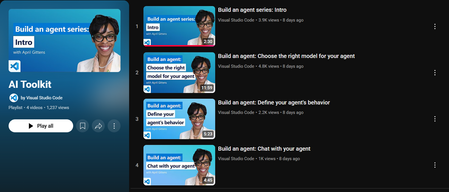
If you're curious about building AI solutions but don’t know where to start, Microsoft’s AI Toolkit is a great place to begin. Whether you’re a student, developer, or just someone exploring AI for the first time, this toolkit helps you build real-world solutions using Microsoft’s powerful AI services. In this blog, I’ll Walk you through what the AI Toolkit is, how you can get started, and where you can find helpful demos and ready-to-use code samples. What is the AI Toolkit? The AI Toolkit is a collection of tools, templates, and sample apps that make it easier to build AI-powered applications and copilots using Microsoft Azure. With the AI Toolkit, you can: Build intelligent apps without needing deep AI expertise. Use templates and guides that show you how everything works. Quickly prototype and deploy apps with natural language, speech, search, and more. Watch the AI Toolkit in Action Microsoft has created a video playlist that covers the AI Toolkit and shows you how to build apps step-by-step. You can watch the full playlist here: It is especially useful for developers who want to bring AI into their projects, but also for beginners who want to learn by doing. AI Toolkit Playlist – https://aka.ms/AIToolkit/videos These videos help you understand the flow of building AI agents, using Azure OpenAI, and other cognitive services in a hands-on way. Explore Sample Projects on GitHub Microsoft also provides a public GitHub repository where you can find real code examples built using the AI Toolkit. Here’s the GitHub repo: AI Toolkit Samples – https://github.com/Azure-Samples/AI_Toolkit_Samples This repository includes: Sample apps using Azure AI services like OpenAI, Cognitive Search, and Speech. Instructions to deploy apps using Azure. Code that you can clone, test, and build on top of. You don’t have to start from scratch just open the code, understand the structure, and make small edits to experiment. How to Get Started Here’s a simple path if you’re just starting: Watch 2 or 3 videos from the AI Toolkit Playlist. Go to the GitHub repository and try running one of the examples. Make small changes to the code (like updating the prompt or output). Try deploying the solution on Azure by following the guide in the repo. Keep building and learning. Why This Toolkit is Worth Exploring As someone who is also learning and experimenting, I found this toolkit to be: Easy to understand, even for beginners. Focused on real-world applications, not just theory. Helpful for building responsible AI solutions with good documentation. It gives a complete picture — from writing code to deploying apps. Final Thoughts The AI Toolkit helps you start your journey in AI without feeling overwhelmed. It provides real code, real use cases, and practical demos. With the support of Microsoft Learn and Azure samples, you can go from learning to building in no time. If you’re serious about building with AI, this is a resource worth exploring. Continue the discussion in the Azure AI Foundry Discord community at Https://aka.ms/AI/discord Join the Azure AI Foundry Discord Server! References AI Toolkit Playlist (YouTube) https://aka.ms/AIToolkit/videos AI Toolkit GitHub Repository https://github.com/Azure-Samples/AI_Toolkit_Samples Microsoft Learn: AI Toolkit Documentation https://learn.microsoft.com/en-us/azure/ai-services/toolkit/ Azure AI Services https://azure.microsoft.com/en-us/products/ai-services/1.9KViews0likes0CommentsModel Mondays S2E9: Models for AI Agents
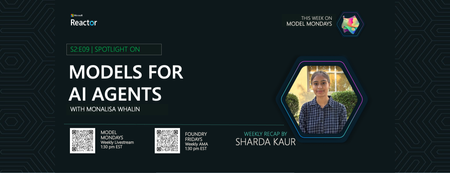
1. Weekly Highlights This episode kicked off with the top news and updates in the Azure AI ecosystem: GPT-5 and GPT-OSS Models Now in Azure AI Foundry: Azure AI Foundry now supports OpenAI’s GPT-5 lineup (including GPT-5, GPT-5 Mini, and GPT-5 Nano) and the new open-weight GPT-OSS models (120B, 20B). These models offer powerful reasoning, real-time agent tasks, and ultra-low latency Q&A, all with massive context windows and flexible deployment via the Model Router. Flux 1 Context Pro & Flux 1.1 Pro from Black Forest Labs: These new vision models enable in-context image generation, editing, and style transfer, now available in the Image Playground in Azure AI Foundry. Browser Automation Tool (Preview): Agents can now perform real web tasks—search, navigation, form filling, and more—via natural language, accessible through API and SDK. GitHub Copilot Agent Mode + Playwright MCP Server: Debug UIs with AI: Copilot’s agent mode now pairs with Playwright MCP Server to analyze, identify, and fix UI bugs automatically. Discord Community: Join the conversation, share your feedback, and connect with the product team and other developers. 2. Spotlight On: Azure AI Agent Service & Agent Catalog This week’s spotlight was on building and orchestrating multi-agent workflows using the Azure AI Agent Service and the new Agent Catalog. What is the Azure AI Agent Service? A managed platform for building, deploying, and scaling agentic AI solutions. It supports modular, multi-agent workflows, secure authentication, and seamless integration with Azure Logic Apps, OpenAPI tools, and more. Agent Catalog: A collection of open-source, ready-to-use agent templates and workflow samples. These include orchestrator agents, connected agents, and specialized agents for tasks like customer support, research, and more. Demo Highlights: Connected Agents: Orchestrate workflows by delegating tasks to specialized sub-agents (e.g., mortgage application, market insights). Multi-Agent Workflows: Design complex, hierarchical agent graphs with triggers, events, and handoffs (e.g., customer support with escalation to human agents). Workflow Designer: Visualize and edit agent flows, transitions, and variables in a modular, no-code interface. Integration with Azure Logic Apps: Trigger workflows from 1400+ external services and apps. 3. Customer Story: Atomic Work Atomic Work showcased how agentic AI can revolutionize enterprise service management, making employees more productive and ops teams more efficient. Problem: Traditional IT service management is slow, manual, and frustrating for both employees and ops teams. Solution: Atomic Work’s “Atom” is a universal, multimodal agent that works across channels (Teams, browser, etc.), answers L1/L2 questions, automates requests, and proactively assists users. Technical Highlights: Multimodal & Cross-Channel: Atom can guide users through web interfaces, answer questions, and automate tasks without switching tools. Data Ingestion & Context: Regularly ingests up-to-date documentation and context, ensuring accurate, current answers. Security & Integration: Built on Azure for enterprise-grade security and seamless integration with existing systems. Demo: Resetting passwords, troubleshooting VPN, requesting GitHub repo access—all handled by Atom, with proactive suggestions and context-aware actions. Atom can even walk users through complex UI tasks (like generating GitHub tokens) by “seeing” the user’s screen and providing step-by-step guidance. 4. Key Takeaways Here are the key learnings from this episode: Agentic AI is Production-Ready: Azure AI Agent Service and the Agent Catalog make it easy to build, deploy, and scale multi-agent workflows for real-world business needs. Modular, No-Code Workflow Design: The workflow designer lets you visually create and edit agent graphs, triggers, and handoffs—no code required. Open-Source & Extensible: The Agent Catalog provides open-source templates and welcomes community contributions. Real-World Impact: Solutions like Atomic Work show how agentic AI can transform IT, HR, and customer support, making organizations more efficient and employees more empowered. Community & Support: Join the Discord and Forum to connect, ask questions, and share your own agentic AI projects. Sharda's Tips: How I Wrote This Blog Writing this blog is like sharing my own learning journey with friends. I start by thinking about why the topic matters and how it can help someone new to Azure or agentic AI. I use simple language, real examples from the episode, and organize my thoughts with GitHub Copilot to make sure I cover all the important points. Here’s the prompt I gave Copilot to help me draft this blog: Generate a technical blog post for Model Mondays S2E9 based on the transcript and episode details. Focus on Azure AI Agent Service, Agent Catalog, and real-world demos. Explain the concepts for students, add a section on practical applications, and share tips for writing technical blogs. Make it clear, engaging, and useful for developers and students. After watching the video, I felt inspired to try out these tools myself. The way the speakers explained and demonstrated everything made me believe that anyone can get started, no matter their background. My goal with this blog is to help you feel the same way—curious, confident, and ready to explore what AI and Azure can do for you. If you have questions or want to share your own experience, I’d love to hear from you. Coming Up Next Week Next week: Document Processing with AI! Join us as we explore how to automate document workflows using Azure AI Foundry, with live demos and expert guests. 1️⃣ | Register For The Livestream – Aug 18, 2025 2️⃣ | Register For The AMA – Aug 22, 2025 3️⃣ | Ask Questions & View Recaps – Discussion Forum About Model Mondays Model Mondays is a weekly series designed to help you build your Azure AI Foundry Model IQ with three elements: 5-Minute Highlights – Quick news and updates about Azure AI models and tools on Monday 15-Minute Spotlight – Deep dive into a key model, protocol, or feature on Monday 30-Minute AMA on Friday – Live Q&A with subject matter experts from Monday livestream Want to get started? Register For Livestreams – every Monday at 1:30pm ET Watch Past Replays to revisit other spotlight topics Register For AMA – to join the next AMA on the schedule Recap Past AMAs – check the AMA schedule for episode specific links Join The Community Great devs don't build alone! In a fast-paced developer ecosystem, there's no time to hunt for help. That's why we have the Azure AI Developer Community. Join us today and let's journey together! Join the Discord – for real-time chats, events & learning Explore the Forum – for AMA recaps, Q&A, and Discussion! About Me I'm Sharda, a Gold Microsoft Learn Student Ambassador interested in cloud and AI. Find me on GitHub, Dev.to, Tech Community, and LinkedIn. In this blog series, I summarize my takeaways from each week's Model Mondays livestream.362Views0likes0CommentsPower Up Your Open WebUI with Azure AI Speech: Quick STT & TTS Integration
Introduction Ever found yourself wishing your web interface could really talk and listen back to you? With a few clicks (and a bit of code), you can turn your plain Open WebUI into a full-on voice assistant. In this post, you’ll see how to spin up an Azure Speech resource, hook it into your frontend, and watch as user speech transforms into text and your app’s responses leap off the screen in a human-like voice. By the end of this guide, you’ll have a voice-enabled web UI that actually converses with users, opening the door to hands-free controls, better accessibility, and a genuinely richer user experience. Ready to make your web app speak? Let’s dive in. Why Azure AI Speech? We use Azure AI Speech service in Open Web UI to enable voice interactions directly within web applications. This allows users to: Speak commands or input instead of typing, making the interface more accessible and user-friendly. Hear responses or information read aloud, which improves usability for people with visual impairments or those who prefer audio. Provide a more natural and hands-free experience especially on devices like smartphones or tablets. In short, integrating Azure AI Speech service into Open Web UI helps make web apps smarter, more interactive, and easier to use by adding speech recognition and voice output features. If you haven’t hosted Open WebUI already, follow my other step-by-step guide to host Ollama WebUI on Azure. Proceed to the next step if you have Open WebUI deployed already. Learn More about OpenWeb UI here. Deploy Azure AI Speech service in Azure. Navigate to the Azure Portal and search for Azure AI Speech on the Azure portal search bar. Create a new Speech Service by filling up the fields in the resource creation page. Click on “Create” to finalize the setup. After the resource has been deployed, click on “View resource” button and you should be redirected to the Azure AI Speech service page. The page should display the API Keys and Endpoints for Azure AI Speech services, which you can use in Open Web UI. Settings things up in Open Web UI Speech to Text settings (STT) Head to the Open Web UI Admin page > Settings > Audio. Paste the API Key obtained from the Azure AI Speech service page into the API key field below. Unless you use different Azure Region, or want to change the default configurations for the STT settings, leave all settings to blank. Text to Speech settings (TTS) Now, let's proceed with configuring the TTS Settings on OpenWeb UI by toggling the TTS Engine to Azure AI Speech option. Again, paste the API Key obtained from Azure AI Speech service page and leave all settings to blank. You can change the TTS Voice from the dropdown selection in the TTS settings as depicted in the image below: Click Save to reflect the change. Expected Result Now, let’s test if everything works well. Open a new chat / temporary chat on Open Web UI and click on the Call / Record button. The STT Engine (Azure AI Speech) should identify your voice and provide a response based on the voice input. To test the TTS feature, click on the Read Aloud (Speaker Icon) under any response from Open Web UI. The TTS Engine should reflect Azure AI Speech service! Conclusion And that’s a wrap! You’ve just given your Open WebUI the gift of capturing user speech, turning it into text, and then talking right back with Azure’s neural voices. Along the way you saw how easy it is to spin up a Speech resource in the Azure portal, wire up real-time transcription in the browser, and pipe responses through the TTS engine. From here, it’s all about experimentation. Try swapping in different neural voices or dialing in new languages. Tweak how you start and stop listening, play with silence detection, or add custom pronunciation tweaks for those tricky product names. Before you know it, your interface will feel less like a web page and more like a conversation partner.2.5KViews3likes2CommentsHow to Set Up Claude Code with Microsoft Foundry Models on macOS
Introduction Building with AI isn't just about picking a smart model. It is about where that model lives. I chose to route my Claude Code setup through Microsoft Foundry because I needed more than just a raw API. I wanted the reliability, compliance, and structured management that comes with Microsoft's ecosystem. When you are moving from a prototype to something real, having that level of infrastructure backing your calls makes a significant difference. The challenge is that Foundry is designed for enterprise cloud environments, while my daily development work happens locally on a MacBook. Getting the two to communicate seamlessly involved navigating a maze of shell configurations and environment variables that weren't immediately obvious. I wrote this guide to document the exact steps for bridging that gap. Here is how you can set up Claude Code to run locally on macOS while leveraging the stability of models deployed on Microsoft Foundry. Requirements Before we open the terminal, let's make sure you have the necessary accounts and environments ready. Since we are bridging a local CLI with an enterprise cloud setup, having these credentials handy now will save you time later. Azure Subscription with Microsoft Foundry Setup - This is the most critical piece. You need an active Azure subscription where the Microsoft Foundry environment is initialized. Ensure that you have deployed the Claude model you intend to use and that the deployment status is active. You will need the specific endpoint URL and the associated API keys from this deployment to configure the connection. An Anthropic User Account - Even though the compute is happening on Azure, the interface requires an Anthropic account. You will need this to authenticate your session and manage your user profile settings within the Claude Code ecosystem. Claude Code Client on macOS - We will be running the commands locally, so you need the Claude Code CLI installed on your MacBook. Step 1: Install Claude Code on macOS The recommended installation method is via Homebrew or Curl, which sets it up for terminal access ("OS level"). Option A: Homebrew (Recommended) brew install --cask claude-code Option B: Curl curl -fsSL https://claude.ai/install.sh | bash Verify Installation: Run claude --version. Step 2: Set Up Microsoft Foundry to deploy Claude model Navigate to your Microsoft Foundry portal, and find the Claude model catalog, and deploy the selected Claude model. [Microsoft Foundry > My Assets > Models + endpoints > + Deploy Model > Deploy Base model > Search for "Claude"] In your Model Deployment dashboard, go to the deployed Claude Models and get the "Endpoints and keys". Store it somewhere safe, because we will need them to configure Claude Code later on. Configure Environment Variables in MacOS terminal: Now we need to tell your local Claude Code client to route requests through Microsoft Foundry instead of the default Anthropic endpoints. This is handled by setting specific environment variables that act as a bridge between your local machine and your Azure resources. You could run these commands manually every time you open a terminal, but it is much more efficient to save them permanently in your shell profile. For most modern macOS users, this file is .zshrc. Open your terminal and add the following lines to your profile, making sure to replace the placeholder text with your actual Azure credentials: export CLAUDE_CODE_USE_FOUNDRY=1 export ANTHROPIC_FOUNDRY_API_KEY="your-azure-api-key" export ANTHROPIC_FOUNDRY_RESOURCE="your-resource-name" # Specify the deployment name for Opus export CLAUDE_CODE_MODEL="your-opus-deployment-name" Once you have added these variables, you need to reload your shell configuration for the changes to take effect. Run the source command below to update your current session, and then verify the setup by launching Claude: source ~/.zshrc claude If everything is configured correctly, the Claude CLI will initialize using your Microsoft Foundry deployment as the backend. Once you execute the claude command, the CLI will prompt you to choose an authentication method. Select Option 2 (Antrophic Console account) to proceed. This action triggers your default web browser and redirects you to the Claude Console. Simply sign in using your standard Anthropic account credentials. After you have successfully signed in, you will be presented with a permissions screen. Click the Authorize button to link your web session back to your local terminal. Return to your terminal window, and you should see a notification confirming that the login process is complete. Press Enter to finalize the setup. You are now fully connected. You can start using Claude Code locally, powered entirely by the model deployment running in your Microsoft Foundry environment. Conclusion Setting up this environment might seem like a heavy lift just to run a CLI tool, but the payoff is significant. You now have a workflow that combines the immediate feedback of local development with the security and infrastructure benefits of Microsoft Foundry. One of the most practical upgrades is the removal of standard usage caps. You are no longer limited to the 5-hour API call limits, which gives you the freedom to iterate, test, and debug for as long as your project requires without hitting a wall. By bridging your local macOS terminal to Azure, you are no longer just hitting an API endpoint. You are leveraging a managed, compliance-ready environment that scales with your needs. The best part is that now the configuration is locked in, you don't need to think about the plumbing again. You can focus entirely on coding, knowing that the reliability of an enterprise platform is running quietly in the background supporting every command.1.3KViews1like0CommentsYour city agent speaks 100 languages. But does It understand you?
For many residents, interacting with city services feels like a frustrating experience. Forms are confusing. Wait times are long. And often, it feels like no one is truly listening. Now imagine a city services agent that speaks your language and understands your needs. Some cities already have one. But the real question is not whether they can do it. It is whether they should. SmartCitiesWorld has published a new trend report titled “AI for Personalised Government Services – Reimagining Citizen Experiences.” The report includes case studies from Derby, Amarillo, Jakarta, and Tampere. It offers frameworks for data governance, staff training, and building public trust with AI. Download the full report today to explore how leading cities are transforming service delivery with responsible AI. And join us at Smart City Expo World Congress in Barcelona from November 4 to 6 to see these innovations in action. Visit Microsoft at Hall 3, Stand D51 to experience how AI is helping cities listen better, serve smarter, and build trust with every interaction. Cities Are Using AI to Improve Public Services Around the world, cities are using artificial intelligence to make public services faster, simpler, and more accessible. These are not experimental pilots. These are live systems serving residents every day. In Derby, United Kingdom, AI assistants handle more than half a million calls each year. This allows city staff to focus on complex cases that require human judgment and empathy. Routine questions are answered instantly. Human expertise is reserved for situations that need it most. In Amarillo, Texas, the city built an AI assistant named Emma. Emma speaks one hundred languages. In just one year, Emma helped the city save 1.8 million dollars in operational costs. More importantly, Emma helped residents who previously struggled to access services due to language barriers. In Jakarta, the JAKI platform connects services across departments. It reminds residents when permits need renewal. It sends alerts about tax payments. It links systems that used to operate in isolation. These cities are not chasing technology for its own sake. They are using it to serve more people, more effectively. The Technical Challenge: Old Systems Meet New Tools Most city systems were built decades ago. They do not communicate with each other. One department may not know what another already knows about the same resident. Artificial intelligence can bridge these gaps. But only if cities implement it carefully. Tampere, Finland shows how to do it right. The city redesigns services with residents, not just for them. It uses digital twin technology to test changes before rollout. It gathers feedback from actual users, including children and older adults. This approach takes more time. But it delivers better results. Services work for the people who actually use them. Why Thoughtful Planning Makes AI More Effective As cities explore the potential of AI to improve public services, it is important to recognize that successful implementation depends on careful preparation. While the technology offers powerful capabilities, its impact depends on how well it is integrated into existing systems and aligned with community needs. There are a few common challenges that cities may encounter during deployment: Data quality: AI systems rely on accurate and representative data. If the data is incomplete or biased, the system may produce inconsistent or unfair outcomes. Addressing data gaps early helps ensure more reliable performance. System integration: Many city platforms were built decades ago and operate in silos. Introducing AI without addressing these legacy issues can limit its effectiveness. A thoughtful integration strategy helps AI enhance, not just accelerate, existing processes. Public trust: Residents need to feel confident that AI systems are fair, transparent, and accountable. When mistakes happen, clear communication and responsive support are essential to maintaining trust. These challenges are not roadblocks, they are opportunities to build stronger, more inclusive systems. Cities that take time to plan, test, and engage with residents early are better positioned to deliver meaningful results. Building Trust Through Transparency AI is only as effective as the trust behind it. If an algorithm denies benefits incorrectly, who takes responsibility? If a translation system misunderstands a request, how does the city fix it? Camden, United Kingdom created a Data Charter in plain language. Residents helped write it. The charter explains how the city collects data, who can access it, and how it checks for bias in algorithms. This is not just good governance. It is necessary design. Residents will not use systems they do not trust. The charter includes regular audits. Independent reviewers check AI decisions for patterns of discrimination. If the system treats one neighborhood differently than another, the city investigates immediately. Other cities need similar frameworks. Trust requires transparency. Transparency requires clear communication. Making AI Work for All Residents AI allows cities to personalize services at scale. But personalization must include everyone. Language accessibility is essential. Residents should interact with city services in their preferred language. Emma in Amarillo proves this works. Translation should be automatic, not an extra step. Interface design matters too. Simple layouts help residents with limited digital skills. Clear labels support residents with cognitive disabilities. Audio options assist those with vision impairments. Human support remains critical. AI cannot handle every situation. Complex cases need human judgment. Emotional situations need human empathy. Cities must provide easy ways to reach actual staff. South Cambridgeshire routes 27 percent of inquiries through AI. This frees human staff to focus on the remaining 73 percent that need personal attention. The result is faster resolution for routine questions and better support for difficult cases. What Success Looks Like Cities that succeed with AI share common traits. They focus on outcomes, not features. They measure impact on residents, not just cost savings. Successful cities start small. They test one service before expanding. They collect feedback continuously. They adjust based on what residents actually need. They train staff properly. AI changes how employees work. Staff need time to adapt. They need clear guidance on when to use AI and when to intervene personally. They also maintain alternatives. Not every resident wants to use AI. Phone lines remain open. In-person services continue. Digital tools supplement existing services rather than replace them. The Path Forward for Your City AI will not fix broken systems automatically. It requires careful planning, thoughtful implementation, and ongoing evaluation. Start by identifying one service that frustrates residents. Map the current process. Find the delays and confusion points. Determine if AI can solve those specific problems. Involve residents early. Ask what they need. Test prototypes with actual users. Listen to criticism. Revise based on feedback. Build transparency into the system from the beginning. Explain how AI makes decisions. Create clear paths for appealing those decisions. Assign human accountability for AI outcomes. Train your staff before launch. Help them understand how AI changes their role. Give them tools to override AI when necessary. Recognize that technology serves people, not the other way around. When city services start to feel personal, residents spend less time navigating bureaucracy. Staff spend more time solving real problems. And trust in public institutions grows stronger. Learn From Cities That Succeeded SmartCitiesWorld has published a new trend report titled “AI for Personalised Government Services – Reimagining Citizen Experiences.” The report includes case studies from Derby, Amarillo, Jakarta, and Tampere. It offers frameworks for data governance, staff training, and building public trust with AI. Download the full report today to explore how leading cities are transforming service delivery with responsible AI.193Views0likes0CommentsTransforming Emergency Response: How AI is reshaping public safety
Brand new released Smart City Trend Report: Discover how AI is transforming emergency response and public safety in cities worldwide. In an era of escalating climate events, urban complexity, and rising public expectations, emergency response systems are under pressure like never before. From wildfires and floods to public health crises and infrastructure failures, cities must respond faster, smarter, and more collaboratively. The newly released Transform Emergency Response Trend Report offers a compelling roadmap for how artificial intelligence (AI) is helping cities meet these challenges head-on, by modernizing operations, improving situational awareness, and building resilient, resident-centered safety ecosystems. As Dave Williams, Director of Global Public Safety and Justice at Microsoft, puts it: AI models are increasingly embedded in public safety workflows to enhance both anticipation and real-time awareness. Predictive analytics are used to forecast crime hotspots, traffic incidents, and natural disasters by analyzing historical and real-time data, enabling proactive resource deployment and faster response times. This transformation is not theoretical, it’s happening now. And at the upcoming Smart City Expo World Congress in Barcelona, November 4–6, Microsoft and leading technology innovators will showcase how AI is driving real-world impact across emergency services, law enforcement, and city operations. Government AI Transformation in Action: Oklahoma City Fire Department: Digitizing Operations for Faster Response Serving over 700,000 residents, the Oklahoma City Fire Department (OKCFD) faced mounting challenges due to outdated, paper-based workflows. From rig inspections to fuel logging, manual processes slowed response times and increased risk. Partnering with AgreeYa Solutions and leveraging Microsoft Power Platform, OKCFD built 15+ custom mobile-first apps to digitize core operations. The results were transformative: Helped drive a 40% reduction in manual tasks Real-time dashboards for leadership visibility Improved data accuracy and faster emergency response This modernization not only boosted internal efficiency but also strengthened community trust by ensuring timely, reliable service delivery. North Wales Fire and Rescue Service: Empowering Remote Teams with Secure Access With 44 stations and a mix of full-time and on-call firefighters, North Wales Fire and Rescue Service (NWFRS) needed a better way to support staff across a wide geographic area. Their legacy on-premises systems limited remote access to critical data. By deploying a SharePoint-based intranet integrated with Microsoft 365 tools, NWFRS enabled secure, mobile access to documents, forms, and departmental updates. Improved communication and workflow efficiency Reduced travel time for on-call staff Enhanced compliance and data security This shift empowered firefighters to stay informed and prepared—no matter where they were. San Francisco Police Department: Real-Time Vehicle Recovery Reporting Managing thousands of stolen vehicle cases annually, the San Francisco Police Department (SFPD) struggled with a slow, manual reporting process that delayed updates and eroded public trust. Using Microsoft Power Apps, SFPD built RESTVOS (Returning Stolen Vehicle to Owner System), allowing officers to update vehicle status in real time from the field. Helped reduce reporting time from 2 hours to 2 minutes Supported 500 officer hours saved per month Improved resident experience and reduced mistaken stops This digital leap not only streamlined operations but also reinforced transparency and accountability. Join Us in Barcelona: See Emergency Response in Action At Smart City Expo World Congress 2025, Microsoft and our AI transformations partners will showcase emergency response AI transformation with immersive demos, theater sessions, and roundtable discussions. Transform Emergency Response will be a central focus, showcasing how AI, cloud platforms, and agentic solutions are enabling cities to: Modernize emergency operation centers Enable real-time situational awareness Foster community engagement and trust Featured AI demos from innovative partners: 3AM Innovations Disaster Tech PRATUS Sentient Hubs Tomorrow.io Unified Emergency Response with Microsoft Fabric and Copilot These solutions are not just about technology, they’re about outcomes. They help cities cut response times, improve coordination, and build public trust. Why This Matters Now As Dave Williams emphasizes, the future of emergency response is not just faster, it’s smarter and more resilient: Modern emergency response increasingly relies on unified data platforms that integrate inputs from IoT sensors, satellite imagery, social media, and agency databases. AI-powered analytics systems synthesize this data to support real-time decision-making and resource allocation across agencies. Cities must also invest in governance frameworks, ethical AI policies, and inclusive design to ensure these technologies serve all residents fairly. Let’s Connect Whether you’re a city CIO, emergency services leader, or public safety innovator, we invite you to join us at Smart City Expo World Congress in Barcelona, November 4–6. Explore how Microsoft and its partners are helping cities transform emergency response, and build safer, more resilient communities. Visit our booth at Hall 3, Stand #3D51, attend our theater sessions, and see demos from AI transformation partners delivering demos on Transform Emergency Response. Together, we can reimagine public safety for the challenges of today and the possibilities of tomorrow.715Views0likes0CommentsPantry Log–Microsoft Cognitive, IOT and Mobile App for Managing your Fridge Food Stock
First published on MSDN on Mar 06, 2018 We are Ami Zou (CS & Math), Silvia Sapora(CS), and Elena Liu (Engineering), three undergraduate students from UCL, Imperial College London, and Cambridge University respectively.904Views0likes1Comment