aws to azure
14 TopicsReplicating solutions to Azure: The business case, the incentives, and how to get there fast
Johan Aussenac is CEO at WeTransact a Microsoft Certified Software company specializing in Microsoft Marketplace listing, co-sell activation, and cloud GTM strategy for software companies. ________________________________________________________________________________________________________________________________________________________________ When should Azure be part of your cloud strategy and what does Microsoft offer to help you get there? Most software development companies building on AWS did so for the right reasons. AWS is mature, well-documented, and has been the default for cloud-native companies for over a decade. This article is not an argument for abandoning that. It is an argument for asking a more strategic question: at what point does adding Azure to your infrastructure also open a fundamentally different commercial channel and what does it cost to get there? For a growing number of software companies the answer is clear. Azure is not just an alternative cloud. It is an entry point into Microsoft's commercial ecosystem: its seller network, its enterprise relationships, and a marketplace transacting billions of dollars of software annually. Understanding when and how to replicate your solution to Azure and add it to your strategy is increasingly a GTM decision, not just an infrastructure one. The business case: Why Azure belongs in a multi-cloud strategy Microsoft as a distribution channel When a software company lists in Microsoft Marketplace and enrolls in co-sell, Microsoft's own field sellers more than 25,000 globally, are incentivized to include that software company’s product in their customer conversations. This is not passive discoverability. It is an active sales motion, driven by a specific commercial mechanism. The mechanism is the Microsoft Azure Consumption Commitment (MACC). Large enterprises increasingly sign pre-committed cloud spend agreements with Microsoft. Software transacted through Microsoft Marketplace counts toward these commitments, which means enterprise procurement teams actively prefer Marketplace-listed solutions they help burn down an existing budget obligation. For software companies, this translates to reduced procurement friction and shorter sales cycles inside accounts that already have a Microsoft relationship. By comparison, neither AWS nor Google Cloud offers this at an equivalent scale. Microsoft's footprint spanning Office 365, Teams, Dynamics 365, Azure, and now Copilot touches more business units and more decision-makers across an enterprise than any other vendor. Adding Azure to your stack means plugging into that network. Technical differentiators worth knowing Beyond the commercial case, Azure offers capabilities that are genuinely differentiated for certain software company profiles: Azure OpenAI Service. Microsoft holds an exclusive enterprise partnership with OpenAI. For software companies that need GPT-4o or o1 with private endpoints, data residency, and enterprise compliance certifications, this is only available on Azure. Microsoft 365 and Copilot extensibility. Software companies can embed products directly into Teams, Outlook, and Word via Copilot plugins and agents, which is a distribution surface with no direct equivalent on other clouds. Microsoft Entra ID. Most enterprise identity infrastructure runs on Entra ID (formerly Active Directory). Native SSO and RBAC integration is cleaner when you build on Azure. The .NET and Windows ecosystem. For teams and customers already in the Microsoft developer stack, Azure is simply where the tooling is best optimized. Microsoft's funding and incentives for software companies One of the most underutilized advantages of moving to Azure is the range of Microsoft programs designed to offset the cost and complexity of doing so. Both of the following are free to join and available to most software companies. Microsoft for Startups (Founders Hub). Provides up to $150,000 in Azure credits in the first year, plus access to technical advisory, developer tooling, and go-to-market support. Enroll before you begin any replication. These credits cover compute and storage costs during your build and test phases. ISV Success. Microsoft's program for software companies building on Azure. It includes technical architecture guidance, co-sell readiness support, and dedicated Microsoft contacts. ISV Success enrolment is also the prerequisite for co-sell eligibility, the commercial mechanism that unlocks Microsoft's seller network on your behalf. Both programs include access to Microsoft technical advisors at no charge. This is worth emphasizing: before spending on a replication partner or committing engineering time, software companies can get a scoped assessment of their replication from Microsoft itself, tailored to their specific stack and target architecture. How to get there: Partner-led or self-service There are two realistic paths to adding Azure. The right one depends on your engineering bandwidth, your timeline, and how much of the replication you want to own internally. The partner-led path (recommended for most software companies) For founders and CTOs, the real cost of replication is not tooling, it is engineering time diverted from product. Every sprint spent on infrastructure is a sprint not spent on customer value. A partner-led approach solves this directly. Enroll in a Microsoft program. Start with Microsoft for Startups or ISV Success (or both). This secures your credits, establishes your Microsoft relationship, and is the prerequisite for co-sell access. It is free and should be done before anything else. Book a free technical consultation. Use the technical advisory included in your program to scope your replication with Microsoft. Explain your stack, your target architecture, and your timeline. This session produces a documented brief which becomes your handoff document for step three. Engage a specialist partner. Take that brief to an Azure Expert MSP, Microsoft's highest-tier replication partners, certified for complex replications and incentivized by Microsoft to keep costs manageable, often including access to replication credits that offset engagement fees. Alternatively, Microsoft Certified Software companies (such as WeTransact) can handle both the replication and the parallel Marketplace listing and co-sell activation, so you arrive on Azure already set up to sell, not just to run. The self-service path For software companies with available engineering capacity and simpler workloads, a self-directed replication is viable. The tooling has improved significantly. The key tools are: Azure Migrate Microsoft's free hub for discovery, assessment, and replication. Maps AWS services to Azure equivalents, flags compatibility issues, and estimates costs. Start here for any self-service replication. Azure Storage Mover Built specifically for moving data from AWS S3 to Azure Blob Storage. Supports parallel transfers, preserves file metadata, and integrates with Azure Monitor for progress tracking. Azure Database Migration Service (DMS) Migrates SQL Server, MySQL, PostgreSQL, MongoDB and others from AWS RDS or on-premises to Azure managed database services. AWS DataSync Useful for transferring large datasets between AWS and Azure storage during a phased replication. Azure Data Factory For complex ETL workloads: extracting, transforming, and loading data across clouds with scheduling and conflict resolution. Azure Well-Architected Framework Run this assessment against your current architecture before replicating it. It evaluates reliability, security, cost, performance, and operations. The goal is to land in a better architectural state, not simply replicate what existed on AWS. Whichever path you take, one step is non-negotiable: establishing a proper Azure landing zone before any workload moves. This means setting up your subscription structure, networking, identity, governance, and monitoring upfront. Microsoft publishes a software company-specific landing zone guide and a portal-based accelerator (no infrastructure-as-code expertise required) to make this straightforward. Skipping creates security and compliance debt that is significantly harder to fix retroactively. The bottom line Adding Azure to your cloud strategy is not primarily an infrastructure decision. It is a go-to-market decision. The question is whether your company benefits from access to Microsoft's seller network, its enterprise customer base, and Marketplace mechanics that reduce procurement friction for your buyers. For many software companies, the answer is yes and Microsoft's programs make the cost of getting there lower than most assume. The partner ecosystem exists to take the technical burden off your engineering team. The self-service tools are capable enough for simpler replications. The commercial opportunity on the other side, co-sell, MACC alignment, Marketplace distribution is real and growing. To learn more join us on April 2, 2026, at 8:30 AM PDT for Why Azure belongs in your multicloud strategy - Microsoft Marketplace Community and live Q&A. If you miss the session, you will be able to watch it on demand through the same link. Where to start → Microsoft for Startups → ISV Success → Azure Expert MSP directory: partner.microsoft.com → Software company-specific Azure landing zone guide: Independent software vendor (ISV) considerations for Azure landing zones - Cloud Adoption Framework | Microsoft Learn This article was produced in partnership with WeTransact, a Microsoft Certified Software company specializing in Microsoft Marketplace listing, co-sell activation, and cloud GTM strategy for software companies.283Views0likes0Comments
Accelerating SaaS success with reference code for Marketplace fulfillment API integration
Boost your growth and reach more customers by replicating your AWS app to Azure to sell through Microsoft Marketplace. This guide will introduce the essential building blocks required for a smooth replication experience and highlight how Marketplace Fulfillment APIs streamline and automate critical post‑purchase workflows. Future posts in this series will explore each topic in more depth to help streamline your multicloud strategy. This post is part of a series on replicating apps from AWS to Azure. View all posts in this series. As a Software Development Company, expanding your Marketplace offer’s reach by replicating your app from AWS to publish to Microsoft Marketplace opens the door to scaling your solution across a global customer base. With millions of organizations using Azure, this ecosystem provides a powerful commercialization channel that enhances discoverability, drives conversions, and delivers a unified, cloud‑native buying experience. You can also join ISV Success to get access to over $126K USD in cloud credits, AI services, developer tools, and 1:1 technical consults to help you replicate your app and publish to Azure Marketplace. To help Software Companies enter the Marketplace successfully, it’s important to understand the operational components that shape the customer experience. One of the most critical components is the Fulfillment API ecosystem, which manages everything from subscription activation to entitlement updates and provisioning workflows. This guide introduces the Fulfillment API model, explains why it is essential for Software Companies preparing or optimizing their SaaS offers for the Marketplace, and directs you to a curated set of resources that provide actionable, hands‑on guidance for implementing these capabilities. Access the resources now or continue reading to learn their importance in creating a successful transactable offer that you can sell through Marketplace. Why fulfillment APIs matter for Marketplace success To sell through the Marketplace smoothly and take advantage of its 6M monthly active shoppers across 141 geographies, you need to integrate fulfillment APIs. Publishing a SaaS offer to the Marketplace is only the first step. What happens after a customer clicks “Subscribe” determines how quickly they can begin using your product—and how seamless their experience will be throughout the lifecycle of their subscription. Fulfillment APIs act as the bridge between the Marketplace and your application. They automatically notify your system when a customer starts, updates, suspends, or ends a subscription. Instead of relying on manual steps or custom internal workflows, the Marketplace standardizes these interactions to ensure predictability and consistency. For Software Companies onboarding to the Marketplace, Fulfillment API integration delivers significant benefits: Immediate and automated customer activation When a customer completes a transaction, the Fulfillment APIs notify your application so you can begin provisioning instantly. This eliminates delays, reduces onboarding friction, and ensures a smooth first‑time user experience. Consistent entitlement management Fulfillment APIs help you maintain accurate entitlement records automatically. Plan changes, cancellations, or updates to the number of users included in a subscription are sent to your application as lifecycle events—ensuring your system always reflects the customer’s current state. Operational efficiency and reduced overhead By relying on a defined, event‑driven model, your teams avoid creating and maintaining custom logic for every lifecycle scenario. This allows you to focus engineering resources on your product instead of transaction plumbing. Scalability across regions and customer segments As your Marketplace presence grows, Fulfillment API integration ensures your operational foundation remains stable, predictable, and ready for increased transaction volume. Support for private offers and custom commercial models The same event‑driven lifecycle applies whether a customer purchases publicly or under a custom private offer—creating a unified, dependable experience. Introducing the fulfillment API resource collection To help Software Companies implement these capabilities quickly, Microsoft provides a comprehensive Fulfillment API resource collection. This curated set brings together conceptual guidance, architectural patterns, learning materials, and hands‑on resources, including the open‑source SaaS Accelerator. The collection gives you everything you need to understand, design, and implement the subscription lifecycle within your own application. Some of the topics covered include: 1. End‑to‑End subscription lifecycle overview A detailed explanation of how Marketplace transactions work, what events your application should expect, and how to handle activation, provisioning, suspension, and cancellation flows. 2. Reference code implementation The SaaS Accelerator demonstrates the full Fulfillment API workflow in a working customizable end‑to‑end solution. Software Companies can use it as a learning tool or a foundational starting point. 3. Architecture and design guidance Clear architectural diagrams and recommendations illustrate best practices for handling webhook callbacks, securing API endpoints, managing tokens, and scaling your implementation. 4. How to build your landing page Guidance on creating a transactable landing page that captures customer information, initiates provisioning, and provides a clear next step for new subscribers. 5. Webhook and callback handling Step‑by‑step patterns for receiving, validating, and processing lifecycle events sent from the Marketplace. 6. Pricing plans, seat management, and entitlements Best practices for aligning your application’s internal logic with the Marketplace’s commercial and operational model. These resources are designed for teams at any stage—whether you’re preparing your first listing or modernizing an existing offer to align with Marketplace standards. Laying a strong foundation for marketplace scale Introducing your SaaS offer to the Marketplace is a significant milestone, but long‑term success requires dependable operational flows and high‑quality customer experiences. Fulfillment API integration is the backbone of these experiences, ensuring that your application responds reliably and consistently to customer actions. By leveraging the curated Fulfillment API collection and the open‑source accelerator, Software Companies can reduce time to market, eliminate guesswork, and build a strong integration that scales as customer adoption grows. Get started with the Marketplace fulfullment API resource collection260Views2likes0Comments
Migrating your AWS offer to Microsoft Marketplace - Database services
For software development companies looking to expand or replicate their marketplace offerings from AWS to Microsoft Azure, one of the most critical steps in replicating your solution is selecting the right Azure database services. While both AWS and Azure provide robust managed database options, their architecture, service availability, and design approaches vary. To deliver reliable performance, scale globally, and meet operational requirements, it’s essential to understand how Azure databases work—and how they compare to AWS—before you replicate your app. Broaden your customer base and enhance your app’s exposure by bringing your AWS-based solution to Azure and listing it on Microsoft Marketplace. This guide walks you through how Azure database services compare to those on AWS—spotlighting differences in architecture, scalability, and feature sets—so you can make confident choices when replicating your app’s data layer to Azure. This post is part of a series on replicating apps from AWS to Azure. View all posts in this series. AWS to Azure database mapping When replicating your app from AWS to Azure, start by mapping your existing database services to the closest Azure equivalents. Both clouds offer relational, NoSQL, and analytics databases, but they differ in architecture, features, and integration points. Choosing the right Azure service helps keep your app performant, secure, and manageable—and aligns with Azure Marketplace requirements for an Azure-native deployment. AWS Service Azure Equivalent Recommended Use Cases & Key Differences Amazon RDS (MySQL/PostgreSQL) Azure Database for MySQL / PostgreSQL Fully managed relational DB with built-in HA, scaling, and security. Building Generative AI apps. Amazon RDS (SQL Server) Azure SQL Database or Azure SQL Managed Instance Use Azure SQL Database for modern apps; choose Managed Instance for near 100% compatibility with on-prem SQL Server. SQL Server on EC2 SQL Server on Azure VMs Best for lift-and-shift scenarios requiring full OS-level control. Amazon RDS (Oracle) Oracle Database@Azure Managed Oracle workloads with Azure integration. Amazon Aurora (PostgreSQL/MySQL) Azure Database for PostgreSQL (Flexible Server) or Azure Database for MySQL Similar managed experience for large workloads, consider Azure HorizonDB (public preview)—built on PostgreSQL to compete with Aurora & AlloyDB. Learn more. Amazon DynamoDB Azure Cosmos DB (NoSQL API) Global distribution, multi-model support, and guaranteed SLAs for latency and throughput. Amazon Keyspaces (Cassandra) Azure Managed Instance for Apache Cassandra Managed Cassandra with elastic scaling and Azure-native security. Cassandra on EC2 Azure Managed Instance for Apache Cassandra Same as above; ideal for lift-and-shift Cassandra clusters. Amazon DocumentDB MongoDB Atlas MongoDB on EC2 Azure DocumentDB Azure DocumentDB Azure DocumentDB Drop-in compatibility for MongoDB workloads with global replication and vCore-based pricing. Amazon Redshift Azure Synapse Analytics Enterprise analytics with integrated data lake and Power BI connectivity. Amazon ElastiCache (Redis) Azure Cache for Redis Low-latency caching with clustering and persistence options. Match your use case After mapping AWS services to Azure equivalents, the next step is selecting the right service for your workload. Start by considering the data model (relational, document, key-value), then factor in performance, consistency, and global reach. Building AI apps: Generative AI, vector search, advanced analytics. Relational workloads: Use Azure SQL Database, Azure SQL Managed Instance, or Azure Database for MySQL/PostgreSQL for transactional apps; enable zone redundancy for HA. Review schema compatibility, stored procedures, triggers, and extensions. Inventory all databases, tables, indexes, users, and dependencies before migration. Document any required refactoring for Azure. NoSQL workloads: Choose Azure Cosmos DB for globally distributed apps; select the API (No SQL, MongoDB, Cassandra) that matches your existing schema. Validate data: Model mapping and test migration in a sandbox environment to ensure data integrity and application connectivity. Analytics: For large-scale queries and BI integration, Azure Synapse Analytics offers MPP architecture and tight integration with Azure Data Lake. Inventory all analytics assets, ETL pipelines, and dependencies. Plan for migration using Azure Data Factory or Synapse pipelines. Test performance benchmarks and optimize query plans post-migration. Caching: Azure Cache for Redis accelerates app performance with in-memory data and clustering. Update application connection strings and drivers to use Azure endpoints. Implement retry logic and connection pooling for reliability. Validate cache warm-up and failover strategies. Hybrid scenarios: Combine Cosmos DB with Synapse Link (for Synapse as target) or Fabric Mirroring (for Fabric as target) for real-time analytics without ETL overhead. Assess network isolation, security, and compliance requirements. Deploy Private Endpoints and configure RBAC as needed. Document integration points and monitor hybrid data flows. Factor in security and compliance Encryption: Confirm default encryption meets compliance requirements; enable customer-managed keys (CMK) if needed. Enable Transparent Data Encryption (TDE) and review encryption for backups and in-transit data. Access control: Apply Azure RBAC and database-level roles for granular permissions. Audit user roles and permissions regularly to ensure least privilege. Network isolation: Use Private Endpoints within a virtual network to keep traffic off the public internet. Configure Network Security Groups (NSGs) and firewalls for additional protection. Identity integration: Prefer Managed Identities for secure access to databases. Integrate with Azure Active Directory for centralized identity management. Compliance checks: Verify certifications like GDPR, HIPAA, or industry-specific standards. Use Azure Policy and Compliance Manager to automate compliance validation Audit logging and threat detection: Enable audit logging and advanced threat detection with Microsoft Defender for all database services. Review logs and alerts regularly. Optimize for cost Compute tiers: Choose General Purpose for balanced workloads; Business Critical for low-latency and high IOPS. Review workload sizing and adjust tiers as needed for cost efficiency. Autoscaling: Enable autoscale for Cosmos DB and flexible servers to avoid overprovisioning. Monitor scaling events and set thresholds to control spend. Reserved capacity: Commit to 1–3 years for predictable workloads to unlock discounts. Evaluate usage patterns before committing to reservations. Serverless: Use serverless compute for workloads with completely ad hoc usage and low frequency of access. This eliminates the need for pre-provisioned resources and reduces costs for unpredictable workloads. Monitoring: Use Azure Cost Management and query performance insights to optimize spend. Set up budget alerts and analyze cost trends monthly. Include basic resource monitoring to detect adverse usage patterns early. Storage and backup costs: Review storage costs, backup retention policies, and configure lifecycle management for backups and archives. Data migration from AWS to Azure Migrating your data from AWS to Azure is a key step in replicating your app’s database layer for Azure Marketplace. The goal is a one-time transfer—after migration, your app runs fully on Azure. Azure Database Migration Service (DMS): Automates migration from RDS, Aurora, or on-prem to Azure Database, Azure SQL Managed Instance, Azure Database for MySQL/PostgreSQL, and SQL Server on Azure VM (for MySQL/PostgreSQL/SQL Server). Supports online and offline migrations; run pre-migration assessments and schema validation. Azure Data Factory: Orchestrates data movement from DynamoDB, Redshift, or S3 to Azure Cosmos DB or Synapse. Use mapping data flows for transformations and data cleansing. MongoDB migrations: Use the online migration utility designed for medium to large-scale migrations to Azure DocumentDB. Ensure schema compatibility and validate performance benchmarks before cutover. Cassandra migrations: Use Cassandra hybrid cluster or dual write proxy for Azure Managed Instance for Apache Cassandra. Validate schema compatibility and test migration in a sandbox environment. Offline transfers: For very large datasets, use Azure Data Box for secure physical migration. Plan logistics and security for device handling. Migration best practices: Schedule migration during a maintenance window, validate data integrity post-migration, and perform cutover only after successful data validation & verifications. Final readiness before marketplace listing Validate performance: Benchmark with real data and confirm chosen SKUs deliver required throughput and latency. Test application functionality under expected load and validate query performance for all critical scenarios. Lock down security: Ensure RBAC roles, Private Endpoints, and encryption meet compliance requirements. Review audit logs, enable threat detection, and verify access controls for all database and storage resources. Control costs: Verify autoscaling, reserved capacity, and cost alerts are active. Review storage and backup policies, and set up budget alerts for ongoing cost control. Enable monitoring: Set up dashboards for query performance, latency, and capacity. Configure alerts for failures, anomalies, and capacity thresholds. Monitor with Azure Monitor and Log Analytics for real-time operational insights. Documentation and support: Update migration runbooks, operational guides, troubleshooting documentation, and escalation contacts for post-migration support. Key Resources SaaS Workloads - Microsoft Azure Well-Architected Framework | Microsoft Learn Metered billing for SaaS offers in Partner Center Create plans for a SaaS offer in Microsoft Marketplace Get over $126K USD in benefits and technical consultations to help you replicate and publish your app with ISV Success Maximize your momentum with step-by-step guidance to publish and grow your app with App Advisor532Views2likes0CommentsSharePoint Embedded security features: A comprehensive Q&A guide
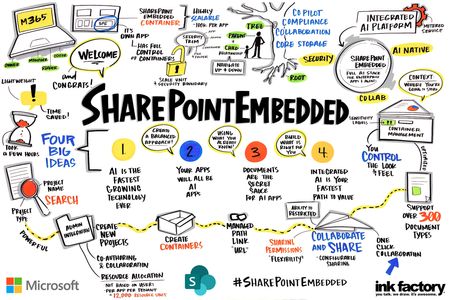
🔐 Authentication & identity management Q: How does SharePoint Embedded integrate with Microsoft Entra ID? A: SharePoint Embedded requires all users to authenticate through Microsoft Entra ID Single sign-on (SSO): Seamless authentication across Microsoft 365 services Multi-factor authentication (MFA): Configurable per-organization security policies Guest access: Secure B2B collaboration using Entra ID B2B guest accounts Key requirement: All users accessing SharePoint Embedded containers must exist as either: Member users in your Entra ID tenant Guest users invited through Entra ID B2B collaboration Q: What's the difference between delegated and application permissions? A: Understanding these permission models is critical for security and auditability: Delegated permissions (recommended): Application acts on behalf of an authenticated user User context preserved in audit logs Users must authenticate before accessing containers Enables file search capabilities within containers Use case: Interactive applications where user identity matters Application-only permissions (restricted Use): Application acts without user context No user tracking in audit logs (shows as application) Search capabilities are limited Use case: Background jobs, system integrations, automated processes Best practice: Use delegated permissions whenever possible to maintain proper audit trails and security accountability. Q: How do we secure service principals and application secrets? A: SharePoint Embedded supports multiple secure authentication methods: Managed identities (Most Secure): No secrets or certificates to manage Identity tied to Azure resources Cannot be used outside your Azure environment Eliminates credential exposure risk Certificate-based authentication: More secure than client secrets Longer validity periods Can be stored in Azure Key Vault Client secrets (use with caution): Store in Azure Key Vault, never in code or config files Enable automatic rotation (recommended: 90-day rotation) Configure expiration alerts Security hardening: Apply Conditional Access policies to service principals Restrict to corporate IP ranges using Named Locations Implement Privileged Identity Management (PIM) for credential access Enable Azure Policy to enforce certificate-based authentication Domain limitations if applicable 🛡️ Container-level security features Q: What security controls are available at the container level? A: SharePoint Embedded provides granular security controls for each container: Sensitivity labels: Enforce encryption and access policies Automatically applied to all content in container Integrated with Microsoft Purview Information Protection Block download policy: View-only access for high-sensitivity content Prevents data exfiltration Supports watermarking in Office web apps Container permissions: Four permission levels available: Owners: Full control including container deletion Managers: Manage content and permissions (cannot delete container) Writers: Add, update, and delete content Readers: View-only access Q: How does SharePoint Embedded handle external user collaboration? A: SharePoint Embedded supports secure external collaboration through multiple mechanisms: Authentication options: Entra ID guest users: External users invited as B2B guests Email-based sharing: Send secure access links with expiration Anonymous links: View-only or edit links without authentication (configurable) Security controls: Container-level sharing policies may supersede tenant default settings; however, they do not impact other configurations within the tenant. Link expiration dates and access revocation Audit trail for all external user activities Integration with Data Loss Prevention (DLP) policies Sharing configuration best practices: Enable guest sharing only for required applications Require email verification for sensitive content Monitor external access through Microsoft Purview audit logs Real-world scenarios: Legal firms: Share case documents with external counsel using time-limited guest access Construction projects: Collaborate with subcontractors while maintaining security boundaries Financial services: Enable secure document exchange with clients using DLP policies 📋 Compliance & data governance Q: What Microsoft Purview features are supported? A: SharePoint Embedded integrates with the full Microsoft Purview compliance suite: Audit logging: All user and admin operations captured in unified audit log Enhanced with ContainerTypeId for filtering Search and export capabilities through Microsoft Purview Retention up to 10 years (with E5 license) eDiscovery: Search across all SharePoint Embedded containers Place legal holds on container content Review content to determine if it should be tagged and included in the case Export content for litigation or investigation Data lifecycle management (DLM): Apply retention policies to containers Automatic deletion after retention period Hold policies for litigation or investigation Label-based retention rules Implementation: Retention policies apply to "All Sites" automatically to include SPE containers Selective enforcement using container URLs Graph API for programmatic label application Data loss prevention (DLP): Identify and protect sensitive information Prevent external sharing of classified content Policy tips and user notifications Automatic encryption and access restrictions DLP policy enforcement: Real-time scanning of uploaded content Block external sharing based on content type Business justification workflows (app-dependent) Integration with sensitivity labels Q: How are DLP policies enforced in SharePoint Embedded? A: DLP works similarly to SharePoint Online with some considerations: Supported scenarios: Automatic detection of sensitive information (PII, financial data, etc.) Policy enforcement on upload, download, and sharing Alert generation for policy violations Integration with Microsoft Purview compliance center Application responsibilities: Since SharePoint Embedded has no built-in UI, applications must: Display policy tips to users when DLP flags content Handle business justification workflows for policy overrides Implement sharing restrictions when DLP blocks external access Use Graph APIs to retrieve DLP policy status Best practice: Test DLP policies on pilot containers before organization-wide deployment. 🔒 Advanced security scenarios Q: How do we implement least-privilege access for SharePoint Embedded? A: Follow these principles for robust security architecture: Q: What are common security misconfigurations to avoid? A: Learn from real customer experiences: ❌ Common Mistake 1: Assigning application permissions to user activities Problem: No audit trail, all actions appear as "application" Solution: Use delegated permissions for interactive scenarios ❌ Common Mistake 2: Storing secrets in application code Problem: Credential exposure in version control Solution: Use Azure Key Vault with managed identities ❌ Common Mistake 3: Ignoring conditional access configuration Problem: Service principals accessible from any network Solution: Configure named locations and conditional access policies ❌ Common Mistake 4: Not testing admin consent flow Problem: Consuming tenant onboarding failures Solution: Use admin consent URL method: https://login.microsoftonline.com/{tenant-id}/v2.0/adminconsent?client_id={client-id}&redirect_uri={redirect-uri} 🏢 Enterprise security best practices Q: What security hardening steps should we implement? A: Follow this layered security approach: Level 1: Basic hardening Access controls: [ ] Implement least privilege principles [ ] Use delegated permissions for user-facing operations [ ] Regular permission audits (quarterly) [ ] Remove unused API permissions Authentication: [ ] Enable certificate-based authentication [ ] Configure MFA for all admin accounts [ ] Implement password-less authentication where possible [ ] Use managed identities for Azure-hosted apps Network security: [ ] Configure Conditional Access policies [ ] Define trusted IP ranges (Named Locations) [ ] Block legacy authentication protocols [ ] Enable sign-in risk policies Level 2: Advanced hardening Monitoring & alerting: [ ] Enable Microsoft Defender for Cloud Apps [ ] Configure alerts for suspicious activities: Unusual download volumes Access from unexpected locations Permission changes Guest user additions [ ] Integrate audit logs with SIEM (Sentinel, Splunk) [ ] Establish baseline for normal activity Compliance: [ ] Apply sensitivity labels to containers [ ] Implement DLP policies for sensitive data [ ] Configure retention policies [ ] Regular compliance assessments Incident response: [ ] Document container emergency access procedures [ ] Define escalation paths for security incidents [ ] Test access revocation processes [ ] Maintain audit log retention for forensics Level 3: Zero trust architecture Continuous verification: [ ] Device compliance requirements [ ] Session-based access controls [ ] Real-time risk assessment [ ] Automated response to anomalies 📚 Additional resources Official documentation Security and Compliance Overview Container Permissions API Microsoft Purview DLP Conditional Access Policies Security best practices SharePoint Embedded Admin Guide Entra ID Application Security Zero Trust Security Model Have more questions or want to talk to the team, contact us: SharePointEmbedded@microsoft.com914Views2likes0CommentsReplicating your AWS application to Azure: key resources for software development companies
Azure offers a broad global footprint, strong security and compliance foundations, flexible cost options, and the ability to deploy your solution directly into a customer’s subscription for tighter integration with their environment. While Microsoft Marketplace expands your reach instantly by connecting your solution to millions of customers across Microsoft’s global ecosystem. It also provides deeper integration with Azure services and a unified experience that makes it easier for organizations to discover, purchase, and deploy your app. You can scale with channel-led sales by extending your reach through an ecosystem of 500K+ partners through a variety of sales models. With ISV Success, you can also accelerate replication with cloud credits, AI services, and hands on technical guidance. Understanding how AWS and Azure services align — across networking, storage, identity, regions, and marketplace requirements — helps ensure a smooth replication process. This post highlights key resources that compare AWS and Azure components, outline migration considerations, and guide you through preparing an Azure‑ready version of your application. Essential guides for AWS‑to‑Azure replication To get started, here is a curated set of resources that cover architecture differences, identity, security, networking, regions, and marketplace publishing — all designed to help you build an Azure‑ready version of your existing AWS application. App replication foundations Advantages of replicating your app from AWS to Azure Guide to replicating your app from AWS to Azure Quick‑start toolkit for AWS‑to‑Azure replication Architecture & service mapping AWS to Azure service comparisons Storage migration paths AWS‑to‑Azure network design Region selection for AWS developers Identity & Security Identity and Access Management AWS‑to‑Azure security model comparison Marketplace Enablement Publishing and selling through Marketplace Step-by-step curated guidance through App Advisor These resources provide a complete starting point for understanding how to replicate your AWS‑based application to Azure, from comparing services and configuring infrastructure to preparing your Marketplace listing and extending your multi-cloud reach. Want more? Start coding in minutes with code templates, solution architecture, and how-to articles to start coding in minutes? Visit the AWS to Azure replication code library in the Quick-Start Development Toolkit.236Views4likes0CommentsMigrating your AWS offer to Microsoft Marketplace - Storage services
For software development companies looking to expand or replicate their marketplace offerings from AWS to Microsoft Azure, one of the most critical steps in replicating your solution is selecting the right Azure storage services. While both AWS and Azure provide robust cloud storage options, their architecture, service availability, and design approaches vary. To deliver reliable performance, scale globally, and meet operational requirements, it’s essential to understand how Azure storage works—and how it compares to AWS—before you replicate your app. Broaden your customer base and enhance your app’s exposure by bringing your AWS-based solution to Azure and listing it on Microsoft Marketplace. This guide will walk you through how Azure storage services compare to those on AWS—spotlighting important differences in architecture, scalability, and feature sets—so you can make confident choices when replicating your app’s storage layer to Azure. This post is part of a series on replicating apps from AWS to Azure. View all posts in this series AWS to Azure storage mapping When replicating your app from AWS to Azure, start by mapping your existing storage services to the closest Azure equivalents. Both clouds offer robust object, file, and block storage, but they differ in architecture, features, and integration points. Choosing the right Azure service helps keep your app performant, secure, and manageable—and aligns with Microsoft Marketplace requirements for an Azure‑native deployment. AWS Service Azure Equivalent Recommended use cases & key differences Amazon S3 Azure Blob Storage (enable ADLS Gen2 for hierarchical namespace + POSIX ACLs) Object storage with strong consistency and tiering (Hot/Cool/Archive). Blob is part of an Azure Storage account; ADLS Gen2 unlocks data‑lake/analytics features. Amazon EFS Azure Files (SMB/NFS) General‑purpose shared file systems and lift‑and‑shift app shares. Azure Files supports full-featured SMB and fully POSIX compatible NFS shared filesystems on Linux. Amazon FSx for Windows File Server Azure Files (SMB) Windows workloads that need full NTFS semantics, ACLs, and directory integration. Use Premium for low‑latency shares. Amazon FSx for NetApp ONTAP Azure NetApp Files Enterprise file storage with predictable throughput/latency, multiprotocol (SMB/NFS), and advanced data management. Amazon EBS Azure Managed Disks (Premium SSD v2 or Ultra Disk for top performance) Low‑latency block storage for VMs/DBs with provisioned IOPS/MBps; choose Premium SSD v2/Ultra for tighter SLOs. Local NVMe on EKS Azure Container Storage Extreme performance for Kubernetes workloads with a familiar cloud-native developer experience Many EBS volumes (fleet scale) Azure Elastic SAN (VMs & AKS only) Pooled, large‑scale block for Azure VMs via iSCSI or AKS via Azure Container Storage; simplifies fleet provisioning and management. Tip: Some AWS services map to multiple Azure options. For example, EFS → Azure Files for straightforward SMB/NFS shares, or → Azure NetApp Files when you need stricter latency SLOs and multiprotocol at scale. Match your use case After mapping AWS services to Azure equivalents, the next step is selecting the right service for your workload. Start by considering the access pattern, object, file, or block, and then factor in performance, protocol, and scale. Object storage & analytics: Use Azure Blob Storage for unstructured data like images, logs, and backups. If you need hierarchical namespace and POSIX ACLs, enable Azure Data Lake Storage Gen2 on top of Blob. General file sharing / SMB apps: Choose Azure Files (SMB) for lift‑and‑shift scenarios and Windows workloads. Integrate with Entra ID for NTFS ACL parity, and select the Premium tier for low‑latency performance. NFS or multiprotocol file workloads: Start with Azure Files (NFS) for basic needs, or move to Azure NetApp Files for predictable throughput, multiprotocol support, and enterprise‑grade SLAs. High‑performance POSIX workloads: For HPC or analytics pipelines requiring massive throughput, use Azure Managed Lustre. Persistent storage for containers: Azure’s CSI drivers brings Kubernetes support for most Azure disk, files, and blob offerings. Azure Container Storage brings Kubernetes support for unique disk backends that are unsupported by the Azure Disks CSI driver, such as local NVMe. Block storage for VMs and databases: Use Azure Managed Disks for most scenarios, with Premium SSD v2 or Ultra Disk for provisioned IOPS and sub‑millisecond latency. For large fleets or shared performance pools, choose Azure Elastic SAN (VMs & AKS only). Quick tip: Start simple—Blob for object, Azure Files for SMB and NFS, Managed Disks for block—and scale up to NetApp Files, Elastic SAN, or Managed Lustre when performance or compliance demands it. Factor in security and compliance Encryption: Confirm default encryption meets your compliance requirements; enable customer‑managed keys (CMK) if needed. Access control: Apply Azure RBAC for role‑based permissions and ACLs for granular control at the container or file share level. Network isolation: Use Private Endpoints to keep traffic off the public internet and connect storage to your VNet. Identity integration: Prefer Managed Identities or SAS tokens over account keys for secure access. Compliance checks: Verify your chosen service meets certifications like GDPR, HIPAA, or industry‑specific standards. Optimize for cost Tiering: Use Hot, Cool, and Archive tiers in Blob Storage based on access frequency; apply Premium tiers only where low latency is critical. Lifecycle management: Automate data movement and deletion with lifecycle policies to avoid paying for stale data. Reserved capacity: Commit to 1–3 years of capacity for predictable workloads to unlock discounts. Right‑sizing: Choose the smallest disk, volume, or file share that meets your needs; scale up only when required. Monitoring: Set up cost alerts and review usage regularly to catch anomalies early; use Azure Cost Management for insights. Avoid hidden costs: Co‑locate compute and storage to prevent cross‑region egress charges. Data migration from AWS to Azure Migrating your data from AWS to Azure is a key step in replicating your app’s storage layer for Marketplace. The goal is a one‑time transfer—after migration, your app runs fully on Azure. Azure Storage Mover: A managed service that automates and orchestrates large‑scale data transfers from AWS S3, EFS, or on‑premises sources to Azure Blob Storage, Azure Files, or Azure NetApp Files. Ideal for bulk migrations with minimal downtime. AzCopy: A command‑line tool for fast, reliable copying of data from AWS S3 to Azure Blob Storage. Great for smaller datasets or scripted migrations. Azure Data Factory: Built‑in connectors to move data from AWS storage services to Azure, with options for scheduling and transformation. Azure Data Box: For very large datasets, provides a physical device to securely transfer data from AWS to Azure offline. Final readiness before marketplace listing Validate performance under load: Benchmark with real data and confirm your chosen SKUs deliver the IOPS and latency your app needs. Lock down security: Ensure RBAC roles are applied correctly, Private Endpoints are in place, and encryption meets compliance requirements. Control costs: Verify lifecycle policies, reserved capacity, and cost alerts are active to prevent surprises. Enable monitoring: Set up dashboards and alerts for throughput, latency, and capacity so you can catch issues before customers do. Key Resources SaaS Workloads - Microsoft Azure Well-Architected Framework | Microsoft Learn Metered billing for SaaS offers in Partner Center Create plans for a SaaS offer in Microsoft Marketplace Get over $126K USD in benefits and technical consultations to help you replicate and publish your app with ISV Success Maximize your momentum with step-by-step guidance to publish and grow your app with App Advisor620Views7likes2CommentsMaximizing the multicloud advantage — Publishing and selling through the Microsoft marketplace
This post is part of a series on replicating apps from AWS to Azure. View all posts in this series. For AWS-based software companies aiming to broaden their footprint, the marketplace offers a strategic path forward. By publishing your solution, you gain visibility across Microsoft’s digital storefronts—Azure Marketplace and Microsoft AppSource—as well as in-product experiences like the Azure Portal. This presence enables 24/7 global selling and simplifies procurement for enterprise customers, especially those with Azure Consumption Commitments who are motivated to buy Azure-based solutions through the marketplace. Publishing in Azure reduces friction when selling to Azure-centric enterprises, enables consistent branding and offer management across clouds, and allows you to leverage both ecosystems without duplicating engineering investments. You can also join ISV Success to get access to over $126K USD in cloud credits, AI services, developer tools, and 1:1 technical consults to help you replicate your app and publish to the marketplace. To replicate your app faster get cloud-ready reference code to replicate AWS apps to Azure. 1. Introduction Unlock new growth opportunities by tapping into the marketplace and reach enterprise buyers more effectively. Whether you're migrating from AWS or building natively on Azure, the marketplace enables you to expand into new geographies, co-sell with Microsoft’s extensive salesforce, and simplify procurement for customers with pre-committed Azure spend. In this guide, we’ll walk you through the key steps to publishing and selling successfully—from selecting the right offer type to optimizing billing, pricing, and co-sell incentives. Through the marketplace, your business can: Sell to millions of monthly shoppers: Sell 24/7 across 141+ geographies, 17 currencies, and 50+ value-added tax IDs, Maximize your sales reach: Sell directly on marketplace storefronts and in-product experiences used by 95% of Fortune 500 companies. Access pre-committed cloud budgets: Stand out to the more than 85% of Microsoft customers with pre-committed Azure spend using the marketplace. Co-sell with 35,000 Microsoft sellers: Sell even more with collaborative sales through the marketplace, Expand to new markets with recurring revenue: Scale through 500,000 Microsoft partners, who can sell on your behalf or sell jointly to customers. This article walks you through the essentials of publishing and selling through the marketplace, including offer types, billing and pricing models, tools, incentives, and financial programs that can accelerate your success. 2. Selecting the right marketplace offer type When publishing to the marketplace, choosing the right offer type is key. Each type supports different ways customers use and deploy your solution. Common Offer Types and What They’re Best For Software as a Service (SaaS) Best for apps deployed on your Azure infrastructure that customers access through subscriptions. For customers who want a turnkey ready-to-use, hosted solution with minimal set-up. Azure Virtual Machine (VM) Best for software that runs on a pre-configured virtual machine. Similar to Amazon Machine Image (AMI) offers. For customers who want full control over a virtual machine running your software. Azure Container Ideal for containerized apps that customers deploy and run themselves like Amazon Elastic Container Service (ECS) or Elastic Kubernetes Service (EKS). For customers who want to run your app in their own container environment. Azure Application Used to deploy multiple Azure resources like VMs, storage, or networking. This is ideal for customers who want packaged deployments that automate setup in the customer’s environment. Azure also supports other offer types. See the full list at App Advisor – Offer Types. 3. How marketplace billing and pricing work A key advantage of publishing through the marketplace is the seamless integration with Azure’s billing system, which simplifies procurement for customers and streamlines revenue collection for software development companies. Integrated Azure billing When customers purchase through the marketplace, charges are seamlessly applied to their existing Azure account, eliminating separate invoicing and procurement workflows. Purchases can count toward Azure Consumption Commitment, enhancing appeal for enterprise buyers, while customers benefit from consolidated billing and simplified expense tracking. Publisher earnings Microsoft manages billing and collection. After deducting a standard transaction fee, earnings are disbursed on a regular schedule—reducing overhead and ensuring predictable cash flow. Pricing models The marketplace supports a variety of pricing models to align with your business model and customer expectations: Flat-rate: A fixed monthly or annual fee for access to your solution. Per user pricing: Charges based on the number of users accessing the solution. Usage-based (metered): Charges based on actual usage metrics (e.g., API calls, compute hours). After choosing your pricing model, you can configure multiple tiered plans (SKUs) for different service levels or feature sets at varying price. Renewing a private offer with an existing paid customer—whether the original deal was through the marketplace or not— reduces your transaction fee by 50% for the entire renewal term. How to grow sales with negotiated deals For many enterprise customers, closing deals means negotiating pricing and terms. Most co-sell deals also happen through negotiated terms. If co-selling with Microsoft sellers is a path you want to pursue, make sure you learn about these options. Private offers: Depending on the plan you have selected, you can create personalized pricing and terms for specific customers that are only visible to them. Offers can include custom billing schedules, discounts, and contract durations. Multiparty private offers: If you sell through channel partners or need to for a specific deal, then you can use multiparty private offers (MPO) to offer negotiated terms and pricing. MPO is currently available in the United States, United Kingdom and Canada, with support for more geographies coming soon. The Private Offers API allows you to programmatically create and manage custom deals with enterprise customers. These capabilities allow you to maintain pricing flexibility while benefiting from the streamlined procurement and billing experience of the marketplace. Learn more on your options for negotiated deals through marketplace. Transactable professional services In addition to software, you can also list professional services (e.g., onboarding, training, consulting) as transactable items. This allows customers to purchase both your product and value-added services through a single, unified channel—further increasing your Azure Consumption Commitment alignment and revenue potential. These offers are currently not discoverable via storefront search and must be shared via direct link with customers. Transactable services are supported in select markets and must follow specific publishing guidelines. Learn more about selling transactable professional services. 4.Tools to help publish your marketplace offer Microsoft provides a rich set of tools and resources to help ISVs confidently publish, manage, and grow their offers in the marketplace. These assets can streamline your journey and maximize your impact. Joining as a partner to create and publish your marketplace offer To publish and manage your marketplace apps, sign up for the Microsoft AI Cloud Partner Program and set up your Partner Center account. Partner Center is where you configure offers, manage referrals and claim incentives. The best way for software companies to sign up is to join ISV Success, which offers over $126K USD in benefits, including Microsoft products, Azure cloud credits, and technical consultations. See the benefits. You can also enroll as a partner through Partner Center without joining ISV Success. Once your account is set up, assign roles to your team for tasks like publishing, marketing, and managing referrals. This helps streamline the marketplace process. Learn about marketplace-specific roles needed to publish and manage apps, payout and tax settings, and access marketplace insights Step-by-step guidance through App Advisor App Advisor provides curated step-by-step guidance—through replicating your app, publishing it to marketplace, and growing your sales—helping you make informed decisions at every stage. Reference code on transactable webhooks For SaaS publishers, implementing transactable webhooks is essential for provisioning, metering, and managing customer subscriptions. Microsoft offers reference implementations like the SaaS Accelerator, which simplifies webhook integration and accelerates time to market. The Mastering the Marketplace GitHub repo also provides hands-on code samples and walkthroughs to help you build production-ready integrations. You can review Mastering the SaaS Accelerator - Mastering the Marketplace. Marketplace documentation and offer creation guides Microsoft maintains detailed documentation to guide you through the publishing process ensuring your offer is compliant, discoverable and optimized. The marketplace documentation hub organizes all the marketplace documentation for app publishers. The Publishing Guide by Offer Type provides technical and business requirements for each offer type (SaaS, VM, Container, etc.). The marketplace offer listings best practices helps you craft compelling branding and go-to-market strategies. Engaging with Microsoft to go-to-market Microsoft offers multiple programs, incentives, and offerings to help you amplify your reach, earn by selling through marketplace, and differentiate in marketplace: Marketplace Rewards unlock benefits like listing optimization, up to $400K USD in Azure cloud credits, go-to-market support, and co-sell readiness. Transact & Grow financial incentive can pay you up to $20K USD to sell through marketplace. Solutions Partner with certified software designations help you stand out in the marketplace, differentiate with Microsoft sellers, and grants you marketing and sales benefits. Accelerating visibility, credibility, and access Publishing through the Azure gives you access to Microsoft’s extensive sales ecosystem, including: Tip: Enable a free trial period for your paid marketplace plans to get the most customer engagement in marketplace. Microsoft field sellers: who can co-sell your solution to their accounts. Partner Center insights: that help you track performance and optimize your listing. Marketplace rewards tiers: that unlock additional benefits as your offer gains traction. Visit this link to learn more about additional benefits: Transacting on the marketplace - Marketplace publisher | Microsoft Learn 5. Qualifying for Azure IP Co-sell to incentivize Microsoft sellers and help customers with commitments Software companies can leverage Azure IP Co-sell (AZIPCS) to enhance enterprise reach, seller engagement, and deal velocity via the marketplace. Offers that achieve Azure IP co-sell eligibility gain these marketplace benefits: Marked as Azure benefit eligible for eligible customers in the marketplace and Azure Portal. Sales of your offer through the marketplace contribute toward customers' pre-committed cloud budget otherwise known as Azure consumption commitment (MACC). This helps software companies align with enterprise procurement strategies and unlock larger opportunities. Microsoft sellers are highly interested in marketplace offers that can help customers meet their Azure consumption commitment. Co-sell deals are roughly 30% higher than non-co-sell deals Co-sell deals tend to close 2x faster, compared average across all Microsoft-managed customers Requirements for Azure IP co-sell eligible offers To qualify: Your marketplace offer must be configured to transact through the marketplace and have at least one non-$0 pricing plan. You need to create a co-sell solution for your offer You must reach a company-level revenue threshold over the trailing twelve-month (TTM) period of either $100K USD of marketplace billed sales (MBS) OR Azure Consumed Revenue (ACR). Learn how to make the most of co-sell. Key resources: Microsoft Azure Migration Hub | Microsoft Learn Publishing to commercial marketplace documentation Get over $126K USD in benefits and technical consultations to help you replicate and publish your app with ISV Success Maximize your momentum with step-by-step guidance to publish and grow your app with App Advisor Accelerate your development with cloud ready deployable code through the Quick-start Development Toolkit Earn exclusive benefits for your software company business with Marketplace Rewards. Private offers overview - Marketplace customer documentation | Microsoft Learn Marketplace FAQs – Microsoft Tech Community837Views7likes0CommentsMigrating your AWS offer to Microsoft Marketplace - Picking the right Azure regions
As a software development company, expanding or replicating your Marketplace offer from AWS to Microsoft Azure, one of the most foundational steps in replicating your solution is selecting the right Azure region. While AWS and Azure both offer extensive global infrastructure, the architecture, service availability, and underlying design philosophies differ. For software companies aiming to deliver consistent performance, scale globally, and meet operational expectations, understanding how Azure regions work—and how they compare to AWS—is essential. This post is part of a series on replicating apps from AWS to Azure. View all posts in this series. Expand your reach and optimize performance by bringing your AWS-based app to Azure and publishing through Microsoft Marketplace. This guide will help you navigate how Azure regions compare to AWS regions—highlighting key differences in architecture, availability, and strategic placement—so you can make informed decisions when replicating your app. You can also join ISV Success to get access to over $126K USD in cloud credits, AI services, developer tools, and 1:1 technical consults to help you replicate your app and publish to the Marketplace. To replicate your app faster get cloud-ready reference code to replicate AWS apps to Azure. Choosing the right Azure region is a critical step in successfully replicating your AWS-based app. Understanding how Azure regions differ from AWS—across availability, service coverage, and compliance—can help you make smarter decisions that improve performance, reduce latency, and meet customer expectations. This article will guide you through key regional considerations to help you plan your multicloud expansion with confidence. This guide breaks down everything software development companies need to know to make informed region decisions based on your business and operational requirements like availability, reliability, resiliency, performance, security, compliance, and cost. Key factors for region selection 1. Understanding the Region and Availability Zone Models Before you map your AWS architecture to Azure, it's important to understand how the two platforms structure their global infrastructure. Both AWS and Azure use regions and Availability Zones (AZs) to deliver high availability and resilience. AWS regions typically include 3–6 AZs—physically separated data centers that support fault-tolerant architectures. Azure also offers multiple AZs in supported regions (usually three or more) and introduces a unique concept: region pairs—predefined, geographically aligned region combinations designed for disaster recovery and sequential update rollout. While not all Azure regions currently include AZs, Azure’s expansive global footprint—more regions than any other cloud provider—gives software companies exceptional flexibility to deploy close to customers, meet data residency requirements, and scale with confidence. As you plan your region strategy, it’s also essential to consider Azure's broad geographic coverage. Azure offers an extensive and diverse network of regions, including emerging markets, such as South Africa, the Middle East, and parts of Eastern Europe. This expanded reach can help software companies unlock new opportunities in underserved markets. Expanded Market Access: Azure's unique regional presence enables software companies to serve new customer segments and comply with local data regulations. Geographic Flexibility: With over 60 regions worldwide, you can design a global presence tailored to your users' needs. Just be sure to check the Azure Products by Region to confirm that your required services are available in each region you’re considering. 2. Availability Zones and high availability Software companies coming from AWS are accustomed to architecting for resiliency using multi-AZ deployments, which distribute workloads across isolated data centers within a region to avoid a single point of failure. Azure supports a similar model—but with important considerations. Check AZ Support: about half of Azure regions support availability zones. You can verify this on Microsoft’s Azure region availability page. Region Pairs: If your target region doesn’t support AZs, leverage region pairs to implement cross-region redundancy. Example: If you’re used to deploying across us-west-1 and us-west-2 in AWS for failover, you might consider Azure’s West US and West Central US, which are region pairs designed for this purpose. 3. Service availability by region Azure continuously expands its global reach, with advanced and preview services becoming available in select regions first-providing early access and ensuring a phased, reliable rollout across location. Verify service coverage: Use the Azure Products by Region tool to ensure your required services—like Azure Container Apps, Cosmos DB, or Azure OpenAI—are supported in your target region. Verify SKU coverage: When deploying services such as AKS (Azure Kubernetes Service), it’s vital to confirm not only the availability of the service in your chosen region but also the support for the specific VM SKU required for the AKS node pool. When planning your Azure deployment, it’s crucial not only to verify the availability of core services in your chosen region but also to ensure that all required features, SKUs, and dependent services—such as networking, identity, storage, and monitoring—are supported. This comprehensive approach prevents unexpected issues during provisioning and guarantees the full operational functionality of your solution. 4. Disaster recovery and resilience Azure offers parallel capabilities to cross-region replication available in AWS but implements differently. Region Pairs: Azure automatically geo-replicates platform services like Azure Storage and Azure SQL between paired regions. Manual Replication: Use Azure Site Recovery for infrastructure-level disaster recovery between any two regions. Zonal and Regional Redundancy: Zonal and regional redundancy are available to meet your fault tolerance requirements—Zonal redundancy enables automatic failover across zones for services with multi AZ enabled in a single region, protecting against localized datacenter failures while maintaining low-latency access. Regional resiliency provides resiliency against full region outage by replicating services across geographically separate region—ideal for disaster recovery scenarios. Multi-AZ failover protects against localized datacenter issues within a region, offering high availability with low latency. Multi-region failover safeguards against full region outages by replicating services across geographically separate Azure regions. 5. Network latency and performance optimization Latency isn't just about user experience—it's also critical for communication between services and data centers. Optimizing network design ensures your applications perform reliably under real-world conditions. Virtual Network Peering: Azure's VNet peering (similar to AWS VPC Peering) enables private, low-latency communication between virtual networks, both within a region and across regions, without traffic traversing the public internet. Azure ExpressRoute: For scenarios requiring consistent, ultra-low latency between on-premises infrastructure and Azure, ExpressRoute provides a dedicated private connection. This is Azure’s counterpart to AWS Direct Connect. Private Endpoint: Allow access to Azure services via Private Link, over a private IP within your VNet—bypassing the public internet. This reduces exposure to internet congestion and can improve network latency, while also enhancing security. Content Delivery: To speed up access to static assets and media globally, Azure CDN offers a solution comparable to AWS CloudFront, using distributed edge locations to reduce load times. For latency testing, use Azure Speed Test or Network Performance Monitor to evaluate performance across Azure regions. This is similar to how AWS professionals might use CloudWatch or the AWS Network Performance Dashboard to test latency and identify the best-performing regions for their user base. Additional tools are available like Network Watcher and Flow Logs. Latency is critical for real-time applications (e.g., video conferencing, online gaming), financial services and IoT and edge computing solutions. It’s less critical with batch processing, archival and backup storage and internal business applications and admin system. 6. Compliance and data residency Now let’s talk about compliance—something every software company must consider, even if it’s not their primary driver. Azure provides robust options for regulated industries: Examples of Sovereign Clouds: Azure Government: for U.S. federal and state agencies Azure China: operated independently by 21Vianet Azure Germany: for data residency and sovereignty in the EU Azure Australia: supports public sector and regulated industries with regional compliance and data residency Compliance Certifications: Azure supports over 100 compliance offerings, including GDPR, HIPAA, FedRAMP, ISO 27001, and more. Best Practices: Match your AWS GovCloud or other regulated deployment to a comparable Azure region (e.g., Azure Government). Confirm that your selected region supports required certifications by referencing Microsoft’s Compliance Documentation. 7. Cost differences by region Azure pricing varies by region, just like with AWS. Factors include local energy costs, demand, and capacity. Here is a high-level overview of how cost may vary by region Pricing - Bandwidth | Microsoft Azure Azure Pricing Calculator: Use it to compare compute, storage, and bandwidth pricing between regions. TCO Analysis: A slightly more expensive region may be worth the cost if it offers better performance, compliance, or redundancy options. 8. Planning for future growth Your choice of region affects more than just your launch—it sets the stage for growth. Scalability: Choose regions with broad service availability and sufficient capacity. Azure region capacity isn't infinite—some regions may experience temporary resource constraints for specific VM sizes or services due to high demand. Selecting a region with strong infrastructure investment and consistent capacity growth helps ensure your workloads can scale reliably over time. Expansion Strategy: Plan for multi-region deployments as your user base grows. Example of Mapping AWS Regions to Azure: Common Alignments AWS Region Closest Azure Region US East (N. Virginia) East US US West (N. California) West US Europe (Ireland) West Europe Asia Pacific (Singapore) Southeast Asia Asia Pacific (Tokyo) Japan East Here is the list of comprehensive Azure Regions. 9. Key Resources Azure Regions Azure Products by Region Microsoft Azure Migration Hub | Microsoft Learn Publishing to commercial marketplace documentation Pricing Calculator | Microsoft Azure Get over $126K USD in benefits and technical consultations to help you replicate and publish your app with ISV Success Maximize your momentum with step-by-step guidance to publish and grow your app with App Advisor Accelerate your development with cloud ready deployable code through the Quick-start Development Toolkit849Views4likes1CommentMigrating your AWS offer to Microsoft Marketplace - Network designs
For software development companies looking to expand or replicate their marketplace offerings from AWS to Microsoft Azure, one of the most critical steps in replicating your solution is understanding the right Azure networking capabilities. While AWS and Azure offer similar networking capabilities, key differences in architecture and service offerings can impact the overall solution design. This article provides a comparative overview of the networking services in AWS and Azure, focusing on their unique features and distinctions. By understanding these differences, software companies can make more informed decisions when architecting cloud-native solutions on either platform. The article explores networking services at a high level, with a deeper dive into critical areas such as peering, routing, and elastic load balancing, where the platforms diverge most significantly. Expanding your Marketplace presence to Azure can help software development companies reach a wider customer base. With Azure’s global footprint and diverse cloud users, it offers a powerful platform for increased adoption. This article compares the networking services of AWS and Azure, highlighting their unique features and differences to aid in designing cloud-native solutions. This post is part of a series on replicating apps from AWS to Azure. View all posts in this series. You can also join ISV Success to get access to over $126K USD in cloud credits, AI services, developer tools, and 1:1 technical consults to help you replicate your app and publish to Azure Marketplace. To replicate your app faster get cloud-ready reference code to replicate AWS apps to Azure. To simplify your app replication, understanding how AWS and Azure approach networking—such as routing, connectivity, private access, and hybrid integration—can help you quickly align infrastructure components across clouds. This ensures consistent performance, security, and connectivity for your customers as you extend your offer to Azure. Networking services overview Virtual networks & subnets AWS uses Virtual Private Cloud (VPC) to create isolated networks, spanning all Availability Zones within a region. VPCs support public and private subnets, with VPC peering routing traffic between VPCs using private IPv4 or IPv6 addresses. Azure uses Virtual Networks (VNets), which provide isolation within a region and can span multiple Availability Zones. Azure's VNet peering connects multiple VNets, making them appear as one for connectivity purposes, routing traffic through Microsoft's private network. In AWS, subnets are confined to a specific AZ, while Azure subnets are not tied to a specific Availability Zone. This allows zonal resources to retain their private IPs even when placed in different zones within a region. Peering In AWS and Azure, transitive peering is not natively supported with standard VPC Peering connections. For example, VPC-A and VPC-C cannot communicate directly if they are only peered through VPC-B. To enable transitive routing, AWS offers Transit Gateway, which connects multiple VPCs, allowing traffic between VPC-A and VPC-C. Azure provides Azure Virtual WAN, a centralized hub-and-spoke architecture that simplifies global network connections with built-in transitive routing. VNet Peering uses static routing without BGP, while Azure Virtual WAN supports BGP for branch and ExpressRoute connectivity. Additionally, Azure Virtual WAN now supports BGP for inter-regional hub-to-hub routing, enabling dynamic route propagation across hubs, similar to AWS Transit Gateway peering across regions. See Azure Virtual WAN Pricing for cost considerations. Below is an example of Azure VNet Peering. Traffic management services AWS features Elastic Load Balancing (ELB) with Classic, Application, and Network Load Balancers. Azure has Azure Load Balancer, Azure Application Gateway, and Traffic Manager for load distribution and traffic management. Below is an application of Multi-region load balancing with Traffic Manager, Azure Firewall, and Application Gateway. AWS provides a suite of load balancers including Application Load Balancer (ALB) for Layer 7 traffic, Network Load Balancer (NLB) for high-performance Layer 4 workloads, and Classic Load Balancer (CLB) as a legacy option. These services integrate with a broad set of AWS offerings such as EC2, ECS, and Lambda, and are complemented by Global Accelerator for improving global traffic performance. Azure’s approach to traffic management is more modular. Azure Load Balancer handles Layer 4 traffic and comes in Basic and Standard SKUs for varying scale and resiliency. For Layer 7 scenarios, Azure offers Application Gateway with features like SSL termination and integrated WAF. Azure Front Door adds global Layer 7 load balancing with content acceleration, while Azure Traffic Manager enables DNS-based routing with geo-failover. These services are often used in combination to build resilient architectures, rather than mirroring AWS's load balancer offerings one-to-one. Content delivery and optimization Both AWS and Azure provide robust content delivery network (CDN) services to accelerate the global delivery of content, applications, and APIs. AWS offers CloudFront, a globally distributed CDN service that integrates seamlessly with AWS services, enabling the fast delivery of web content, videos, and APIs to end users. On the Azure side, Azure Front Door acts as a modern, high-performance CDN that also includes advanced load balancing, security features, and seamless integration with Azure services. While both services focus on enhancing global content delivery, Azure Front Door goes a step further by offering enhanced scalability and secure user experiences for content-heavy applications and APIs. Routing & gateways AWS uses route tables associated with subnets in a VPC to direct traffic within and outside the network—for example, toward Internet Gateways, NAT Gateways, or VPN/Transit Gateways. Azure uses User-Defined Routes (UDRs), which can be applied to subnets in a Virtual Network (VNet) and managed centrally via Azure Network Manager. The diagram shows a spoke network group of two VNets accessing a DNS service through a Firewall, where UDRs created by Network Manager make this routing possible. AWS relies on explicit route configurations and services like Transit Gateway for transitive routing across VPCs. Azure creates system routes by default and allows UDRs to customize traffic flow to resources like VPN Gateways, NAT Gateways, or Network Virtual Appliances (NVAs). For internet egress, Azure currently allows implicit SNAT via Standard Public IPs or Load Balancers without outbound rules, but this behavior will be retired on September 30, 2025. After that, outbound access will require explicit configuration using a NAT Gateway, Load Balancer outbound rule, or Azure Firewall. Both platforms provide VPN solutions for hybrid connectivity. AWS supports Site-to-Site VPN for linking on-premises data centers with VPCs, and Client VPN for individual users. Azure offers Site-to-Site (S2S) and Point-to-Site (P2S) VPNs, as well as VNet-to-VNet connections for secure inter-region communication. These VPN services work with their respective routing infrastructures to support secure hybrid and multi-region deployments. DNS services DNS plays a foundational role in service discovery and network communication across both AWS and Azure environments. AWS offers Route 53, a scalable DNS service that supports both public and private hosted zones. It provides features like health checks, weighted routing, and integration with AWS services for domain resolution. Azure delivers similar functionality through Azure DNS for public DNS hosting and Azure Private DNS for internal name resolution within VNets. Azure Private DNS zones can be linked to one or more VNets, enabling seamless name resolution without custom DNS servers. These services are often used alongside load balancers and private endpoints to ensure consistent, secure access to application components. Private connectivity Both AWS and Azure offer dedicated, high-performance private connections to enhance security and reduce latency for hybrid and multi-cloud architectures. AWS provides Direct Connect, which establishes a dedicated network connection from an on-premises data center to AWS. This ensures a more consistent network experience, particularly for workloads requiring low latency or high throughput. Similarly, Azure offers ExpressRoute, a private, dedicated connection from on-premises infrastructure to Azure, bypassing the public internet. These private links typically use technologies like MPLS or Ethernet, depending on the provider and partner, offering better performance and reliability than traditional VPNs. ExpressRoute connections are often used for mission-critical workloads, offering greater reliability, faster speeds, and enhanced security. Security groups and network ACLs Network-level security AWS offers Security Groups (stateful) and Network ACLs (stateless) for network-level security. Security Groups are applied at the instance level, while NACLs work at the subnet boundary, adding an extra layer of filtering. Azure uses Network Security Groups (NSGs) and Application Security Groups (ASGs), which are fully stateful and simplify rule management. NSGs can be applied at both the subnet and network interface level. While Azure lacks a direct equivalent to stateless NACLs, NSGs typically offer enough granularity for most use cases. Azure also offers more granular traffic control with User-Defined Routes (UDRs) and the option to disable "Allow forwarded traffic" in virtual network peering settings. This ensures tight control or blocking of traffic even between peered VNets. Web Application Firewall (WAF) When it comes to Web Application Firewalls, AWS and Azure differ in design and deployment models. AWS WAF can be deployed as a standalone resource and attached to services like CloudFront, API Gateway, or the Application Load Balancer. This offers a high degree of flexibility but may require more hands-on setup and configuration. In contrast, Azure WAF is designed to work in close integration with services such as Application Gateway and Azure Front Door. While not standalone, central WAF policies allow consistent policy reuse across deployments. From a performance perspective, AWS WAF is recognized for its robust application-layer controls and ability to handle high traffic loads efficiently. Azure WAF is often noted for its ease of setup and the depth of its reporting and diagnostics. Private access to PaaS services and Private Endpoints As cloud-native applications increasingly depend on managed services like storage, databases, and messaging queues, securely connecting to these services without exposing traffic to the public internet becomes a critical design consideration. In AWS, VPC Endpoints—available as Interface or Gateway types—allow private connectivity to supported services from within a VPC. Azure provides a similar capability through Private Link, leveraging Private endpoints enabling private access to Azure services such as Azure Storage, SQL Database, or even custom services behind a Load Balancer. Azure Private Link also supports private access to customer or partner services published via Azure Private Link Service. Both approaches improve security posture by keeping traffic on the cloud provider's internal backbone, reducing exposure to external threats. For software development companies building multi-tiered cloud-native applications, these features offer a straightforward way to lock down service-to-service communication without relying on public endpoints. Endpoint policy management In AWS, endpoint management is handled via VPC Endpoint Policies, API Gateway, and AWS PrivateLink. These resource-specific policies are applied to services like S3, DynamoDB, or API Gateway, offering granular control, but requiring more configuration. In contrast, Azure’s endpoint management is more centralized. Services like Azure Application Gateway, Front Door, and Private Endpoint are governed through Network Security Groups (NSGs), Azure Firewall, and WAF policies. Azure's centralized policy enforcement, particularly for Private Endpoints, provides simplified access control and reduces the need for per-service configurations. AWS offers granular control at the cost of additional configuration complexity. Service mesh for Microservices For applications composed of many microservices, managing east-west traffic, enforcing security policies, and gaining observability into service communication can become complex. A service mesh addresses these challenges by abstracting service-to-service communication into a dedicated infrastructure layer. AWS offers App Mesh, which integrates with ECS, EKS, and Fargate, providing features like traffic shifting, retries, circuit breaking, and mTLS encryption. Azure supports service meshes primarily through open-source solutions like Istio and Linkerd, facilitated by managed integrations via the AKs service mesh add-on, simplifying operations on AKS. Additionally, Azure provides Dapr, which complements service mesh by offering higher-level application concerns such as state management, pub/sub messaging and simplified service invocation. For cloud-native software development companies adopting Kubernetes or containerized architectures, a service mesh brings consistency, security, and fine-grained control to internal traffic management. Monitoring and observability Azure Network Watcher provides tools for monitoring, diagnosing, and logging network performance across IaaS resources in Azure. Key features include topology visualization, connection monitoring, and various diagnostic tools like IP flow verification, NSG diagnostics, and packet capture. Additionally, Traffic Analytics provides insights into network traffic patterns. These tools support both hybrid and fully cloud-based network infrastructures, enabling efficient troubleshooting and performance optimization. On the AWS side, VPC Flow Logs and Reachability Analyzer provide comparable visibility and connectivity diagnostics. Key Resources: Microsoft Azure Migration Hub | Microsoft Learn Azure networking documentation Compare AWS and Azure Networking Options - Azure Architecture Center | Microsoft Learn SaaS Workloads - Microsoft Azure Well-Architected Framework | Microsoft Learn Microsoft commercial marketplace documentation Metered billing for SaaS offers in Partner Center Create plans for a SaaS offer in Azure Marketplace Metered billing with Azure Managed Applications Set plan pricing and availability for an Azure Container offer in Microsoft commercial marketplace - Marketplace publisher Configure pricing and availability for a virtual machine offer in Partner Center - Marketplace publisher Get cloud-ready reference code to replicate AWS apps to Azure Get over $126K USD in benefits and technical consultations to help you replicate and publish your app with ISV Success Maximize your momentum with step-by-step guidance to publish and grow your app with App Advisor2KViews6likes1CommentMigrating your AWS offer to Microsoft Marketplace - Identity and Access Management (IAM)
As a software development company, expanding your marketplace presence beyond AWS Marketplace to include Microsoft Marketplace can open new doors to grow your customer base. Azure’s broad ecosystem and diverse user base offer a dynamic platform to enhance your application’s reach and potential. This post is part of a series on replicating apps from AWS to Azure. View all posts in this series. Expand your reach and accelerate growth by bringing your AWS-based app to Azure and selling through Microsoft Marketplace. This guide will break down key IAM differences between AWS and Microsoft Entra ID, helping you replicate your app’s identity management quickly and securely. Future posts will dive deeper into specific IAM configurations and best practices. You can also join ISV Success to get access to over $126K USD in cloud credits, AI services, developer tools, and 1:1 technical consults to help you replicate your app and publish to Marketplace. To ensure a smooth app replication, start by understanding the key differences between AWS IAM and Microsoft Entra ID. A clear grasp of these distinctions will help you transition identity management effectively while optimizing security and performance on Azure. This guide will highlight these differences, map comparable services, and provide actionable steps for a seamless IAM replication. This article addresses Identity and Access Management (IAM) and select Identity Services: Amazon Cognito vs. Microsoft Entra ID. Identity and Access management (IAM) Identity and Access Management (IAM) is essential for securing and managing who can access resources, under what conditions, and with what specific permissions. AWS and Azure both offer robust IAM solutions to manage identities, roles, and policies, but they differ significantly in architecture, integration capabilities, and ease of use, particularly for software companies building SaaS solutions migrating from AWS to Azure. Users, Groups, and Roles AWS IAM creates users within an AWS account, grouping them into IAM User Groups, while Azure IAM manages users as directory objects in Microsoft Entra ID, assigning permissions via Azure RBAC. Both support MFA and identity federation through SAML, Azure enforcing Conditional Access based on location, device state, and user risk. AWS IAM grants permissions using JSON-based policies, allowing roles to be assumed by users, AWS services, or external identities without permanent credentials. Azure IAM assigns permissions via RBAC to users, groups, and service principals, offering predefined and customizable roles. Azure supports federated identity for hybrid environments, while Azure integrates with on-premises Microsoft Entra ID. Permissions and Policies AWS IAM employs JSON-based policies for granular permissions across AWS services. Policies can be identity-based, directly attached to users or roles, or resource-based, applied directly to resources such as S3 buckets or DynamoDB tables. AWS supports temporary credentials via roles, which can be assumed by users, AWS services, or external federated identities. Azure RBAC leverages predefined roles (e.g., Global Administrator, Contributor, Reader) or custom roles, offering clear hierarchical permissions management across resource, resource group, subscription, or management group levels. AWS also allows conditional permissions through advanced policy conditions (e.g., IP address, MFA status, tags). Azure IAM employs Conditional Access Policies, adjusting access based on location, device state, and user risk. AWS IAM grants access only when explicitly allowed, whereas Azure IAM evaluates role assignments and conditions before permitting actions. For multi-account and cross-tenant access, AWS IAM enables secure cross-account roles, while Azure IAM supports External Identities for inter-tenant collaboration. AWS IAM delegates administrative rights using roles and policies, whereas Azure IAM assigns administrative roles within organizations for delegated management. AWS IAM enables controlled, temporary access to S3 objects using pre-signed URLs, which grant time-limited access to specific resources without modifying IAM policies. These URLs are often used for secure file sharing and API integrations. In Azure, a similar concept exists with Shared Access Signatures (SAS) Keys, which provide scoped and time-limited access to Azure Storage resources like Blob Storage, Table Storage, and Queues. Unlike pre-signed URLs, SAS keys allow granular control over permissions, such as read, write, delete, or list operations, making them more flexible for temporary access Integration with External Identities Both platforms provide Single Sign-On (SSO). AWS IAM uses AWS SSO. Microsoft Entra ID also supports SSO with SAML, OAuth, and OIDC. For federated identities, AWS IAM allows external users to assume roles, while Microsoft Entra ID assigns roles based on its access model. Hybrid environments are supported through on-premises directory integration. AWS IAM connects to Active Directory via AWS Directory Service, while Microsoft Entra ID integrates with on-prem AD using Microsoft Entra ID Connect, enabling hybrid identity management and SSO for cloud and on-prem resources. Both support automated user provisioning: AWS IAM utilizes AWS SSO and federation services, while Microsoft Entra ID supports SCIM 2.0 for third-party applications and syncs on-prem AD via Entra ID Connect. AWS IAM enables ECS, EKS, and Lambda workloads to pull container images from Amazon Elastic Container Registry (ECR) using IAM roles. These roles grant temporary permissions to fetch container images without requiring long-term credentials. In Azure, Azure Container Registry (ACR) authentication is managed through Service Principals and Managed Identities. Instead of IAM roles, Azure applications authenticate using Entra ID, allowing containers to securely pull images from ACR without embedding credentials. Access Control Models AWS IAM uses a policy-based access model, where permissions are defined in JSON policies attached to users, groups, or roles. In contrast, Azure separate's identity management via Microsoft Entra ID from access management via Azure RBAC, which assigns roles to users, groups, service principals, or managed identities to control access to Azure resources. Both provide fine-grained access control. AWS IAM sets permissions at the resource level (e.g., EC2, S3), while Azure uses Azure RBAC to assign Microsoft Entra ID identities roles that apply hierarchically at the resource, subscription, or management group levels. Both follow a default "deny" model, granting access only when explicitly allowed. For multi-account and multi-tenant support, AWS IAM enables cross-account roles. Microsoft Entra organizations can use External ID cross-tenant access settings to manage collaboration with other Microsoft Entra organizations and Microsoft Azure clouds through B2B collaboration and B2B direct connect. Delegation is managed through IAM roles in AWS and RBAC role assignments in Azure. Conditional access is supported—AWS uses policy-based conditions (e.g., time-based, IP restrictions), while Microsoft Entra ID relies on Conditional Access Policies (e.g., location, device health, risk level). AWS allows cross-account policy sharing, while Microsoft Entra ID enables role-based delegation at different organizational levels. Both support cross-service permissions, AWS IAM policies can define access across multiple AWS services, while Azure uses Azure RBAC to assign Microsoft Entra ID identities permissions across Azure services such as Blob Storage, SQL Database, and Key Vault. For workload authentication, AWS IAM roles provide temporary credentials for EC2, Lambda, and ECS, eliminating hardcoded secrets. In Azure, Microsoft Entra ID enables Managed Identities, allowing applications running on Azure services to authenticate securely to other Azure resources without managing credentials. Additionally, Microsoft Entra Workload Identities allow Kubernetes workloads—especially on AKS—to authenticate using Entra ID via OpenID Connect (OIDC), streamlining access to Azure services in containerized and multi-tenant environments. In AWS, containerized workloads such as ECS, EKS, and Lambda use IAM roles to securely authenticate and pull images from Amazon ECR, avoiding hardcoded credentials. In Azure, containerized applications authenticate to Azure Container Registry (ACR) using Microsoft Entra ID identities—either Managed Identities or Service Principals. Permissions such as AcrPull are granted via Azure RBAC, enabling secure image access. Azure’s model supports cross-tenant authentication, making it particularly useful for ISVs with multi-tenant containerized SaaS deployments. Cross-account storage access in AWS uses IAM roles and bucket policies for Amazon S3, allowing external AWS accounts to securely share data. In Azure, Microsoft Entra ID B2B and RBAC assignments. This model avoids the need to share credentials or manage access via SAS tokens, streamlining collaborations in multi-tenant environments. Audit and Monitoring AWS IAM and Microsoft Entra ID both provide robust audit logging and monitoring. AWS CloudTrail logs IAM and AWS API calls for 90 days by default, with extended retention via CloudTrail Lake or Amazon S3. Microsoft Entra ID logs sign-ins, including failed attempts, retaining data for 7 days in the free tier and up to 30 to 90 days in Premium tiers. For longer retention, Log Analytics or Sentinel should be used. For real-time monitoring, AWS CloudWatch tracks IAM activities like logins and policy changes, while Microsoft Entra ID Premium does so via Azure AD Identity Protection. AWS uses CloudWatch Alarms for alerts on permission changes, whereas Microsoft Entra ID alerts on suspicious sign-ins and risky users. AWS GuardDuty detects IAM threats like unusual API calls or credential misuse, while Microsoft Entra ID’s Identity Protection identifies risky sign-ins (Premium P2 required). AWS Security Hub aggregates findings from CloudTrail and GuardDuty, while Microsoft Entra ID integrates with Azure Sentinel for advanced security analytics. For IAM configuration tracking, AWS Config monitors policies and permissions, while Microsoft Entra ID’s Audit Log track's role, group, and user changes. AWS Artifact provides downloadable compliance reports. Microsoft Purview Compliance Manager enables customers to assess and manage their compliance across services like Entra ID and Azure using built-in control assessments. AWS CloudTrail logs IAM activity across AWS Organizations, and Microsoft Entra ID Premium supports cross-tenant access monitoring. Azure Lighthouse enables cross-tenant management for service providers, integrating with Microsoft Entra ID for delegated access without guest accounts. It applies RBAC across tenants and manages shared resources like Azure Blob Storage and virtual machines, streamlining ISV operations in marketplace scenarios. Pricing AWS IAM and Microsoft Entra ID provide core IAM services for free, with advanced features available in paid tiers. Both platforms support unlimited users for basic IAM functions, with AWS offering free user, role, and policy creation, while Microsoft Entra ID allows up to 500,000 objects (users/groups) at no cost. Additional users can be added for free, though advanced features require a paid plan. MFA is free on both platforms, but Microsoft Entra ID includes advanced MFA options in Premium tiers. AWS does not have risk based Conditional Access for free. Microsoft Entra ID includes it in Premium P1/P2 tiers (starting at $6 per user/month) Custom policies for fine-grained access control are free in AWS and Azure. Identity federation is free in AWS IAM, while Microsoft Entra ID requires a Premium P1/P2 plan. Microsoft Entra ID includes Self-Service Password Reset (SSPR) in Premium P1/P2, whereas AWS IAM does not offer it for free. Both platforms support RBAC at no extra cost. Directory synchronization is available via Microsoft Entra ID Premium P1/P2. AWS Directory Service is a paid managed AD service, not part of IAM. AWS IAM doesn’t have a direct “guest user” concept; instead, you configure federated access or cross-account roles, but Microsoft Entra ID requires a Premium tier for Azure AD External Identities. Full API and CLI access for user, policy, and role management is free on both platforms. Advanced security monitoring is available through AWS GuardDuty and Security Hub at an extra cost. Microsoft Entra ID provides advanced security monitoring, such as risk-based conditional access, within Premium P1/P2 tiers. Both platforms offer free support for service principals, enabling secure application access and role assignments. Amazon Cognito vs. Microsoft Entra ID Amazon Cognito provides identity and access management for applications in AWS, while Azure offers this through Microsoft Entra ID, centralizing IAM tools for ISVs. Both differ in authentication, integration, and target audiences. User management Amazon Cognito uses User Pools for authentication and Identity Pools for federated identities. Microsoft Entra ID serves as a central identity directory for Azure, Microsoft 365, and third-party apps, integrating with on-prem AD. Authentication methods Both support password-based login, MFA, passwordless authentication, and social sign-in. Amazon Cognito can be extended to support passwordless authentication with magic links, OTPs, and FIDO2 using AWS Lambda. Microsoft Entra ID supports native passwordless options like FIDO2, Windows Hello, and OTPs, plus risk-based conditional authentication. Identity Federation & SSO Amazon Cognito supports SAML, OAuth 2.0, and OIDC. Microsoft Entra ID offers enterprise SSO with SAML, OAuth, and WS-Federation, plus cross-tenant federation via Entra ID B2B. Access Control & Security Policies AWS relies on AWS IAM and custom logic for built-in RBAC or Attribute Based Access Control (ABAC). Microsoft Entra ID includes RBAC, ABAC, and Conditional Access Policies for granular security control. Self-Service & User Management Amazon Cognito allows self-registration and password resets, with workflow customization via AWS Lambda. Microsoft Entra ID offers SSPR, access reviews, and an enterprise portal for account management. Security & Compliance Amazon Cognito provides monitoring via AWS CloudTrail and GuardDuty, compliant with HIPAA, GDPR, and ISO 27001. Microsoft Entra ID integrates with Microsoft Defender for Identity for threat detection, with compliance for HIPAA, GDPR, ISO 27001, and FedRAMP, plus risk-based authentication in premium tiers. Migration best practices tips When migrating IAM from AWS to Azure, organizations should: Assess existing AWS IAM policies and roles, mapping them carefully to Azure RBAC roles. Leverage Microsoft Entra Connect for seamless integration with existing on-premises Active Directory environments. Use Azure's Managed Identities and SAS tokens strategically to minimize credential management complexity. Implement Conditional Access Policies in Azure to dynamically secure and simplify access management. Key Resources: Microsoft Azure Migration Hub | Microsoft Learn Publishing to commercial marketplace documentation Pricing Calculator | Microsoft Azure Azure IAM best practices Configure SAML/WS-Fed identity provider - Microsoft Entra External ID Maximize your momentum with step-by-step guidance to publish and grow your app with App Advisor Accelerate your development with cloud ready deployable code through the Quick-start Development Toolkit1.3KViews7likes0Comments