assigments
3 Topics
Improve Resource Capacity and Baseline Governance in Planner Premium
Microsoft Planner Premium works well for assigning individual users to tasks within a single plan. However, significant limitations appear when organizations move from managing isolated plans to managing programs and portfolios. For Planner Premium to become a truly enterprise-ready project and portfolio management solution, Microsoft should urgently address the following three areas. 1. Cross-plan resource capacity management When a person is assigned to several tasks or multiple plans, Planner Premium can accumulate more work than the person’s actual daily, weekly, or monthly capacity. Although effort can be adjusted manually in the Assignments view, this becomes extremely difficult when managing many tasks, resources, projects, and concurrent assignments. Organizations need a consolidated capacity management capability across all plans, programs, and portfolios. Planner Premium should allow organizations to: Define each person’s available capacity. Allocate people using percentages, such as 20%, 50%, or 75%. Consolidate assignments across multiple plans. Detect overallocations before they affect delivery. Compare demand versus capacity by day, week, and month. Consider vacations, absences, calendars, and reduced availability. Generate warnings or optionally prevent assignments that exceed capacity. Support resource-leveling and workload redistribution. The People view is useful within an individual plan, but portfolio managers need visibility across the entire portfolio. Without cross-plan capacity management, portfolio planning remains incomplete because organizations cannot reliably determine whether they have enough available resources to deliver their commitments. 2. Generic resources and role-based planning Project plans are often created before the final team members are known. At the planning stage, organizations may know that they need a SAP consultant, solution architect, developer, business analyst, or infrastructure specialist, but they may not yet know the specific person who will perform the work. Planner Premium should support generic resources or role-based placeholders that can be assigned to tasks before a named person is confirmed. These resources should include information such as: Required role or profile. Skills and experience level. Required capacity. Planned participation period. Estimated cost or rate. Business unit or location. Staffing status. Once the appropriate person is identified, the generic resource should be replaceable without losing the planned tasks, dates, effort distribution, cost information, or dependencies. This is essential for resource forecasting, staffing requests, project approval, and early-stage portfolio planning. 3. Baseline security and separation of duties The project baseline is the approved reference used to measure schedule and effort deviations. For this reason, baseline creation, replacement, and deletion should not remain freely available to every user who can edit the plan. In many organizations, the project manager maintains the schedule, while the PMO, portfolio administrator, sponsor, or governance committee controls baseline approval. Allowing the same person to modify both the current schedule and the baseline against which performance is measured creates a clear conflict of interest. Planner Premium should introduce optional baseline governance capabilities, including: A dedicated Portfolio Administrator or PMO role. Separate permissions to create, replace, or delete baselines. A baseline change request and approval workflow. Mandatory justification for baseline changes. Complete audit history. Protection or locking of approved baselines. Comparison between the original baseline, current approved baseline, and current schedule. Integration with formal project change-management processes. This should be configurable. Smaller organizations may prefer a simple model, while organizations with mature governance processes need stronger controls and separation of duties. Why this is urgent Microsoft Planner Premium is increasingly being positioned as a solution for project and portfolio management. However, portfolio management requires more than consolidating project status, dates, and progress. It also requires: Visibility of resource demand and availability across multiple plans. The ability to plan resources before individual people are confirmed. Governance controls that protect approved project baselines. These are not minor enhancements. They are foundational capabilities for enterprise project, program, and portfolio management. Microsoft has a major opportunity to make Planner Premium considerably more valuable for PMOs and organizations managing multiple concurrent projects. I strongly encourage the Microsoft Planner product team to prioritize: Enterprise resource capacity management. Percentage-based allocation. Generic resources. Cross-plan workload consolidation. Portfolio-level resource forecasting. Controlled baseline permissions and approvals. These improvements would significantly reduce manual work, prevent resource overcommitment, strengthen governance, and make Planner Premium a much more credible enterprise PPM platform.348Views4likes0CommentsThe Power of AI in Grading Handwriting Assignments
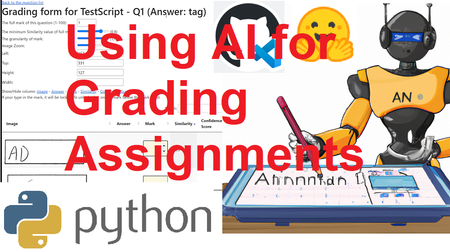
Are you tired of the tedious task of manually grading papers as an educator? Do you long for a more objective and efficient way to score your students' assignments? Look no further than the revolutionary power of AI and machine learning. Our scoring package utilizes OCR, embedding, and similarity algorithms to automatically score student answers, eliminating the need for manual grading. The package also includes a user-friendly web form that enables educators to input scores and track grading progress, further streamlining the process. By using this package, educators can reduce their workload, while ensuring that the grading process remains objective and fair. If you're ready to embrace this exciting new technology, stay tuned for the release of our advanced scoring package. Say goodbye to tedious grading and hello to a more efficient and objective way of scoring student assignments.5.8KViews3likes2Comments
Can not view MakeCode at Assigments
I has been follow instruction https://support.microsoft.com/en-us/topic/add-makecode-activities-to-assignments-in-microsoft-teams-57365fa8-b6f1-4f3d-bbd9-19ac6eeaacbb?ui=en-us&rs=en-us&ad=us but my assigments not view Add Resources of MakeCode how to enabled this? Note: IT Admins need to enable MakeCode as a resource in the https://admin.teams.microsoft.com/policies/assignments. (this step also has been activated)593Views0likes0Comments