apps
31 TopicsHow to Update Entra ID Apps to Run Teams Cmdlets
MC1134747 describes a new permissions requirement for Entra apps that run Teams PowerShell cmdlets. Despite what you might think after reading some of the overhyped and ill-informed online commentary about this topic, this is not a dramatic security change, and it's easy to update apps to meet the new requirement with PowerShell. First, find the apps that use Teams PowerShell (we show two ways), and then assign the two required permissions to the apps. All done with a few lines of Microsoft Graph PowerShell SDK code. https://office365itpros.com/2025/09/05/update-apps-teams-powershell/138Views0likes0CommentsHow to List Details of Teams Apps
A question asked about filtering Teams apps based on their blocked status. The Teams admin center doesn’t support this kind of filter and getting details of Teams apps is surprisingly difficult. For instance, you can’t get a list of the 2,500+ apps shown in the Teams admin center. PowerShell cmdlets are available to list Teams apps, but they focus on apps known to a tenant rather than the entire catalog. https://office365itpros.com/2024/08/08/teams-apps-report/519Views0likes0Comments
Meeting side panel is empty for third party apps
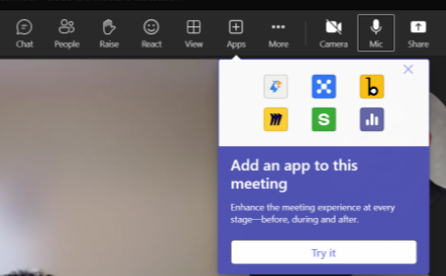
We have noticed that some users are getting a completely empty meeting side panel when pressing on the icon of third party apps. This occurs whilst in a meeting. This behaviour has been noticed using multiple third party apps that utilise the meeting side panel. It appears that a consistent workaround to fixing the issue is to first click on the 'chat' icon to load the chat in the meeting side panel. After the chat has proprely loaded you can select a third party app instead and it will then load without issue. It appears to happen most commonly when the users are part of a different organisation to the host of the meeting, although it has been noticed by users of the same organisation as the host as well. Has anyone else experienced this or knows what is happening. The workaround is not really an easy one to explain to other people in the call.1.1KViews0likes2CommentsShare a link to an app in Teams sidebar
Hey, does anyone know how to provide a link to an app in the sidebar? I'm looking specifically for Viva Learning but I figure there should be a way to do it for any app? The user should be able to click the link and it opens Teams and the desired app. This is for apps in a user's sidebar, not an app in a channel. Cheers!Solved3.4KViews0likes3Comments
Custom App on Logi Scheduler
We've just released an app and I've stuck it in the Global App Policy as well as the Global Setup Policy to place it on the rail. However, not long after we did that, the custom app is appearing as an icon on our Logitech Tap Schedulers! How has that happened and how can I stop it! Wasn't expecting that one! ThanksSolved1.9KViews0likes2Comments
Sample Apps not listed in available apps, but are allowed via Teams admin center
Tenant is GCC. The Power Apps sample apps are allowed in the Teams admin center, but are not visible to users in org under app catalog. Also, Teams admin center cannot see these apps listed in the available apps for pinning to sidebar. Sample Apps were available up until just about a week ago. I feel this is a Teams issue and not a Power Apps/Power Platform issue. What could have changed to cause this?975Views0likes1Comment
How to add a SharePoint page to Teams when inside a folder
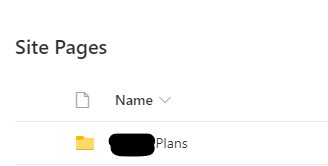
Does anyone know if there is a way around adding a SharePoint site page to a new tab when that page is in a folder to Teams?? In my Site Contents, it is listed under Site Pages but it's inside a folder and Teams doesn't seem to like that! I can add standard site pages from this list without any problems...so assuming it's the folder part that is the problem. Is there a loophole to add it without removing it from the folder (this was set up by another and don't know the reasoning behind the folders so would rather leave as is)1.1KViews0likes1Comment