application development
23 TopicsIntroducing PostgreSQL Hub for Azure Developers
PostgreSQL Hub for Azure Developers is live. A centralized destination with curated sample apps, tutorials, videos, structured learning pathways, and a community space to connect with Microsoft and ecosystem experts. Whether you're building your first Postgres app or scaling AI agents on Azure, this hub has you covered.964Views2likes0CommentsChart your AI app and agent strategy with Microsoft Marketplace
Organizations exploring AI apps and agents face a critical choice: build, buy, or blend. There’s no one-size-fits-all—each approach offers unique benefits and trade-offs. Tune in for insights into the pros and cons of each approach and explore how the Microsoft Marketplace simplifies adoption by providing a single source for trusted AI apps, agents, and models. Learn how Marketplace accelerates time-to-value, reduces procurement times and serves as the trusted source to access a catalog of thousands of AI models, enabling you to innovate faster without sacrificing governance or cost control. Where do I post my questions? Scroll to the bottom of this page and select Comment. This session will be recorded and available on demand immediately after airing. It will feature AI-generated captions during the live broadcast. Human-generated captions and a recap of the Q&A will be available by the end of the week.628Views1like2CommentsEssentials to build and modernize AI applications on Azure
Need to confidently design AI applications? In this session we’ll explore the prescriptive guidance, resources and tools available within Azure Essentials to help you build and modernize reliable, secure AI applications. We will demo how to get started designing an AI workload using the AI assessment tool from the Azure Well-Architected Framework and then show how to build it using Azure AI Foundry. This session is part of Tech Accelerator: Mastering Azure and AI adoption. View the full agenda for more great sessions and insights.720Views2likes2CommentsA Guide to .NET Development Technologies
Enter the world of .NET — Microsoft’s cross-platform framework that serves as the backbone for a spectrum of powerful application development technologies. In this journey through the Microsoft ecosystem, we’ll explore the unique features of WinForms, WPF, WinUI, .NET MAUI, Blazor and ASP.NET Core APIs. Before we dive into the details of each technology, it’s important to note that the information here is gathered from trusted sources like Microsoft’s official Learn blogs, the .NET official website, and other reputable sources. Microsoft’s commitment to transparent and detailed documentation ensures that you’re getting accurate insights. WinForms Windows Forms is a UI framework for building Windows desktop apps. It provides one of the most productive ways to create desktop apps based on the visual designer provided in Visual Studio. Functionality such as drag-and-drop placement of visual controls makes it easy to build desktop apps. With Windows Forms, you develop graphically rich apps that are easy to deploy, update, and work while offline or while connected to the internet. Windows Forms apps can access the local hardware and file system of the computer where the app is running. To learn how to create a Windows Forms app, see Tutorial: Create a new WinForms app. Windows Presentation Foundation (WPF) A UI framework that is resolution-independent and uses a vector-based rendering engine, built to take advantage of modern graphics hardware. WPF provides a comprehensive set of application-development features that include Extensible Application Markup Language (XAML), controls, data binding, layout, 2D and 3D graphics, animation, styles, templates, documents, media, text, and typography. WPF is part of .NET, so you can build applications that incorporate other elements of the .NET API. If you want to create a skinned user interface, dynamically load some areas of the UI components from a web service, bind to XML or want to develop a desktop application which has the web-like navigation style, then WPF is a great choice. To learn how to create a WPF app, see Tutorial: Create a new WPF app. Windows UI Library (WinUI) The Windows UI Library (WinUI) is a native user experience (UX) framework for both Windows desktop and UWP applications. By incorporating the Fluent Design System into all experiences, controls, and styles, WinUI provides consistent, intuitive, and accessible experiences using the latest user interface (UI) patterns. With support for both desktop and UWP apps, you can build with WinUI from the ground up, or gradually migrate your existing MFC, WinForms, or WPF apps using familiar languages such as C++, C#, Visual Basic, and JavaScript (using React Native for Windows). At this time, there are two generations of the Windows UI Library (WinUI): WinUI 2 for UWP and WinUI 3 in the Windows App SDK. While both can be used in production-ready apps on Windows 10 and later, each have different development targets. .NET WAUI .NET Multi-platform App UI (MAUI) is an open-source, cross-platform framework for building Android, iOS, macOS, and Windows applications that leverage the native UI and services of each platform from a single .NET code base. Because .NET MAUI favors platform native experiences, it uses WinUI 3 and the Windows App SDK so apps get the latest user experience on Windows. This gives your apps access to everything you get with WinUI 3 plus the ability to reach to other platforms. .NET MAUI for Windows is a great choice if: You want to share as much .NET code as possible across mobile and desktop applications. You want to ship your application beyond Windows to other desktop and mobile targets with native platform experiences. You want to use C# and/or XAML for building cross-platform apps. You’re using Blazor for web development and wish to include all or part of that in a mobile or desktop application. For more information about .NET MAUI visit the link. Blazor Blazor is a web framework that is part of the ASP.NET Core framework. Blazor enables you to create progressive web apps using C#, having significantly less reliance on JavaScript that was necessary in previous versions of ASP.NET. This model is intended to make Blazor appealing to current C# developers, since they can focus less on JavaScript and write more in C# for full-stack development. In Blazor, both the server-side code (APIs, models, etc.) and the client are written in C#. This enables Blazor developers to do full-stack development all in .NET, though it’s also possible to write JavaScript if desired. Blazor Tutorials: Build your first web app with ASP.NET Core using Blazor. ASP.NET Core APIs In the realm of backend development, ASP.NET Core APIs take the spotlight. These APIs provide a robust foundation for building scalable and high-performance backend services, supporting modern application architectures such as microservices. With ASP.NET you use the same framework and patterns to build both web pages and services, side-by-side in the same project. Conclusion From WinForms to .NET MAUI, we’ve explored Microsoft’s tech universe. Each tool adds a unique touch to the toolkit. Whether you’re into desktop apps, web experiences, or robust backends, Microsoft’s ecosystem has you covered. But it doesn’t end here. Microsoft keeps evolving. Stay curious, explore, and find more on their official blogs, the .NET website, and other reliable sources. Resources: For further exploration and in-depth information, consider checking out these resources: .NET Official Website .NET Documentation1.3KViews0likes0CommentsTransition smoothly from Twilio Video to Azure
If your company relies on Twilio for its video communications, now is the time to explore alternative solutions before its service deprecation. Join our livestream where we'll talk about Azure Communication Services real-time video calling solutions as an alternative to Twilio video. We will also cover the top-of-mind considerations for customers while making this transition. Register here to access the livestream - Events | Microsoft Reactor896Views0likes0CommentsSimplify Application Deployment with Azure Web App
Azure Web App streamlines the creation of diverse mobile and web applications, removing the complexities of setting up and managing virtual machines. With its support for multiple languages, continuous deployment, high availability, and scalability, coupled with seamless integration with DevOps tools and repositories, it serves as an exceptionally efficient platform for organizations, including Non-Profits, to effortlessly develop and deploy applications. For further insights on leveraging Azure Web App and initiating your journey, explore our detailed guide on our blog linked below. Create Your Azure Web App361Views0likes0Comments
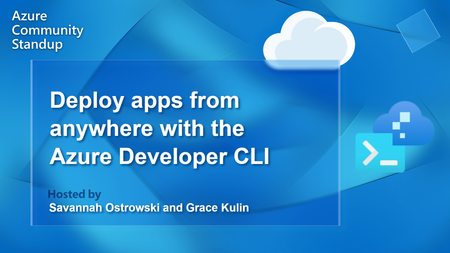
Azd Community Standup - Deploy apps from anywhere with the Azure Developer CLI
Join the azd team for the latest product news, community highlights, demos and Q&A. This month we'll talk about using azd in Cloud Shell, previewing infrastructure changes, and more! Community Links: https://www.theurlist.com/azd Featuring: Savannah Ostrowski (@savostrowski), Grace Kulin (@gracekulin) #developers #azure #vscode1.4KViews0likes0CommentsMicrosoft Eisenhower's WAV HD format
I been trying to reinvant the Microsoft HDWAV codec format (). It been years sinces my Us-8 codec studies . I just paidnit a new WAV format under my own manner Infinity Tail Games. It's a codec coded in this formatshiom. Ind main Mp3_convater to is 500GB_pixelrates()+Codec Aircraft-bite/s-BOOKS (); return 0; Sample rate inflow at 82,000Hrzt (); Mono Chanel single mono Left and Right Chanel the same() 89000 is Export in zip Codec Artform16-bites Infandy Tail Games Shinmito EqArtrates Studio HD mono WAV format padit for new Standered and owner of format convalescing 421412507_SSN# Return 0 (); This Speck.fail.Squitsher bileds books base off codec convashiones. May be a 14KHDpppi Studio 129Lte-Singhed Book codec is perfect. Book codecs are pressing pixels as Lighsher as in Witten form. Witten for music is entertament from clear story telling with the codec giving a audio Visual of the lyrics and words if you print off ink in the codec in user mind this is a open thery maybe by a GraficBookEq with text presetes I must hit up image Line.Introducing Azure Programmable Connectivity Powering Network-Aware Applications
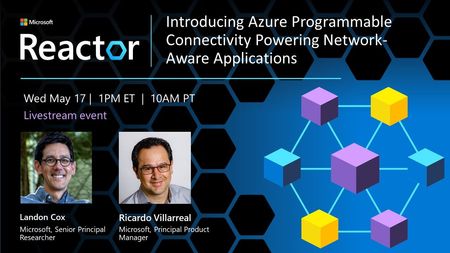
Three trends in distributed computing are converging. First, the number of places where applications can run has grown to include the cloud, public and private edges, and on-device. Second, distributed applications increasingly span these compute targets simultaneously, with placement decisions based on cost, location, and performance requiring continuous evaluation. Third, the networks connecting these compute targets are increasingly programmable, allowing applications to query and dynamically configure network conditions and behavior via APIs. Azure offers excellent support for deploying and managing applications across the full diversity of today’s compute targets. We have a limited, private preview program for Azure Programmable Connectivity (APC) to support network-aware applications that span compute targets and program the networks in between. Who should attend? • Developers who want to enhance the connectivity of their applications and make it more reliable, efficient and secure • Developers who recognize that network connectivity is critical to the success of their applications, and want to learn how to leverage network programmability to achieve their goals • Developers who want to enhance the user experience of your application by optimizing network performance and reducing latency • Developers who are interested in learning about Network APIs What will I learn? Overall, attendees will gain a deeper understanding of the benefits of network programmability and how it can be used to enhance application connectivity, performance, and security, as well as how to apply to the private preview program for Azure Programmable Connectivity to get hands-on experience with building network-aware applications. Pre-Register at: https://aka.ms/ModernConnectedApplications05.17 Watch Livestream at: https://aka.ms/AzureProgrammableConnectivity5/172.6KViews0likes0CommentsDevelop modern connected apps with the MEC Accelerator and 5G Kit
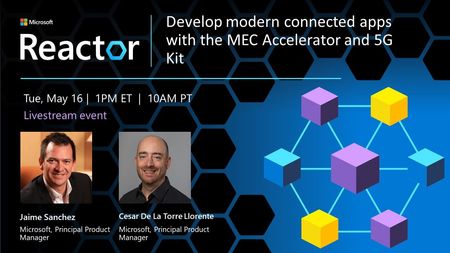
Today, 5G enables new applications for scenarios that were previously out of reach. From smart roads that can notify of obstacles in the road in real time to smart airports that can identify runway issues before they threaten safety, a new breed of real-time and mission-critical applications is emerging. Developers can now start building their own MEC/Edge application by forking and evolving our open source MEC Application Solution Accelerator. This is an example application that offers a common foundation based on a light microservices architecture designed for the edge. It includes Kubernetes, docker containers, and Dapr framework. It also includes AI model inferencing capabilities with an example deep learning model that analyzes video coming from cameras, as well as MQTT event-driven communication following a publish/subscription pattern to raise events/alerts after detecting issues with the AI models. Who should attend? • Developers interested in building real-time and mission-critical applications for the edge with low latency. • Individuals interested in learning about AI model inferencing capabilities and deep learning models for analyzing video. • Professionals seeking to learn about light/fast event-driven communication between AI models events/alerts handlers. What will I learn? • How to build MEC/Edge applications using the open source MEC Application Solution Accelerator. • Understanding and get ready to get started on a light microservices and event-driven architecture, based on Kubernetes, Docker containers, Dapr framework and MQTT messaging broker for edge/mec applications with low latency. • The potential of 5G technology and how it enables new applications for previously unreachable scenarios. Pre-Register at: https://aka.ms/ModernConnectedApplications05.16 Watch Livestream at: https://aka.ms/ModernConnectedApplications5/151.9KViews0likes0Comments