app
550 Topics
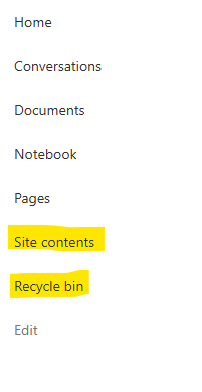
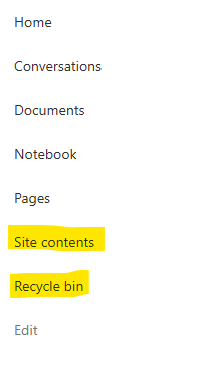
Recycle Bin and Site Content Hidden for Site Members and Site Visitors
I posted this before but made a mistake with my write up, so I am reposting. I have a requirement that the Recycle bin and Site Contents should be be hidden from the Site Members and Site Visitors. Please how can I achieve this because the Server Infrastructure activation is not working for me. Any workarounds? Please help296Views0likes1CommentDynamic Mandatory Fields
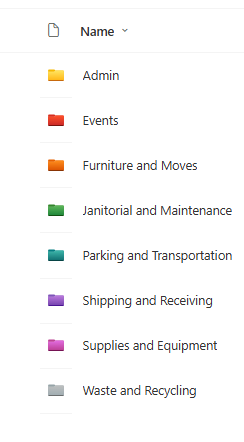
In a SharePoint library, I have folders which are = a. Admin b. Events c. Furniture and Moves d. Janitorial and Maintenance e. Parking and Transportation f. Shipping and Receiving g. Supplies and Equipment h. Waste and Recycling I have Meta data across the library whose data type are all choices and are: a. Document Type = Contract, Financial, planning b. Building = Gym, Garage, Heating c. Asset Category = Office, Playground d. Fiscal Year = FY23, FY24, FY25, FY26, FY27 e. Vendor = Maple Leaf, Canadian Tire, Home Depot f. Status = Active, Pending, Not Active g. Retention Label = 3 years, 5 years h. Service Type = Admin, Events, Furniture and Moves, Janitorial and Maintenance, Parking and Transportation, Shipping and Receiving, Supplies and Equipment, Waste and Recycling Service Type and Retention Label are mandatory fields, with the Rule below for all the files in the various folders: IF Folder Name = Admin, then Service Type = Admin and Retention Label = 5 years; the mandatory fields should be Document Type, Status and Fiscal Year IF Folder Name = Events, then Service Type = Events and Retention Label = 3 years; the mandatory fields should be Document Type, Status and Fiscal Year, Building and Vendor IF Folder Name = Furniture and Moves, then Service Type = Furniture and Moves and Retention Label = 3 years; the mandatory fields should be Document Type, Status and Building IF Folder Name = Janitorial and Maintenance, then Service Type = Janitorial and Maintenance and Retention Label = 3 years; the mandatory fields should be Document Type, Status and Fiscal Year IF Folder Name = Parking and Transportation, then Service Type = Parking and Transportation and Retention Label = 3 years; the mandatory fields should be Document Type, Status and Fiscal Year IF Folder Name = Shipping and Receiving, then Service Type = Shipping and Receiving and Retention Label = 3 years; the mandatory fields should be Document Type, Status IF Folder Name = Supplies and Equipment, then Service Type = Supplies and Equipment and Retention Label = 3 years; the mandatory fields should be Document Type, Status and Fiscal Year IF Folder Name = Waste and Recycling, then Service Type = Waste and Recycling and Retention Label = 3 years; the mandatory fields should be Document Type, Status and Vendor I have used Column Default Value Settings for SharePoint to display Auto-Display the Service Type and Retention Label, but I cannot seem to perform the conditional mandatory fields using Validations setting for the other requirements. Please help409Views0likes1CommentRecycle Bin and Site Content Hidden for Site Members and Site Visitors
I have a requirement that the Recycle bin and Site Contents should not be be hidden from the Site Members and Site Visitors. Please how can I achieve this because the Server Infrastructure activation is not working for me. Any workarounds? Please help405Views0likes2Comments
SharePoint Library Help Needed
I have a SharePoint Library where I would like to implement these requirements below and would appreciate your advise: Folders were created at the library level, which looks like the image below. I do not want people to be able to create any folders or upload documents or folders at the library level, but rather only when they open the folders. I have disabled folder creation and created a PowerApps form, so that users can only upload document, edit documents, view details of the documents when they open any of the folders., but I cannot seem to find the Power Apps form when I open any of the folders and try to upload a document or view a document or edit the document details. 2. I have a choice column called Fiscal Year which has options as = FY22, FY 23, FY24, FY25, FY26. By March 2026, I would like to create an automate flow which will auto create FY27 and remove FY22 from the choice, so that the choice column is always limited to only 5 years.248Views0likes3Comments
Modern Employee Directory
Hi Team I’ve built a Modern Employee Directory web part and would really appreciate your feedback and suggestions for new features. It’s an open-source project. Feel free to share your thoughts in the GitHub Discussions section. If anyone is interested in collaborating, you’re more than welcome to join and contribute. https://www.wrvishnu.com/modern-employee-directory-sharepoint/58Views0likes0Comments
SharePoint Limitations of OneDrive App for External SharePoint Guests
Hello everyone, I am part of an organization and have created two SharePoint sites: one site for all members one site only for the board External guests have been added to both sites. Problem: Several of these guests would like to use the OneDrive app (desktop or mobile) to access the shared content. This is where I am stuck. Situation in detail: Some guests do not have a Microsoft account, others have created one themselves The SharePoint sites and documents are shared correctly, and access works via the browser In the OneDrive app, however, guests do not see any content Nothing appears under “Shared” The SharePoint sites are not visible Questions: How are external guests supposed to see SharePoint documents in the OneDrive app? Do guests have to have a Microsoft account, or is an email-invited guest sufficient? Is there an official or recommended approach for enabling guests to use OneDrive/SharePoint meaningfully via the app? Or is the OneDrive app simply not intended for external guests? Additional question: Is it officially supported or expected that guests can only access SharePoint content via a web browser (on PC and mobile) and not via the OneDrive app at all? I find a lot of contradictory information on this topic, and it has cost me quite a bit of nerves by now. Thank you very much for any explanation or best practice. Best regards, Nina192Views0likes1Comment
HTML-code breaks displaying of multi-line column with RichText in PowerApp Canvas App
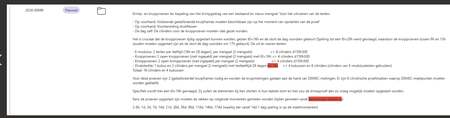
I have a canvas app that works on the basis of a SharePoint list. I work in an environment where a researcher makes a work order, this is then sent to the responsible that has to approve it, then the planner plans it and following that, it is executed. This chain of events is all managed with a SharePoint list that has a status that can be changed. Different people have different permissions to edit items. To manage this, we display the list through a CanvasApp where logic is built to ensure that people with a certain role can only select/edit/see certain items. However, a big part of the canvas app is the description of the work order. In the SP-list this is a multi-line field where RichText is enabled. When the work order description is long, and especially when rich text formatting is used (for example colored text), part of the content is displayed incorrectly. The text gets cut off, part of the HTML formatting code appears in the description itself, and the full content is no longer shown. This is an example of a list item: Which is displayed in the Canvas App like this: What I observed is the following: In the normal SharePoint list view, the description is displayed correctly. But when I click/open the item in singe item view itself in SharePoint, the editor/form also . This issue only occurs for items that are created from the Canvas App. If I create a similar item directly in SharePoint and enter a comparable formatted description there, the problem does not occur. So it seems the issue is related to how the Canvas App saves the rich text content to SharePoint. It must have to do something with the way PowerAutomate parses that HTML code into SP.184Views0likes0CommentsSharePoint List Migration to new Tenant
Hi All, I am preparing for a tenant-to-tenant migration of 60+ SharePoint lists that function as the back-end for various PowerApps. Since we are doing a staggered cutover, I need to perform an initial migration now and then run 'Delta' syncs over the next few weeks to catch new records, updates, and deletes. My primary challenge is that SharePoint's native ID column is not preserved during manual migrations (PowerShell/CSV), which will break our App logic and Lookups. How have others handled cross-tenant list synchronization at this scale? Specifically: How do you maintain record relationships and deep links when the system IDs change? What is the most efficient way to handle deltas across 60 lists without buying expensive 3rd-party migration tools? thanks, Jake218Views0likes1Comment
Unable to filter embedded list
OMG- could they f up sharepoint any more. It used to be such a powerful tool. It is harder than ever now. So- embed a lits in a page with a list part. I am showing controls and on default view-no search. there is now also NO FILTER PART so i go to github patterns and practices to download. Butttttt, I can't upload because while I am global admin, I am not sharepoint admin and cannot change my permissions. Create second admin account with all permissions. Tr to update my normal account permissions, and it says "you do not have permission to save." SO- do you know any other way to get a search of a list on a page? And - any thoughts on my permissions hell?193Views0likes1Comment