announcements
1169 TopicsIntroducing a credential based on real work—no test required
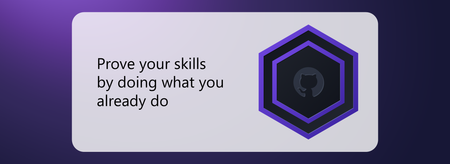
For the first time, everyday work can become verified proof of your skills For years, people have asked for a simpler way to prove the skills they use in the flow of work, without stepping away to prepare for another test. Today, Microsoft is introducing general availability of a first-of-its-kind credential that recognizes proficiency levels demonstrated through real, everyday product use. Welcome to Pro Badge. Instead of capturing skills on a single test day, this approach keeps pace with your work and the products you use. It gives you a current, verified signal of what you can do, at no cost and without a separate exam or study guide. The first credential available through this approach is Microsoft Pro Badge: GitHub Copilot. It’s for engineers, developers, and anyone using GitHub Copilot to build and solve problems with code. Pro Badge recognizes and measures how you apply GitHub Copilot across everyday coding and development work, giving you proof you can share on your terms. How everyday work becomes proof of skill Pro Badge is built on three connected parts: The proficiency framework provides a consistent way to evaluate how effectively you use a given product. It includes five levels—Beginner, Intermediate, Proficient, Advanced, and Expert—so everyone can understand where their skills stand and how they develop over time. Verified Proficiency systematically uses evidence from everyday product use to calculate and automatically update your proficiency level. Reach Proficient, Advanced, or Expert to qualify for a Microsoft Pro Badge. Microsoft Pro Badge is the credential you receive. The functionality will roll out in phases. At launch today, the experience will support three proficiency levels: Beginner, Intermediate, and Proficient. Learners who reach Proficient will qualify for the Microsoft Pro Badge: GitHub Copilot. Advanced and Expert levels—and badges recognizing those levels—are our next priority. Users demonstrating those higher levels of proficiency will earn their Pro Badge first at the Proficient level and will automatically upgrade as Advanced and Expert levels launch. Built on choice, privacy, and trust Microsoft Pro Badge is opt-in and private by design. Only you can authorize the calculation. Your result is private, and you decide whether and where to share it. Your product usage is evaluated against objective criteria—not activity volume alone. Proficiency is determined from patterns in how broadly and deeply you use GitHub Copilot across GitHub.com, your integrated development environment (IDE), the command-line interface (CLI), and mobile. Your raw code, prompts, and intellectual property are never reviewed. Your proficiency stays current as your work, skills, and the product evolve. As evidence from your ongoing work is added and older evidence becomes less relevant, your level may hold, rise, or fall. And because GitHub and Microsoft mint each Pro Badge directly as a result of your work and usage, this is a credential employers and organizations can trust as meaningful. The experience, step by step There is no separate exam or study guide. Here is how the experience works: Sign in. Use your personal GitHub account. Enterprise Managed User accounts are not supported at launch but are a high priority for inclusion. Opt in. Your proficiency is not calculated until you choose to participate. Keep working. Relevant tasks from your everyday product use provide the evidence. See your level. An objective rubric estimates your proficiency from your GitHub Copilot use over time, so results may not appear immediately. Earn your badge. When you reach a qualifying proficiency level, you’ll be notified and your Microsoft Pro Badge will appear on your AI Skills Navigator profile. It is private by default. Share your badge. Claim your verified digital badge on Credly to showcase your achievement and the skills it represents. You choose whether and where to share it. Stay current. Your level updates as your work, skills, and the product evolve. Credentials that work together Pro Badge works alongside Microsoft Certifications. Certifications show that you can solve problems in a role or field. Pro Badge shows how you use a specific product in your everyday work. Together, they give a more complete picture of what you can do. Share your skills on your terms Your achievements matter most when you can use them where you build your career. After you qualify for Pro Badge, you can make your skills visible through Credly and LinkedIn: Claim your badge on Credly. Accept a verified digital badge that describes your achievement and the skills it represents. Once you have claimed your Credly badge, you can share it to your professional network on LinkedIn. Bring your Pro Badge experience to LinkedIn. LinkedIn Connected Apps lets you add a GitHub-verified capability statement to your profile, highlighting your demonstrated GitHub Copilot skills. Throughout the experience, you stay in control. Nothing is shared automatically. Your badge and capability statement appear only where you choose. Make your work count Getting started is simple: Once you opt in, simply keep doing the work you already do, and let your skills speak for themselves. Want to learn more first? Explore the AI Skills Navigator playlist.2.4KViews0likes1CommentSharePoint Showcase: Refreshed SharePoint mobile app
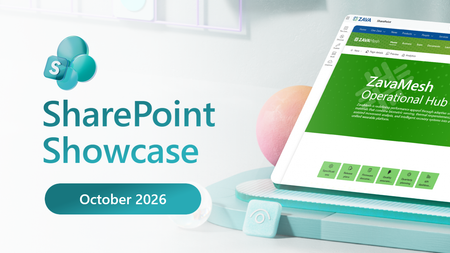
SharePoint Showcase: Refreshed SharePoint mobile app Your sites, files, news, and people, together in the redesigned SharePoint mobile app. Work does not always happen while you are sitting at your desk. You may need to review a presentation before a meeting, find a document someone shared, or catch up on an important team update while moving between tasks. The redesigned SharePoint mobile app now gives you a mobile starting point for finding relevant content, seeing what is new, and returning to the work that matters to you, similar to the SharePoint Discover experience on web. The app brings your sites, files, news, and people together in a connected experience designed for how you work on a phone. Alongside the refreshed design, we’ve updated sign-in, improved content loading and made navigation more dependable. These changes help make everyday tasks feel smoother, whether you’re checking a document before a meeting or catching up on the go.290Views1like0Comments
What’s new in AI Skills Navigator: October 2026
Discover new ways to find relevant learning, stay engaged, prepare for credentials, and build skills in the flow of work with AI Skills Navigator. The way we build skills is changing quickly. Learners want guidance that reflects their roles and goals, fits into busy schedules, and helps them move from learning to practice to validated skills. Team leaders and learning professionals need experiences that connect employees with the right next step without adding complexity. We’re continuing to improve AI Skills Navigator to support those needs. The latest updates make learning more interactive, help you discover relevant content, connect credential preparation, and make progress easier to follow, whether you’re learning independently or helping others build skills. Stay engaged with skilling sessions Sometimes learning takes more than watching a video. You may want to ask a question, test your understanding, or work through a concept before moving on. Skilling sessions combine expert-created video content with AI-powered coaching and knowledge checks, helping you learn something new in a short amount of time and gradually build your knowledge. During a skilling session, an AI-powered coach can answer questions grounded in the material, while chapters and quick knowledge checks help you navigate and reinforce what you’ve learned. Recent updates add voice dictation and identify sessions that use an AI-generated presenter or voice. The catalog spans business and technical topics, from prompting, marketing, and customer service to agent development, DevOps, data, cloud migration, and security. A skilling session with video learning and AI-powered coaching Learn from people you trust AI Skills Navigator now offers expanded ways to explore learning from Microsoft experts and industry leaders. Expert Voices brings their perspectives into the experience, helping you understand not only what to learn, but why it matters. You can also explore technical content around goals such as AI-assisted coding and building or orchestrating agents, making it easier to start with what you want to accomplish and find learning that can help you get there. Follow a path with skilling playlists When there’s a lot to learn, figuring out where to start—and what to tackle next—can be part of the challenge. Skilling playlists are structured paths that help you build skills around a goal or need. You can use AI to create one tailored to your goals, build a custom playlist when you already have specific content in mind, and now start with a featured playlist curated by Microsoft experts. Find a path that fits what you want to learn by exploring Featured playlists, where you can search, sort, filter, and preview paths by role, product, topic, or level. See how skilling is progressing across your organization After you create and assign a skilling playlist, Your playlists gives you a snapshot of learner progress for that individual path. For a broader view, Reporting brings together insights across the organization. Team leaders can see learner onboarding and engagement, playlist adoption and progress, popular learning content, and the skills employees are developing through that learning. Together, these views make it easier to understand how learners are engaging with skilling and where additional support may be useful. We’ll take a closer look at playlists, reporting, and organizational skilling with AI Skills Navigator in upcoming feature posts. Organizational reporting with insights into playlist activity and progress Prepare for credentials with a clearer path Credentials give you a way to validate what you know and can do. Microsoft Certifications and Microsoft Applied Skills can help you demonstrate your proficiency as you build expertise or prepare for what’s next. AI Skills Navigator brings more of that credential journey together. You can now see earned Certifications and Applied Skills in your profile, making it easier to keep track of your achievements in one place. If you’re preparing for a certification, featured playlists, practice assessments, and additional resources bring recommended steps into a more guided experience. For example, the Microsoft Certified: Azure Fundamentals page brings preparation resources together so you can follow a structured path, check your readiness, and identify what to revisit before the exam. As you work toward a credential, the learning along the way counts too. Your learning streak tracks consecutive weeks when you complete at least one module, video, or skilling session. Visit the For you page to see your current streak and personal best, then see how far you can take it. Bring skilling into the flow of work with Learning Agent For people and organizations using Microsoft Copilot, there’s a new way to bring skilling into the flow of work. Learning Agent in Microsoft Copilot is a personalized upskilling experience that uses role information, work context, skills signals, and organizational learning sources to help you find a relevant next step. With AI Skills Navigator now part of the experience, Learning Agent can also recommend modules, learning paths, curated videos, skilling sessions, and Microsoft Credentials. Supported content can open alongside your Copilot conversation, with progress carried into AI Skills Navigator so you can continue later. Start with a question in Copilot, get guidance in the moment, and keep building skills over time. Read the full story: AI Skills Navigator is now available in Microsoft Copilot. Make AI Skills Navigator yours Together, these updates give you more relevant ways to find learning, stay engaged, prepare for credentials, and keep building momentum. Your AI Skills Navigator profile helps shape that experience around you. Add or update details such as your role, goals, and interests so AI Skills Navigator can connect you with learning that’s more relevant to the skills you want to build. For organizations, these updates create stronger ways to guide skilling across roles and goals, with insights to understand how learners are engaging and progressing along the way. Explore AI Skills Navigator to find the next step that fits you or your team. Byline: Vaishali Kartik is a Principal Product Manager at Microsoft, leading the team that develops AI Skills Navigator learning, practice, and credential capabilities. Tanmay Dileep Bhagwat is a Principal Product Manager at Microsoft, leading the team that develops AI-powered and organizational capabilities for AI Skills Navigator.1.5KViews2likes6Comments