ai
1385 TopicsSecure the age of AI: Redefining trust, data and access
There is no question that AI is transforming the enterprise: changing how data moves, how decisions are made, and how risk takes shape. As agents access, interpret, and act on sensitive data, unmanaged AI use expands and traditional boundaries blur. Kicking off our series on Securing Data and Access in the Era of AI, Microsoft Entra VP of Product Sinead O’Donovan and Microsoft Purview GM of Product Maithili Dandige explain why legacy security models fall short in the age of AI—and why you need a strategy that brings together identity, access, and data protection. Want to adopt and enable AI innovation with greater control and confidence? Join us to learn how leading organizations are securing access, protecting data, and establishing trust for the next generation of AI-powered work. This session is part of Securing data and access in the era of AI with Microsoft Entra and Microsoft Purview. View the full series for more insights to help you move from experimenting with AI to deploying it at scale, securing sensitive data, access, and AI usage.1.7KViews1like8CommentsSecuring data and access in the era of AI with Microsoft Entra and Microsoft Purview
As organizations move from experimenting with AI to deploying it at scale, securing sensitive data, access, and AI usage has become mission critical. In this series, Microsoft experts will show how Microsoft Entra and Microsoft Purview help you: Protect sensitive data across networks, apps, and AI interactions Govern access for users, applications, and AI agents Reduce risk while enabling innovation at scale Whether you're shaping your security strategy or implementing controls, you’ll walk away with the guidance you need to secure data and access to AI as one unified strategy. Now on demand! Secure the age of AI: Redefining trust, data and access Data and identity controls for the browser and network Unlock AI agents without sacrificing security Not able to watch here due to organizational policies? Use a personal account or visit each session page for an option to view on LinkedIn.2.8KViews3likes0CommentsBehind the Build with Gigamon: Enriching Microsoft Sentinel with Network-Derived Telemetry
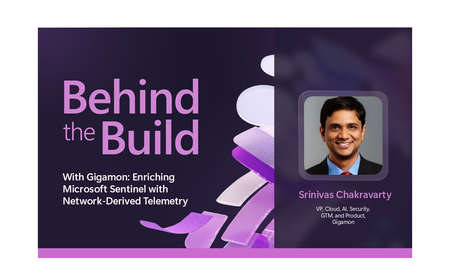
Behind the Build is an ongoing series spotlighting standout Microsoft partner collaborations. Each edition dives into the technical and strategic decisions that shape real-world integrations—highlighting engineering excellence, innovation, and the shared customer value created through partnership. Security teams today operate across an expanding set of signals, spanning identity, endpoint, cloud and application environments. Yet many organizations still lack sufficient visibility into how systems communicate across their infrastructure, creating gaps in detection, investigation, and response. In this edition of Behind the Build, I spoke with Srinivas Chakravarty, vice president, cloud ecosystems at Gigamon, about how Microsoft and Gigamon collaborated to bring network-derived telemetry into Microsoft Sentinel, helping customers enrich security investigations with deeper runtime context and AI-driven insights. The Evolution of Network Intelligence and Why It Matters For more than twenty years, Gigamon has helped organizations access and operationalize network traffic across complex environments. Today, the Gigamon Deep Observability Pipeline, helps enable organizations to extract actionable network-derived telemetry across hybrid infrastructure, encrypted traffic, containers, and modern application environments. That foundation makes the Gigamon Deep Observability Pipeline a strong complement to Microsoft Sentinel. Microsoft Sentinel brings together security telemetry from across the enterprise—including identity, endpoint, cloud, application, and network data sources—while Gigamon contributes enriched network-derived telemetry that provides additional runtime context into how systems, applications, and services communicate. Together, these signals can help organizations gain deeper insight for threat detection, investigation, and response. As Srinivas put it: “You have logs, you have metrics, you have traces, but network telemetry completes the picture.” Together, these data sources provide deeper context for threat detection, investigation, and AI-driven analysis. Read the full announcement here: Behind the Build with Gigamon: Enriching Microsoft Sentinel with Network-Derived Telemetry Original Publication: Microsoft Sentinel Blog, June 30th, 202655Views0likes0CommentsGrow your business globally while selling locally through Microsoft Marketplace
Ready to reach new markets and grow through trusted partner ecosystems? Microsoft is expanding multiparty private offers to Australia, Japan, and South Africa, creating new opportunities for software companies and channel partners to scale globally while selling locally. Discover how Microsoft Marketplace helps partners accelerate co-sell motions, simplify procurement, close larger deals, and unlock new revenue opportunities through partner-led selling. Read the full article: Drive local growth with Microsoft Marketplace Help amplify this important announcement across your networks: Blog: https://partner.microsoft.com/blog/article/scaling-channel-growth-through-microsoft-marketplace Community: https://techcommunity.microsoft.com/blog/PartnerNews/partner-blog--drive-local-growth-with-microsoft-marketplace/4537077 LI: https://www.linkedin.com/posts/microsoft-cloud-partner-program_drive-local-growth-with-microsoft-ma… Facebook: https://www.facebook.com/mspartner/posts/pfbid02pWqxfpkcWjW2nyf7CuZYrnuGGXY6zyi3ZwsNka6zDems4iE9gqU… X: Microsoft Partner (@msPartner) on X39Views0likes0CommentsNew Microsoft Certified: Multi-Agent AI Solutions Expert Certification
The future of AI isn’t a single model, it’s intelligent systems of agents working together. Are you ready to build them? As organizations move from standalone AI features to complex, multi-agent systems, the skills required are evolving fast. Organizations are no longer just experimenting, they’re deploying production-scale agent ecosystems that must be orchestrated, governed, and optimized. Introducing the Microsoft Certified: Multi-Agent AI Solutions Expert Certification, that validates your ability to design, build, and operate scalable, production-ready multi-agent AI solutions. To earn it, you’ll need to pass Exam AI-500: Designing and Implementing Multi-Agent AI Solutions (currently in beta). Is this the right Certification for you? This Certification focuses on the practical skills needed to architect and develop multi-agent AI solutions by using Microsoft Foundry and Azure. It validates the ability to: Design logical architecture for multi-agent solutions. Build and integrate tool ecosystems. Implement multi-agent orchestration. Evaluate, optimize, and monitor multi-agent solutions. Secure, govern, and deploy multi-agent solutions. Candidates for this Certification are expert-level practitioners with subject matter expertise in designing, building, and optimizing scalable, production-ready, multi-agent AI solutions and workflows. They lead the end-to-end lifecycle of AI solution development from architecture and design through deployment and optimization and are prepared to progress from building individual components to owning complete AI systems architecture and delivery. These professionals collaborate closely with developers, machine learning engineers, platform engineers, data scientists, and business stakeholders to translate complex business and technical requirements into production-ready, multi-agent solutions They should have experience developing AI and machine learning based solutions, deploying agentic systems in production environments, and orchestrating agent logic by using Microsoft Foundry. They should also be proficient in Python. Additionally, they need experience developing solutions that include Azure compute, network, storage, and data services. They should be familiar with open-source frameworks and standards, including Microsoft Agent Framework, Model Context Protocol (MCP), retrieval-augmented generation (RAG), and LangGraph. Certification requirement: To earn the Microsoft Certified: Multi-Agent AI Solutions Expert (AI-500) certification, candidates must also earn the Microsoft Certified: Azure AI Apps and Agents Developer Associate (Exam AI -103) certification. AI-103 provides the foundational Azure AI Foundry and agent development skills that AI-500 extends through advanced multi-agent solution design, orchestration, governance, and optimization. Ready to prove your skills? Take advantage of the discounted beta exam offer. The first 300 people who take Exam AI-500 (beta) on or before August 5, 2026, can get 80% off. To receive the discount, when you register for the exam and are prompted for payment, use code AI500Wabash. This is not a private access code. The seats are offered on a first-come, first-served basis. As noted, you must take the exam on or before August 5, 2026. Please note that this discount is not available in Turkey, Pakistan, India, or China. How to prepare Get ready to take Exam AI-500 (beta): Review the Exam AI-500 (beta) page for training resources, exam registration, and other details. The Exam AI-500 study guide explores key topics covered in the exam. Connect with Microsoft Training Services Partners in your area for in-person offerings. Need other preparation ideas? Check out Just How Does One Prepare for Beta Exams? Ready to get started? You can take Certification exams online, from your home or office. Get the details in Online proctored exams: What to expect and how to prepare. Remember, only the first 300 candidates can get 80% off Exam AI-500 (beta) with code AI500Wabash on or before 8/5/2026. Beta exam rescoring begins when the exam goes live, with final results released approximately 10 days later. For more details, read Creating high-quality exams: The path from beta to live. Stay tuned for general availability of this Certification in October 2026. Additional information For more Certification updates, read our recent blog post, Microsoft Credentials roundup: June 2026. Follow our credentials news on The Skills Hub Blog as we roll out additional new Certifications in July, August, and September 2026. Join our Microsoft Worldwide Learning SME Group for Credentials on LinkedIn for beta exam alerts and opportunities to help shape future Microsoft learning and assessments. Explore Microsoft Credentials on AI Skills Navigator.11KViews5likes31CommentsHow partners can lead Frontier Transformation in FY27
As organizations move from AI experimentation to business-wide transformation, Microsoft partners are uniquely positioned to help customers innovate, operate, and grow. In the FY27 MCAPS Start for Partners keynote, Nicole Dezen, Chief Partner Officer and CVP, Global Channel Partner Sales, shares how Microsoft is investing in partner capability, go-to-market acceleration, co-sell engagement, and Microsoft Marketplace opportunities to help partners deliver greater customer value. From new AI-focused skilling and specializations to expanded incentives and Marketplace investments, the FY27 updates provide practical resources to help partners build differentiated offerings, drive adoption, and scale growth in the agentic AI era. Read the full blog and explore the FY27 partner priorities: ➡️ MCAPS Start for Partners FY27 blog Help amplify this important announcement across your networks: Nicole Dezen on LinkedIn Microsoft AI Cloud Partner Program on LinkedIn Microsoft Tech Community post Microsoft Partner on X Microsoft Partner on Facebook22Views0likes0CommentsPost-Stream Refinement is now generally available in Microsoft Foundry
When we introduced Post-Stream Refinement in public preview earlier this year, it closed the oldest trade-off in real-time speech: you could finally keep instant streaming results and get a highly accurate final transcript, with no penalty to first-token latency. A second recognition pass runs in parallel with streaming and replaces each final segment with a more accurate version once the utterance completes. Today, Post-Stream Refinement reaches general availability for Azure AI Speech in Microsoft Foundry, backed by a production SLA. Just as important, it now ships with the capabilities production transcription actually depends on: diarization to preserve who said what, phrase lists for your product names and domain vocabulary, and a much wider footprint of 19 locales across 22 Azure regions. Everything you already know about Post-Stream Refinement still applies. The real-time contract is unchanged, your partial results stream exactly as before, and you enable refinement by setting a single property on your existing SpeechConfig. What changes at GA is that the refined transcript is now production-grade and speaker-aware. 📖 Read the Documentation What's new at general availability If you have already used Post-Stream Refinement in preview, here is exactly what changes at GA, and what stays the same. The streaming path and SDK contract are untouched; the refinement pass is now production-ready and gains speaker and vocabulary features. How Post-Stream Refinement works Real-time and final results serve different needs. Partial results must appear quickly so captions, voice interfaces, and agent turn-taking stay responsive. Final results need enough context to support storage, search, summarization, and business workflows. Post-Stream Refinement runs both at once: a fast streaming pass and a deeper refinement pass over the same audio, in parallel. Because the two passes share one input stream, enabling refinement does not require a second transcription job or a separate client pipeline. Your existing recognition events and partial-result handling stay exactly as they are. Speaker attribution with diarization New at GA, diarization is supported on the Post-Stream Refinement path, so the refined final transcript keeps its speaker labels. That makes the release a strong fit for meetings, contact centers, interviews, and any workflow where the transcript needs to identify who spoke, not just what was said. The refinement pass improves the wording, including proper nouns and named entities, while every utterance stays attributed to the right speaker. Phrase lists for your vocabulary Phrase lists let the recognizer prioritize the names and terms that matter to your application: product catalogs, medical and technical vocabulary, organization names, and acronyms that general speech models might not recognize consistently. At GA you can pair phrase lists with refinement so the second pass has both broad audio context and your domain vocabulary to draw on, which is where the largest accuracy gains on named entities show up. Quality impact In internal testing and partner evaluations across supported locales, Post-Stream Refinement reduced final-transcript word error rate by double-digit relative percentages compared with standard real-time transcription, with the largest gains on the hardest content: long utterances, proper nouns, and domain-specific speech. Pairing phrase lists with refinement improves named-entity accuracy further. Partial-result latency is unchanged; only the final transcript is refined. The refined final result may add a small amount of latency to the final segment because refinement happens after the segment audio is received. Partial results are unaffected. Supported languages and regions General availability supports 19 locales. You declare one locale per session, so the service is tuned to the language you expect. Alongside the Tier-1 languages, GA adds Indic locales, including Bengali, Marathi, Punjabi, and Telugu. Post-Stream Refinement is generally available in 22 Azure regions across the Americas, Europe, and Asia Pacific. Proven at Microsoft scale The technology behind Post-Stream Refinement already powers meeting transcription and Microsoft 365 Copilot experiences in Microsoft Teams, serving millions of users across meetings, webinars, and live events every day. General availability brings the same quality bar to every Azure AI Speech customer through a supported SDK integration, not a research prototype. Preview customers across industries, including automotive, consumer electronics, and aviation, reported positive gains in transcription quality, with the clearest improvements on the hardest content: proper nouns, long-form speech, and domain-specific audio. Several are now moving those workloads into production on the GA release. Get started Enabling Post-Stream Refinement is a small configuration change on your existing SpeechConfig. You will need: Speech SDK 1.50 or later. Earlier versions do not support the refinement path. A Speech resource in one of the supported regions listed above. The session locale you expect, set on the recognizer. Set the post-processing option to PostRefinement. The example below also shows the optional phrase list for your domain vocabulary. import azure.cognitiveservices.speech as speechsdk speech_config = speechsdk.SpeechConfig( subscription="YourSpeechKey", region="YourSpeechRegion") # Declare one locale for the session speech_config.speech_recognition_language = "en-US" # 1) Refine the final transcript (Post-Stream Refinement) speech_config.set_property( speechsdk.PropertyId.SpeechServiceResponse_PostProcessingOption, "PostRefinement") audio_config = speechsdk.AudioConfig(use_default_microphone=True) recognizer = speechsdk.SpeechRecognizer( speech_config=speech_config, audio_config=audio_config) # 2) (Optional) Phrase list for names, acronyms, and domain terms phrase_list = speechsdk.PhraseListGrammar.from_recognizer(recognizer) for term in ["Contoso", "Fabrikam", "Foundry", "OAuth"]: phrase_list.addPhrase(term) Your existing recognition events and partial-result handling remain unchanged. For speaker attribution, enable diarization through the established real-time diarization path; refinement applies to the final transcript while speaker labels are preserved. Choose the right release for your workload Post-Stream Refinement now has two paths. They are the same product family with a different feature boundary, so match the path to what your customer needs. Monolingual PSR — generally available Multilingual PSR — public preview Language selection One locale declared per session Automatic detection and code-switching in a single stream (open-range, no locale declared) Supported locales 19 locales, including Indic bn / mr / pa / te 25 languages / 29 locales, auto-detected Azure regions 22 Azure regions across the Americas, Europe, and Asia Pacific 6 Azure regions Phrase lists & diarization Supported Only diarization is supported Working across languages? If a single stream needs to handle multiple languages or code-switching without a declared locale, use Multilingual Post-Stream Refinement, now in public preview. For a known session locale with phrase lists and diarization, monolingual GA is the right path. Try Post-Stream Refinement Today Turn on higher-accuracy, language-aware transcription in your Azure AI Speech applications with a single configuration change. 📖 Read the Documentation We would love your feedback. Try Post-Stream Refinement in your applications and tell us how it improves your transcription quality.237Views0likes0CommentsFor the first time, real-time transcription goes multilingual
When we introduced Post-Stream Refinement earlier this year, it closed the oldest gap in real-time speech: you could finally get instant streaming results and a highly accurate final transcript, with no latency penalty. But it kept one hard requirement — you had to tell the service, up front, which single language to expect. Real-world speech does not work that way. People code-switch mid-sentence, product and brand names cross languages, and a global app serves users who simply speak differently from one session to the next. Today we remove that requirement. Multilingual Post-Stream Refinement enters public preview for Azure AI Speech in Microsoft Foundry, and for the first time ever a single real-time stream can transcribe multiple languages in one session — the spoken language is detected automatically, no locale is declared in advance, and the final transcript is refined for accuracy. Everything you already know about Post-Stream Refinement still applies; what changes is that the refinement pass itself is now multilingual. 📖 Read the Documentation What's New in This Release If you have already used Post-Stream Refinement, here is exactly what changes with the multilingual preview — and what stays the same: Quality Impact In internal testing and partner evaluations across Tier-1 locales, multilingual Post-Stream Refinement reduced word error rate (WER) by approximately 10% relative on average, with double-digit relative reductions on the hardest cases — long utterances, proper nouns, and multilingual or code-switched speech. Partial-result latency is unchanged; only the final transcript is refined. Gains are relative reductions versus the standard real-time model and vary by language, acoustic conditions, and content type. The refined final result may add a small amount of latency to the final segment; partial results are unaffected. Supported Languages and Regions The public preview supports 15 Tier-1 locales. Because language is detected automatically, a single stream can contain any mix of them: Available in these Azure regions: Real-World Impact Preview customers across industries — including travel, consumer electronics, automotive, aviation, and media — have reported positive gains in transcription quality. Customers testing multilingual and domain-specific audio have observed the clearest improvements on the hardest content: proper nouns, code-switching, and long-form speech. Several are actively validating the feature on their own audio ahead of general availability. Get Started Enabling multilingual Post-Stream Refinement is a small configuration change on your existing SpeechConfig. You will need: Speech SDK 1.50 or later. Earlier versions do not support the multilingual path. A Speech resource in one of the supported regions listed above. Auto-detect language configuration (open range) so the service identifies the language from the audio — no candidate list required. Set the post-processing option to PostRefinement and pass an open-range AutoDetectSourceLanguageConfig when you create the recognizer. Here is a complete, copy-paste Python example, including the optional end-of-utterance detection line: import azure.cognitiveservices.speech as speechsdk speech_config = speechsdk.SpeechConfig( subscription="YourSpeechKey", region="YourSpeechRegion") # 1) Refine the final transcript (Post-Stream Refinement) speech_config.set_property( speechsdk.PropertyId.SpeechServiceResponse_PostProcessingOption, "PostRefinement") # 2) Multilingual auto-detect - no candidate language list needed auto_detect_config = speechsdk.languageconfig.AutoDetectSourceLanguageConfig() audio_config = speechsdk.AudioConfig(use_default_microphone=True) recognizer = speechsdk.SpeechRecognizer( speech_config=speech_config, auto_detect_source_language_config=auto_detect_config, audio_config=audio_config) 💡 Tip: Refinement matters most for applications that store or process the final transcript — meeting notes, call analytics, compliance archives, AI summarization. If you only use partial results for a live display and discard them, your real-time UX (already fast) is unchanged, while any final transcript you keep improves. Try Multilingual Post-Stream Refinement Today Turn on higher-accuracy, language-aware transcription in your Azure AI Speech applications with a single configuration change. Available now in public preview in Microsoft Foundry. 📖 Read the Documentation We would love your feedback. Try Post-Stream Refinement in your applications and tell us how it improves your transcription quality.268Views0likes0Comments📢 Announcing Built-In Knowledge for Azure Logic Apps
Now in Public Preview Turn your documents into a ready-to-use knowledge base without custom RAG pipelines. Today at Microsoft Build 2026, we are announcing the Public Preview of built-in Knowledge for Azure Logic Apps. It is a managed knowledge layer that transforms your documents into a ready-to-use knowledge base, removing the need to build custom Retrieval-Augmented Generation (RAG) pipeline, operate a vector store, or maintain retrieval logic. The result is grounded, accurate answers for the agents and workflows you are building today. Most organizations hold a significant amount of institutional knowledge such as HR policies, product manuals, support runbooks, contracts, and specifications distributed across documents, spreadsheets, and internal systems. The challenge has rarely been the availability of content. It has been making that content reliably and accurately retrievable by AI agents and workflows. Until now, addressing this challenge required building a RAG pipeline in-house. As any team that has implemented one can attest, a production-grade RAG pipeline involves substantial engineering effort and ongoing operational overhead. The complexity of building RAG in-house A production-grade RAG pipeline is not a single component. It is a set of interdependent systems that must be designed, integrated, and maintained: Ingestion: parsing multiple file formats, chunking content appropriately, summarizing, and generating embeddings. Storage: provisioning a vector database, defining indexing policies, and tuning for cost and performance. Retrieval: rewriting queries, vectorizing them, executing semantic search, and returning the most relevant chunks to the model. Operations: monitoring upload status, handling failures, managing credentials, and maintaining security. Each component represents a meaningful engineering investment. Together, they constitute a platform — one that diverts engineering capacity away from the business problems teams set out to solve. Introducing built-in Knowledge capability Built-in Knowledge in Logic Apps is a managed knowledge layer built into Azure Logic Apps that turns your documents into a ready-to-use knowledge base, without requiring you to build or operate a RAG pipeline. You provide the documents, and the platform manages the remainder of the process, both ingestion and retrieval, end to end. Built directly into Logic Apps, KBaaS provides an abstraction over the underlying vector store and AI models, enabling your workflows to consume structured, semantically searchable knowledge through a single connection. A knowledge base is a logical container that organizes related sources for a given domain. For example, an "HR Policies" knowledge base might hold all relevant HR documents. You create the knowledge base, upload your files, and attach it as a tool that your agent can call. How it works Managed Knowledge experience is built around two managed pipelines. Ingestion pipeline. When you upload a knowledge source, the service automatically parses, chunks, summarizes, and vectorizes the content, then stores the results, with no manual preprocessing required. The current preview supports a broad range of formats out of the box: DOC, DOCX, HTML, MD, PDF, PPT, PPTX, TXT, XLS, and XLSX. Each upload provides a progress status and a clear Completed or Failed result. Retrieval pipeline. When your agent queries the knowledge base, the service rewrites the query where beneficial, generates a vector representation, executes a semantic search, and returns the most relevant chunks to the language model for response generation. Query planning, vector search, and ranking are all handled by the service. The outcome is that your agents receive accurate, context-rich answers grounded in your own content, without requiring you to author retrieval logic. Built for agentic workflows Knowledge is available in Azure Logic Apps Standard, where it integrates directly with agentic workflows. Once a knowledge base has been created, it appears as a capability that can be attached to an agent loop. From there, the agent automatically queries the knowledge base to retrieve semantically relevant information from your uploaded documents at the point it is needed, as part of completing a task. Getting started involves three steps: Create the knowledge base connection - associate your vector store and your completions and embeddings models. Add knowledge sources - upload files into a knowledge base, optionally organized into groups. Add the knowledge base as a context - select it from the agent node so your agent can begin retrieving. The platform provisions and manages the required databases, containers, and indexing policies on your behalf, removing the burden of operating the underlying storage and search infrastructure. Two SKUs to consume it - Standard or Automation This feature is available across Logic Apps SKUs, with some differences in how you setup and manage them. Logic Apps Standard — bring your own resources. On Standard SKU, the model operates on your own Cosmos DB vector store and AI models, KBaaS integrates with them directly. You connect your existing resources, and the platform manages the complete ingestion and retrieval pipeline on top of them. This approach retains full control over your data and models while removing the need to build and maintain the RAG pipeline. Logic Apps Automation SKU — bring only your documents. On the Automation SKU, this feature operates on a hosted-on-behalf-of model, in which the platform provisions and manages both the underlying vector store and the AI models. There is no Cosmos DB to provision, no embeddings or completions model to deploy, and no connections to configure. You upload your documents and attach the knowledge base to your agent, and the entire knowledge layer, including the supporting infrastructure is fully managed for you. This delivers the same managed knowledge experience with the maximum degree of abstraction, providing the most direct path from source documents to a working, agent-ready knowledge base. Secure by design KBaaS supports authentication through Microsoft Entra ID using either a managed identity or an API key. We recommend managed identity wherever possible. It is the most secure option and eliminates the need to manually provision and rotate credentials, secrets, or access keys. Available today in Public Preview This initial release focuses on the most common starting point: uploading unstructured documents. Additional capabilities are planned, including support for more knowledge sources, richer ingestion (such as image parsing, semantic chunking, and multimodal embeddings), configurable retrieval settings, access checks during retrieval, and more. Built-in Knowledge in Logic Apps is available now in Public Preview. Provide your documents and give your agents a knowledge base that is ready to use, without building or operating a RAG pipeline. Read the MS Learn docs to get started Check out the demo below7.1KViews1like0CommentsUnlock AI agents without sacrificing security
AI agents are reaching into mailboxes, files, line-of-business apps, and the open web on behalf of your users—and the business wants more of them, faster. To scale agents safely, your security teams need to be able to verify each agent, govern what it can access, and enforce clear boundaries across every interaction. Learn how Microsoft Entra helps you discover shadow AI agents, govern agent permissions, keep BYOD and endpoint-based agents in scope, and apply Conditional Access to AI prompts and responses. Then see how Microsoft Purview provides visibility into agent activity, strengthens runtime data protection, helps detect agentic risk, and supports auditability across local agents developed on GitHub Copilot CLI, Claude Code, OpenAI Codex, and OpenClaw. Walk away with practical ways to unlock AI agents while keeping access and data protection aligned with your enterprise security needs. How do I participate? Select Add to Calendar to save the date, then click the Attend button to save your spot, receive event reminders, and participate in the Q&A. Not able to attend live? This session will be recorded and available on demand shortly after airing. Don't see Attend or Add to Calendar? Sign in to the Tech Community to join the conversation. If you are unable to watch the session here due to your organizational policies, you can also tune in on LinkedIn. This session is part of Securing data and access in the era of AI with Microsoft Entra and Microsoft Purview. View the full agenda for more insights to help you move from experimenting with AI to deploying it at scale, securing sensitive data, access, and AI usage.761Views0likes2Comments