agent flows
19 Topics
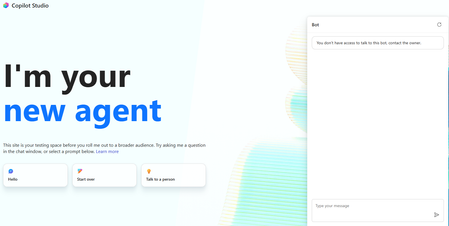
You don't have access to talk to this bot, contact the owner. copilot studio
I created a copilot studio agent and then embedded it inside a code app. It works fine but i am facing the below error. You don't have access to talk to this bot, contact the owner. copilot studio I have provided Microsoft based authentication and am an owner so will have access to the bot. Yet facing the above issue. Is there something i am missing700Views0likes2CommentsUnanswered Questions on GitHub Copilot Harness in Copilot Studio
We're piloting the GitHub Copilot harness in Copilot Studio (GA August 2026) and several operational and architectural details remain undocumented in the GA FAQ, Microsoft Learn, or licensing guides. Looking for official answers or PM contacts on: Architecture & Execution – When the harness breaks tasks into subtasks, does it use internal sub-agents or only skills/connected agents, what are the exact timeout/retry/max-execution-duration limits for long-running workflows, and are planning/context-retrieval/orchestration internals documented anywhere or is the orchestrator a black box? Model Selection – Can individual skills within one agent use different models or is selection strictly agent-level, how are models chosen internally when multiple skills execute, are any internal models developer-configurable, and what's the roadmap for models being added/retired/deprecated plus the lag between public release and Copilot Studio availability? Cost & Token Optimization – How exactly is the ~45% token reduction achieved, how much control do makers have over context/caching/retrieval/tool calls, what are per-model credit consumption characteristics, which models are most cost-effective for specific workloads, and what's the minimum credit cost for trivial interactions? Memory Management – What are retention periods for session/working/agent memory beyond the documented 28-day user-memory expiry, is true long-term memory supported, and what changed versus earlier implementations? Knowledge Retrieval – Can skills or system instructions influence retrieval strategy/document selection/prioritization/filtering, can planning stages perform conflict/duplicate/version detection before retrieval, and how does the harness decide which sources to search? Apps Feature – What is the "Apps (preview)" capability for, when does it GA, and how does it differ from workflows/skills/adaptive cards/agents? Billing & Credit Sizing – Is there a framework to classify users/agents by expected consumption and size credit allocation per group (citizen vs pro developers), and what's the minimum/typical consumption for simple/medium/heavy interactions? Governance & Admin – Can usage limits be set at user level (not just environment/agent), is there an API/IaC path for large-scale credit assignment, can non-admins view their own consumption/remaining allocation, and is there a self-service request-more-credits dashboard? ALM & Environments – What's the recommended path to move harness agents across Dev/Test/UAT/Prod (Solutions/ALM "setup differs" per parity chart—how?), does GitHub integration replace or complement solution-based deployment, are there recommended AgentOps practices for source control/releases/versioning, and what baseline credits and onboarding model are suggested for citizen developers under usage billing—any enterprise reference implementations?400Views2likes1Comment
All Copilot Studio Workflow Tools Suddenly Returning HTTP 403 Before Execution
Hello Copilot Studio Community, I am experiencing an authorization issue with multiple workflows connected to an agent built using the Copilot Studio new experience and new Workflows experience. These workflows worked successfully for multiple users yesterday. Today, all workflow tools connected to the agent began returning an immediate HTTP 403 authorization error. I did not intentionally change the agent, workflows, environment, or workflow permissions before the issue started. Error message: You don’t have permission to use this tool. You’re signed in, but access to this resource is blocked. Error details: Authorization - 403 Example error information: Status: Failed Error message: Flow returned HTTP 403 Error code: Http403 Inner error code: NotSpecified Tool duration: Approximately 93 milliseconds Configuration: - Copilot Studio new agent experience - Copilot Studio new Workflows experience - Agent and workflows are in the same Power Platform environment - Workflows use the "When an agent calls the workflow" trigger - Each workflow includes a "Respond to the agent" action - Workflows are saved and published - Agent is saved and published Observed behavior: The problem affects several independent workflows, including: - New-request submission - Current-user identity resolution - Approval decisions - Requester justification - Executive decisions - Fulfillment updates For every affected workflow: - The agent fills the workflow inputs correctly. - The tool call fails almost immediately. - No corresponding run appears in the workflow Activity history. - The workflow trigger is never reached. - No workflow actions execute. Because no workflow run is created, the rejection appears to occur before workflow execution, possibly within the Copilot Studio agent-to-workflow authorization or invocation layer. Troubleshooting already completed: - Confirmed that all workflows are published. - Confirmed that the agent is published. - Tested in a completely new conversation. - Removed an affected workflow tool from the agent. - Saved the agent. - Added the same published workflow back to the agent. - Reconfigured and verified the tool inputs. - Republished the agent. - Confirmed that no workflow Activity run is created. - Confirmed that the issue affects multiple workflows rather than one specific workflow. Removing and re-adding the workflow did not resolve the problem. Questions for the community: 1. Is anyone else currently experiencing HTTP 403 errors when Copilot Studio agents invoke workflows? 2. Is this a known issue or regression in the new Workflows experience? 3. Is there an environment-level or tenant-level permission that controls agent-to-workflow invocation? 4. Could a tenant policy, Conditional Access change, service principal, connection reference, or workflow-sharing configuration cause all workflow tools to fail simultaneously? 5. Where can an administrator find detailed authorization logs when the workflow never creates a run? 6. Has anyone found a workaround for this issue? Any guidance or confirmation from others experiencing the same behavior would be appreciated. I can provide screenshots, complete error details, timestamps, and additional configuration information if needed. Thank you.400Views3likes3Comments
New workflow designer accessing environment variables
Hi, I really enjoy using the new workflow designer. I've a triggered workflow (Email arrives) that I added into a solution. I'd like to use environment variables from within the workflow. The variables and the workflow are in the same solution. Unfortunatly the environment variables are not visible like they were in the old designer. How can I access them ? Thanks in advance337Views0likes3Comments
Saving a Model Generated File in SharePoint - New Copilot Studio
Hi everyone, I have spent the last two days trying to solve a problem that to me should be a straightforward functionality. I have an agent I made which generates Word file reports. The agent is Cluade Opus 4.8 and it generates the file wonderfully as per my brand guidelines. The document in not a simple content file. Rather these documents can get complex based on the user requirement. Currently the document generates fine and the user gets a popup to download the file. I however need the file to be saved in our share SharePoint library. I created a workflow tool that accepts a file input and then saves it to SharePoint, however when I tried to configure this tool in the agent, the file input parameter was not showing. I then tried to set up a workflow which accepts a url, but the agent cannot seem to access any url or pass it to my workflow. Using a create file tool within the agent and having the agent fill in the file name and content parameters was slow, and the agent was actually attempting to rewrite the file byte-by-byte which lead to the file being re-created and is not scalable for large files. Based on the agent, this is how the file is currently saved: "The file is saved inside my sandboxed container at: /app/created/Sample_Report.docx /app/created/ is a special output directory: any file I place there is automatically packaged by the platform and returned to you as the chat attachment (the Sample_Report.docx chip you see). This is a private, ephemeral location inside my container — it is not a shared network path, and it is not the SharePoint library. Neither you nor the SharePoint tool can reach /app/created/ directly; the platform's attachment mechanism is the only bridge out of it, and as we established, that bridge delivers a direct download rather than a hosted HTTPS URL. So to be precise: the file exists only (a) here in my container at /app/created/Sample_Report.docx, and (b) as the downloadable attachment the platform generated from it. It has not been saved to SharePoint." I need this functionality working as I will have several automations flows around report generation so no human will be available to download the file from within Copilot. Note: I cannot use the old copilot studio as the file generation capabilities are not on par with the new copilot studio experience. The same agent model does not output files, and the create word file node does not output files at the depth and formatting complexity I require. Can anyone please help with a reliable way to get the file save in SharePoint from the New Copilot Studio experience? I'm at my wits end here.Solved305Views0likes1CommentAgent response duplicated in email
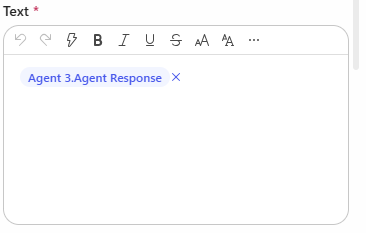
Hi, I have created a Copilot Studio Flow which has 3 agents. 2 agents do some research in parallel, I catch the results in 2 different string variables and hand the variables over to a third agent. The third agent should merge both variables, format them and hand them over to "Send Email". In the email body I add the output of agent 3. The workflow itself works. But I always have the complete email body text twice in the email received by the recipients. Where is the duplicate of the agent output coming from? I have this issue also when I add the agent response of agent 1 and agent 2 directly to the "send email" node. Does anyone have an idea? Would be great to get feedback. Appreciate it. Thanks!300Views0likes7Comments
Copilot Studio consistent System Error issue
I have built an agent that invokes a Power Automate flow as a tool. Inside the flow, I'm using the Execute Agent and Wait activity, which calls another agent. This execution takes around 10–15 minutes to complete, after which the flow returns the result using Respond to Agent (asynchronous response). Although the flow completes successfully and the downstream agent finishes its execution, the calling agent still receives a System Error instead of the expected response. Why I'm using a Flow instead of directly connecting the agent Normally, I would connect the agent directly. However, the agent being invoked is already connected to another agent. Since agent → agent → agent chaining is not supported in Classic mode, I used a Power Automate flow as an orchestration layer to work around this limitation. Looking for someone who have faced this issue and has any solution to this.200Views0likes1CommentToken Limit Exceeded? What's Actually Going On and What to Do About It ?
Hi All, Please check out my latest blog on “Token Limit Exceeded” would love to hear your thoughts https://techcommunity.microsoft.com/blog/1c769f9e-c0b0-45a7-af52-fecceca10bb2/token-limit-exceeded-whats-actually-going-on-and-what-to-do-about-it-/4536271200Views0likes0Comments
Platform Issue: Agent-Level MCP Initialization Blocks All Topics for Users Without Connection Access
I’m writing to report a significant platform behavior issue we’ve encountered with MCP (Model Context Protocol) server initialization in Copilot Studio that is severely impacting end-user experience. ENVIRONMENT • Platform: Microsoft Copilot Studio • Deployment Channel: Microsoft Teams • Agent Type: Custom Agent (EdiSENSE DEV) • MCP Server: Atlassian Confluence-Jira MCP • Affected Users: Users without Confluence/Jira access entitlements PROBLEM SUMMARY When an MCP server is registered at the agent level in Copilot Studio, it appears to be initialized globally before any topic routing occurs. If a user’s MCP connection is in a Not Connected state — even if their query has absolutely nothing to do with that MCP server - the agent gets stuck in an authentication loop, repeatedly prompting: “Let’s get you connected first. Open connection manager to verify your credentials. Once the connection is ready, retry your request.” The user is shown Retry / Cancel buttons, and the agent never proceeds to route the query to the appropriate topic. STEPS TO REPRODUCE 1. Register an MCP server (e.g., Confluence-Jira) at the agent level in Copilot Studio 2. Deploy the agent to Microsoft Teams 3. Log in as a user who does NOT have access to the MCP-connected service (e.g., no Confluence license) 4. Ask the agent any question completely unrelated to the MCP service 5. Observe: Agent does not route to any topic. Instead, it loops on MCP connection prompt indefinitely EXPECTED BEHAVIOR • MCP initialization failure for a specific service should NOT block unrelated topic routing • The agent should gracefully degrade - if an MCP connection is unavailable for a user, it should skip that MCP and continue routing the query to relevant topics • There should be a way to scope MCP connections to specific topics, or at minimum, mark them as optional/non-blocking ACTUAL BEHAVIOR • Agent-level MCP initialization blocks the entire conversation flow • Users without MCP access cannot use ANY functionality of the agent, even features completely unrelated to the MCP service • There is no graceful fallback or bypass mechanism available to agent builders BUSINESS IMPACT This is a critical gap for enterprise deployments where: • Not all users have access to every integrated service • Agents serve a broad user base with varying entitlements • Admins have no control over MCP initialization order or failure handling In our case, a large portion of our Teams users are completely locked out of the agent’s core functionality simply because they don’t have a Confluence license - even though they never intended to use Confluence-related features. FEATURE REQUEST / SUGGESTED RESOLUTION 1. Allow MCP servers to be scoped at the topic level, not just agent level 2. Introduce an optional flag for MCP connections so initialization failure is non-blocking 3. Provide agent builders with a connection status condition node in the topic flow to handle MCP failures gracefully 4. At minimum, allow the Cancel button in the auth prompt to fall through to normal topic routing I’d appreciate any guidance on whether there is a current workaround, or if this is a known limitation on the roadmap for resolution. Thank you for your time and support.188Views0likes1Comment