activity
629 Topics
Automatic initials are taking my business
Hello everyone, I'm a software developer, mostly based in Germany. I have a M365 Business Account and am using Teams as part of it. Since automatic initials, instead of generic profile pictures, became a thing, I'm constantly in a hurry to change my profile picture as soon as possible. This is because my initials are SS, which in the German culture is the abbreviation of the company responsible for the death camps during Nazi Germany. People are so upset about it that I even had customers not do business with me. They saw the SS initials in calls and thought I was using this on purpose to make a political stand, i.e. being in favour of the industrial scale mass murder of several million people. I'm not. So here is where my frustration is with Teams, which I'm paying for, and which is taking my business away with its stupid initials: I cant change the initials without changing my name I cant populate my picture to outside orgs preventing the initials from being shown This leads me to the incredibly uncomfortable situation that every time I connect to a new client, I need to discuss my distancing of the genocide 80 years ago before actually being able to commence a meeting. Not a very happy topic and as mentioned before I have lost business because of it. Is there please, any solution to this, that doesn't involve having to change my name? Kind Regards Sebastian93Views1like4Comments
Planner task comments no longer send email notifications – critical regression
This change removed a previously existing core functionality without providing an adequate replacement. With the new Planner experience, task comments no longer trigger automatic email notifications to assigned users. This breaks a critical communication mechanism that many teams relied on for reliable task coordination. As a result, assigned users are no longer consistently informed about updates, introducing a high risk of missed information and operational issues in day-to-day work. There is currently no supported or enforceable alternative to ensure users are notified. Previous behavior: Task comments triggered automatic email notifications Assigned users were reliably informed Communication was traceable and consistent Current behavior: No automatic email notifications No configuration to restore this @mentions required (manual, error-prone, not enforceable) Microsoft Support has confirmed that this is by design and cannot be reverted. From an enterprise perspective, this is not just a design change, but a regression of critical functionality without an equivalent replacement. Request: Please restore automatic email notifications for task discussions or provide a reliable, enforceable alternative for notifying assigned users. Question to the community: How are you handling this change in real-world scenarios? Switching tools? Enforcing @mentions? Moving communication out of Planner? Would appreciate hearing how others are dealing with this.1.2KViews4likes8Comments
Teams availability status - admin way to manage this?
We have some staff here who seem to be abusing the Teams status feature: they indicate they are "available" when they are away from their desk/computer. Management here as inquired if there is a way to enforce the Teams feature where it normally shows inactive after a few minutes. Is this possible?471Views0likes3Comments
Teams auto selecting "Missed Calls"
I have the calls tab selected. On that tab I have "All" selected. I then click the Activity tab. Teams is selecting "Missed" on that tab. Why is it selecting "Missed"? The issue is when I click back to the calls tab Teams then selects the "Missed" on the calls area. Now if I click on "All" on the Activity tab and then click back to the Calls tab everything is fine. Seems like it is auto selecting stuff for me I didn't ask it to do.138Views0likes2Comments
Teams Meeting invite (RSVP) not showing other meetings
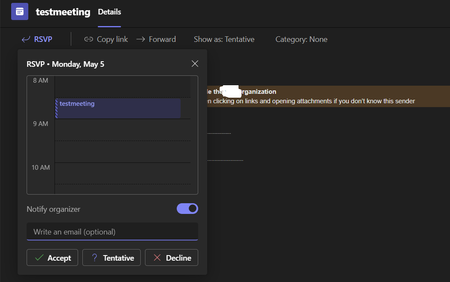
We are working with Microsoft for some time (>100 days) on an issue regarding meeting invites in Teams, where the first time opening such an invite it is not showing conflicting or adjacent meetings. This can easily result in people getting "double booked" because they trust what Teams shows them. We can reproduce this anytime and in at least 3 tenants and I would like to know if other users/tenants recognize this. Some things to take into account: You shouldn't have opened the week this meeting is scheduled in earlier today, as it probably some sort of caching mechanism/issue. It only happens the first time you click on the RSVP option in teams. We tested with/without MCAS, same result. It also happens in a Teams browser session. How to reproduce: Send an invite for a meeting, to happen in e.g. 4 weeks, make sure there are conflicting/adjacent at that timespan. Wait for the invite to appear in the Teams activity (do not check it in Outlook, as that will make the test fail). When you click in the Teams on the invite, click on the RSVP option and check what you see (calendar is free it seems): Click the X to close this RSVP popup and click the RSVP again (now the other meetings are shown): I am really curious if other users can reproduce this.... Regards, Peter259Views0likes0Comments
Please tell me how to disable the Pin Copilot message
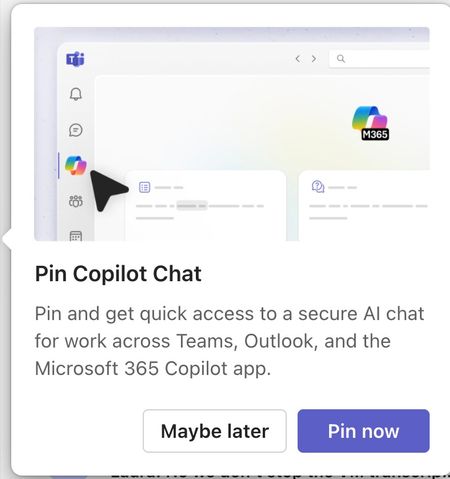
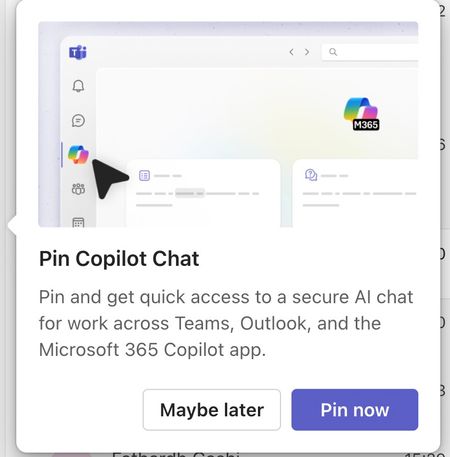
Morning! I wrote a message yesterday but nobody replied, so here's another one so it doesn't get lost Can somebody tell me how to disable the annoying "Pin Copilot Chat" popup? every morning I have to say "Maybe Later" when I really mean to say NEVER IN A THOUSAND YEARS255Views0likes1CommentNew Teams Version Approvals Not In Channels
In the latest version you can no longer request an approval in a channel. Instead you need to go to the Approvals section in the side bar, then you can make a general approval request. Is it going to be added back into discussion channels at some point? The current button for Approvals in the channel + button just brings up a search bar that doesn't seem to work.344Views2likes3Comments