yammer
13 Topics
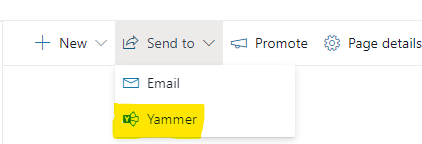
Remove/Disable Yammer from Send To menu
Hi, Is there a way to remove/disable the Yammer option in the Send To dropdown menu? Here is the link explaining it - https://support.microsoft.com/en-us/office/share-a-modern-sharepoint-page-to-yammer-21c8f124-3e63-43e7-ba54-ecebfee128a7, We don't use Yammer and we would like to remove this option. Hopefully a tenant wide option. Thanks, MontySolved5KViews0likes6Comments
Questions about creating a discussion board / community on SharePoint
Hello all, I am trying to create a community forum for customers of my company that I can link to the company website. I am hoping that by accessing the link anyone will be able to see the Sharepoint site and create posts. I have multiple questions that I am hoping will be answered: If create the discussion board like how this https://www.simplesharepoint.com/blog/Lists/Posts/Post.aspx?ID=108 says, will users be able to access the site through a link? And will they be able to contribute without being a part of our organization? If I take a different route and use Yammer, how would that work? Would users be able to access it through a link? Would they need to have a Microsoft account? https://docs.microsoft.com/en-us/sharepoint/create-b2b-extranet is also another option. However, I am confused by how the sharing would work for this option considering how it only allows business partners to access it. My goal for this site it to create a community for customers to ask questions, get quick support, and have discussions together. I'm a newbie when it comes to SharePoint and Yammer so I'd appreciate any help you can offer.1.2KViews0likes0Comments
Can't configure external sharing per site basis for SharePoint site that is connected to O365 Group
Updates are given below the original post Original post --- Security Concern - Not being able to configure external sharing per-site basis for any SharePoint Online site that is connected to an O365 Group. When you configure external sharing now at the SharePoint Admin Center at the tenant level, all O365 connected sites inherit the sharing settings from the Admin center, we can't configure a per-site basis for those O365 group connected sites. Microsoft recently enabled guess access as the default behavior for Microsoft Teams. As a result, SharePoint online sites are configured for external sharing now. Because of this, any SharePoint Online site that's connected with an Office 365 group, that gets created is configured for external sharing. These sites could be the sites associated with Microsoft 365 services e.g. Teams, Yammer, etc., or just independent sites but connected with an O365 group. Their external sharing is inherited from the SharePoint Online external sharing settings at the Tenant Org level. Noe: If you create a SharePoint team site without an O365 connected group or a communication site then the Tenant level external sharing settings do not get inherited to them and that is ideal so we can decide if we need to enable external sharing to them case by case. But for those O365 connected sites - this is a huge security concern as organizations and we don't want all these sites by default to have the external sharing settings inherited to them from the tenant org level. We want to enable external sharing by request site by site by request. Now we can go in the SharePoint admin center after the fact and reconfigure those sites one by one for not to be allowed for external sharing or set that to your desired settings but that is very unproductive as users create sites left and right. I understand for Teams guest access and collaboration purposes it is needed but that should not be applied to other SharePoint Online sites that are not associated with Teams. So the question is, is it possible to set the O365 group connected sites' external sharing settings not to inherit from the tenant SharePoint org level external sharing settings? Thanks ------------------------------------------------------------------- Updates: I contacted Microsoft support for this issue. They acknowledge this is an issue but seems can't do anything on this now, which is really not acceptable. Support is limited to what they can do. Asked them to contact their development/engineering team to address this concern.1.8KViews0likes2Comments
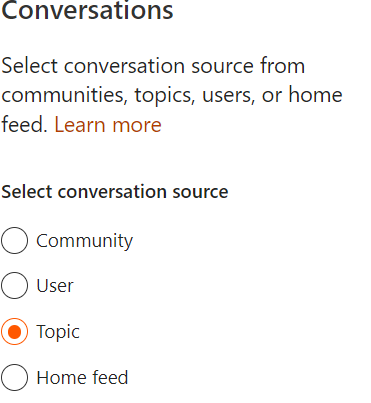
Yammer feed in SharePoint page - filter to show only announcements
Hi, I want to use Yammer feed in a SharePoint page, but want it to be configured as follows: 1) Only show posts that are of type "Announcements" 2) Do not show user replies From what I've seen, in modern layout both Yammer Conversation and Yammer Highlights don't allow that type of configuration. In classic layout, using script editor to embed Yammer feed I haven't been able to find if additional parameters are possible or not. Anyone knows if this type of filtering in Yammer feed is possible? Thanks in advance, Rui1.4KViews0likes1Comment
Flow fails to detect Announcements on new Yammer
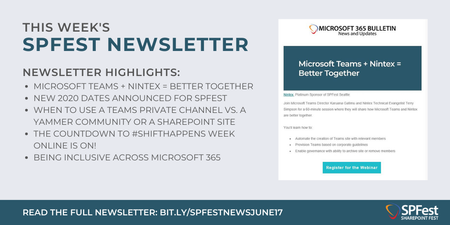
Hi, I have a Power Automate flow that collects Yammer info whenever a message is posted as an announcement. It worked fine with the previous Yammer version, the trigger detects a new message and then the flow tests a condition for the message type. With the new Yammer, the announcements are different and the message type value isn't updated at its source e.g. this is part of the body of a Yammer announcement in the new Yammer: "message_type": "update", expected value would be "announcement" Is there any way I can adapt my flow to the new Yammer data?Microsoft Teams + Nintex = Better Together
Join Microsoft Teams Director Karuana Gatimu and Nintex Technical Evangelist Terry Simpson for a 60-minute session where they will share how Microsoft Teams and Nintex are better together. Register for tomorrow's webinar and more in this week's newsletter! Read the full newsletter: https://bit.ly/SPFestNewsJune17?fbclid=IwAR0A9hqI6X6ygPrI_epJyhs0PuL_zgR7p0ImnNdbE1Mn2TVr99vgpJh_n2Q Join us at SPFest Seattle (October 5-9, 2020): http://www.sharepointfest.com/Seattle766Views0likes0Comments
Assign Yammer license to all licensed users Office 365
Hello I need help in adding Yammer to all licensed users in Office 365. We already have bunch of licenses for all the users. For example, each user has Enterprise E3, Enterprise mobility + Security E3, ATP. However the sub license: yammer is unchecked in E3 Plan. I tried doing through powershell however all the scripts were based on location and disabling licenseoptions. Is there a script for all licensed users (or by usage location: US) to add yammer add on in E3? I tried the script from: https://gallery.technet.microsoft.com/Bulk-Assign-License-with-5477e8e2#content however I get the error as :Set-MsolUserLicense : Unable to assign this license because it is invalid. Use the Get-MsolAccountSku cmdlet to retrieve a list of valid licenses. I have used the Get-MsolAccountSku command and got the same results. Not sure if I am missing something Thank you.3.3KViews0likes1CommentBuild a Crisis Management Site to Connect People and Information
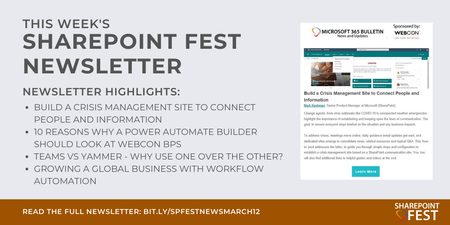
Change agents, from virus outbreaks like COVID-19 to unexpected weather emergencies, highlight the importance of establishing and keeping open the lines of communication. Learn how you can ensure everyone stays briefed on the situation and any business impacts in this week's http://www.sharepointfest.com/DC newsletter: https://bit.ly/SPFestNewsMarch12?fbclid=IwAR2_qg-T1Ro-6ckq2BqdJAstemlaI-ve1CG8rh3dvOt3o_AvfqF1nI7sYpg Join us at SharePoint Fest DC (April 13-17, 2020): http://www.sharepointfest.com/DC1.6KViews1like0Comments