sales intelligence
17 Topics
Copilot doesn't add a column to the matrix visual
I have a sales report that I would like to add a column to. I am trying out Copilot, and it cannot add the column in the matrix visual, even with the prompt I give it. If it can generate reports, why can't Copilot add a column when I ask it to? Example: Need to add a SKU column, which is on the semantic model in this matrix visual, but it says the following: I attempted to add the SKU field from the Sales & Sold Returns table to your matrix visual, placing it after Product Brand and before Item Name. However, the update did not succeed—SKU is still not appearing in the matrix. This may be due to a limitation in the current visual configuration or a technical restriction. Please verify that the SKU field is not already present elsewhere in the matrix, and that there are no restrictions on adding it. If you need further troubleshooting or want to try a different approach, let me know how you’d like to proceed.
To Surface the Custom Object Data From Salesforce In Copilot For Sales Side Panel
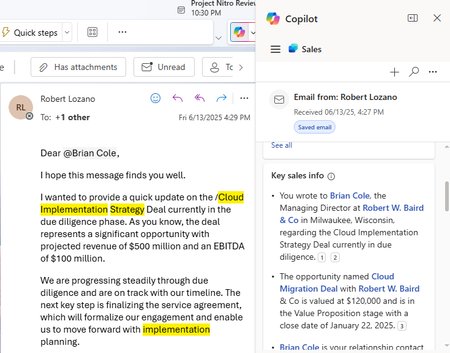
There is a Key Sales Info Card in Copilot For Sales on connecting to Salesforce CRM it fetches Opportunity, account and contact info in it . I need to display a custom object which is linked to contact and it's associated account in the key sales info . Is there any Process or do we have any workaround to build it in a separate card. Refere the image below
Microsoft Dynamics Prompts, ability to customize?
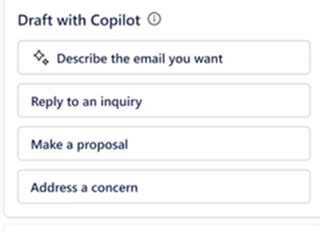
Exploring into the prompt options within Outlook and Dynamics CRM. The default options used to show in the Draft Email/Outlook area in the pic below. Now they do not show at all, is Microsoft working on this or is this a bug? Also, are you able to customize the text to change the wording better suited to the teams at a company? The CRM default options look like this:Microsoft Dynamics Opportunities and Leads?
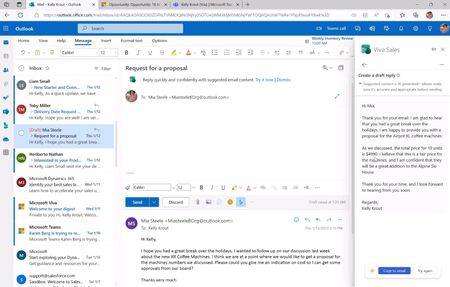
Hi, I am new to the Sales Copilot AI setup. I have been watching videos and have seen that contacts can be added to the CRM system fairly easily. Can you also make someone a lead from Outlook, through Sales Copilot, to the CRM system with a Dynamics 365 Sales Enterprise License? Also, can you create opportunities the same way or is it a simple you can add leads/contacts to opps and edit opps kinda thing? I am fairly certain opportunities can't be created, but I did see something about the leads. What's New in Sales Copilot – December 2023 - Microsoft Community Hub
Sales Insights for Teams Meetings, not just Calls
I'm trying to establish whether our Sales Managers can use Conversation Intelligence Sales Insights System Monitoring https://ui-gbr.sales.ai.dynamics.com/ to monitor integrated performance of staff Teams Meetings and not just Teams Calls. Can this be achieved through Sales Co-pilot or any other feature?Error while saving Team Meeting in D365 suing Sales Copilot
Hi All, I am getting below error while saving meeting to D365. Don't know where this meeting gets stored in CRM and which field limit need to increase. "errorcode": 0, "errorCodeName": "Microsoft.SalesProductivity.Common.Base.SPServiceCustomErrorCode.UnidentifiedError", "message": "Copy the error details here, then share them with your admin or Microsoft support and ask if they can help you resolve this issue.", "title": "Something went wrong", "details": "You have exceeded the maximum number of characters in this field.", "troubleshootingLink": null, "sessionId": "b8201c10-1732-4794-9582-9999adcdf5ea", "activityId": "c866a495-6a88-4279-bdfb-ce830e106b42"Solved