office for the web
61 Topics
Shortcuts appearing when using Option+arrow in Outlook on Chrome in Mac
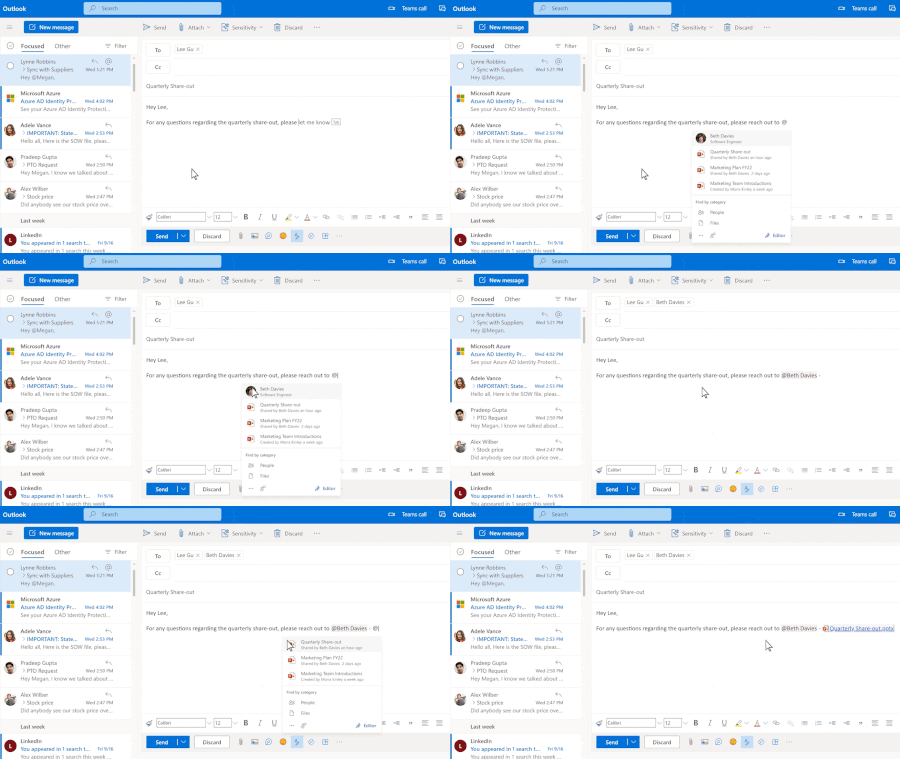
luse Outlook on Chrome in my MacBook Pro. While typing an email, though, if I use Option tarrow left or right (to go back or forth between words), after a few words, the shortcut letters for the menus pop up, and stop what I'm doing. (See image.) It doesn't happen in any other window on Chrome. So it's not a Chrome thing. It's only when Outlook 365 is loaded. (Don't know if it happens in other 365 apps, as I only use Outlook, really.) Anyone experienced that? And, if so, is there a solution? I tried Outlook 365's setting, but nothing there. Thanks!19Views0likes1Comment
Publish an Excel Add-in by just submitting the add-in manifest to Microsoft Marketplace
I am working on Excel Add-in built using the react template. We are planning to host the add-in code on our domain and update the manifest to point to the URL for our domain. Can I just submit the add-in manifest to Microsoft to publish it in Microsoft Marketplace?14Views0likes0Comments
What's going on with office.com / web apps?
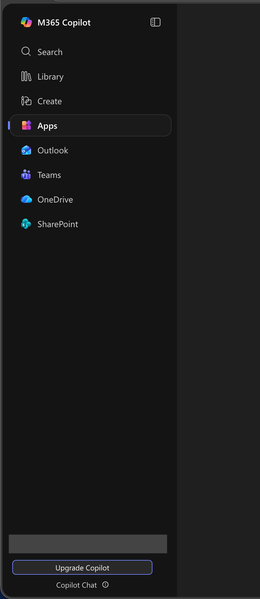
I'm aware that Microsoft had already chosen to upend usability once by changing office.com into 😡m365.cloud.microsoft😡 and make accessing web apps more difficult. This week I found they're hidding applications even further by burying them at the bottom of the page behind another menu - even when "pinned". Below are two screenshots of the 😡m365.cloud.microsoft😡 portal from different accounts that were created on the same day and accessed from the same computer and web browser via admin priveledges. I have observed this discrepency more than once with various accounts. Can someone explain the rational for Microsoft continuing to further bury office applications from users? Am I unaware of a new portal to access the Office applications our users rely upon every day?97Views1like1Comment
Third-party access via Organisational Link
Hi, Previously when logging into my personal account on a Web Browser, it flashed up with what is the typically an organisational message about an IT administrator. After being ping-ponged back and forth from the Microsoft Support teams, it's been suggested there is an organisational link with my personal email account, which absolutely should NOT be the case. My concern is if someone has linked my email with an organisational account, then they are privy to a lot sensitive information from personal finances to healthcare (this has also correlated with some odd behaviour on certain devices). The agents that I have spoke to have not yet provided me with a viable solution to removing any links to an organisational account, nor getting a list of any organisations or entities that have been linked to my personal account. Does anyone have any ideas as to a way around this? Many thanks.109Views0likes2Comments
How to Backup Emails in Outlook?
If you want to backup emails in Outlook, the easiest and most reliable way is by using the Mails.Daddy Email Backup Tool. I’ve used it personally to export my Outlook.com emails to formats like PST, EML, and MBOX with zero data loss. It connects via IMAP and lets you back up selective folders or the entire mailbox. Whether you're planning to backup Outlook emails to a hard drive or migrate them to another email client, this tool is fast, secure, and beginner-friendly. For anyone asking how to backup emails in Outlook, I strongly recommend trying this — it’s a smooth experience and saves a lot of time.101Views0likes1CommentNew Landing Pages for Word, Excel and PowerPoint (rant)
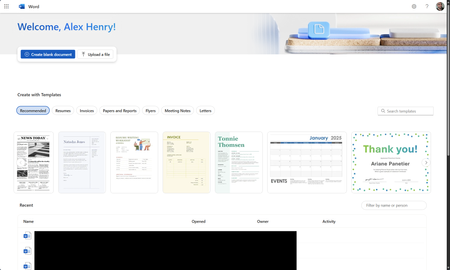
So I found out this week that MS is piloting new landing pages for the core Office apps (again). Instead of loading in the M365 Home page, they now load in an entirely new page. Why was this necessary? We've already been here before and MS spent years moving everything to the Home app. The dust has finally settled and things are working great. Why move things out again?284Views1like2CommentsMicrosoft’s Push to Save Office Files in the Cloud
A new policy setting is available to force Microsoft 365 enterprise (Office subscription) applications to save to cloud locations and ignore the local disk. The idea is to increase cloud usage and improve compliance by storing all Office files in OneDrive for Business or SharePoint Online. Like a network PC, creating a dependency on a network connection only makes sense when a network connection is dependable, which might not always be the case. https://office365itpros.com/2025/09/09/save-to-cloud-locations/43Views0likes0Comments