feedback
13 Topics
Link an existing form with a new spreadsheet
Hi, my questions are quite simple really and are directed at Microsoft: When are you going to create the ability to link an existing form to a new spreadsheet? When are you going to make it possible to copy questions/menu options between forms? The bare functionality of MS Forms is embarassing. Regards, Noel110Views0likes1Comment
MS Forms: multi-select checkbox answers in grid questions
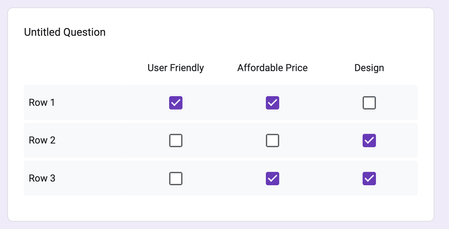
Is there a way in MS Forms to add a multi-select checkbox grid for survey questions? I'm aware of the existing Likert scale grid option but that only allows for selecting one response in each row. I want respondents to able to select more than one option in each row. Google Forms has this feature. If it is not available in MS Forms, how does one go about submitting feedback to have this feature added to Likert scale questions?1.1KViews1like2Comments
Power Automate Error - Microsoft Forms Email
I have followed directions from other users to set up an automated email with attachments and a custom email body, which seems to have worked except when it tries to complete one section. I cannot find the error. When I entered the 'json' it automatically corrected from "item" to "name" dynamic function and now won't run.49Views0likes0Comments
Likert question on excel
I made a survey for school using forms. I like the graphs provided after the surveys are done and I'm trying to use those graphs in excel, to be exact the likert graph but I cant seem to find out how to do it on excel. When ever I try to do the stacked bar graph it doesn't add up how it has it on forms. The title of the question is the only variable that comes on on everything like my x-axis, y-axis and key variables. Any way I can copy and paste the graphs already provided in forms onto excel? Or does anyone know the trick to use that specific formula in excel to do it?1.8KViews0likes1Comment
Feedback image size
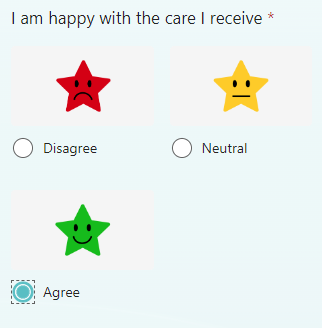
When adding images to response options, the icons split over 2 rows on mobile. Is there a way to get them all one 1 line? The pictures I'm using do not actually have space around them to the left and right, so I'm assuming this is just space filled by MS Forms? Many thanksSolved594Views0likes1Comment
MS Forms Microsoft Feedback/Improvement Suggestions
Hi, I have a number of MS Forms created, all as application forms for the insinuation I work for. They work great and have been using MS Forms for around 3 years now, in conjunction with MS Power Automate, which takes new responses and emails them to me in a csv file. I have been making several suggestions for improvements and adding of features for a while. At first I used the microsoftforms.uservoice.com website to do so. However, I can now see that that website is no longer available. So, as of around a couple of months ago I used the 'Give feedback to Microsoft' facility found on the three dots menu in one of the MS Forms. I have heard nothing/can find anything about any a replacement of the Uservoice website, as I want to be able to go somewhere and find out what new MS Forms features have been/are due to be released/are being worked on. Over the last few years I have requested for the following features for MS Forms: - Being able to allow users from outside your organisation to upload files - Being able to put restrictions on the number of characters/words a user can enter into text questions - Being able to temporarily hide questions and options on choice questions - Being able to allow users to type the first few letters of dropdown questions to quick get to the options they want to select, eg list of Countries - Being able to send out a 'successfully submitted' email using one of the questions on the form as the send to email, as our forms can be responded to by anyone and the auto email field just says anonymous. Is anyone from the Microsoft Development able to update on the above features and/or a website where we able able to find out about new features? Regards David BradleySolved3.9KViews1like3CommentsComment box based on rating
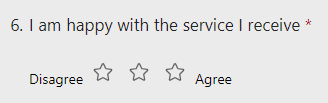
Apologies if this has already been asked, but I'm struggling to find an answer online. On MS forms, is there a way to have a comment text box appear based on the rating provided. E.g., if 1 star was given, a box pop up to ask for further information? I've tried the branching option, but can't see any 'logic' to apply. Thanks!Solved2KViews0likes1CommentDrop Down Quiz Questions within a fill-in-the blank sentence structure
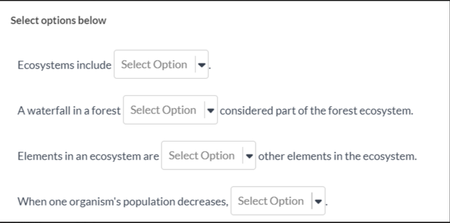
Is it possible to get a function in MS Forms for drop-down questions to show within the fill-in-the-blank question? It is helpful for students (especially younger students) to see their chosen answer within the actual question sentence. IE we would like to make it look like this: But we can only make it separate questions with drop down like this:1.3KViews0likes1Comment