Excel for web
1982 Topics
Finding time duration between a start date & time with end date & time
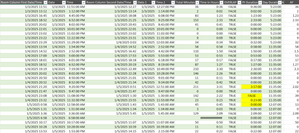
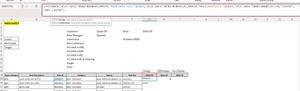
Hi all! I'm looking for any formula or power query to calculate a total time duration within a day, given the start date, start time, end date, end time. Most of the dates will equal the same but there are some with the end date being the next day. I'd like to be able to exclude any overlaps as well. Currently, I have a large embedded IF formula: =IF(AND($G4=$O4,$H4<$H5,$P4>=$H5,$P4<$P5,$H4<$H3),$P4-$H4,IF(AND($G4=$O4,$G4>$G3,$H4<$H3,$P4<$P3,$H4<$P3,$P4<$P5),$P4-$H4,IF(AND($G4=$O4,$H4>$H3,$H4>=$P3,$P4>$P3),$P4-$H4,IF(AND($G4=$O4,$H4=$P4),0,IF(AND($G4=$O4,$H4<$P3,$P4<=$P3),0,IF(AND($G4<$O4,$H4<$P3,$P4>$H4),($P4+1)-$P3,IF(AND($G4=$O4,$O4<$G5,$O4<$O5,$H4<$P3,$P4>$P3),$P4-$P3,IF(AND($G4=$O4,$G4>$G3,$H4>$H3,$P4>$P3,$H4>$P3),$P4-$H4,IF(AND($G4=$O4,$G4<$O5,$P4>$P3,$P4>$H5,$H4>$H3,$H4<$H5),0,IF(AND($G4=$O4,$O4=$G5,$H4<$P3,$P4>$H5,$P4>$P3,$P4>$P5,$P2>$P3),$P4-$P2,IF(AND($G4=$O4,$H4<$P3,$P4>$P3,$P4>$P5),$P4-$P3,IF(AND($G4=$O4,$H4<$P3,$P4>$P3,$H4<$H5,$P4<$P5),$P4-$P3,IF(AND($G4=$O4,$H4<$H5,$H4<$P3,$P4>$P3,$P4>$P5),$P4-$P3,IF(AND($G4=$O4,$O4=$G5,$H4<$P3,$P4>$H5,$P4>$P3),$P4-$P2,IF(AND(ISBLANK($O4),ISBLANK($P4)),0,IF(AND($G4<$O4,$H4<$P3,$P4<$H4),($P4+1)-$P3)))))))))))))))) This seems to work for the most part but there are a few that I just can't get. I also pulled up my query and started to enter in the time durations manually and it couldnt come up with anything automatic for me. There must be an easier way for me to do this other than trying to create an IF formula for each answer that turns up incorrect. I have a screen shot below.21Views0likes1Comment
Conditional data validation drop downs
I have a table with everyone's availability. Column A is names, Column B is Monday morning, Column C is Monday afternoon and so on. In another cell, I want a drop down list of names if they're available at that time. If( [Monday Morning] = "Available") put it in the drop down list and then do that for the whole week. When I try to do formulas in the data validation page it doesn't work.15Views0likes1Comment 213Views1like6Comments
Pivot Table Setting Won't Appear
This is Excel 365, the online version. When I create a pivot table the field table pane pops up so I can select what columns I want. When I go to "show settings" for the pivot table they don't show up and then cause the field table pane to also not show up. This happens on all my documents, new and old, multiple devices and web browsers. I've used the pivot table settings on other documents but on Wednesday 11/19/2025 is just stopped working. I didn't change any of my settings. This seems to be a Microsoft glitch but their tech support's only solution to me was to use the desktop version but the point of me using the online version is so that everyone in my Organization can use these shared docs. I'm having a ton of other issues with Microsoft but this one is preventing me from being able to the basic tasks of my job.225Views1like4Comments
Sheet View Issues with Excel Web Browser
Hi, I have created a Excel document for my department to use, I tried Excel App but due to the size of the Spreadsheet it kept freezing, as a result I switched it to use Excel through Web Browser. The sheet no longer freezes which is good. I do have another issue though.....I wanted multiple users to be able to access, edit the sheet at the same time so I did some research and Sheet View seemed to be the way forward. I created a Sheet view for each employee to use so when you go to View, Sheet View and click on the relevant person their work is updated, saved etc and this shouldn't affect others view. This is working in terms of people editing. The main issue now though is that despite following advice sometimes when someone changes a filter on their own sheet view it seems to change others view. My understanding was you can hide, filter etc within your own Sheet view but this doesn't seem to be the case.......PLEASE HELP!!!! My excel and computer Skills aren't excellent to please any simple advise would be great.180Views0likes3Comments
Linking a cell from a OneDrive excel sheet to another OneDrive excel sheet in different workbooks
Hi, I'm trying to make a cell in sheet A of workbook 1 display the cell from sheet X in workbook 2. Both workbooks are in the same parent folder with different sub folders. I want all this to be done with OneDrive apps, not desktop app. Any help would be greatly appreciated! Thanks9.5KViews0likes3CommentsOnline Excel Version - Print Row Repeat/Print Titles
How do you set up the print row repeat or print titles option in the online version of Excel. I don't see these options available under Page Layout. Is there another location that this option is located or is this not available in the online version?12KViews2likes9Comments
Power query refresh using script
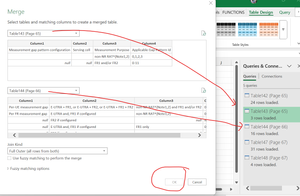
I am trying to automate the power query refresh using power automate. Change in a folder triggers multiple scripts. All the scripts seem to be working fine, but the final script to refresh the connections, to show updated query results in the various tabs is not working. function main(workbook: ExcelScript.Workbook) { // Refresh all data connections workbook.refreshAllDataConnections(); } what might be different about this? thanks!93Views0likes2Comments