Data Lake
26 TopicsBuilding a Data Lake with Cloudera and Azure Data Lake - Roadshow
Today we are announcing the Cloudera + Microsoft Roadshow to showcase the partnership and integration with Cloudera Enterprise Data Hub and Azure Data Lake Storage (ADLS). Linux and Open Source solutions (OSS) have been some of the fastest growing workloads in Azure and Big Data/Analytics are popular among our customers. Microsoft works closely with our open source partners such as Cloudera and many others to build solutions across infrastructure-as-a-service (IaaS) and platform-as-a-service (PaaS) to make it as simple as possible and allow customers to focus on solving their data challenges. Read about it on the Azure blog.894Views1like0CommentsUsing Microsoft Sentinel MCP Server with GitHub Copilot for AI-Powered Threat Hunting
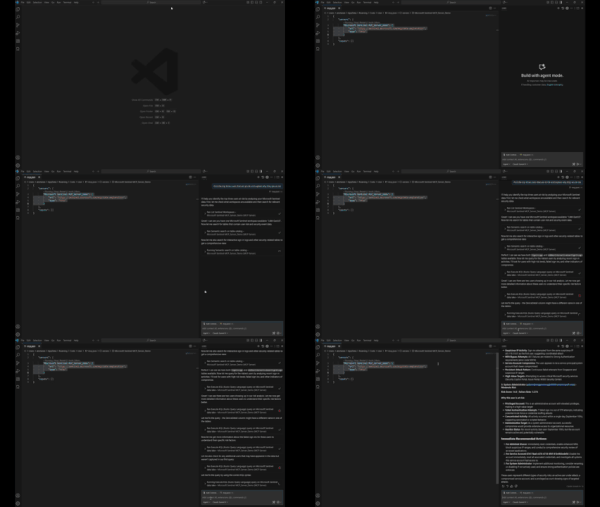
Introduction This post walks through how to get started with the Microsoft Sentinel MCP Server and showcases a hands-on demo integrating with Visual Studio Code and GitHub Copilot. Using the MCP server, you can run natural language queries against Microsoft Sentinel’s security data lake, enabling faster investigations and simplified threat hunting using tools you already know. This blog includes a real-world prompt you can use in your own environment and highlights the power of AI-assisted security workflows. What is the Microsoft Sentinel MCP Server? The Model Context Protocol (MCP) allows AI models to access structured security data in a standard, context-aware way. The Sentinel MCP server connects to your Microsoft Sentinel data lake and enables tools like GitHub Copilot or Security Copilot to: Search security data using natural language Summarize findings and explain risks Build intelligent agents for security operations Prerequisites Make sure you have the following in place: Onboarded to Microsoft Sentinel Data Lake Assigned the Security Reader role Installed: Visual Studio Code GitHub Copilot extension (Optional) Security Copilot plugin if building agents Setting Up MCP Server in VS Code Step 1: Add the MCP Server In VS Code, press Ctrl + Shift + P Search for: MCP: Add Server Choose HTTP or Server-Sent Events Enter one of the following MCP endpoints: Use Case Endpoint Data Exploration https://sentinel.microsoft.com/mcp/data-exploration Agent Creation https://sentinel.microsoft.com/mcp/security-copilot-agent-creation Give the server a friendly name (e.g., Sentinel MCP Server) Choose whether to apply it to all workspaces or just the current one When prompted, Allow authentication using an account with Security Reader access Verify the Connection Open Chat: View > Chat or Ctrl + Alt + I Switch to Agent Mode Click the Configure Tools icon to ensure MCP tools are active Using GitHub Copilot + Sentinel MCP Once connected, you can use natural language prompts to pull insights from your Sentinel data lake without writing any KQL. Demo Prompt: 🔍 “Find the top three users that are at risk and explain why they are at risk.” This prompt is designed to: Identify the highest-risk users in your environment Explain the reasoning behind each user's risk status Help prioritize investigation and response efforts You can enter this prompt in either: VS Code Chat window (Agent Mode) Copilot inline prompt area Expected Behavior The MCP server will: Query multiple Microsoft Sentinel sources (Identity Protection, Defender for Identity, Sign-in logs) Correlate risk events (e.g., risky sign-ins, alerts, anomalies) Return a structured response with top users and risk explanation Sample Output from My Tenant Results Found: User 1: 233 risk score - 53 failed attempts from suspicious IPs User 2: 100% failure rate indicating service account compromise User 3: Admin account under targeted brute force attack This demo shows how the integration of Microsoft Sentinel MCP Server with GitHub Copilot and VS Code transforms complex security investigations into simple, conversational workflows. By leveraging natural language and AI-driven context, we can surface high-risk users, understand the underlying threats, and take action — all within a familiar development environment, and without writing a single line of KQL. More details here: What is Microsoft Sentinel’s support for MCP? (preview) - Microsoft Security | Microsoft Learn Get started with Microsoft Sentinel MCP server - Microsoft Security | Microsoft Learn Data exploration tool collection in Microsoft Sentinel MCP server - Microsoft Security | Microsoft Learn