Forum Discussion

genesis224
Mar 16, 2021Copper Contributor
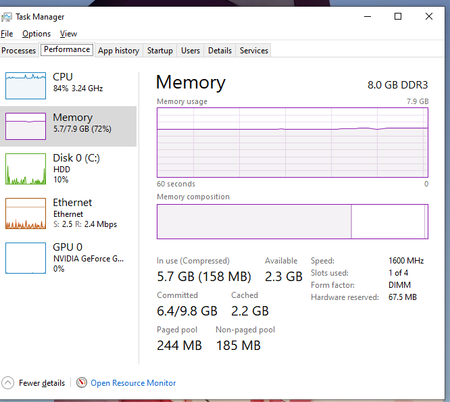
There is something that taking up my ram
There is really something that taking up my ram. I just don't really know what it is. I already checked the processess and still nothing there is no app that takes high memory. ( I just reffor...

CarnegieJ-IAYF
Mar 16, 2021Iron Contributor
genesis224 Based on the window screen captures and comments provided, it appears there may be background Services running on your PC that have high resource utilization (CPU & RAM). In Task Manager, click "Open Resource Monitor" to create a correlated monitor view of resources over time.
 genesis224Mar 17, 2021Copper Contributor