User Profile

JezBurger
Copper Contributor
Joined Sep 13, 2020


User Widgets
Recent Discussions
Re: Sharepoint list links to custom view not working on Teams tab with a sharepoint page
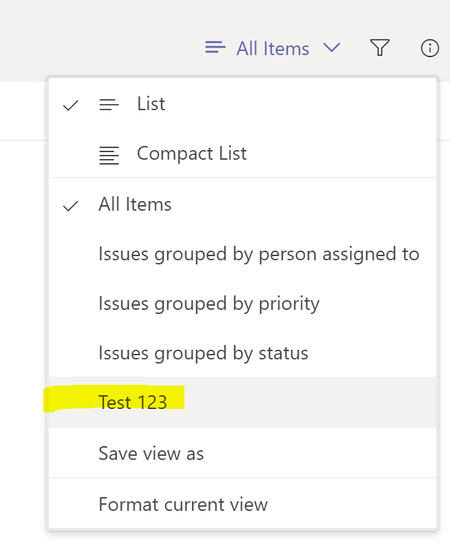
HiDanielHerrera , What you may be best to do is as follows: 1. In Teams, click the drop down next to All Items and see if your custom view 'Fleet' shows up in the list. If so, select this as per below. This will set the list view type to be set as your custom view: 2. As per below, now that your custom view is selected, choose the drop down again in Teams and select 'Set current view as default' to set your custom view as the main list view every time in Teams: If you don't see your Fleet custom view come up as per step 1, you'll need to create or edit the custom list view back in Sharepoint via the link from Teams as per below: Once in Sharepoint, edit the List settings and check the Fleet View:16KViews0likes3CommentsRe: Need help with missing network adapter
Hi Katie_Watson143, It sounds like somewhere along the line that the Windows installation has not installed the onboard network card software drivers. I would suggest from another computer to download the network card driver software and then place it onto a USB stick and plug it into your Toshiba and then install the network card driver software. Just upon looking online for your specific laptop model, you can download the drivers directly from their website here - https://support.dynabook.com/support/modelHome?freeText=PSCP6U-01401E&osId=3333615 Click on the download link and save it to your USB stick and follow my advice as noted above. All the best!1KViews0likes0Comments
Recent Blog Articles
No content to show