User Profile

PietroDiaco
Copper Contributor
Joined Jul 17, 2020


User Widgets
Recent Discussions
Re: Calendar does not show up in ms teams for a specific user.
Some more information! It is a hybrid environment. The Calendars are not on premises. The account is also missing from the Teams Admin Center. Here are the commands my colleague tried for Microsoft: Hi None of these commands worked, tested on the AD and the Azure connect servers. Tested with connection to Office 365 established and without. set-executionpolicy remotesigned •set-executionpolicy : The term '•set-executionpolicy' is not recognized as the name of a cmdlet, function, script file, or operable program. Check the spelling of the name, or if a path was included, verify that the path is correct and try again. At line:1 char:1 + •set-executionpolicy remotesigned + ~~~~~~~~~~~~~~~~~~~~ + CategoryInfo : ObjectNotFound: (•set-executionpolicy:String) [], CommandNotFoundException + FullyQualifiedErrorId : CommandNotFoundException PS C:\WINDOWS\system32> Import-Module SkypeOnlineConnector •Import-Module : The term '•Import-Module' is not recognized as the name of a cmdlet, function, script file, or operable program. Check the spelling of the name, or if a path was included, verify that the path is correct and try again. At line:1 char:1 + •Import-Module SkypeOnlineConnector + ~~~~~~~~~~~~~~ + CategoryInfo : ObjectNotFound: (•Import-Module:String) [], CommandNotFoundException + FullyQualifiedErrorId : CommandNotFoundException PS C:\WINDOWS\system32> userCredential = Get-Credential userCredential : The term 'userCredential' is not recognized as the name of a cmdlet, function, script file, or operable program. Check the spelling of the name, or if a path was included, verify that the path is correct and try again. At line:1 char:1 + userCredential = Get-Credential + ~~~~~~~~~~~~~~ + CategoryInfo : ObjectNotFound: (userCredential:String) [], CommandNotFoundException + FullyQualifiedErrorId : CommandNotFoundException PS C:\WINDOWS\system32> $sfbSession = New-CsOnlineSession -Credential $userCredential •$sfbSession : The term '•$sfbSession' is not recognized as the name of a cmdlet, function, script file, or operable program. Check the spelling of the name, or if a path was included, verify that the path is correct and try again. At line:1 char:1 + •$sfbSession = New-CsOnlineSession -Credential $userCredential + ~~~~~~~~~~~~ + CategoryInfo : ObjectNotFound: (•$sfbSession:String) [], CommandNotFoundException + FullyQualifiedErrorId : CommandNotFoundException PS C:\WINDOWS\system32> Import-PSSession $sfbSession •Import-PSSession : The term '•Import-PSSession' is not recognized as the name of a cmdlet, function, script file, or operable program. Check the spelling of the name, or if a path was included, verify that the path is correct and try again. At line:1 char:1 + •Import-PSSession $sfbSession + ~~~~~~~~~~~~~~~~~ + CategoryInfo : ObjectNotFound: (•Import-PSSession:String) [], CommandNotFoundException + FullyQualifiedErrorId : CommandNotFoundException https://www.microsoft.com/en-in/download/details.aspx?id=39366 this link that was given to him to fix the command errors did not help either. PietroDiaco6.4KViews0likes2CommentsRe: Calendar does not show up in ms teams for a specific user.
There is no difference, it is the same place as the other resource rooms exact same permissions and everything. Cache cleared, inprivate window tried, and the account has been tried on 3 computers and it won't show up still.6.6KViews0likes0CommentsCalendar does not show up in ms teams for a specific user.
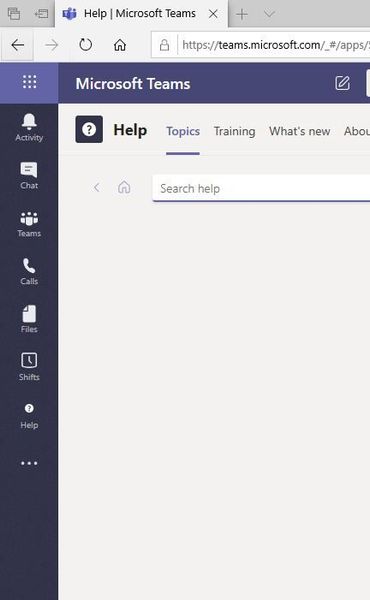
I am referencing my post I made here: https://answers.microsoft.com/en-us/msteams/forum/msteams_tfb-msteams_calen-msteams_suboth/missing-calendar-in-teams-app-and-webapp-microsoft/cd91a492-14f0-46af-9e45-c41ce869986c?messageId=b9fdd124-a62e-428a-8ee7-e1aa3d7c8c57 We are having frustrations with ms support as the tech has always fell back on recreating the user account, which we cannot do as there are meetings booked for a year. This account has all appropriate licenses and permissions that I know of and we have tried many powershell commands from the support tech. Please share some insight on showing the calendar! 🙂6.8KViews0likes5Comments
Recent Blog Articles
No content to show