User Profile

brichan
Brass Contributor
Joined Sep 12, 2019


User Widgets
Recent Discussions
Re: Google fiber being blocked??
After disconnecting the router and changing the public IPv4 address, the same error occurred. However, when I tried again the next day, the download started normally. Honestly, it took a long time before the download became possible. We've encountered similar errors in previous builds several times before, but this is the first time we've experienced such a continuous blockage.54Views0likes0CommentsRe: [server 25314] External SET Team to Internal after Reboot.
After communicating with the Microsoft team, I was given a minimal workaround and managed to get SET Switch to work. 1.when BSOD or GSOD occurs on Intel i350, etc., it occurs when Virtual Machine Pool is enabled, so it is necessary to disable VMP. Using e1r.sys and may occur on NICs where VMq is supported HKEY_LOCAL_MACHINE\SYSTEM\CurrentControlSet\Services\vmsmp\Parameters BelowTenGigVmqEnabled 0 2.if Host Network Service is running, SET Switch is set to Internal due to HNS problem. Disable HNS (this workaround is not possible when using containers). With the above two methods, we were able to create a SET Switch and confirm that the SET Switch still works after rebooting. Now I just hope that the Microsoft Team will fix the problem. This is only a workaround and not an answer.481Views1like1CommentRe: [server 25314] External SET Team to Internal after Reboot.
We have not found any solution at all and there is no information on any change of policy. If the problem is caused by SET, I guess it means that you should use a faster interface, such as 40gbE or 100gbE. I have nothing but doubts about the Windows Server Team's response.491Views0likes1CommentRe: b26052 - WORKAROUND - no offer to upgrade via Microsoft Update from b26040
I am experiencing similar symptoms in my environment. It seems to be occurring when Opt-In is done with a version before 26040, or the Ring is only in Release Preview. If the Server's Registry settings are different, I would like MS to release them.1.4KViews1like0Comments[server 25314] External SET Team to Internal after Reboot.
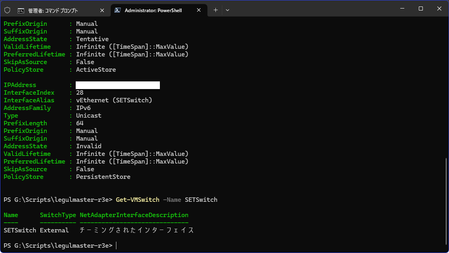
I have created SET Teaming on Windows Server 25314 (actually from a previous build) using External and 3 Intel i350-T4 ports, configured for Hyper-V and external access. New-VMSwitch -Name SETSwitch -NetAdapterName "i350t4_1","i350t4_2","i350t4_3" -AllowManagementOS $true -EnableEmbeddedTeaming $true -EnableIov $true Set-VMSwitchTeam -Name SETSwitch -LoadBalancingAlgorithm Dynamic In that case, the Hyper-V VM and OS can be accessed normally, but when I restart Windows Server, all Adapters disappear from SET Teaming and are changed to the Internal setting, and network access is lost. The above logs were obtained at WPR with Profile in Network. Since the file is large, I will post a link to OneDrive. setTeamingTrouble.etl https://1drv.ms/u/s!AoGvAA_XXMTH-dJ2gkOa6E5hP4QhLg?e=7hPgLQ In addition, if the EnableIov option is set to $false, a BSOD (KMODE_EXCEPTION_HANDLED) will occur after the Switch is created. VMSWITCH.SYS 0x0000007e (0xffffffffc0000005, 0xfffff80643a95c61, 0xffffb28989f2a6d8, 0xffffb28989f29ef0) Addition 2: LBFO Teaming is working properly. I tried to send it through the Feedback Hub and could not get it to work, so I have included it here. Addition 3: Server 25324 LBFO Teaming with New-VMSwitch failed.2.7KViews2likes7CommentsRe: [server 25314] External SET Team to Internal after Reboot.
Thanks for the reply. In the meantime, LBFO Teaming can work fine and we usually do it that way. However, I get warnings with every Windows Insider update, which is inconvenient to be honest. I would like to be able to use SET Teaming normally, as SET Teaming worked in the same environment in a build a while ago (I lost the build number) and the performance was better than LBFO Teaming. Addition: How many years has it been since SET Teaming was implemented? How long will you leave it halfway? And if you are going to leave it half-assed, isn't there a need to deprecate LBFO? I have nothing but questions about the Server Team's policy.1.9KViews0likes0Comments
Recent Blog Articles
No content to show