User Profile

MathijsSerlie
Copper Contributor
Joined Jan 26, 2024


User Widgets
Recent Discussions
- 31Views0likes0Comments
Re: Help Needed: Trouble Filtering and Re-Entering Data
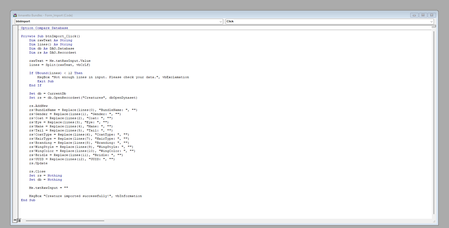
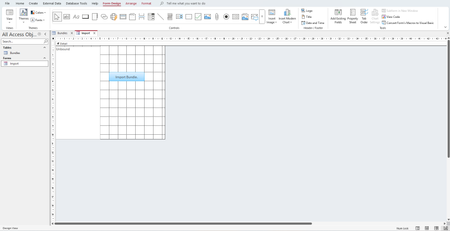
Hi Karl, Sorry if you get this reply more than once, I’m not sure if I’m doing something wrong. I check for duplicates with uuid. Tried to upload what I’ve made so far, but it wouldn’t let me. Mathijs https://gyazo.com/f6f789fa6e8b8ad26041fba473153fd0 https://gyazo.com/8b608f520274c41c1f49c27449bc3bad https://gyazo.com/c069be3f68584b67349e32d490e2448e36Views0likes0CommentsHelp Needed: Trouble Filtering and Re-Entering Data
Hi everyone, I'm looking for some help. I've started working on something quite simple, but I can't get it to function correctly. Yep, total noob moment. The concept is straightforward, and I've attached what I’ve started so far. The idea is to paste multi-line text into a text field. For example: [12:29] 1g Name Bundle sib 03 03F : 1g Name Bundle sib 03 03F Gender: Female Coat: Black Walker Eye: Garnet Mane: Long Tail: Long Coat Gloom Hair Gloom Skull Branding Wing Style: Pegasus Wing Color: Nightfall bae515d4-1caa-cda5-c259-b2d436f3ba19 Here’s what I’m trying to achieve: The first line ([12:29] ...) should be filtered out. The name should be extracted: 1g Name Bundle sib 03 03F The UUID (last line) must be unique—no duplicate entries allowed. If the entry has already been added (based on the UUID), it shouldn't be accepted again. However, if the input is deleted, it should be possible to re-enter it, but currently, it still says the data has already been entered, even after deletion. Could someone please check and help me figure out what’s going wrong? Thanks in advance!246Views0likes9CommentsRe: Phrases corresponding with code
Riny_van_Eekelen Hi Riny, Would you be so kind, when you have time, to check for me please. For some reason the formula in the HPS tab (Row B and E) does not work with all the Languages in tab ORIGNAL. You find an overview of the languages who do and don’t work in the tab Sheet 1. I’m sure it is my fault, I played around a bit but don’t know what I did to mess it up. Kind regards, Mathijs3.1KViews0likes2CommentsRe: Phrases corresponding with code
Riny_van_Eekelen Yeah, that’s the idea. But can you make it so that when I type a Language in cell D2 (Tab H_P_S) the translation, of the Phrases shown in row B, corresponding with the codes in row A (Tab H_P_S), come in row D (translated in the language of cell D2. Like the example text in green in tab (Tab H_P_S) using the data from tab ORIGINAL? I have a new file attached!3.3KViews0likes6CommentsPhrases corresponding with code
Hi All, I Would like your help. When I select or type a Language (from tab ORIGINAL) in cell E2 (in Tab Hazard_Precautionary_Statements) I would like to have the phrase corresponding with the codes in collum A, in the language I selected/typed in cell E2 in row E. If a phrase is not available (not translated) in that particular language, the cell is empty. I hope it all makes sense. Kind regards, MathijsSolved3.9KViews0likes12CommentsCountifs Formula
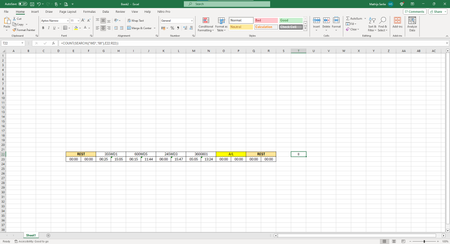
Hi, I'm stuck and need help. I'm looking for a countifs formula that searches in a range for multiple criteria. I tried it with some exampes I found online but without a positive result. The formula has to search for Partial text. Range = E22:R22 count if cells contains WD and/or 08 cell E22 contains 370WD01 and Cell R22 contains 3600804, Cell S22 contains the result (2) I hope this all makes sense Kind regards, MathijsSolved1.9KViews0likes5Comments
Recent Blog Articles
No content to show