User Profile

LouiseL12
Copper Contributor
Joined Nov 07, 2023


User Widgets
Recent Discussions
Re: EXCEL Homework help
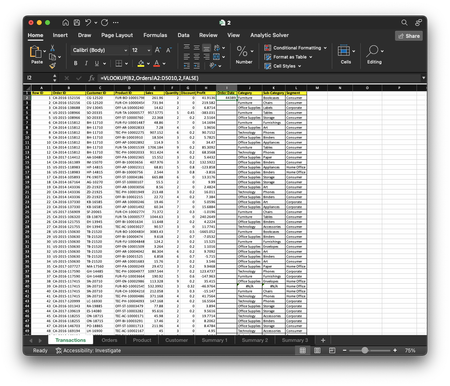
HansVogelaar Already did that... now the problem are the cells with #N/A Column J: =VLOOKUP(D2,Product!A159:D2052,2,FALSE) Column K: =VLOOKUP(D2,Product!A2:D1895,3,FALSE) Column L: =VLOOKUP(C2,Customer!A2:D794,3,FALSE) I can't seem to get rid of the #N/A but when i check the reference sheets the info is there it just won't appear in the cell1.9KViews0likes4CommentsEXCEL Homework help
I have this homework for one of my classes and we have to use the VLOOKUP formula for these Here were the instructions given to us: Task 1: Complete lookup value from columns I:L of Transactions Sheet Task 2: Using PIVOT table, create a summary of total sales per year which can be filtered according to product category (answer on Summary 1) Task 3: Using PIVOT table, create a summary of total profit and total quantity sold to each customer segment which can be filtered according to product category (answer on Summary 2) Task 4: Using PIVOT table, create a summary of total discount, Quantity, Sale and Profit sold according to Product Sub-Category which can be filtered by Customer segment. I managed to figure out the LOOKUP for the others but the order date seems to only display numbers and not dates. I repeated the formula over and over but I can't seem to get it... Am I doing something wrong? Would also appreciate some extra help on why the values are displaying as #N/A especially towards the bottom of the sheet I asked my professor for help and his response did not help me with this in any way... What he told me was "All you need to do is change the data type of that column to short date"Solved2.4KViews0likes6Comments

Recent Blog Articles
No content to show