User Profile

darlene22xx
Copper Contributor
Joined Oct 23, 2023


User Widgets
Recent Discussions
Re: Outlook default email
PeterCWorth You can try creating new outlook profile and set your primary email address as default. Basically, whatever email address you set up first will be the default one. For Windows: https://support.microsoft.com/en-us/office/create-an-outlook-profile-f544c1ba-3352-4b3b-be0b-8d42a540459d#:~:text=In%20Outlook%2C%20select%20File%20%3E%20Account,profile%2C%20and%20then%20choose%20OK. For Mac: https://support.microsoft.com/en-us/office/manage-profiles-or-identities-in-outlook-for-mac-fed2a955-74df-4a24-bef6-78a426958c4c#:~:text=Add%2C%20change%2C%20or%20delete%20a%20profile&text=Ctrl%2Bclick%20or%20right%2Dclick,then%20launch%20Outlook%20Profile%20Manager.&text=%2C%20and%20then%20enter%20a%20name%20for%20the%20new%20profile.&text=Double%2Dclick%20the%20profile%2C%20and,new%20name%20for%20the%20profile.1.2KViews0likes1CommentRe: New Outlook Mail Folder wrong language
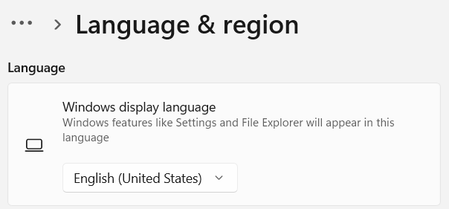
Hi snikito, Try to check what language was configured in the new outlook app. You can set your time zone, language, and the date and time format settings. 1. At the top of the page, select Settings . 2. Select General > Language and time. 3. Select the language, date format, time format, and time zone you want to use. 4. Select Save.15KViews0likes8CommentsRe: How to change user passwords in bulk - without force to change
Hi ABill1, To do bulk password reset, you need to create a CSV file where it should have a column preset with passwords, we will use this command, provided the column header is named “Password". Import-Csv "C:\Users.csv" | % { Set-MsolUserPassword -userPrincipalName "$_.UserPrincipalName" -NewPassword "$_.Password" -ForceChangePassword $False As you noticed, ForceChangePassword was set to false hence it should not force the users to change password the next time they sign in.18KViews0likes0CommentsRe: Forwarding Teams Meeting Invite
Hi Crizel1207, If you are not the meeting organizer and you forward a meeting to someone that was not originally invited to the meeting, Outlook sends a meeting forward notification to the meeting organizer. The existing meeting attendees are not notified about the added attendee. However if the goal is to hide the attendees' list, you have to schedule the teams meeting this way: https://www.thewindowsclub.com/hide-attendee-list-outlook where you need to enable "Hide attendee list" option. When the recipients accept the request and join the meeting, they won’t be able to see other recipients’ names.13KViews0likes0Comments

Recent Blog Articles
No content to show