User Profile

Phil_Shipley
Copper Contributor
Joined Dec 10, 2021


User Widgets
Recent Discussions
Re: Restricting unauthenticated sharing / Anyone links to certain users or group
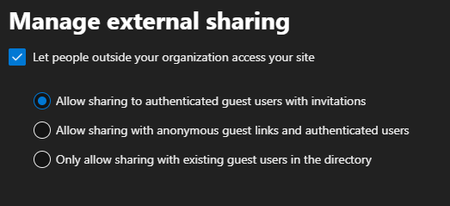
+1. This is such a common requirement and sad that there is not a straightforward way to break whatever inheritance(s) are in place and 'do it like NTFS permissions'. That said, because you have 'Allow only users in specific groups to share externally', this means that only the members defined in that group will be able to share 'externally' and, to your point, will honor that ONLY based on the slider bars shown in your top screenshot unless..... Not exactly what we are after, and ALWAYS so much the case with the O365 platform. Then, take into account this little doodad, which makes things EVEN MORE CONFUSING in Admin Center, that more or less implies per user setting, but sadly, cannot be invoked as such. I suppose you could define two groups, as indicated here: https://learn.microsoft.com/en-us/sharepoint/manage-security-groups setting each respectively as: Authenticated guests only (default) OR Anyone101Views0likes0CommentsB2B Sync Oddity: Cut vs. Copy behavior (Possible Bug)?
Greetings community. I manage several tenants, and have OneDrive B2B sync working b/t 'Fabrikam' and 'Contoso'. The Contoso user is a guest within 'Fabrikam' and is syncing a document library within 'Fabrikam'. The Contoso user is using KMF. Everything is working properly EXCEPT the following scenario, which seems to be easily reproducible: 'Contoso' user creates content on his/her desktop (say a Word Document or PDF). Then, this user 'drags and drops' the file (considered a 'move' and/or 'cut + paste' operation) to the synced document library within 'Fabrikam' via File Explorer. The OneDrive sync client never seems to completely processes this change: Visually, the document is removed from the desktop, and can be seen with the blue 'sync pending' icon in the synced document library within File Explorer. This status never changes. The users within 'Fabrikam' never see the document appear in File Explorer and/or Sharepoint web view. The operation described above works properly, instead, if the user does a copy + paste operation. The reverse is also true: If the 'Contoso' user does a 'move' and/or 'cut + paste' operation for a file from the synced document library in 'Fabrikam' to his/her desktop, the file visually appears on the desktop with the blue 'sync pending' icon, which never changes (expected to appear as green check mark, 'available on this device' status). The users within 'Fabrikam' never see the file disappear . Sync Clients tested: 21.220.1024.0005 21.230.1107.0004 Please advise.636Views0likes0Comments
Recent Blog Articles
No content to show