User Profile

SRMueller
Copper Contributor
Joined May 10, 2021


User Widgets
Recent Discussions
Re: Read/Write AzureAD Guest Self Signup via PowerShell
Yeah, I saw that afterwards. I'm moving on with all the other properties I find. Properties like that, which seem unreachable via the MS Powershell cmdlets, will move to a backlog/do it manually via UI pool. The main problem I see is with the inconsistent implementation of the cmdlets and the lacking documentation. Or better, the inconsistent quality of the documentation. To make matters worse for me, I just found the PnP PowerShell which is supposed to bring with it more commands. But now I'm stuck figuring out, which tools/cmdlets/tech I should use, i.e. are best practice, according to microsoft and the community. I want to avoid writing my own MS Graph frontend but maybe that's where this is going in the long run. Thanks for the support! EDIT: sorry for the edit noise1.8KViews0likes0CommentsRe: Read/Write AzureAD Guest Self Signup via PowerShell
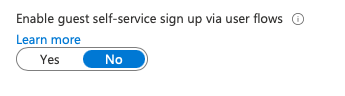
VasilMichev Thank you! I wasn't aware of this concept of hidden properties. Would I have been able to figure that out via documentation? Also, I now see that AllowAdHocSubsciptions is set to true in the result of the cmdlet, but Azure Portal shows this as "false" in the External Identities->External Collaboration Settings1.8KViews0likes2CommentsRead/Write AzureAD Guest Self Signup via PowerShell
Setting the Guest user self-signup property via powershell is documented to be done via the Msonline module's `Set-MsolCompanySettings` cmdlet (-AllowAdHocSubscriptions) https://docs.microsoft.com/de-de/powershell/module/msonline/set-msolcompanysettings?view=azureadps-1.0 Now, I don't see a way to read this setting. There's Get-MsolCompanyInformation but no value for AdHocSubscriptions. Also, the Msonline module is marked as deprecated and we should use AzureAD(-Preview) module instead. But there I can't find the setting. It might be me just being unable to correctly search the documentation. So my questions are: how can I read the setting via powershell? what is the "new" way to set this setting when msonline module is deprecated?Solved2KViews0likes4CommentsManage Teams Apps via PowerShell
Ahoi, I'm in the process of automating our Office365 via PowerShell and currently working on everything related to "Microsoft Teams (Admin Center)". I managed to do almost anything but I'm now stuck at the management of apps. I'm unable to find a powerShell cmd-let for Org-Wide App settings. I.e. "Disable 3rd Party Apps". Also, I'm having a hard time finding the correct commands for the "Manage App" Lists and to understand how this all fits together with the Permission/Setup Policies. The cmd-lets for the Policies are almost straight forward, so I'm basically asking: Is there a concise way to manage the org-wide App Settings/Manage App Lists via PowerShell (MicrosoftTeams module)?8.4KViews0likes3Comments
Recent Blog Articles
No content to show