permissions
2067 TopicsMGDC for SharePoint FAQ: How to Run a PoC without Pulling Your Entire Tenant
Overview When getting started with SharePoint data in Microsoft Graph Data Connect (MGDC) for SharePoint, many teams want to validate scenarios - such as reporting or analytics before committing to a full production deployment. A common first instinct is to pull a complete dataset from a production tenant. While this delivers the most comprehensive view of SharePoint usage, it also: Requires broad administrative authorization Consumes the most Azure compute and storage resources Increases MGDC extraction and processing costs Adds complexity to early experimentation Fortunately, MGDC for SharePoint provides multiple ways to run low‑cost experiments or proof‑of‑concept (POC) deployments using partial or scoped datasets. This guide presents these options using a uniform comparison model, helping you choose the right approach based on: Cost Representativeness of production behavior Implementation effort Dataset completeness Supported datasets Option 1: Use a Dev or Test Tenant Description Use an existing development or test tenant (or create a new trial tenant) to enable MGDC and run initial experiments. Pros Smaller datasets reduce MGDC and Azure costs Easier to obtain administrative permissions Lower operational impact Cons May not reflect production‑scale usage patterns Some SharePoint features or integrations may be missing Requires simulated user activity to generate meaningful data Trial tenants are time‑limited Learn More Microsoft 365 Trial Options Azure Trial Options Option 2: Start with the SharePoint Sites Dataset Description The Sites dataset is typically the smallest MGDC dataset for SharePoint and provides tenant‑wide metadata for all site collections. Pros Lower cost compared to Files or Permissions datasets Provides organization‑wide coverage Minimal MGDC configuration beyond standard onboarding Small dataset can be handled directly by a variety of analysis tools Cons Does not include permission or file details Limited insight compared to full datasets Learn More How can I estimate my Azure bill? Updated! Gather a detailed dataset on SharePoint Sites Option 3: Sample a Limited Number of Rows Description Some MGDC SharePoint datasets support returning only a subset of rows in query results. This is supported across the top 5 SharePoint datasets in MGDC (Sites, Permissions, Groups, Files and File Actions). Pros Minimal and predictable extraction cost Enables rapid schema inspection Provides total dataset row count in request metadata Cons Rows are not returned in a predictable order Sample is not randomized. It is not reproducible and could be biased Results should not be used to draw tenant‑level conclusions Learn More How can I sample or estimate the number of objects in a dataset? Option 4: Filter by SiteId Description Because SharePoint data is partitioned by site collection, MGDC filtering allows you to extract data from a single site or a small group of representative sites. This supports Sites, Permissions, Groups, Files and File Actions datasets. Pros Enables realistic workload simulation Reduces total extraction volume Simplifies downstream reporting Cons May introduce sampling bias Not suitable for tenant‑wide reporting Learn More How can I filter rows on a dataset? Option 5: Filter by TemplateId Description Instead of selecting individual sites, filter by site template to isolate specific workloads. For example, you could filter for OneDrives or SharePoint Embedded. Pros Consistent dataset scope Useful for workload‑specific analysis Cons Limited dataset support (supported only for Sites, Files and File Actions) May not reflect cross‑workload usage patterns Learn More How can I filter rows on a dataset? Option 6: Use Delta State Datasets Description Delta datasets allow you to retrieve only changes since your last data transfer for supported SharePoint State datasets. Pros Enables recurring analytics with lower extraction costs Supports daily or weekly trend analysis Reduces data movement after initial ingestion Cons Requires an initial full dataset pull Adds complexity to downstream merge processing Learn More How can I use Delta State Datasets? How do I process Deltas? Summary MGDC for SharePoint provides multiple approaches to extract targeted subsets of tenant data, allowing teams to: Run proof‑of‑concept deployments Validate analytics pipelines Test governance or migration scenarios Estimate ongoing MGDC and Azure costs By selecting the right combination of dataset scope, filtering strategy, sampling method or delta tracking, you can balance cost, representativeness, and implementation effort before scaling to a full production deployment. For additional guidance on MGDC for SharePoint, visit SharePoint Data in MGDC.How can I stop a user from resharing a document if they have Edit access on that item?
I want to share a document with someone in my organization and give them Edit access, but I also want to prevent that user from sharing the file with anyone else (within organization). Below solutions are not applicable to me Use site or library‑level settings to block members from sharing and only owners can share. This solution is not applicable to us. Use Sensitivity Labels or Purview policies to restrict resharing. We don't have Purview73Views1like2Comments
Horrible sharing URLs in Sharepoint
What is the story with Sharing URLs - they are horrible! In classic SharePoint you could click/drag over a document and you had a user-friendly URL that linked to the document and could be pasted directly into documents, emails etc. Permissions were set once based on the organisation's policy. The link was completely separate to access. Now it creates a horrible unprofessional looking GUID filled thing! In addition, you now have to specify the type of sharing/access you are providing - in most cases existing access is fine! - which can then result in completely unnecessary permissions entries that now have to be managed/audited. Not only was it fine the way it was, it was better! Any chance of sorting this out?7KViews0likes12Comments
Issue to move folders
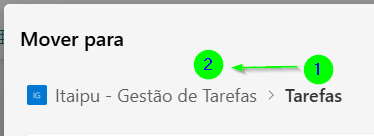
Hello everyone. This is my first post here. I'm facing an issue where I'm unable to move folders. This started after the last SharePoint update. For example, as shown below, I cannot move folder 1 into folder 2. Inheritance policies and read/edit security groups have already been changed, and nothing changed. Anyone else experiencing this? Thank you for the community helping here.141Views0likes6Comments
How to hide the Modify this view and Create View as per users available in groups
Hi All, I have classic view of SharePoint in list/libraries. I have group(for Managers). I just want want to show and hide the Create View/Modify View/Modify this view depends on users available in group. If user available in group(for Managers) then they can do anything like Create View/Modify View/Modify this view but if user is not a part of the group(for Managers) then they can not modify any Public views but the can create Personal view. Is there any way how I can achieve this functionality?38Views0likes0Comments
Classic SharePoint features appearing on a Modern Site
I have a modern SharePoint site, with a modern list that has never been associated with classic SharePoint features. But today, two users have experienced intermittent instances of the list appearing in the classic interface. They have not accessed this site before now so I do not believe there should be a cache issue. Does anyone know why this is happening and how it's possible when this site has no association with Classic features? They are using the same browser, same permissions across the site but sometimes the list opens in Classic mode, sometimes it opens in Modern. It also is happening in incognito mode. They are unable to use the site while in Classic Interface at all - the people pickers deny them access ("Error: Sorry, you do not have permission to query for users" and they cannot edit anything because of this error.216Views0likes2Comments
External Sharing log
Hello everyone, I am looking for a suitable solution for a customer case! The customer shares a lot of data with external customers via SharePoint and OneDrive. He would like to receive an overview / log of when the data was accessed and processed externally. The notifications can be used as standard - but this is not comprehensive, since the customer would like to have some kind of log. Does anyone have a good suggestion for a solution? Many THX938Views0likes3Comments
Linking documents/pictures to other sites?
What is the correct way to use documents and images stored in a Home Site library on other SharePoint sites? I need to embed images and create hyperlinks to documents on pages in other sites. I have been using the “Copy link” button, which creates a sharing link with individual user permissions. The problem is that if I move the picture to another folder within the same library, the image sometimes disappears from the page. Occasionally the share link still works after moving the file, but not always. What is the recommended way to do this, and is it fully supported?98Views0likes1CommentSharepoint Sync Onedrive - Long File Name issues
I need move some file from sharepoint to onedrive . i have add sharepoint folder to shortcut one drive . but when update on this device. , prompt up file long file name , need rename shorted after can sync . a lot of files. I tried using PnPShell to try search long file name files . but the scripts does not work .Pls share other solution to solve out the isseus.126Views0likes1Comment