microsoft
486 TopicsMicrosoft 365 & Power Platform Community call
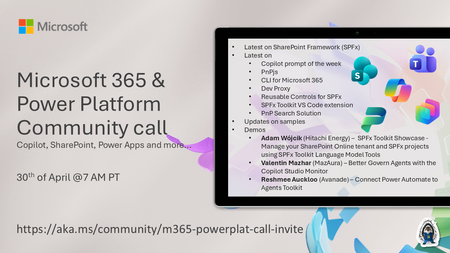
💡 Microsoft 365 & Power Platform Development bi-weekly community call focuses on different use cases and features within the Microsoft 365 and Power Platform - across Microsoft 365 Copilot, Copilot Studio, SharePoint, Power Apps and more. Demos in this call are presented by the community members. 👏 Looking to catch up on the latest news and updates, including cool community demos, this call is for you! 📅 On 30th of April we'll have following agenda: Latest on SharePoint Framework (SPFx) Latest on Copilot prompt of the week PnPjs CLI for Microsoft 365 Dev Proxy Reusable Controls for SPFx SPFx Toolkit VS Code extension PnP Search Solution Demos this time Adam Wójcik (Hitachi Energy) – SPFx Toolkit Showcase - Manage your SharePoint Online tenant and SPFx projects using SPFx Toolkit Language Model Tools Valentin Mazhar (MazAura) – Better Govern Agents with the Copilot Studio Monitor Reshmee Auckloo (Avanade) – Connect Power Automate to Agents Toolkit 📅 Download recurrent invite from https://aka.ms/community/m365-powerplat-dev-call-invite 📞 & 📺 Join the Microsoft Teams meeting live at https://aka.ms/community/m365-powerplat-dev-call-join 💡 Building something cool for Microsoft 365 or Power Platform (Copilot, SharePoint, Power Apps, etc)? We are always looking for presenters - Volunteer for a community call demo at https://aka.ms/community/request/demo 👋 See you in the call! 📖 Resources: Previous community call recordings and demos from the Microsoft Community Learning YouTube channel at https://aka.ms/community/youtube Microsoft 365 & Power Platform samples from Microsoft and community - https://aka.ms/community/samples Microsoft 365 & Power Platform community details - https://aka.ms/community/home 🧡 Sharing is caring!11Views0likes0CommentsMicrosoft 365 & Power Platform product updates call
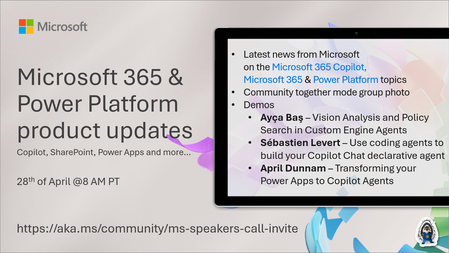
💡Microsoft 365 & Power Platform product updates call concentrates on the different use cases and features within the Microsoft 365 and in Power Platform. Call includes topics like Microsoft 365 Copilot, Copilot Studio, Microsoft Teams, Power Platform, Microsoft Graph, Microsoft Viva, Microsoft Search, Microsoft Lists, SharePoint, Power Automate, Power Apps and more. 👏 Weekly Tuesday call is for all community members to see Microsoft PMs, engineering and Cloud Advocates showcasing the art of possible with Microsoft 365 and Power Platform. 📅 On the 28th of April we'll have following agenda: News and updates from Microsoft Together mode group photo Ayça Baş – Vision Analysis and Policy Search in Custom Engine Agents Sébastien Levert – Use coding agents to build your Copilot Chat declarative agent April Dunnam – Transforming your Power Apps to Copilot Agents 📞 & 📺 Join the Microsoft Teams meeting live at https://aka.ms/community/ms-speakers-call-join 🗓️ Download recurrent invite for this weekly call from https://aka.ms/community/ms-speakers-call-invite 👋 See you in the call! 💡 Building something cool for Microsoft 365 or Power Platform (Copilot, SharePoint, Power Apps, etc)? We are always looking for presenters - Volunteer for a community call demo at https://aka.ms/community/request/demo 📖 Resources: Previous community call recordings and demos from the Microsoft Community Learning YouTube channel at https://aka.ms/community/youtube Microsoft 365 & Power Platform samples from Microsoft and community - https://aka.ms/community/samples Microsoft 365 & Power Platform community details - https://aka.ms/community/home 🧡 Sharing is caring!6Views0likes0Comments
Microsoft Finland - Software Developing Companies monthly community series.
Tervetuloa jälleen mukaan Microsoftin webinaarisarjaan teknologiayrityksille! Microsoft Finlandin järjestämä Software Development monthly Community series on webinaarisarja, joka tarjoaa ohjelmistotaloille ajankohtaista tietoa, konkreettisia esimerkkejä ja strategisia näkemyksiä siitä, miten yhteistyö Microsoftin kanssa voi vauhdittaa kasvua ja avata uusia liiketoimintamahdollisuuksia. Sarja on suunnattu kaikenkokoisille ja eri kehitysvaiheissa oleville teknologiayrityksille - startupeista globaaleihin toimijoihin. Jokaisessa jaksossa pureudutaan käytännönläheisesti siihen, miten ohjelmistoyritykset voivat hyödyntää Microsoftin ekosysteemiä, teknologioita ja kumppanuusohjelmia omassa liiketoiminnassaan. Huom. Microsoft Software Developing Companies monthly community webinars -webinaarisarja järjestetään Cloud Champion -sivustolla, josta webinaarit ovat kätevästi saatavilla tallenteina pari tuntia live-lähetyksen jälkeen. Muistathan rekisteröityä Cloud Champion -alustalle ensimmäisellä kerralla, jonka jälkeen pääset aina sisältöön sekä tallenteisiin käsiksi. Pääset rekisteröitymään, "Register now"-kohdasta. Täytä tietosi ja valitse Distributor kohtaan - Other, mikäli et tiedä Microsoft-tukkurianne. Webinaarit: 24.4.2026 klo 09.00–09.30 Marketplace ja Resale Enabled Offers (REO) Tervetuloa SDC Community Monthly ‑webinaariin. Kasvua Azure Marketplace ‑kanavan kautta – tehokkaammin REO‑mallilla. Tämän kuukauden aiheena on REO (Resale Enabled Offers), ja käymme läpi, mitä REO käytännössä tarkoittaa, milloin sitä kannattaa käyttää ja mitä se muuttaa kumppaneille. Käsittelemme aihetta yhdessä Partner Solution Sales Manager Veli Myllylän kanssa. Opit, miten Resale Enabled Offers (REO) mahdollistaa kanavakumppaneiden myydä Marketplace‑tarjouksiasi puolestasi ja miten tämä vauhdittaa co‑sell‑kauppoja, skaalaa myyntiä ja tukee Azure‑kulutusta. Ilmoittaudu mukaan: Microsoft Finland – Software Developing Companies monthly community series – Marketplace ja Resale Enabled Offers (REO) – Finland Cloud Champion Puhujat Mikko Marttinen, Sr Partner Development Manager, Microsoft Veli Myllylä, Partner Solutions Sales Manager Microsoft, Microsoft 27.3.2026 klo 09:00-09:30 - Agent Factory Microsoft Foundryllä – miten rakennat ja viet AI-agentteja tuotantoon AI‑agentit ovat nopeasti nousemassa enterprise‑ohjelmistojen keskeiseksi rakennuspalikaksi, mutta monilla organisaatioilla haasteena on agenttien vieminen tuotantoon asti. Todellinen kilpailuetu syntyy siitä, miten agentit rakennetaan hallitusti, integroidaan osaksi kokonaisarkkitehtuuria ja skaalataan luotettavasti. Tässä webinaarissa käymme läpi ja näytämme käytännön demolla, miten AI-agentti rakennetaan Microsoft Foundry:n Agent Service -palvelulla. Näytämme miten agentin rooli ja ohjeet määritellään, miten agentille liitetään tietolähteitä ja työkaluja sekä katsomme miten tämä asemoituu Microsoft Agent Factoryyn. Katso nauhoite: Microsoft Finland – Software Developing Companies monthly community series: Agent Factory Microsoft Foundryllä – miten rakennat ja viet AI-agentteja tuotantoon – Finland Cloud Champion Puhujat: Mikko Marttinen, Sr Partner Development Manager, Microsoft Veli Myllylä, Partner Solutions Sales Manager, 27.2.2026 klo 09:00-09:30 - M-Files polku menestykseen yhdessä Microsoftin kanssa Mitä globaalin kumppanuuden rakentaminen M-Files:in ja Microsoft:in välillä on vaatinut – ja mitä hyötyä siitä on syntynyt? Tässä webinaarissa kuulet insiderit suoraan M-Filesin Kimmo Järvensivulta, Stategic Alliances Director: miten kumppanuus Microsoft kanssa on rakennettu, mitä matkalla on opittu ja miten yhteistyö on vauhdittanut kasvua. M-Files on älykäs tiedonhallinta-alusta, joka auttaa organisaatioita hallitsemaan dokumentteja ja tietoa metatiedon avulla sijainnista riippumatta. Se tehostaa tiedon löytämistä, parantaa vaatimustenmukaisuutta ja tukee modernia työtä Microsoft-ekosysteemissä. Tule kuulemaan, mitä menestyksekäs kumppanuus todella vaatii, ja miten siitä tehdään strateginen kilpailuetu. Katso nauhoite: Microsoft Finland – Software Developing Companies Monthly Community Series – M-Files polku menestykseen yhdessä Microsoftin kanssa – Finland Cloud Champion Asiantuntijat: Kimmi Järvensivu, Strategic Alliances Director, M-Files Mikko Marttinen, Sr Partner Development Manager, Microsoft Eetu Roponen, Sr Partner Development Manager, Microsoft 30.1.2026 klo 09:00-09:30 - Model Context Protocol (MCP)—avoin standardi, joka mullistaa AI-integraatiot Webinaarissa käymme läpi, mikä on Model Context Protocol (MCP), miten se mahdollistaa turvalliset ja skaalautuvat yhteydet AI‑mallien ja ulkoisten järjestelmien välillä ilman räätälöityä koodia, mikä on Microsoftin lähestyminen MCP‑protokollan hyödyntämiseen sekä miten softayritykset voivat hyödyntää MCP‑standardin tarjoamia liiketoimintamahdollisuuksia. Webinaarissa käymme läpi: Mikä MCP on ja miksi se on tärkeä nykyaikaisissa AI‑prosesseissa Kuinka MCP vähentää integraatioiden monimutkaisuutta ja nopeuttaa kehitystä Käytännön esimerkkejä Webiinarin asiaosuus käydään läpi englanniksi. Katso nauhoite: 30.1.2026 klo 09:00-09:30 – Model Context Protocol (MCP)—avoin standardi, joka mullistaa AI-integraatiot – Finland Cloud Champion Asiantuntijat: Massimo Caterino, Kumppaniteknologiastrategisti, Microsoft Europe North Mikko Marttinen, Sr Partner Development Manager, Microsoft Eetu Roponen, Sr Partner Development Manager, Microsoft 12.12. klo 09:00-09:30 - Mitä Suomen Azure-regioona tarkoittaa ohjelmistotaloille? Microsoftin uusi datakeskusalue Suomeen tuo pilvipalvelut lähemmäksi suomalaisia ohjelmistotaloja – olipa kyseessä startup, scaleup tai globaali toimija. Webinaarissa pureudumme siihen, mitä mahdollisuuksia uusi Azure-regioona avaa datan sijainnin, suorituskyvyn, sääntelyn ja asiakasvaatimusten näkökulmasta. Keskustelemme muun muassa: Miten datan paikallinen sijainti tukee asiakasvaatimuksia ja sääntelyä? Mitä hyötyä ohjelmistotaloille on pienemmästä latenssista ja paremmasta suorituskyvystä? Miten Azure-regioona tukee yhteismyyntiä ja skaalautumista Suomessa? Miten valmistautua teknisesti ja kaupallisesti uuden regioonan avaamiseen? Puhujat: Fama Doumbouya, Sales Director, Cloud Infra and Security, Microsoft Mikko Marttinen, Sr Partner Development Manager, Microsoft Eetu Roponen, Sr Partner Development Manager, Microsoft Katso nauhoite: Microsoft Finland – Software Developing Companies Monthly Community Series – Mitä Suomen Azure-regioona tarkoittaa ohjelmistotaloille? – Finland Cloud Champion 28.11. klo 09:00-09:30 - Pilvipalvelut omilla ehdoilla – mitä Microsoftin Sovereign Cloud tarkoittaa ohjelmistotaloille? Yhä useampi ohjelmistotalo kohtaa vaatimuksia datan sijainnista, sääntelyn noudattamisesta ja operatiivisesta kontrollista – erityisesti julkisella sektorilla ja säädellyillä toimialoilla. Tässä webinaarissa pureudumme siihen, miten Microsoftin uusi Sovereign Cloud -tarjonta vastaa näihin tarpeisiin ja mitä mahdollisuuksia se avaa suomalaisille ohjelmistoyrityksille. Keskustelemme muun muassa: Miten Sovereign Public ja Private Cloud eroavat ja mitä ne mahdollistavat? Miten datan hallinta, salaus ja operatiivinen suvereniteetti toteutuvat eurooppalaisessa kontekstissa? Mitä tämä tarkoittaa ohjelmistoyrityksille, jotka rakentavat ratkaisuja julkiselle sektorille tai säädellyille toimialoille? Puhujat: Juha Karppinen, National Security Officer, Microsoft Mikko Marttinen, Sr Partner Development Manager, Microsoft Eetu Roponen, Sr Partner Development Manager, Microsoft Katso nauhoite: Microsoft Finland – Software Developing Companies Monthly Community Series – Pilvipalvelut omilla ehdoilla – mitä Microsoftin Sovereign Cloud tarkoittaa ohjelmistotaloille? – Finland Cloud Champion 31.10. klo 09:00-09:30 - Kasvua ja näkyvyyttä ohjelmistotaloille – hyödynnä ISV Success ja Azure Marketplace rewards -ohjelmia Tässä webinaarissa pureudumme ohjelmistotaloille suunnattuihin Microsoftin keskeisiin kiihdytinohjelmiin, jotka tukevat kasvua, skaalautuvuutta ja kansainvälistä näkyvyyttä. Käymme läpi, miten ISV Success -ohjelma tarjoaa teknistä ja kaupallista tukea ohjelmistoyrityksille eri kehitysvaiheissa, ja miten Azure Marketplace toimii tehokkaana myyntikanavana uusien asiakkaiden tavoittamiseen. Lisäksi esittelemme Marketplace Rewards -edut, jotka tukevat markkinointia, yhteismyyntiä ja asiakashankintaa Microsoftin ekosysteemissä. Webinaari tarjoaa: Konkreettisia esimerkkejä ohjelmien hyödyistä Käytännön vinkkejä ohjelmiin liittymiseen ja hyödyntämiseen Näkemyksiä siitä, miten ohjelmistotalot voivat linjata strategiansa Microsoftin tarjoamiin mahdollisuuksiin Puhujat: Mikko Marttinen, Sr Partner Development Manager, Microsoft Eetu Roponen, Sr Partner Development Manager, Microsoft Nauhoite: Microsoft Finland – Software Developing Companies Monthly Community Series – Kasvua ja näkyvyyttä ohjelmistotaloille – hyödynnä ISV Success ja Azure Marketplace rewards -ohjelmia – Finland Cloud Champion 3.10. klo 09:00-09:30 - Autonomiset ratkaisut ohjelmistotaloille – Azure AI Foundry ja agenttiteknologioiden uudet mahdollisuudet Agenttiteknologiat mullistavat tapaa, jolla ohjelmistotalot voivat rakentaa älykkäitä ja skaalautuvia ratkaisuja. Tässä webinaarissa tutustumme siihen, miten Azure AI Foundry tarjoaa kehittäjille ja tuoteomistajille työkalut autonomisten agenttien rakentamiseen – mahdollistaen monimutkaisten prosessien automatisoinnin ja uudenlaisen asiakasarvon tuottamisen. Kuulet mm. Miten agenttiteknologiat muuttavat ohjelmistokehitystä ja liiketoimintaa. Miten Azure AI Foundry tukee agenttien suunnittelua, kehitystä ja käyttöönottoa. Miten ohjelmistotalot voivat hyödyntää agentteja kilpailuetuna. Puhujat: Juha Karvonen, Sr Partner Tech Strategist Mikko Marttinen, Sr Partner Development Manager, Microsoft Eetu Roponen, Sr Partner Development Manager, Microsoft Katso nauhoite täältä: Microsoft Finland – Software Developing Companies Monthly Community Series – Autonomiset ratkaisut ohjelmistotaloille – Azure AI Foundry ja agenttiteknologioiden uudet mahdollisuudet – Finland Cloud Champion 5.9.2025 klo 09:00-09:30 - Teknologiayritysten ja Microsoftin prioriteetit syksylle 2025. Tervetuloa jälleen mukaan Microsoftin webinaarisarjaan teknologiayrityksille! Jatkamme sarjassa kuukausittain pureutumista siihen, miten yhteistyö Microsoftin kanssa voi vauhdittaa kasvua ja avata uusia mahdollisuuksia eri vaiheissa oleville ohjelmistotaloille – olipa yritys sitten start-up, scale-up tai globaalia toimintaa harjoittava. Jokaisessa jaksossa jaamme konkreettisia esimerkkejä, näkemyksiä ja strategioita, jotka tukevat teknologia-alan yritysten liiketoiminnan kehitystä ja innovaatioita. Elokuun lopun jaksossa keskitymme syksyn 2025 prioriteetteihin ja uusiin mahdollisuuksiin, jotka tukevat ohjelmistoyritysten oman toiminnan suunnittelua, kehittämistä ja kasvun vauhdittamista. Käymme läpi, mitkä ovat Microsoftin strategiset painopisteet tulevalle tilikaudelle – ja ennen kaikkea, miten ohjelmistotalot voivat hyödyntää niitä omassa liiketoiminnassaan. Tavoitteena on tarjota kuulijoille selkeä ymmärrys siitä, miten oma tuote, palvelu tai markkinastrategia voidaan linjata ekosysteemin kehityksen kanssa, ja miten Microsoft voi tukea tätä matkaa konkreettisin keinoin. Puhujat: Mikko Marttinen, Sr Partner Development Manager, Microsoft Eetu Roponen, Sr Partner Development Manager, Microsoft Katso nauhoitus täältä: Teknologiayritysten ja Microsoftin prioriteetit syksylle 2025. – Finland Cloud Champion449Views0likes0CommentsMicrosoft 365 & Power Platform Community call
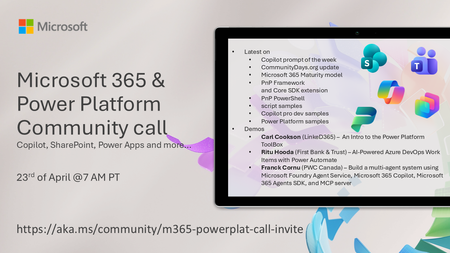
💡 Microsoft 365 & Power Platform Development bi-weekly community call focuses on different use cases and features within the Microsoft 365 and Power Platform - across Microsoft 365 Copilot, Copilot Studio, SharePoint, Power Apps and more. 👏 Looking to catch up on the latest news and updates, including cool community demos, this call is for you! 📅 On 23rd of April we'll have following agenda: Copilot prompt of the week CommunityDays.org update Microsoft 365 Maturity model Latest on PnP Framework and Core SDK extension Latest on PnP PowerShell Latest on script samples Latest Copilot pro dev samples Latest on Power Platform samples Picture time with the Together Mode! Carl Cookson (LinkeD365) – An Intro to the Power Platform ToolBox Ritu Hooda (First Bank & Trust) – AI‑Powered Azure DevOps Work Items with Power Automate Franck Cornu (PWC Canada) – Build a multi-agent system using Microsoft Foundry Agent Service, Microsoft 365 Copilot, Microsoft 365 Agents SDK, and MCP server 📅 Download recurrent invite from https://aka.ms/community/m365-powerplat-dev-call-invite 📞 & 📺 Join the Microsoft Teams meeting live at https://aka.ms/community/m365-powerplat-dev-call-join 👋 See you in the call! 💡 Building something cool for Microsoft 365 or Power Platform (Copilot, SharePoint, Power Apps, etc)? We are always looking for presenters - Volunteer for a community call demo at https://aka.ms/community/request/demo 📖 Resources: Previous community call recordings and demos from the Microsoft Community Learning YouTube channel at https://aka.ms/community/youtube Microsoft 365 & Power Platform samples from Microsoft and community - https://aka.ms/community/samples Microsoft 365 & Power Platform community details - https://aka.ms/community/home 🧡 Sharing is caring!69Views0likes0CommentsMicrosoft 365 & Power Platform product updates call
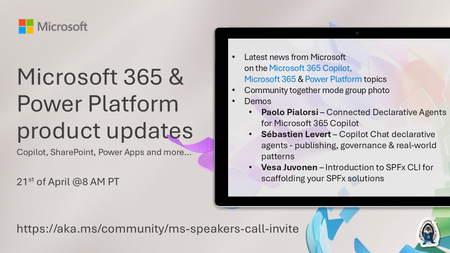
💡Microsoft 365 & Power Platform product updates call concentrates on the different use cases and features within the Microsoft 365 and in Power Platform. Call includes topics like Microsoft 365 Copilot, Copilot Studio, Microsoft Teams, Power Platform, Microsoft Graph, Microsoft Viva, Microsoft Search, Microsoft Lists, SharePoint, Power Automate, Power Apps and more. 👏 Weekly Tuesday call is for all community members to see Microsoft PMs, engineering and Cloud Advocates showcasing the art of possible with Microsoft 365 and Power Platform. 📅 On the 21st of April we'll have following agenda: News and updates from Microsoft Together mode group photo Paolo Pialorsi – Connected Declarative Agents for Microsoft 365 Copilot Sébastien Levert – Copilot Chat declarative agents - publishing, governance & real-world patterns Vesa Juvonen – Introduction to SPFx CLI for scaffolding your SPFx solutions 📞 & 📺 Join the Microsoft Teams meeting live at https://aka.ms/community/ms-speakers-call-join 🗓️ Download recurrent invite for this weekly call from https://aka.ms/community/ms-speakers-call-invite 👋 See you in the call! 💡 Building something cool for Microsoft 365 or Power Platform (Copilot, SharePoint, Power Apps, etc)? We are always looking for presenters - Volunteer for a community call demo at https://aka.ms/community/request/demo 📖 Resources: Previous community call recordings and demos from the Microsoft Community Learning YouTube channel at https://aka.ms/community/youtube Microsoft 365 & Power Platform samples from Microsoft and community - https://aka.ms/community/samples Microsoft 365 & Power Platform community details - https://aka.ms/community/home 🧡 Sharing is caring!71Views0likes0CommentsMicrosoft 365 & Power Platform Community call
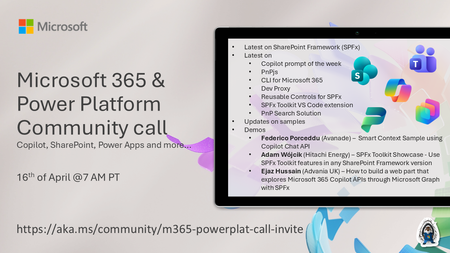
💡 Microsoft 365 & Power Platform Development bi-weekly community call focuses on different use cases and features within the Microsoft 365 and Power Platform - across Microsoft 365 Copilot, Copilot Studio, SharePoint, Power Apps and more. Demos in this call are presented by the community members. 👏 Looking to catch up on the latest news and updates, including cool community demos, this call is for you! 📅 On 16th of April we'll have following agenda: Latest on SharePoint Framework (SPFx) Latest on Copilot prompt of the week PnPjs CLI for Microsoft 365 Dev Proxy Reusable Controls for SPFx SPFx Toolkit VS Code extension PnP Search Solution Demos this time Federico Porceddu (Avanade) – Smart Context Sample using Copilot Chat API Adam Wójcik (Hitachi Energy) – SPFx Toolkit Showcase - Use SPFx Toolkit features in any SharePoint Framework version Ejaz Hussain (Advania UK) – How to build a web part that explores Microsoft 365 Copilot APIs through Microsoft Graph with SPFx 📅 Download recurrent invite from https://aka.ms/community/m365-powerplat-dev-call-invite 📞 & 📺 Join the Microsoft Teams meeting live at https://aka.ms/community/m365-powerplat-dev-call-join 💡 Building something cool for Microsoft 365 or Power Platform (Copilot, SharePoint, Power Apps, etc)? We are always looking for presenters - Volunteer for a community call demo at https://aka.ms/community/request/demo 👋 See you in the call! 📖 Resources: Previous community call recordings and demos from the Microsoft Community Learning YouTube channel at https://aka.ms/community/youtube Microsoft 365 & Power Platform samples from Microsoft and community - https://aka.ms/community/samples Microsoft 365 & Power Platform community details - https://aka.ms/community/home 🧡 Sharing is caring!103Views1like0CommentsMicrosoft 365 & Power Platform product updates call
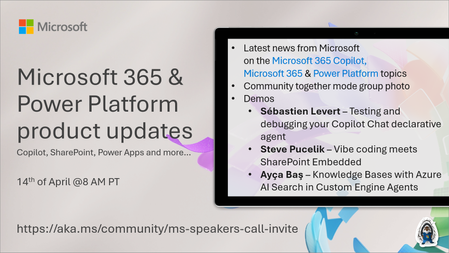
💡Microsoft 365 & Power Platform product updates call concentrates on the different use cases and features within the Microsoft 365 and in Power Platform. Call includes topics like Microsoft 365 Copilot, Copilot Studio, Microsoft Teams, Power Platform, Microsoft Graph, Microsoft Viva, Microsoft Search, Microsoft Lists, SharePoint, Power Automate, Power Apps and more. 👏 Weekly Tuesday call is for all community members to see Microsoft PMs, engineering and Cloud Advocates showcasing the art of possible with Microsoft 365 and Power Platform. 📅 On the 14th of April we'll have following agenda: News and updates from Microsoft Together mode group photo Sébastien Levert – Testing and debugging your Copilot Chat declarative agent Marc Windle & Steve Pucelik – Vibe coding meets SharePoint Embedded Ayça Baş – Connect Declarative Agent to OAuth-Protected MCP Server 📞 & 📺 Join the Microsoft Teams meeting live at https://aka.ms/community/ms-speakers-call-join 🗓️ Download recurrent invite for this weekly call from https://aka.ms/community/ms-speakers-call-invite 👋 See you in the call! 💡 Building something cool for Microsoft 365 or Power Platform (Copilot, SharePoint, Power Apps, etc)? We are always looking for presenters - Volunteer for a community call demo at https://aka.ms/community/request/demo 📖 Resources: Previous community call recordings and demos from the Microsoft Community Learning YouTube channel at https://aka.ms/community/youtube Microsoft 365 & Power Platform samples from Microsoft and community - https://aka.ms/community/samples Microsoft 365 & Power Platform community details - https://aka.ms/community/home 🧡 Sharing is caring!71Views1like0CommentsMicrosoft 365 & Power Platform product updates call
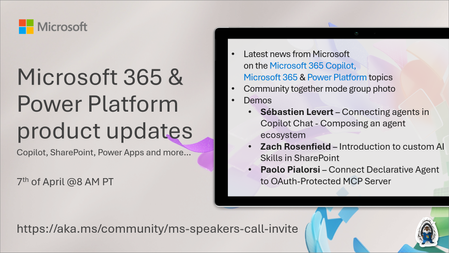
💡Microsoft 365 & Power Platform product updates call concentrates on the different use cases and features within the Microsoft 365 and in Power Platform. Call includes topics like Microsoft 365 Copilot, Copilot Studio, Microsoft Teams, Power Platform, Microsoft Graph, Microsoft Viva, Microsoft Search, Microsoft Lists, SharePoint, Power Automate, Power Apps and more. 👏 Weekly Tuesday call is for all community members to see Microsoft PMs, engineering and Cloud Advocates showcasing the art of possible with Microsoft 365 and Power Platform. 📅 On the 7th of April we'll have following agenda: News and updates from Microsoft Together mode group photo Sébastien Levert – Connecting agents in Copilot Chat - Composing an agent ecosystem Zach Rosenfield – Introduction to custom AI Skills in SharePoint Paolo Pialorsi – Connect Declarative Agent to OAuth-Protected MCP Server 📞 & 📺 Join the Microsoft Teams meeting live at https://aka.ms/community/ms-speakers-call-join 🗓️ Download recurrent invite for this weekly call from https://aka.ms/community/ms-speakers-call-invite 👋 See you in the call! 💡 Building something cool for Microsoft 365 or Power Platform (Copilot, SharePoint, Power Apps, etc)? We are always looking for presenters - Volunteer for a community call demo at https://aka.ms/community/request/demo 📖 Resources: Previous community call recordings and demos from the Microsoft Community Learning YouTube channel at https://aka.ms/community/youtube Microsoft 365 & Power Platform samples from Microsoft and community - https://aka.ms/community/samples Microsoft 365 & Power Platform community details - https://aka.ms/community/home 🧡 Sharing is caring!92Views1like0CommentsMicrosoft 365 & Power Platform Community call
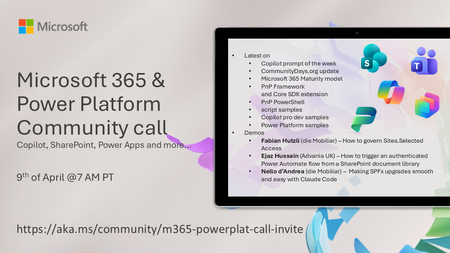
💡 Microsoft 365 & Power Platform Development bi-weekly community call focuses on different use cases and features within the Microsoft 365 and Power Platform - across Microsoft 365 Copilot, Copilot Studio, SharePoint, Power Apps and more. 👏 Looking to catch up on the latest news and updates, including cool community demos, this call is for you! 📅 On 9th of April we'll have following agenda: Copilot prompt of the week CommunityDays.org update Microsoft 365 Maturity model Latest on PnP Framework and Core SDK extension Latest on PnP PowerShell Latest on script samples Latest Copilot pro dev samples Latest on Power Platform samples Picture time with the Together Mode! Fabian Hutzli (die Mobiliar) – How to govern Sites.Selected Access Ejaz Hussain (Advania UK) – How to trigger an authenticated Power Automate flow from a SharePoint document library Nello d’Andrea (die Mobiliar) – Making SPFx upgrades smooth and easy with Claude Code 📅 Download recurrent invite from https://aka.ms/community/m365-powerplat-dev-call-invite 📞 & 📺 Join the Microsoft Teams meeting live at https://aka.ms/community/m365-powerplat-dev-call-join 👋 See you in the call! 💡 Building something cool for Microsoft 365 or Power Platform (Copilot, SharePoint, Power Apps, etc)? We are always looking for presenters - Volunteer for a community call demo at https://aka.ms/community/request/demo 📖 Resources: Previous community call recordings and demos from the Microsoft Community Learning YouTube channel at https://aka.ms/community/youtube Microsoft 365 & Power Platform samples from Microsoft and community - https://aka.ms/community/samples Microsoft 365 & Power Platform community details - https://aka.ms/community/home 🧡 Sharing is caring!139Views0likes0Comments