Forum Discussion

Sho_Sugimoto_kt123
Sep 04, 2023Copper Contributor
WebGL Error
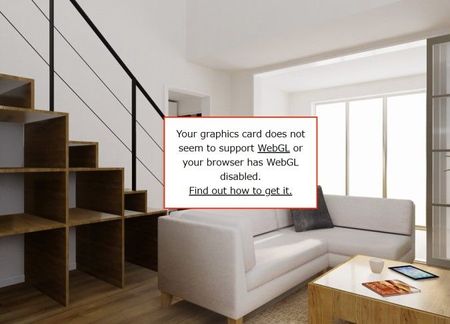
I have this issue saying graphics card does not support WebGL when I browse virtual 3D tour with either Edge or Chrome. It happens randomly and seems browser setting is okay (hardware acceralation i...

Anonymous
Sep 15, 2023Try this flag:
edge://flags/#use-angle
http://html5test.com/
edge://flags/#use-angle
http://html5test.com/

Sho_Sugimoto_kt123
Sep 15, 2023Copper Contributor
Thanks, but what should I do with this?
Which item should I check?
Which item should I check?
- AnonymousSep 15, 2023If none of those work, contact Surface Support here:
https://support.microsoft.com/en-us/home/contact?SourceApp=surfaceweb1&ContactUsExperienceEntryPointAssetId=S.HP.SmcContactUsLanding - AnonymousSep 15, 2023https://get.webgl.org/webgl2/, here is another one to test if webgl2 is working properly.
- AnonymousSep 15, 2023
For the flag, change default in the drop down to "enabled" and press the restart button.. then test again.
- AnonymousSep 15, 2023Tested the website on my Surface Pro 5 with a i5-7300 and 4gb ram, works fine, not really sure what is going on thy end.
All drivers and updates are installed?
https://download.microsoft.com/download/e/9/a/e9a35d1b-7b4c-48d4-8619-5301d4c09f65/SurfacePro9_Win11_22621_23.063.31758.0.msi- Sho_Sugimoto_kt123Sep 16, 2023Copper ContributorHave you reloaded several times?
It sometimes goes fine but when you reload several times. the error shows up.- Sho_Sugimoto_kt123Oct 30, 2023Copper ContributorI'm still having this issue, I updated all drivers and software..
Is there any 3rd party driver for Intel chips that might work better?
- AnonymousSep 15, 2023The first one is a Flag option that I see online fixed someone else's issue with similar issue.
The next one is a website that tells thee if WebGL is detected, scroll down. 🙂