Forum Discussion

SP2019 Server Quick Launch Nav missing on Modern sites after Aug CU patch install
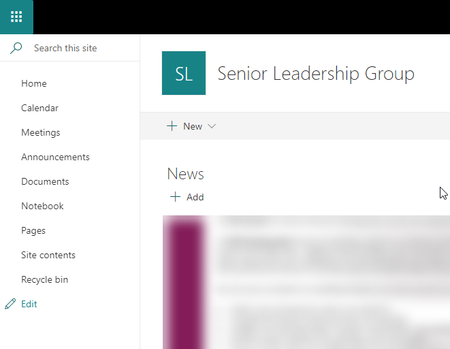

I have installed the latest June CU and Language pack and the issue is still there. Any Ideas?
16.0.10387.20008 June 2022 SharePoint Server KB 5002212
Update for Microsoft SharePoint Server 2019 Language Pack KB 5002206
Both updates installed and PSCONFIG ran successfully

I had the same issue. I have installed booth files(June 2022), run PSConfig AND configured the side by side feautre. With this combination the issue has been resolved.
You could finde more info on this Blog from Stefan Gossner:
- https://blog.stefan-gossner.com/2022/05/31/trending-issue-left-navigation-missing-after-applying-may-2022-cu-for-sharepoint-server-2019/
- https://blog.stefan-gossner.com/2017/01/10/sharepoint-server-2016-patching-using-side-by-side-functionality-explained/
- clivebrandonJul 07, 2022Copper Contributor
sznyiredi - I followed the instructions again but this time I also cleared the SharePoint Server 2019 cache on the server (not my browser cache as many people have suggested) and then it started working. 4 days at it and eventually got is fixed.
- clivebrandonJul 07, 2022Copper Contributorsznyiredi - Thanks for the tip.. I have tried Stefan's option as well but no luck. I will try again 🙂