Forum Discussion

jcmfxt
Jun 01, 2022Copper Contributor
Help VMware esxi vm High CPU running SharePoint server 2019
Environment: VMware esxi vm running SharePoint server 2019 on Server 2019. Issue: We had to reboot the server while working another issue. Since about that time the VM CPU usage has been way up. It ...
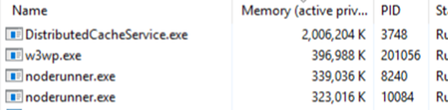

jcmfxt
Jun 02, 2022Copper Contributor
Thanks for replying. I'm new to SharePoint and this company and everything was already deployed. We have a single server with only about 15 users. In Central admin is says role is custom. I'm not sure where to check if there's an alias or where the SP services are pointing.

mr_w1nst0n
Jun 02, 2022Iron Contributor
Custom role means you are not taking benefits of the MinRole feature and you can decide every SP service startup on your own (as we are talking of a single server it's fine).
For checking the alias click on the server start and type "cliconfg.exe", the SQL Server Client Network Utility should pop up and you have the Alias tab to check whether an alias is present or not
You can match later the alias information with the Farm Information that you can find in the Servers in Farm tab in the Central Admin (/_admin/FarmServers.aspx)
To check the DB endpoint configured for the SP services, one option is to use the CA, click on "Manage Service Applications", select the SP Service then click on Properties. Another option is to use PowerShell