Forum Discussion

Dabona
Oct 01, 2021Former Employee
How to: Enabling MFA for Active Directory Domain Admins with Passwordless Authentication
Administer on premise Active Directory
Using Azure Passwordless Authentication
removing Domain Admins passwords
Hello Guys,
I am here just to...

Dabona
Mar 25, 2022Former Employee
Confirm Hybrid Device Join is working properly. Confirm your Windows 10 version 2004+ PC are Hybrid Device Joined : dsregcmd /status must report AzurePRT ON. Review other requirements : https://docs.microsoft.com/en-us/azure/active-directory/authentication/howto-authentication-passwordless-security-key-on-premises

StefanoC66
Mar 25, 2022Iron Contributor
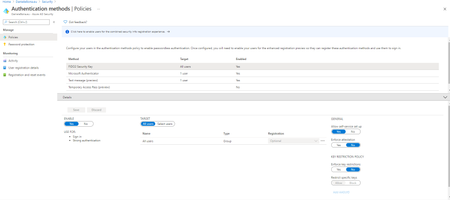
A part from being able to authenticate my issue is that the option of selecting the usb key does not appear at all on the client, and I supposed this should be enabled by the GPO.
The client is showing as joined into the azure portal.
The test server, however, is not joining the hybrid configuration even if I configured AD connect to do it
The client is showing as joined into the azure portal.
The test server, however, is not joining the hybrid configuration even if I configured AD connect to do it
- DabonaMar 25, 2022Former EmployeeHello please, for the FIDO sign on, review requirements here https://docs.microsoft.com/en-us/azure/active-directory/authentication/howto-authentication-passwordless-security-key and here https://docs.microsoft.com/en-us/azure/active-directory/authentication/howto-authentication-passwordless-security-key-on-premises , after, enable the GPO turn on security key sign on. Check windows 10 version at least 2004. Currently FIDO sign in is not supported on servers but you can use FIDO to SSO to services after physically signed to a Windows machines . To test don't use RDP/virtualization .. FIDO keys must be used physically.
- StefanoC66Mar 25, 2022Iron Contributor
hello as per the windows 10 client, after updating it, I see the option.
Right now I have a fido key registered for the test user, I'm able to login to O365 with it, but when I'm tryin to use it on the PC I got the error below .
I should say I'm using a virtual PC, as I cannot do it differently right now.
So is not possible to use fido keys to RDP to windows servers as we use normal USB Token with certificate ?
- DabonaMar 28, 2022Former EmployeeHello, FIDO2 keys logins are physical way to access the PC. Today is not possible to use FIDO directly with RDP from another client. If you are using virtualization, check your hypervisor if it is capable of : 1) presenting a USB stick to the VM (usb passthrough) 2) emulate Keyborad / Mouse / Monitor (KVM) access (no RDP - legacy console access) . HyperV can do the number 2 (disabling enhanced session in view menu) but not the number 1 (only storage is possible to be presented via usb, non other types of peripherals .. there are third parties products to work around using the network to present an usb device -- like "USB redirector" but must be purchased ). I think vmware or virtual box might do the trick please check their documentation. Take care.