Forum Discussion

Shared Pool Resources are shown separately in Linked Project
 Jan 13, 2022Reuben,
For what you want to do, yes, you should open the resource pool file and then save all when you close out.
John
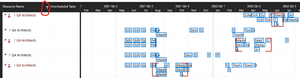
The screen shot you posted earlier this morning of the Resource Usage view in the master file indicates resources are coming from each subproject, not from the pool. I can't tell what you might have done such that it now works but you gave the correct answers to my questions so I think you are on the right path. But, I'll give you one more thought. When working with linked structures in Project, you can never rename, move, overwrite, or save off to another location any of the files in the structure. Ideally all files should be in a single folder on a local drive and not be operated over a network.
John

John-project Thank you for the tip.
I have put all the sub-projects into a "Sub-Projects" folder along with the Resource Pool file.
The master project is in one folder level above.
Should the Resource Pool file be with the Master Project or the Sub-Projects folder?
Should the Master Project be in the same folder as the Master or the Sub-Projects?
Also, I am saving these in a synced Sharepoint Document Library. I don't know what that means for sharing these files since I am the only one working on them for now but I will cross that bridge when I get to it I guess. I assume you can not have multiple people editing mpp files like you can for Excel and Word.
- John-projectJan 05, 2022Silver ContributorRuben,
First of all I'd put all the files into a single folder. I see no advantage of separating the master and/or pool file from the subproject/sharer files.
Second, my understanding is that linked structures do not work on SharePoint, so I'd scrub that idea. Unlike Excel or Word, there can only be one instance of Project. I'd be real careful about multiple users editing any of the files in the structure unless they are fully trained on how to work with linked structures. My advice is to have one trained individual be responsible for all the files.
John- ReubenJan 05, 2022Iron ContributorOk good to know but it may be too late... Can I move them now or will that break the links?
I'll probably be the only one editing for a while. Ideally I'd like to figure out how to link the tasks in the project to show up in the Microsoft Planner app (if that is possible). Then the tasks can be assigned to specific users and ideally once checked off as complete by that user also automatically be marked 100% complete in the Project file. I'm not sure that is possible but it is my ideal process once I work out the kinks and get my schedules set up for the next 2 years of work.- John-projectJan 06, 2022Silver Contributor
Reuben,
By "move" do you mean put them all in the same folder? If so, go ahead and do that, the links should follow as long as you save all files to capture the new link structure.
I don't work with Planner so I'm afraid someone else will have to jump in to answer that. But here is a very similar question posted on the Project Answers forum.