Forum Discussion

Deploying Project 2016 C2R (Insider) on Terminal Server doesn't show new features
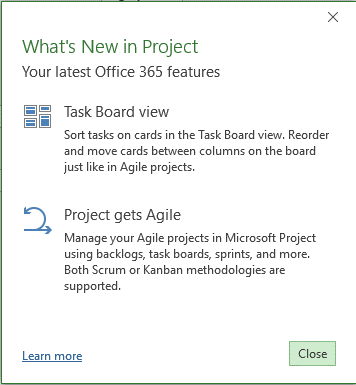

That all looks perfect Trutz. Do you see the same if you start standalone? It should work either way. I'll also try installing with your configuration.xml settings and see what happens.
Best regards,
Brian.

Hi Brian,
Did you have the chance to test the installation?
Maybe it is linked to the fact that the O365 activation on Terminal Server is not registered against the 5 regular installs that come with a subscription. At least that I noticed that the Terminal Server activation is not listed for the given account under "Install status" in the O365 portal (which is expected behavior from what I've read).
Kind regards,
Trutz
- Brian-SmithNov 27, 2017Former Employee
I haven't yet Trutz, busy over the holiday weekend/weeks. I suspect you are correct, as I have seen the features not light up until you have opened and accepted the license then restarted - ti feels like that isn't happening in this virtual environment. Is there a support case open?
Best regards,
Brian.
- Trutz_StephaniNov 28, 2017Iron Contributor
Hi Brian,
Thanks for your feedback I just opened a support case: Ticket #6857103
Kind regards,
Trutz
- Trutz_StephaniDec 04, 2017Iron Contributor
Hi Brian-Smith,
Sorry to bother you again with the topic. I created the ticket last week but received so far no initial call nor initial email from the engineer assigned. Instead it says in the Admin portal, that an engineer is reviewing the case. Is this a normal delay?
Therefore I tried the installation on a second Terminal Server with the same results. I used the same configuration file (except for the sharing property) on a Win 10 VM and it worked without issues.
Kind regards,
Trutz