Forum Discussion

goulp99
Jan 04, 2023Copper Contributor
Power Automate - ActionBranchingConditionNotSatisfied
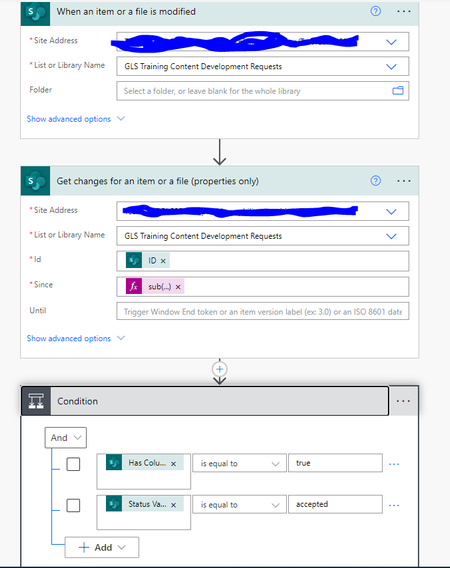
Hi, I'm trying to setup power automate flow to send an email, based on a choice selection within a list. Example someone submits a request and the column "Status" automatically sets to submit...

RobElliott
Feb 08, 2023Silver Contributor
MAJIDAM as you can see, your flow went down the red if no channel because the condition resulted in false. Is your status column a choice column? If so you need to select Status Value from the dynamic content box, not Status. Also make sure your SharePoint column has closed, not Closed as the condition is case-sensitive.
Rob
Los Gallardos
Microsoft Power Automate Community Super User

MAJIDAM
Feb 08, 2023Brass Contributor
Rob you are a genious, the flow is working now!
Thank you
Any idea or suggestion on how to learn the expressions. That is the part which I really find an obstacle in using power automate. For example yesterday I followed a video on getting the responses from a multi choice answer to a SP list but I really didn't understand how the expressions worked. I copied the steps and it worked but if I had to recreate without referencing I know I will struggle.
Thank you
Any idea or suggestion on how to learn the expressions. That is the part which I really find an obstacle in using power automate. For example yesterday I followed a video on getting the responses from a multi choice answer to a SP list but I really didn't understand how the expressions worked. I copied the steps and it worked but if I had to recreate without referencing I know I will struggle.