Forum Discussion

Outlook/Office 365 loads wrong display name on To: field.
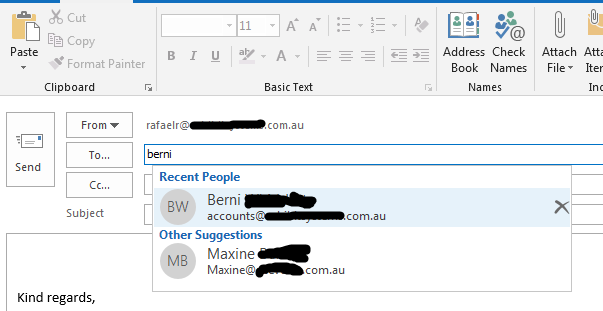


Following this thread. We are having the exact same issues at my company. I am new to the IT dept and we are trying to figure out a fix to no avail.
Things I've tried:
- Checking that the settings are right in the admin portal.
- Click the x beside the remembered name in the TO: field.
- Shut down Outlook, remove the autocomplete files completely, restart Outlook.
As a test I left the existing Outlook profile in place, and through Control Panel | Mail created a separate profile called Temp which I configured with the same settings as the original user. When I open this profile, the changed user's name appears correct all the time.
So from my experience it is an issue with the local profile, not with the settings in the admin portal. New profiles do not have the problem. But something in the "memory" of the old profile has hard coded the old name to correspond with that email address.