Forum Discussion

Global Admin Showing up with Access to All Users OneDrive for Business
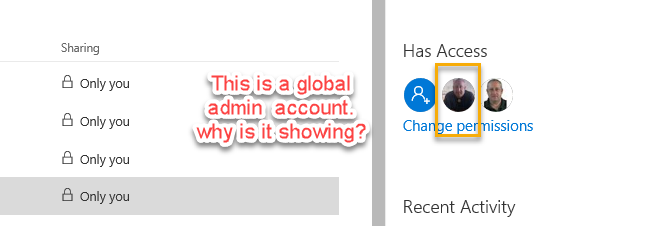


Sure, I got it directly from Microsoft - here is the script:
Powershell command to attach to someone's OneDrive as a secondary Administrator to copy files:
Open SharePoint Online Management Shell - run as Administrator
Copy and run this script below replacing the user's name and using underscore between user first name and last name and yourcompany.com
Set-SPOUser -Site https://amtrak-my.sharepoint.com/personal/FirstName_LastName_amtrak_com -LoginName Your.Name@yourcompany.com -IsSiteCollectionAdmin $false
Then hit ENTER to run.
NOTES:
$true adds you as an Admin to their OneDrive
$false removes you as Admin to their OneDrive
- zstjmbMay 21, 2018Brass Contributor
The -my/personal/FName_LName_tenant_com -YourLoginName@yourcompanyname.com in case that is not clear since the text is underlined as a url.
- Paul McClenaghanMay 21, 2018Copper Contributor
Many thanks, very much appreciated.