windows 11
558 Topics
New laptop problems with system
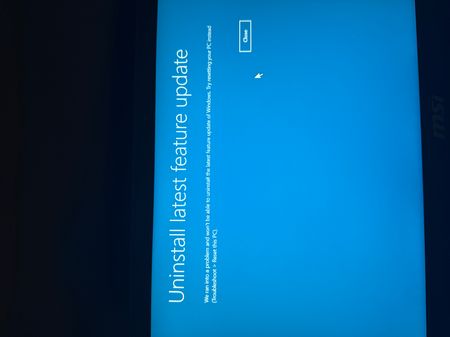
Hello, i have this problem on new bought laptop that is completely brand new. I updated Windows and it happened. So what happened? After opening Windows, logging in my screen looks like it’s constanly refreshing. There is no way to open anything or go into settings. Only way to open cmd is via task manager which Works. Even after trying a few cmd options and then uninstalling updates it’s still like that. (Constant refresh) when turned in safe mode same thing. Even in „tryb awaryjny” it’s still the same. I tought maybe uninstalling latest feature update will help but i cannot do that. this laptop has like 5 days so pls help me cuz im losing it157Views0likes7Comments
Bookings Page not sending confirmation emails to customers
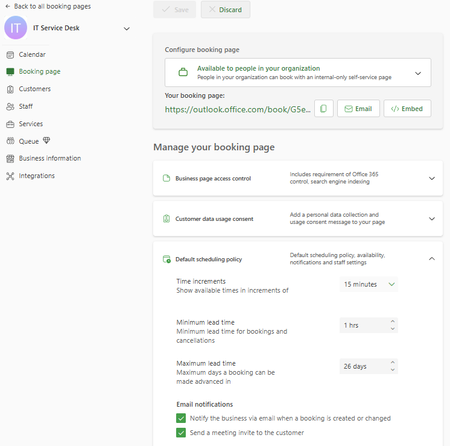
Hello, I am the main technician for my company's service desk. We have a Bookings page, but any time anyone books a time slot, they receive a message indicating that they will receive a confirmation email, but no email comes to them. In the settings, it shows the checkbox to send a confirmation email is checked. I have also looked in Exchange Admin and run a message trace and cannot find any confirmation email sent to myself or other testers. In Bookings, I have unchecked the confirmation email checkbox, saved, checked, saved, and tested - same result. Additionally, this Bookings page is only for internal users, and all of them are 'customers' with their full organization email address. In researching, I found that there was mention of the Bookings needing to have an Exchange account as a shared mailbox, which I do not believe we have - when I search the email that confirms for me that someone has booked with me, it is a long string of seemingly random letters and numbers with an internal domain address. I have also tried searching in Exchange Admin for 'IT' 'Service Desk' 'Service', and 'Desk', none of which have any results under Mailboxes (which would include shared mailboxes). Any advice/suggestions would be greatly appreciated. Screenshot:170Views0likes2CommentsMicrosoft and Ericsson Advance Enterprise Mobility with Windows 11 and Surface 5G Laptops
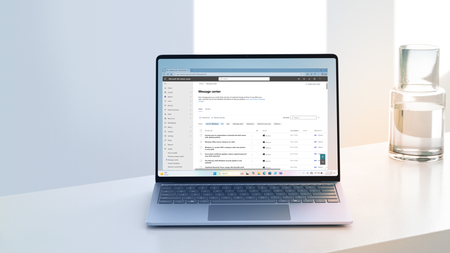
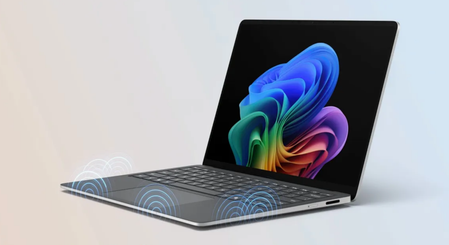
Today, Microsoft and Ericsson announced deeper integration that builds on their existing partnership to address a critical enterprise challenge: keeping mobile and hybrid employees productive with secured 5G connectivity, wherever work happens.1.2KViews1like0Comments