microsoft teams
17395 TopicsImmersive events in Microsoft Teams: Now generally available
We’re excited to announce the general availability of immersive events in Teams! This milestone brings 3D event experiences natively into Teams, making it easier to host engaging, interactive events that bring people together on PC, Mac, and Meta Quest devices. With immersive events, organizers can create tailored 3D environments where attendees join as avatars, interact naturally, and feel truly present. Because immersive events are built directly into Teams, you can plan, manage, and host immersive experiences using the familiar tools you already know – your Teams calendar, chat, and collaboration features. Simply open Teams, schedule an immersive event, and start designing your space. Immersive events can help drive enhanced engagement and connection for your workforce across multiple points of interest in a single branded event with a tailored experience—ideal for all hands, showcases, company events, new employee onboarding, and trainings. Note: With this general availability milestone, Microsoft Mesh is retired as of December 1, 2025. Read further for more details on this transition. Designed for flexibility and connection Immersive events in Teams deliver everything you need to create a deeply engaging experience, whether hosting a small internal meeting or a large organizational event. Build your event space your way Customize your venue with your brand logos, images, 3D models, videos, text, and interactive elements, and even sequence the experience for storytelling and impact. The intuitive editor enables creative freedom without the need for coding skills. Start faster with pre-designed templates Choose from ready-to-use 3D environments tailored for common event types such as all-hands meetings, webinars, and team celebrations. Deliver with confidence Presenter tools simplify setup and execution, with one-click starts, integrated Q&A, and efficient attendee management so you can focus on the message, not the logistics. Stay secure and compliant Immersive events inherit the same enterprise-grade identity management, security, and privacy protections built into Microsoft 365. Experience immersion on familiar devices Join immersive events from the Teams app on PC, Mac, or Meta Quest devices for lifelike interactions that enhance collaboration and deliver rich experiences. Dynamic platform designed for business impact Engage directly in the Teams event window or step into full 360° VR on Quest to unlock impactful business use cases. Flexible access for all Offer seamless participation from both Teams desktop and the immersive events app on Quest, giving your team choice and convenience. Enterprise-ready VR deployment Set up Meta Quest devices quickly with identity integration and MDM enrollment, ensuring secure, compliant sign-in to immersive events. Bring your event to life with action groups Make events more immersive and memorable. Action groups in Teams let you create dynamic, interactive experiences without writing a single line of code. Instantly trigger animations, play audio or video, reveal content, and switch visuals on the fly. Whether it’s launching a welcome sequence, powering a live quiz, or showcasing a 3D model, action groups give organizers controls to engage audiences in real time. Licensing Hosting immersive events in Teams requires: A qualifying commercial Teams license, and A Teams Premium license, which enables immersive event capabilities. Co-organizers and attendees only need a standard Teams license, such as Microsoft 365 E3/E5 with Teams or Teams Enterprise. Transition from Microsoft Mesh The general availability of immersive events in Teams follows the previously announced retirement of Microsoft Mesh as a standalone platform. This change reflects our continued investment in bringing immersive experiences into Teams for a more integrated and scalable 3D meeting solution. As of December 1, 2025: Users will no longer be able to attend Mesh events via the Mesh PC or Quest apps. The “Immersive space (3D)” view in Teams meetings will be removed. Joining Teams meetings via the Mesh Quest app will be disabled. The “mesh.cloud.microsoft” website will be decommissioned. If your organization has relied on Mesh for immersive meetings or events, now is the time to transition to immersive events in Teams, in order to take advantage of these new experiences. Get started today Creating an immersive event in Teams is simple: Open your Teams calendar. Select New event, then choose Immersive event. Customize your environment, invite participants, and host your event. Help prepare your organization for immersive events in Teams (includes optional Meta Quest deployment guidance), and learn how to get started with immersive events in Teams to transform your next online event into a high-impact 3D experience.17KViews4likes3CommentsIgnite Blog: Taking Forms to the Next Level with Teams and Power Automate
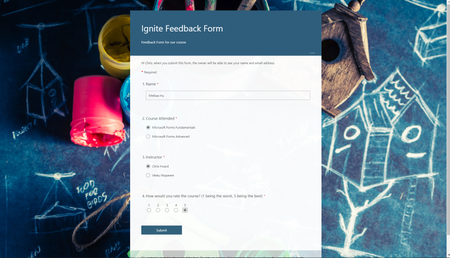
I hope you are all having a great time at Microsoft Ignite! My name is Chris Hoard, Partner Education Lead at Vuzion here in the UK. I am a Microsoft Certified Trainer Regional Lead (MCT RL) and Office Apps and Services MVP.13KViews5likes3Comments
Honoring Women Innovators: How Marisa Redd Is Expanding Childcare Access Through Technology
This International Women’s Day, we’re celebrating a leader who is using technology to open doors for families and strengthen her community. In Austin, access to childcare remains one of the biggest challenges facing working parents—and Marisa Redd, Senior Director at the Greater Austin YMCA, is helping reshape what’s possible. Reimagining Early Learning in Austin With Marisa's help, the YMCA introduced Tomorrow Academy, a forward‑thinking early learning model built to increase the availability of high‑quality, affordable childcare across the region. Supported by digital tools like Microsoft Teams, the organization has transformed how staff connect, coordinate, and share expertise. For the first time, teams across multiple centers can collaborate in real time, streamline program delivery, and scale services more efficiently bringing much‑needed childcare options to more families. Leadership That Moves Communities Forward Marisa’s work shows how technology, paired with mission‑driven leadership, can help solve complex community challenges. By modernizing communication and strengthening operational agility, she and her team are expanding opportunity for families who rely on accessible, dependable childcare. This International Women’s Day, we’re proud to recognize women like Marisa—leaders who are driving innovation, empowering communities, and creating lasting impact. To learn more about Marisa's story and the wonderful work of Greater Austin YMCA, please visit: Microsoft for Nonprofit LinkedIn.36Views0likes0Comments
When I install my app to a second channel in Teams, the this.onMessage will nto trigger
I have a bot which when installed to a channel will read messages using this.onMessage, if I add another channel to the same team it will also read the messages without installing the bot on that channel. However if a user installs the bot again, to the second channel which some users do, the second channel will not trigger the onMessage listener except when using the @botname command. I cant log errors anything because it just wont trigger. I feel like the context gets screwed up, all the other listeners fire on other channel Any help please?Solved66Views0likes3Comments
App Validation Issue - Bot must send a proactive welcome message in personal scope
I'm working on a bot application for MS Teams using the Python SDK and encountered a challenge with app validation and the proactive welcome message requirement. What Happened: Initially, our bot handled the welcome message through on_installation_update, but app validation failed with the error: "Bot must send a proactive welcome message in personal scope." To satisfy validation, we added on_members_added_activity to send the welcome message for personal scope, which resolved the validation error. However, this created a new problem: on_members_added_activity is being triggered when we call the Graph API to query chats or users: {graph_url}/me/chats $filter=chatType eq 'oneOnOne' and installedApps/any(a:a/teamsApp/id eq '{teams_app_id}') {graph_url}/users/{user_id}/chats $filter=chatType eq 'oneOnOne' and installedApps/any(a:a/teamsApp/id eq '{teams_app_id}') According to a Stack Overflow discussion (https://stackoverflow.com/questions/57496329/proactive-messaging-bot-in-teams-without-mentioning-the-bot-beforehand), this appears to be a known issue: calling this API triggers a conversation update event even though there were no actual updates, resulting in duplicate events and duplicate welcome messages. Questions: What is the official/recommended way to handle known issue: calling this API triggers a conversation update event? Whats the recommended way to read personal chat history of a user? Should we be using a different approach for this app validation requirement? Any guidance or pointers to official documentation would be greatly appreciated!307Views0likes5Comments
Would Microsoft Teams SDK for Python (Preview) affect marketplace submission
Hi, I need to know if it's possible to publish a custom teams app and get validated to have the app in marketplace for public if it's developed using Teams SDK with python which is mentioned as still in preview. Teams SDK is now generally available for JavaScript and C#, supports Python in developer preview https://learn.microsoft.com/en-us/microsoftteams/platform/bots/overview https://learn.microsoft.com/en-us/microsoftteams/platform/resources/dev-preview/developer-preview-intro?tabs=new-teams-client https://github.com/microsoft/teams.py Thank you!73Views0likes2Comments