Forum Discussion

Kjstern1956
Feb 24, 2023Copper Contributor
Macros tab selection
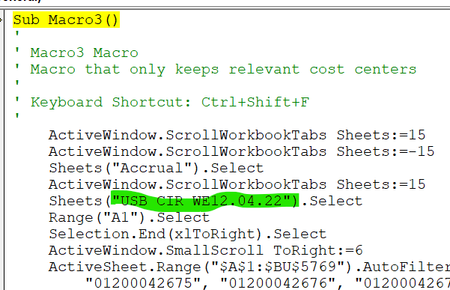
I have written a simple macro that deletes unwanted rows of data based on specific criteria. I dont always want the macro to run on the same sheet. how do I change it to reference the sheet I would...

Kjstern1956
Mar 02, 2023Copper Contributor
Here is the code. pretty simple Macro. I have several sheets with varying numbers of rows. I only want to keep the rows with the cost centers identified in the code.
Thanks
Sub Macro3()
'
' Macro3 Macro
' Step 1 for eliminating un-needed rows
'
' Keyboard Shortcut: Ctrl+Shift+F
'
Range("A1").Select
Selection.End(xlToRight).Select
ActiveSheet.Range("$A$1:$BU$10000").AutoFilter Field:=73, Criteria1:=Array( _
"01200042675", "01200042676", "01200042677", "01200042678", "03000002543", _
"03000034554"), Operator:=xlFilterValues
Range("A1").Select
End Sub
Thanks
Sub Macro3()
'
' Macro3 Macro
' Step 1 for eliminating un-needed rows
'
' Keyboard Shortcut: Ctrl+Shift+F
'
Range("A1").Select
Selection.End(xlToRight).Select
ActiveSheet.Range("$A$1:$BU$10000").AutoFilter Field:=73, Criteria1:=Array( _
"01200042675", "01200042676", "01200042677", "01200042678", "03000002543", _
"03000034554"), Operator:=xlFilterValues
Range("A1").Select
End Sub

HansVogelaar
Mar 02, 2023MVP
Does this work?
Sub Macro3()
'
' Macro3 Macro
' Step 1 for eliminating un-needed rows
'
' Keyboard Shortcut: Ctrl+Shift+F
'
    Dim LastRow As Long
    LastRow = Range("BU" & Rows.Count).End(xlUp).Row
    Range("A1:BU" & LastRow).AutoFilter _
        Field:=73, _
        Criteria1:=Array("01200042675", "01200042676", "01200042677", _
            "01200042678", "03000002543", "03000034554"), _
        Operator:=xlFilterValues
End Sub