Forum Discussion

deniztopcu
Sep 12, 2023Brass Contributor
Is there a solution to using the same function multiple times?
Hello, is there a shorter way to do such repetitive calculations? ı havent office 365.
- Sep 12, 2023
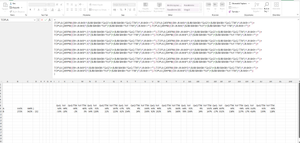
Workbook attached. Old formula in column D, new formula in column E


deniztopcu
Sep 12, 2023Brass Contributor
Thank you too.

mtarler
Sep 12, 2023Silver Contributor
deniztopcu alternatively:
=SUMPRODUCT(SIGN(J9:AK9*{1;1.2;1.4;1.6;1.8;2}-
                 SWITCH(LEFT($J$8:$AK$8,3),"QoQ",B9,"YoY",C9))
            *(J9:AK9<>""))
- deniztopcuSep 13, 2023Brass Contributor
I realized there was a logical error in my question.
HansVogelaar 's
I come to the same conclusion as the answer but it's your calculation. It came out wrong because of my mistake.- mtarlerSep 13, 2023Silver Contributor
deniztopcu alternatively:
=IF($A9="","", SUMPRODUCT(($J9:$AK9<>"")*IF(LEFT($J$8:$AK$8,3)="QoQ",
         ($B9<$J9:$AK9*{1;-0.9;-0.8;-0.7;-0.6;-0.5})-($B9>$J9:$AK9*{1;1.1;1.2;1.3;1.4;1.5}),
         ($C9<$J9:$AK9*{1;-0.9;-0.8;-0.7;-0.6;-0.5})-($C9>$J9:$AK9*{1;1.1;1.2;1.3;1.4;1.5}))))
however I wonder why the <J9:AK9 starts with 1 instead of -1
- deniztopcuSep 13, 2023Brass Contributor
I noticed when you said there was another mistake.
1,5 \ 1,4 \ 1,3 \ 1,2 \ 1,1 \ 1 \ -0,1 \ -0,2 \ -0,3 \ -0,4 \ -0,5The numbers had to be in this arrangement logic.
- deniztopcuSep 12, 2023Brass ContributorThank you for your answer, but I do not have Office 365. I don't have the opportunity to try it, but I think this should be the shortest formula.
- mtarlerSep 12, 2023Silver Contributor
deniztopcu Actually this should work going back to 2019 but if you have older maybe try this:
=SUMPRODUCT(SIGN(J9:AK9*{1;1.2;1.4;1.6;1.8;2}-
                 IF(LEFT($J$8:$AK$8,3)="QoQ",B9,C9))
            *(J9:AK9<>""))
because of SUMPRODUCT I don't think you should need to use CTRL-SHIFT-ENTER. Unfortunately I can't test on older versions.