Forum Discussion

James Bond
Jul 14, 2018Copper Contributor
IF Statement for Multiple conditions
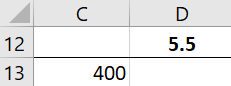
Trying to up my excel game. How can I set IF statement for color based on another cells value range I need D13 to show 1 and fill green if D12 is between 11 and 13.5 pr...

Haytham Amairah
Jul 14, 2018Silver Contributor
Hi James,
First, you have to use a formula like this in cell D13:
=IF(AND(D12>=11,D12<=13.5),1,"")
Then, you have to set a Conditional Formatting rule to format this cell based on its value.
To do that, copy the above formula into cell D13, then go to:
Home >> Styles >> Conditional Formatting >> Highlight Cells Rules >> Equal To
In Equal To dialog box type the number 1 and choose the formatting color, then click OK